
Supply User Manual ENG -> Products -> 3.8 MML / MSL -> E. MSL / MML Reports
MSL / MML Reports
A. MML Non-Conformity Report
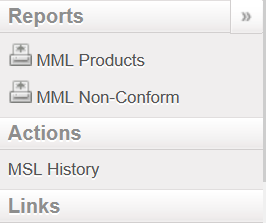
There is a report that will show all products which are in stock which do not belong to the MML. The report only displays products which have “MED” as main type. To view this list of items that do not conform to the MML,
Go to: Products / MML / MML Products and click on MML Non-Conform in the action menu:
B. MSL Non-Conformity Report
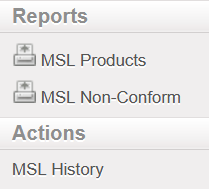
The Action Menu of MSL Products also has a non conformity report. This report will show all items that are in stock that are not included on the MSL as long as there is an active MSL for that instance. To generate the MSL Non Conform report,
Go to: Products / MML / MSL Products and click on MSL Non-Conform in the action menu:
Some instances process orders that will be delivered to another instance. As MSL lists are unique, it is possible for an purchasing instance (such as a coordination) to have items in the pipeline that do not conform to their MSL. By default, products in the pipeline are not included in the Non-Conform report. When generating the Non-Conform report, it is possible to include in-pipe quantities by clicking the checkbox next to “Include in-pipe quantity”.

When this box is ticked, items that are stocked and in the pipeline will appear on the report, even if the products being purchased are on the valid MSL of the requesting project.
