
Supply User Manual ENG -> 4. Procurement -> 4.2 LU-SU3101: Internal Requests (IRs) -> F. b) How to validate an Internal Request at line level.
F. b) How to validate an Internal Request at line level.
- Search for and open (in edit or display mode) the IR you wish to validate.
- You may then
1.1 Validate only 1 line of the IR by clicking on the green icon at the right of the line you want to validate.
1.2 Validate several lines of the IR by selecting the lines you want to validate (use the check boxes on the left of the lines) and validating the selected lines (use the green icon at the top of the products table, next to “SUBTOTAL”).
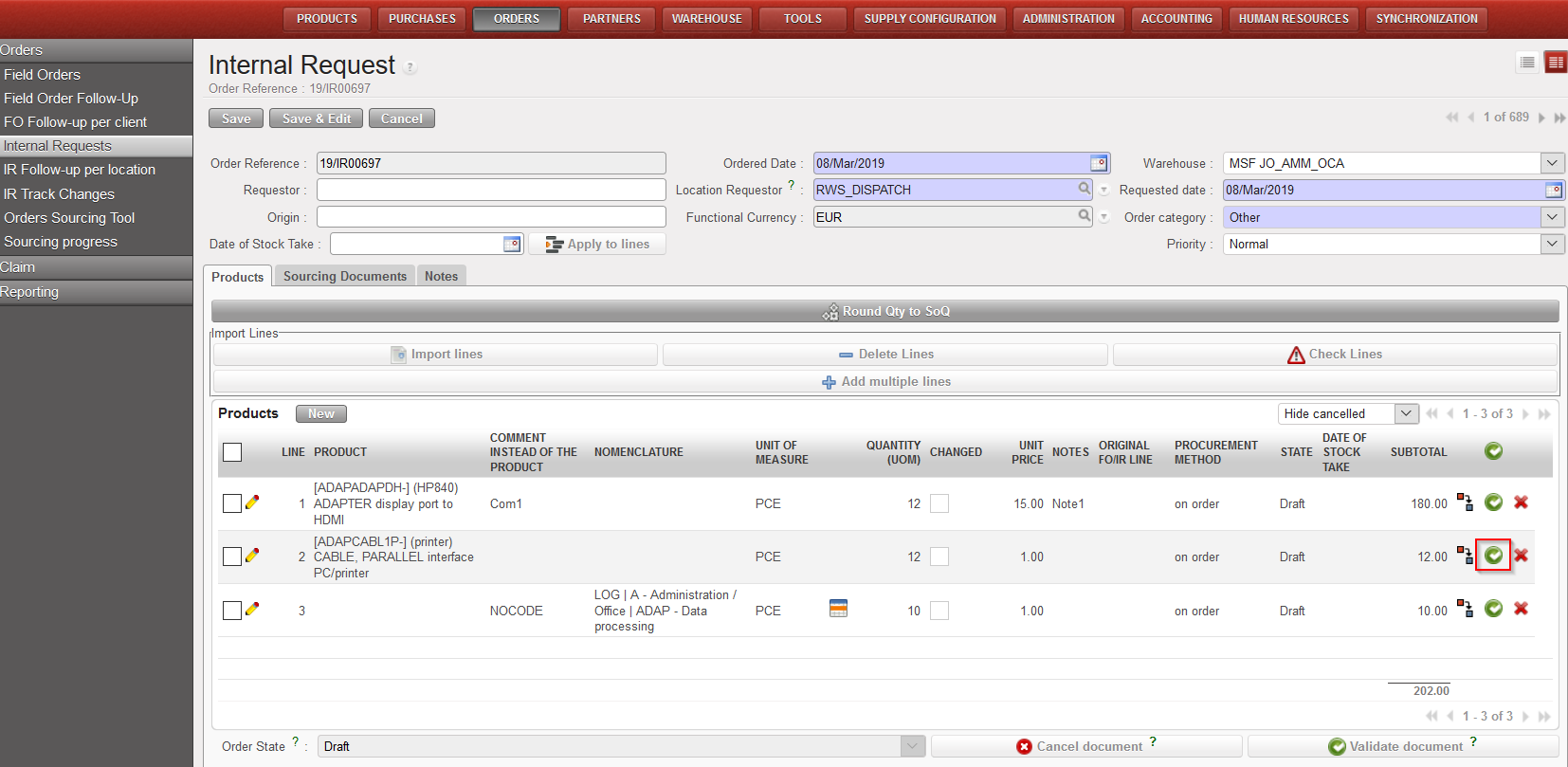 |
| Validate 1 line on an IR |
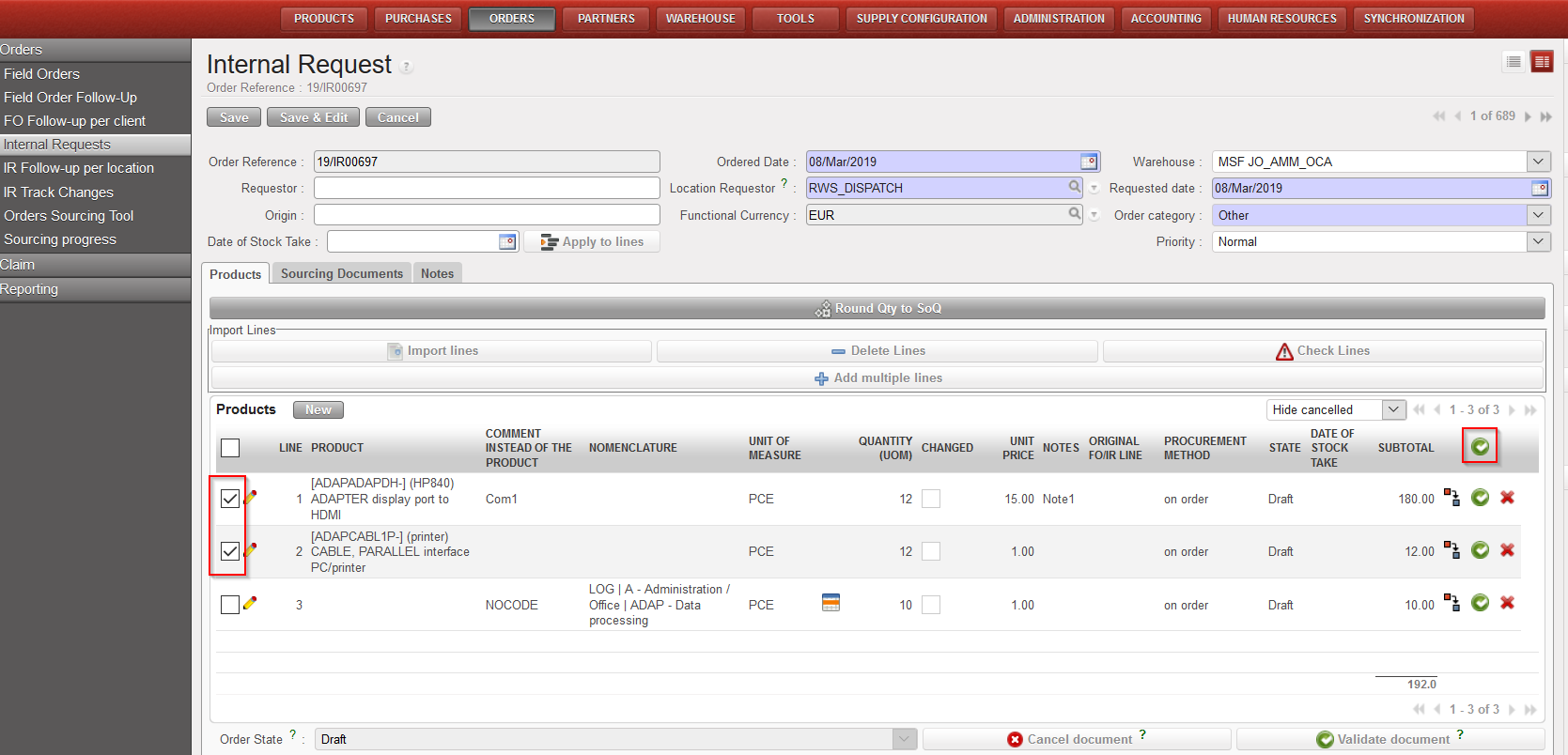 |
| Validate several lines on an IR |
Once Validated:
-The validated line(s) of the IR switch to the state “Validated” (while the other lines stay in the state “Draft”).
-The IR switches to the state “Draft-p“.
-No warning message is displayed as the lines of the IR which remain in the state “Draft” can still be modified.
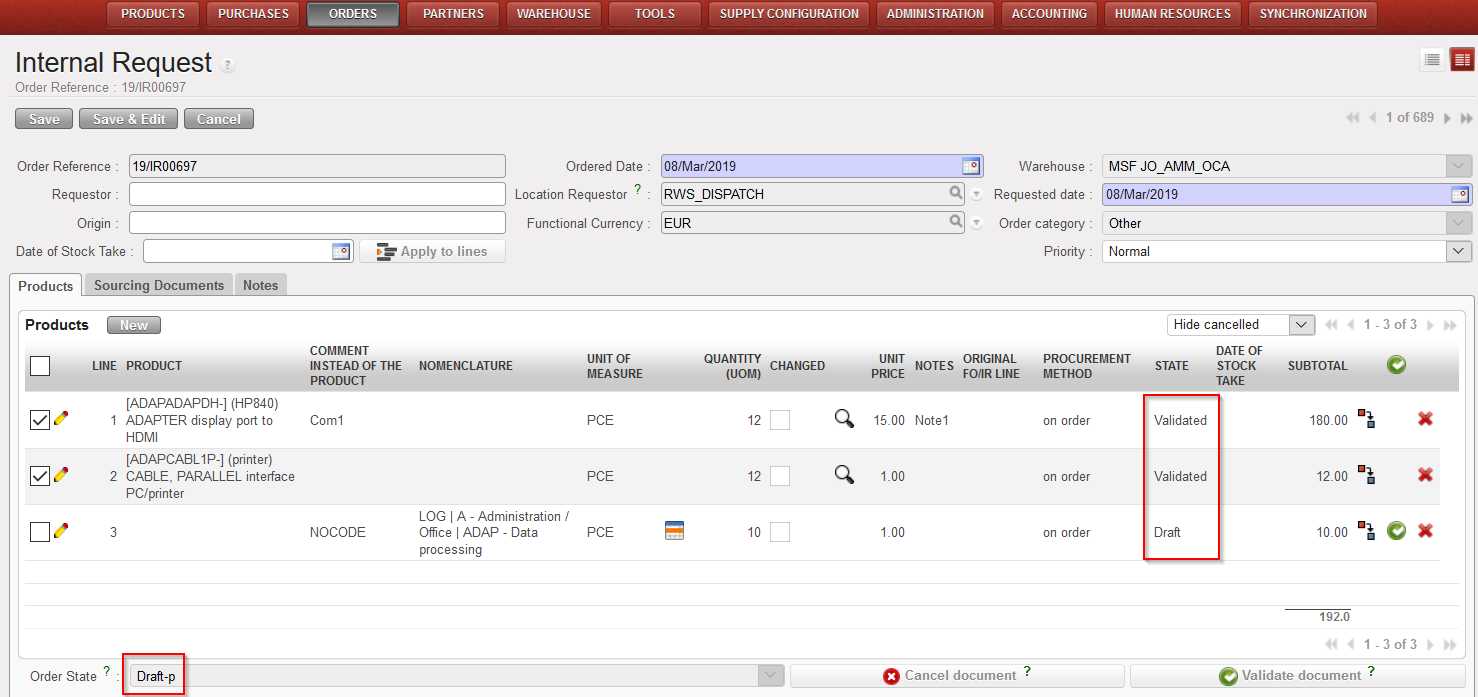 |
| IR partially validated |
Remember that to be able to validate partially an Internal Requests, your user must have the appropriate user rights.
