Supply User Manual ENG -> 4. Procurement -> 4.7 PURCHASE ORDERS (POs) - SPECIFICS -> F. How to create a Purchase Order for (receiving) a loan
F. How to create a Purchase Order for (receiving) a loan
In order to borrow stock from another instance (e.g. to cover a shortfall while more stock is ordered, or to fulfill a temporary need), or an external partner, the requesting (borrowing) instance must create a loan Purchase Order.
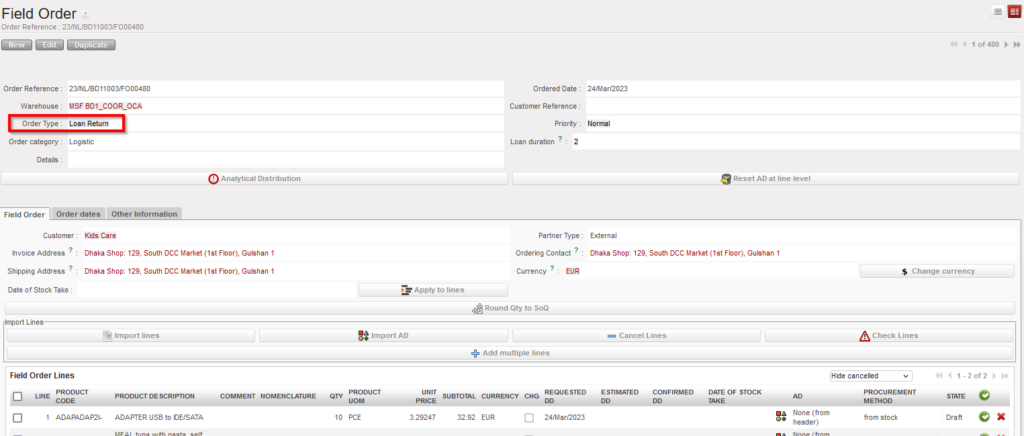
For internal loans, like other POs, when validated and synchronised, this PO will create an FO on the supplying (lending) instance. Additionality, to act as a reminder to the both sides, the system will also create a loan PO on the side of the lender when the FO will be sourced (usually to stock), to express their need to have the products returned by the agreed date. The corresponding FO will be created on the borrower’s side when lender validates and synchronizes the PO.
For a loan from an external supplier, the FO will be created as a reminder when the PO has been confirmed.
Loan PO should never be created by the OST; they should be created either from scratch or by the synchronization.
Go to: Purchases / Purchase Management / Purchase Orders
- Click “New” to create a new Purchase Order.
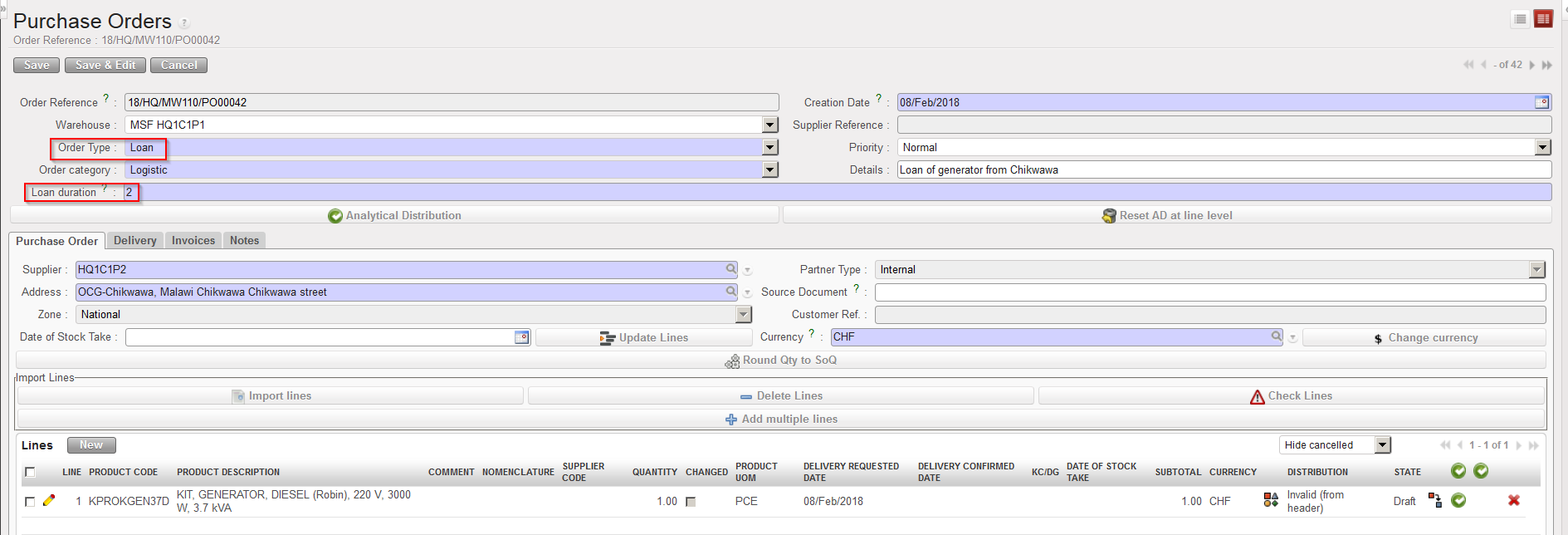
- As “Order Type“, select “Loan“.
- Fill in the rest of the header information (category, priority, details,…).
- As “Loan duration“, enter the number of months you wish to borrow the products for. If you have multiple products which you want to borrow for different lengths of time, enter the shortest time here, or create a separate loan PO for each product. The system will use the number of months entered here to calculate the date when the loaned items should be returned, and this will be reflected in the PO/FO which will be created for this purpose.
- As “Supplier“, select the instance which will be lending you the goods (or an external partner if goods are borrowed from outside MSF).
- Add product lines (manually or via file import).
- Enter the AD (Optional).
 |
| Loan PO |
8. Confirm the PO, a “reminder” document will be automatically generated by the system (FO in this case), the system will add the reason type “Loan Return” to this document and all transport documents that follow. Same logic will be in creating Loan FO for lending goods, when the Loan FO processed, PO with Order Type “Loan Return” will be automatically created.