Supply User Manual ENG -> 5. Warehouse -> 5.18 LU-SU4304: Movements Reports -> F. HOW TO GENERATE THE "Deliveries Report"
F. HOW TO GENERATE THE “Deliveries Report”
Following the development of the “Receptions report” (see section above), this new report mirrors this latest report by gathering all together all the major information regarding processed deliveries.
The report should only export lines from OUT (and OUT-CONDO) which are in the state Closed or Delivered and from SHIP which are in the state Dispatched or Received.
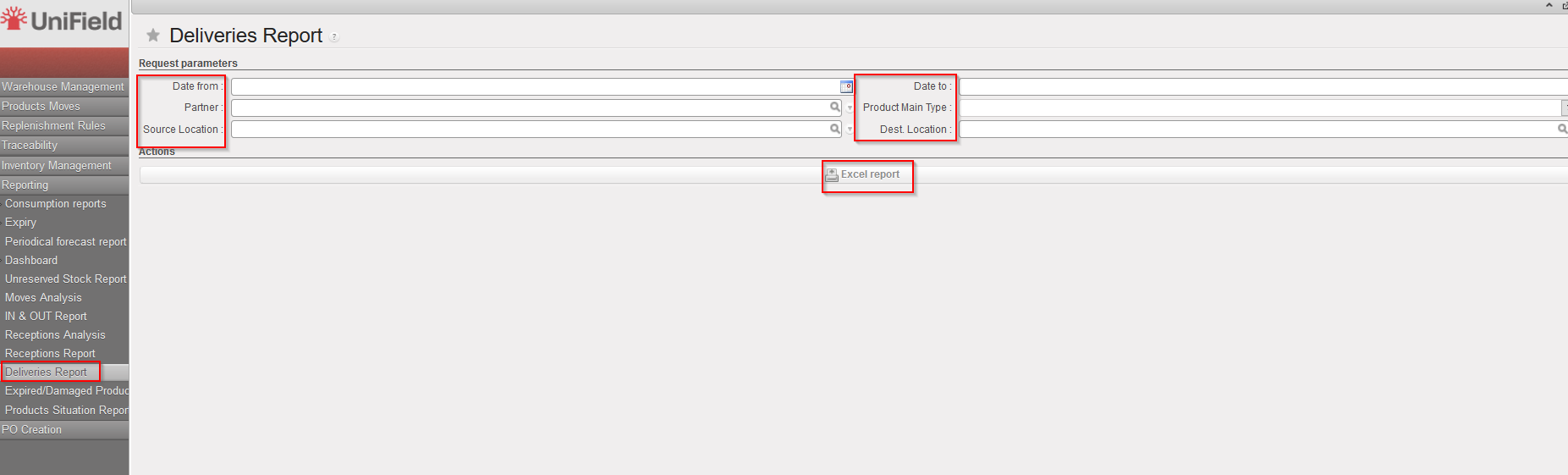
Go to: Warehouse / Reporting / Deliveries Report
- Select any filter you need among the following: Date from; Date to; Partner; Source location; Product Main Type and/or Destination Location.
- Click on the “Excel report” button.
|
|
|
Deliveries Report |
|
|
|
Deliveries Report – Excel Export |