
Supply User Manual ENG -> 4. Procurement -> 4.8 LU-SU3203: Tenders (CFTs) and Requests for Quotations (RFQs) -> F. How to update a sent RFQ via an import file
F. How to update a sent RFQ via an import file
Updating each line of each RFQ with the updated price sent by the supplier can be a quite time consuming process if done manually, especially for large RFQs.
Instead of editing and saving each product line, UniField offers the possibility to update the sent RFQ via an import file. The template of this import file can be obtained by using the export file from the action menu.
Go to: Purchases / Purchase Management / Request for Quotations
- Open the RfQ you wan to export. The RFQ should be in “Sent” status
- Click the button “Export RfQ”
- An Excel file (XML Spreadsheet 2003 format) with the RfQ lines is exported on your computer.
- Open the Excel file and update the prices (and products, quantities or dates if necessary).
- Save the Excel file.
- Open the RFQ in UniField.
- Click on the “Import RfQ lines” button.
- Click on “add attachment“.
- Browse for your Excel file.
- Click on “Import file” (and “Update” if needed).
- Check the import “Information” to ensure that the import was done as expected.
- Click on “Close window“. Prices are now updated (and any other updated information such as Delivery Confirmed date).
- Fill the “Valid Till” date field.
- Click on “RfQ Updated“.
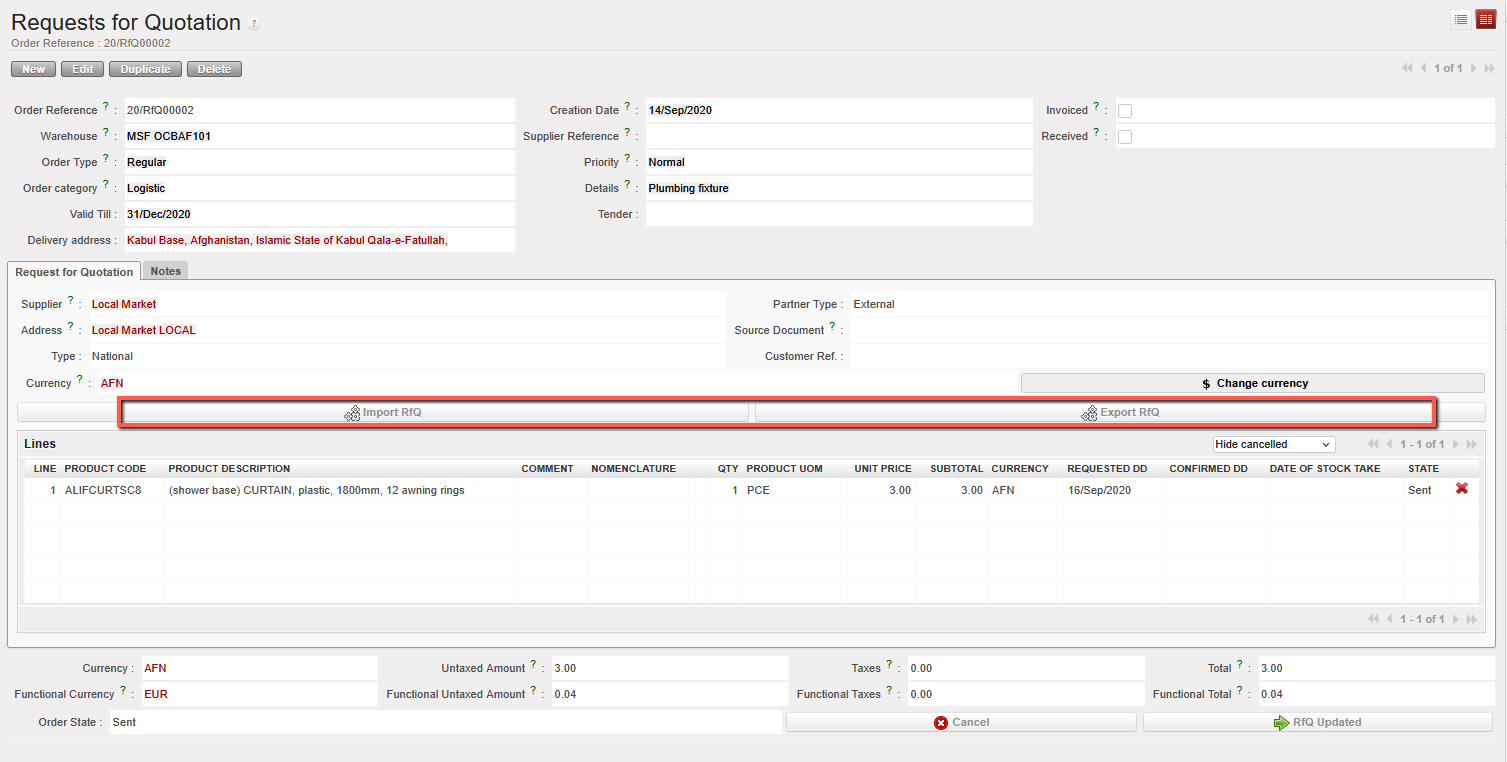 |
| “Export/Import RfQ lines” button to update a sent RFQ |
