
Supply User Manual ENG -> 5. Warehouse -> 5.5 LU-SU4104: Shipment -> F. HOW TO VALIDATE DELIVERY OF A SHIPMENT
F. HOW TO VALIDATE DELIVERY OF A SHIPMENT
Once a delivery has been received by the consignee, this reception at the customer side should be reflected in UniField. On the Shipment, we can “Validate the delivery“.
If a shipment has been shipped to another UniField instance, the reception of the goods on the requesting instance will validate the delivery automatically via the synchronization. As explained in the previous section, once the shipment has been validated (i.e. is in “Dispatched” state), the synchronization will switch the state of the corresponding Incoming Shipment(s) on the requesting instance from “Available” to “Available Shipped”. It is only from this stage that the Incoming Shipment(s) should be processed on the requesting instance. Once done, the synchronization will validate the delivery on the supplier instance (i.e. state of the shipment will switch from “Dispatched” to “Received“).
If a shipment has been shipped to an external partner (i.e. to a partner who is not using UniField), no synchronization is involved, and the “validation of the delivery” should be done manually on the Shipment.
Go to: Warehouse / Warehouse Management / Deliveries / Shipment
- Open the Shipment on which you want to validate the delivery. It should be a sub SHIP in the state “Dispatched” and the customer should be an external partner.
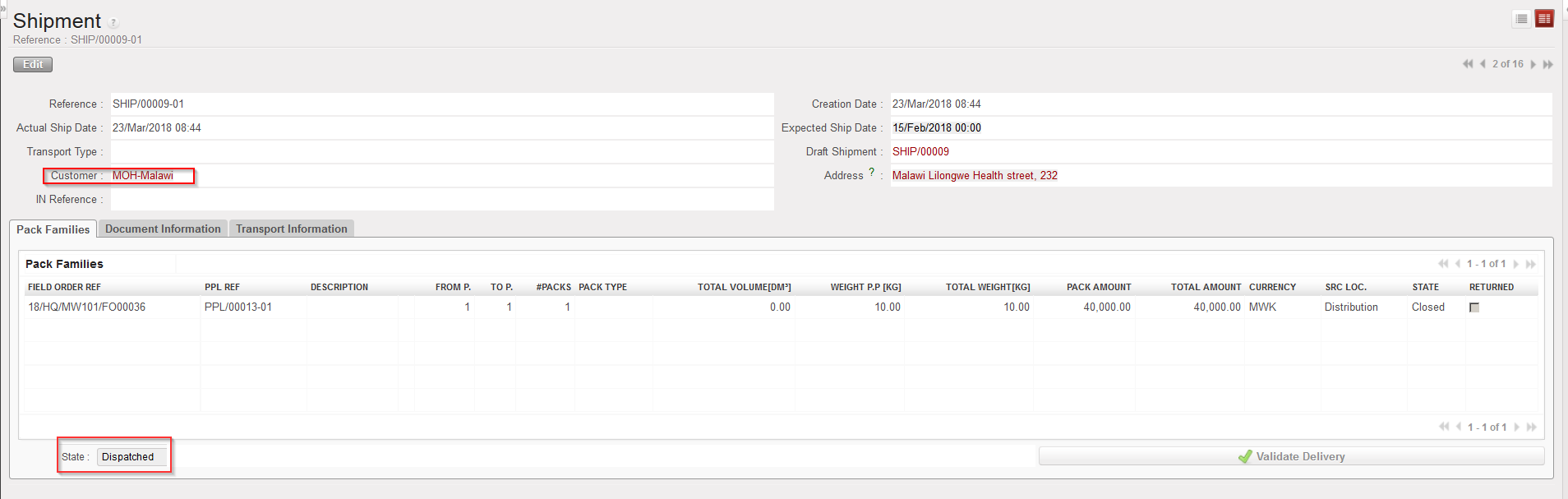 |
| Shipment in “Dispatched” state |
2. Click on the “Validate Delivery” button.
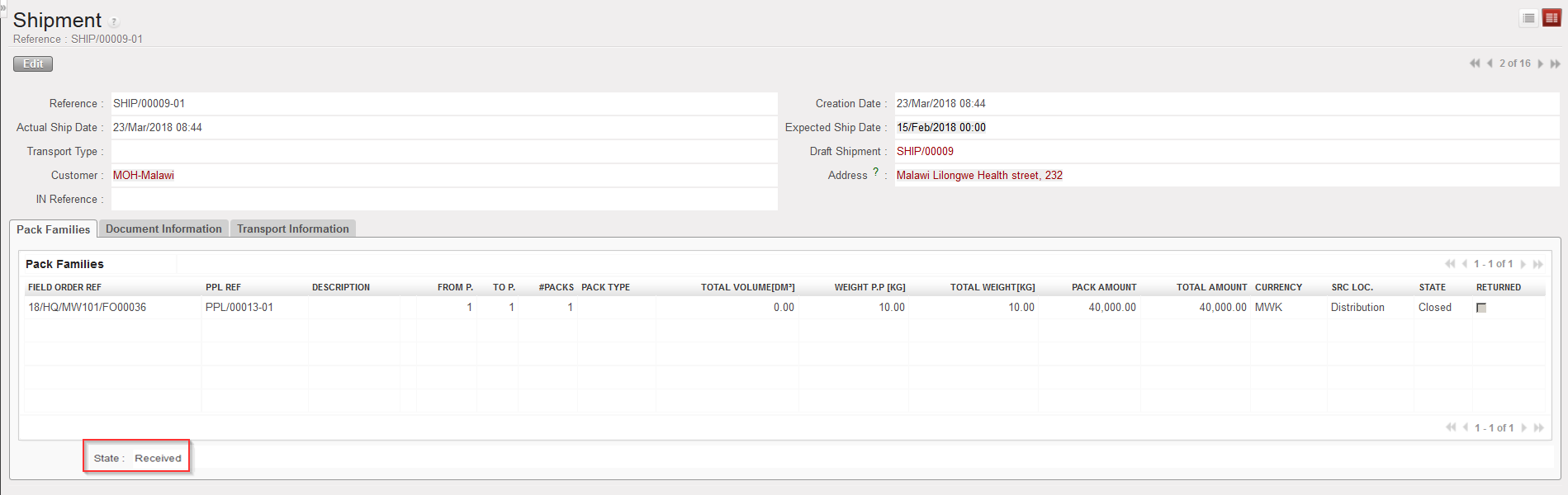 |
| Shipment in “Delivered” state |
The shipment switches to the state “Received“.
Note that if you try to validate the delivery on a shipment manually while it should be done by the synchronization (i.e. if the customer is another instance), you will get the below message.
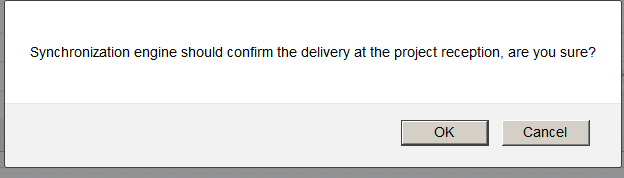 |
| Message when trying to validate a delivery on a Shipment while it should be done by the synchronization. |
You may force the message and click on “OK” to change the state of the Shipment to “Received” but it is better to let the synchronization do this action.
