
Supply User Manual ENG -> 4. Procurement -> 4.9 LU-SU3301: Procurement Reporting -> F. How to view International Transport Cost Follow up
F. How to view International Transport Cost Follow up
A transport cost may be added on a PO if it is an international PO (International Purchase Orders).
A PO is considered as international if its supplier “Zone” is “International“. In this case an additional field appears on the PO and allows recording the transport cost.
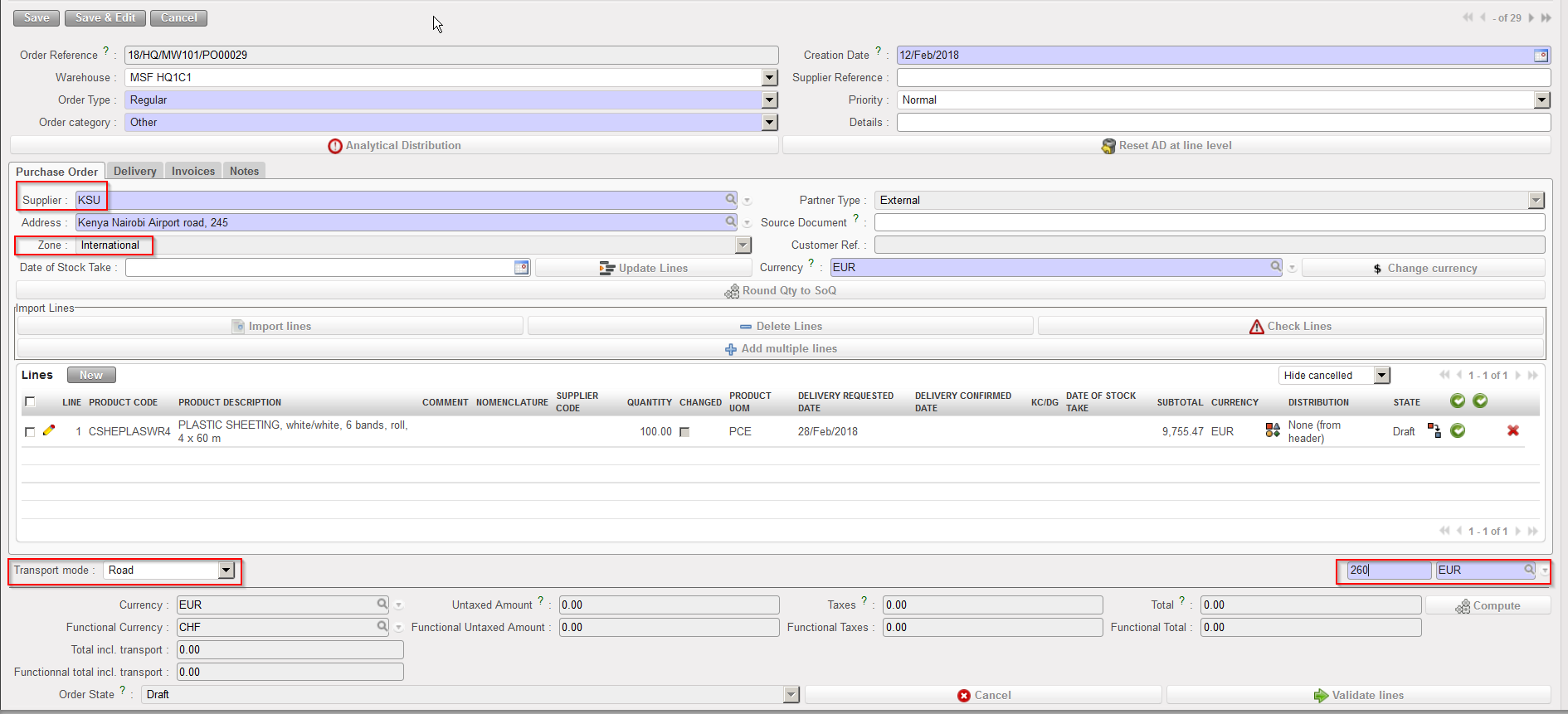 |
| International PO including transport costs |
Go to: Purchases / Reporting / Transport Costs
- Click on “International Transport Costs” under the “Transport costs” sub option in the left hand menu. The system will display an overview of all transport costs associated with Purchase Orders sent to International Suppliers.
- To see more details, click on the Expand All button.
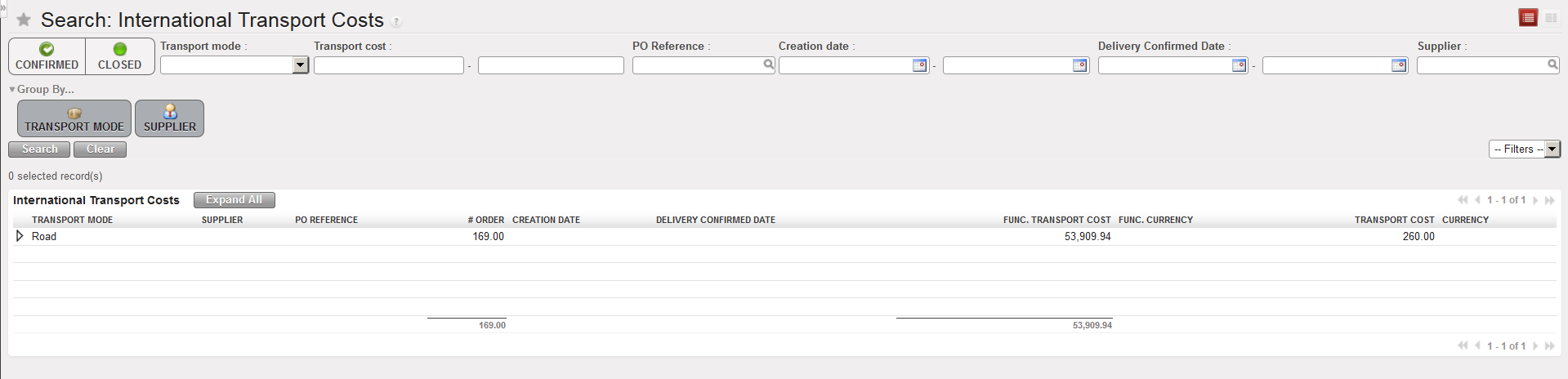 |
| International Transport Costs |
