
Supply User Manual ENG -> 5. Warehouse -> 5.16 LU-SU4302: Stock Inventory Reports -> F. STOCK BY LOCATION
F. STOCK BY LOCATION
UniField allows you to check the stock levels in all locations for a given product.
Go to: Products / Products / Products
- Locate the required product.
- Click on the check box on the left side of the screen in front of the require product.
- Select the option “Stock by Location” in the action menu
|
|
|
Stock by Location |
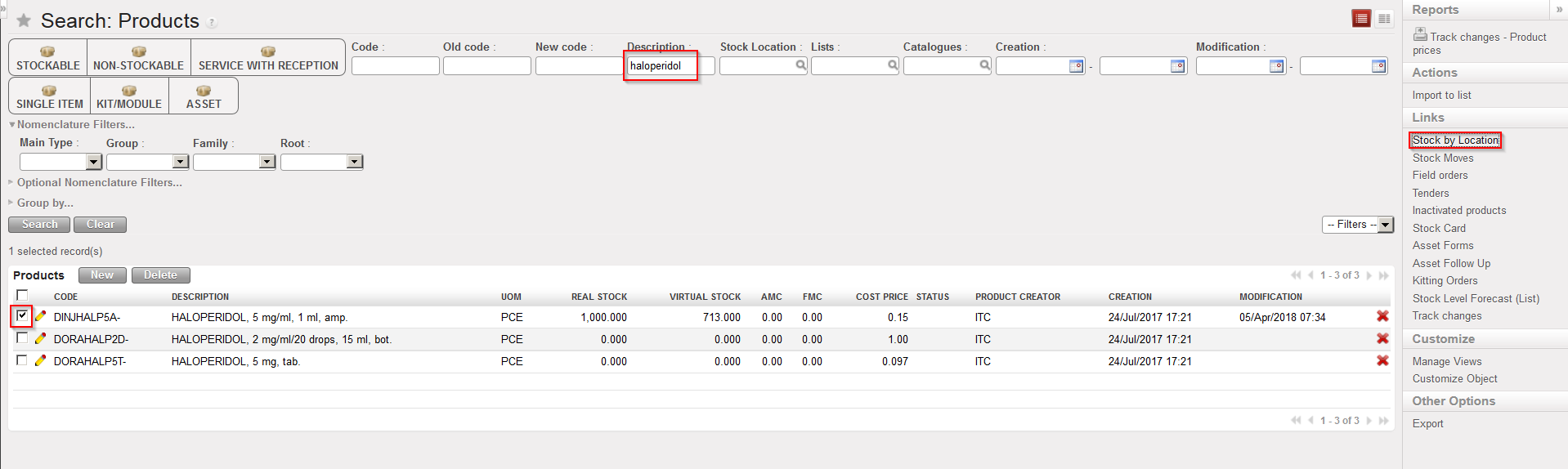
4. In the “Stock by Location” screen which opens, click on the “Expand all” button.
|
|
|
Stock by Location |
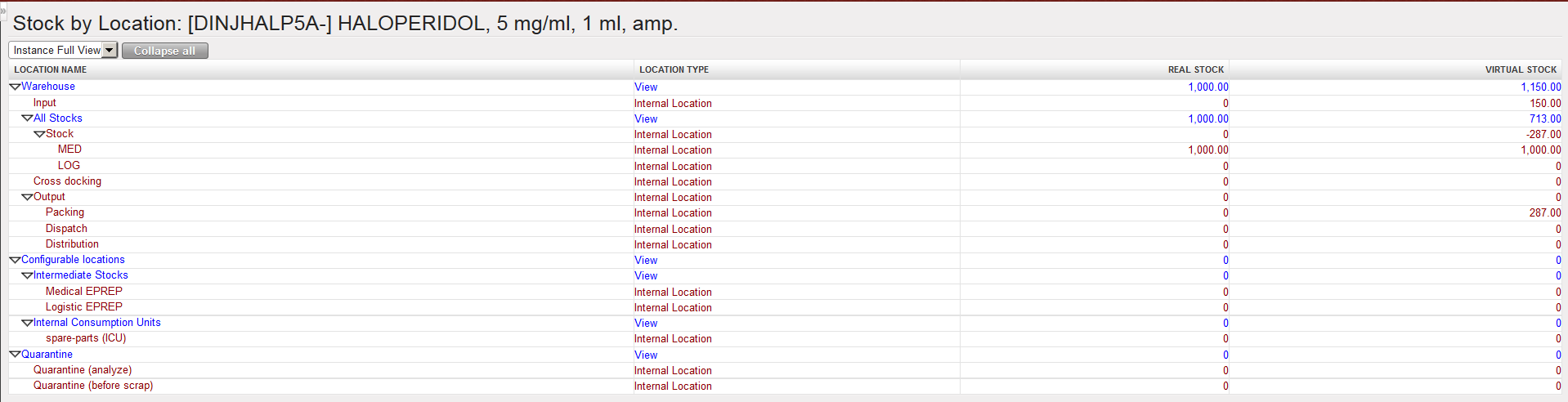
The real and virtual stock levels of the selected product in each internal location of the instance are displayed.
Note that locations belonging to the “Instance Full View” are displayed. You may change and select the view “Partner Locations” or “Virtual Locations” if needed.
