
Supply User Manual ENG -> 5. Warehouse -> 5.3 LU-SU4102: Picking -> G. HOW TO UNPACK PRODUCTS AND RETURN THEM TO STOCK
G. HOW TO UNPACK PRODUCTS AND RETURN THEM TO STOCK
It is possible to return to stock products which have been picked and are ready to be packed. The PPL has to be in “Available” state (i.e. the products should not be declared as packed yet or the parcels should not be included on a shipment yet). The return can be total or partial.
Go to: Warehouse / Warehouse Management / Deliveries / Packing
- Open the PPL from which you wish to return products to stock.
- Click on the “Return Products…” button.
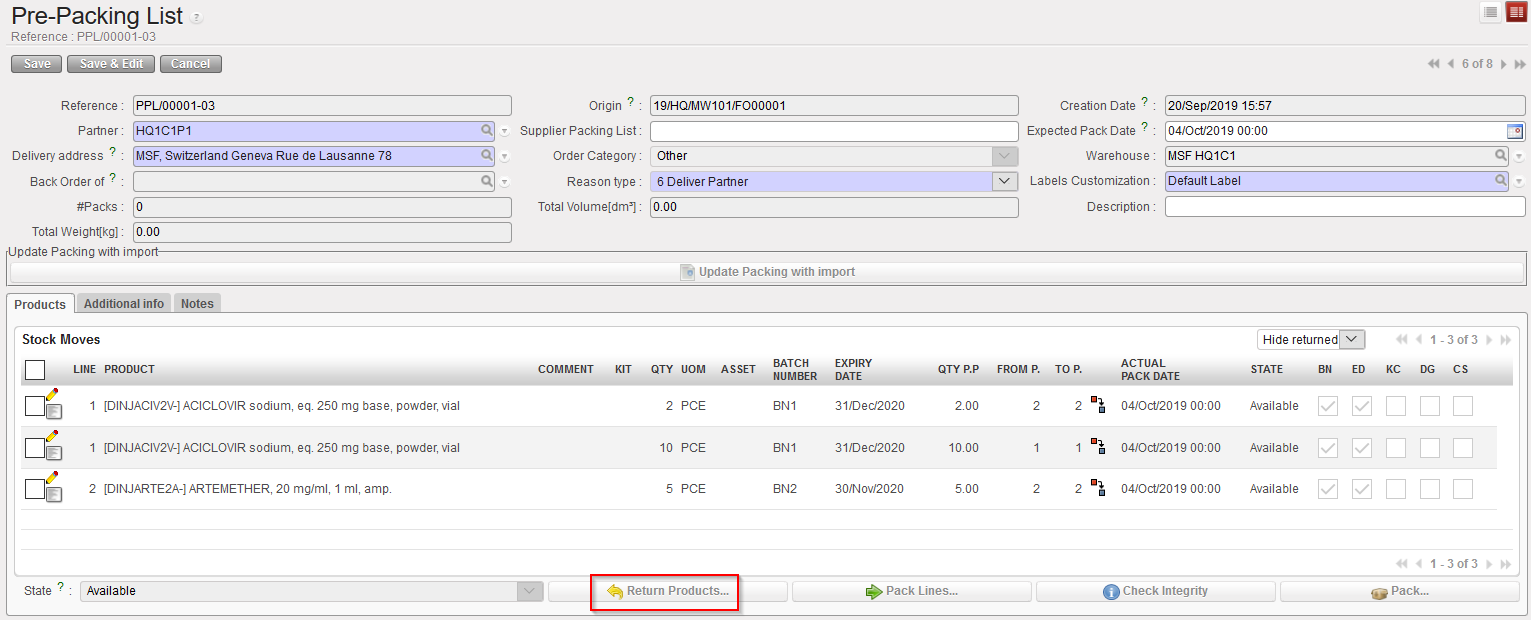 |
| Returning products to stock from a PPL |
3. Click on the “Copy all buttons” to return all the products from the PPL to the stock. Alternatively, you may use the pencil icons if you want to specify which products/batches/quantities you wish to return to stock (i.e. return the goods partially to stock).
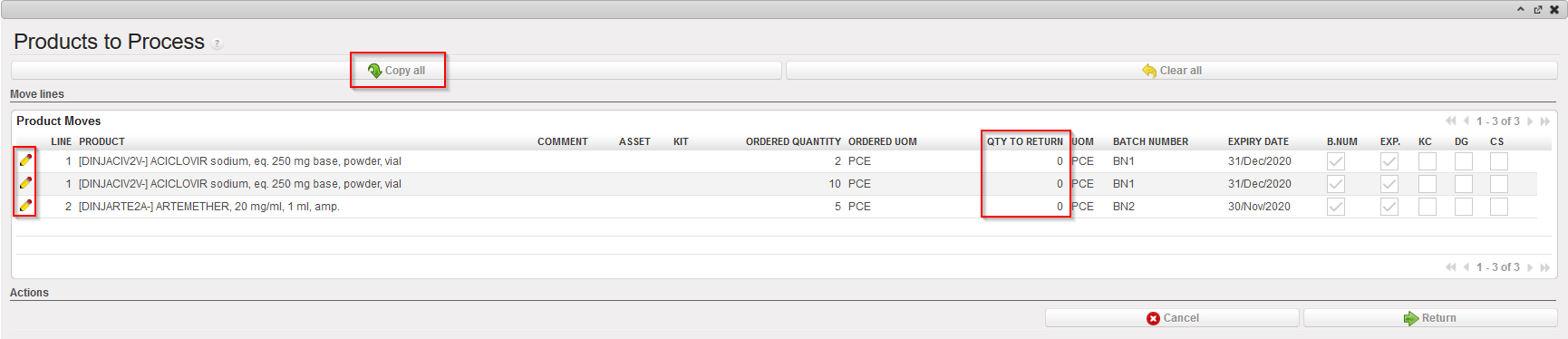 |
| Returning products to stock from a PPL |
4. Click on the “Return” button located at the bottom of the screen.
 |
| Returning products to stock from a PPL |
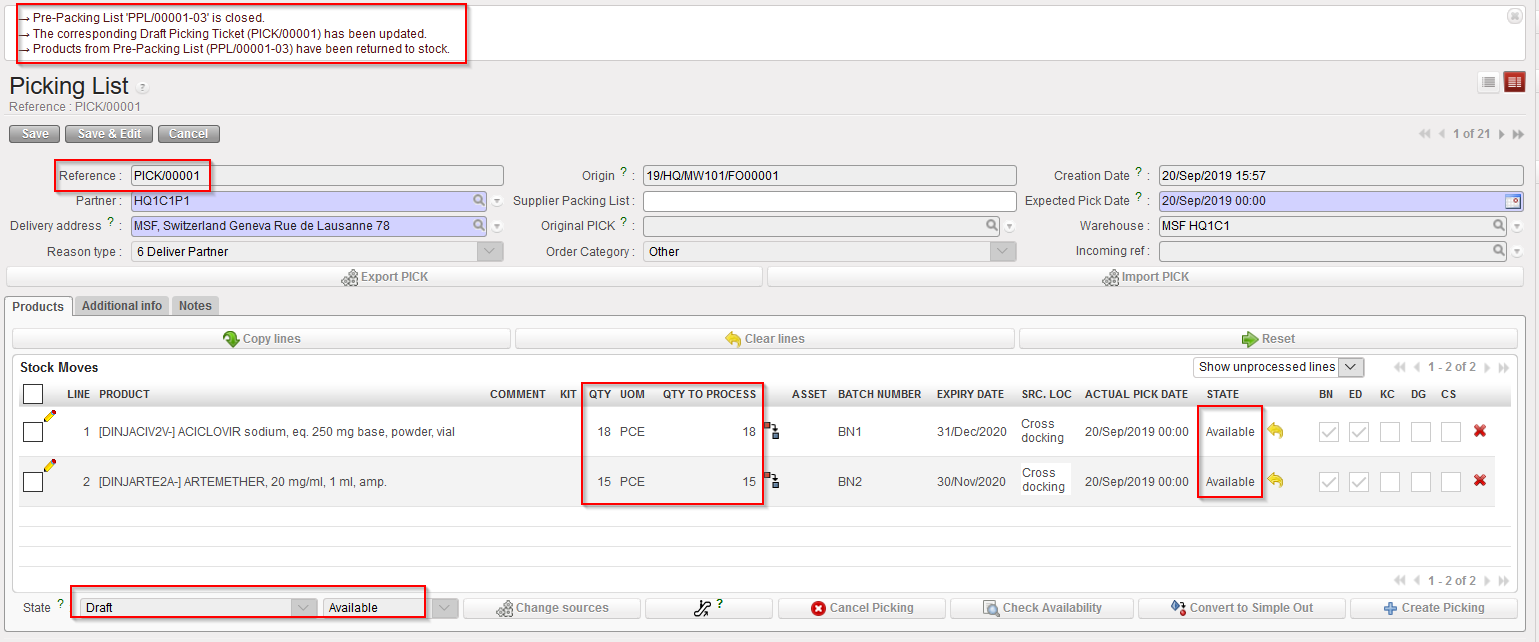 |
| Main PICK corresponding to the PPL from which products were returned |
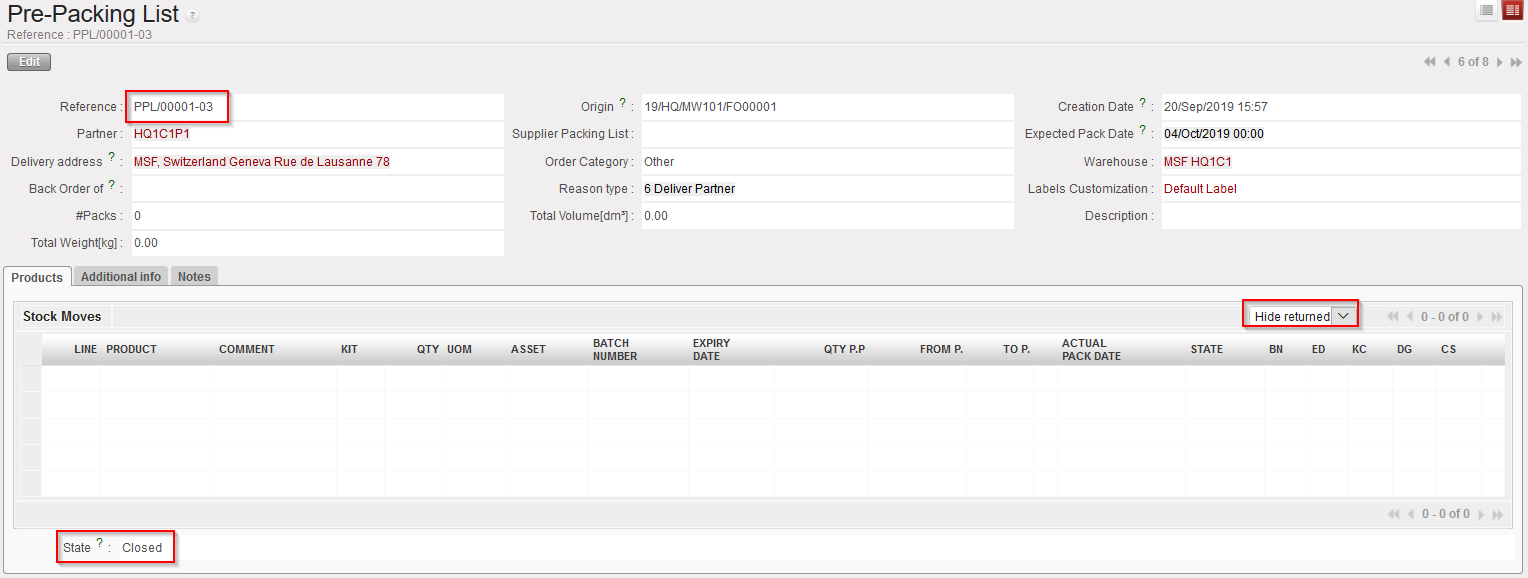
|
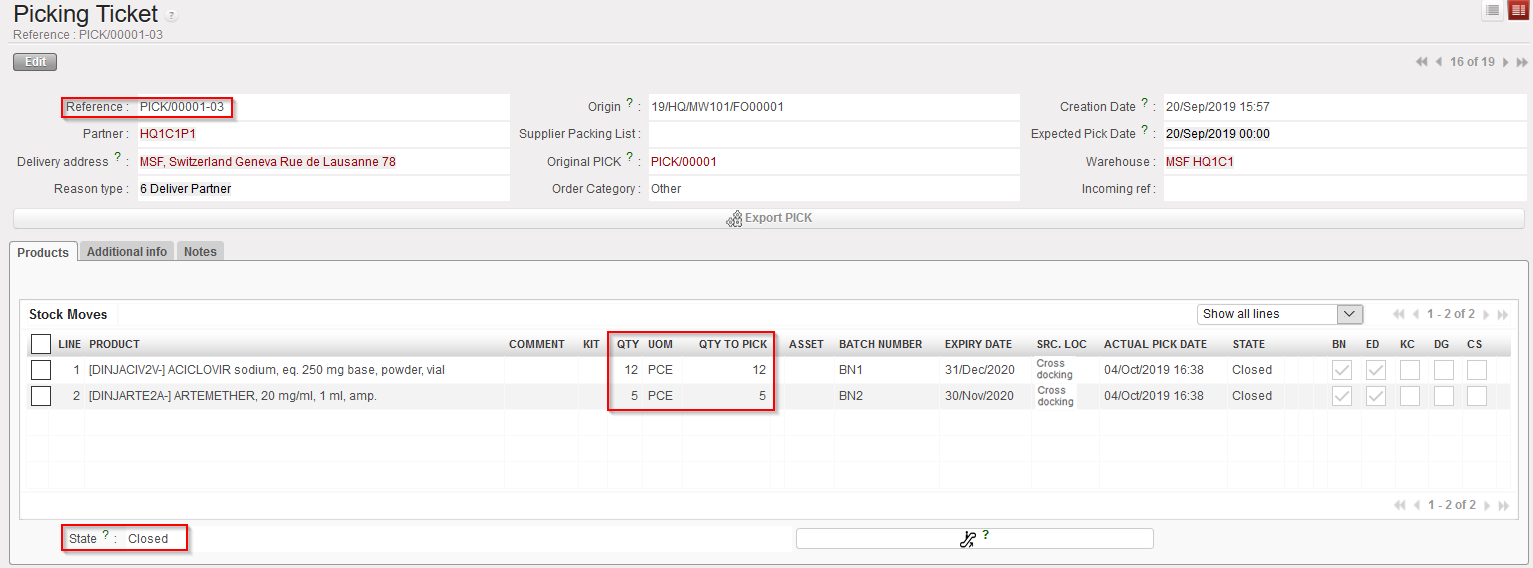
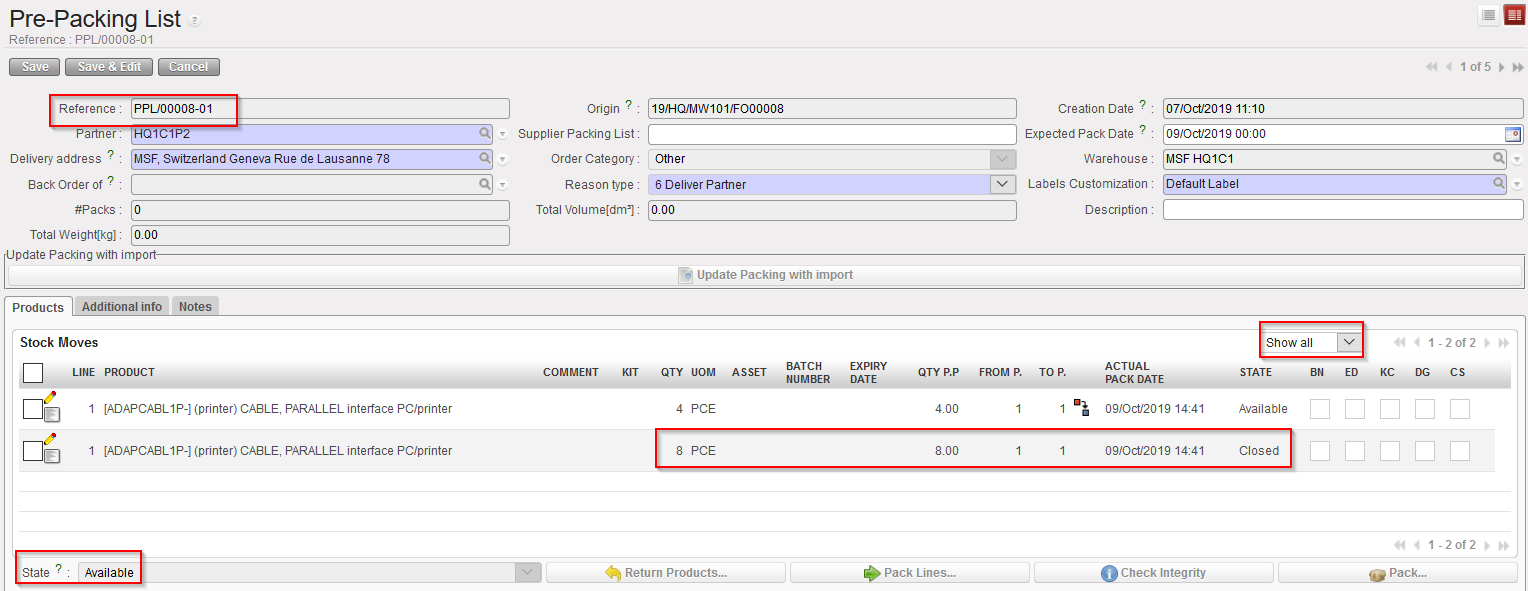
| PPL after goods have been returned to stock – Note that you will have to change the filter from “hide returned” line to “Show all” in order to see the returned lines |
 |
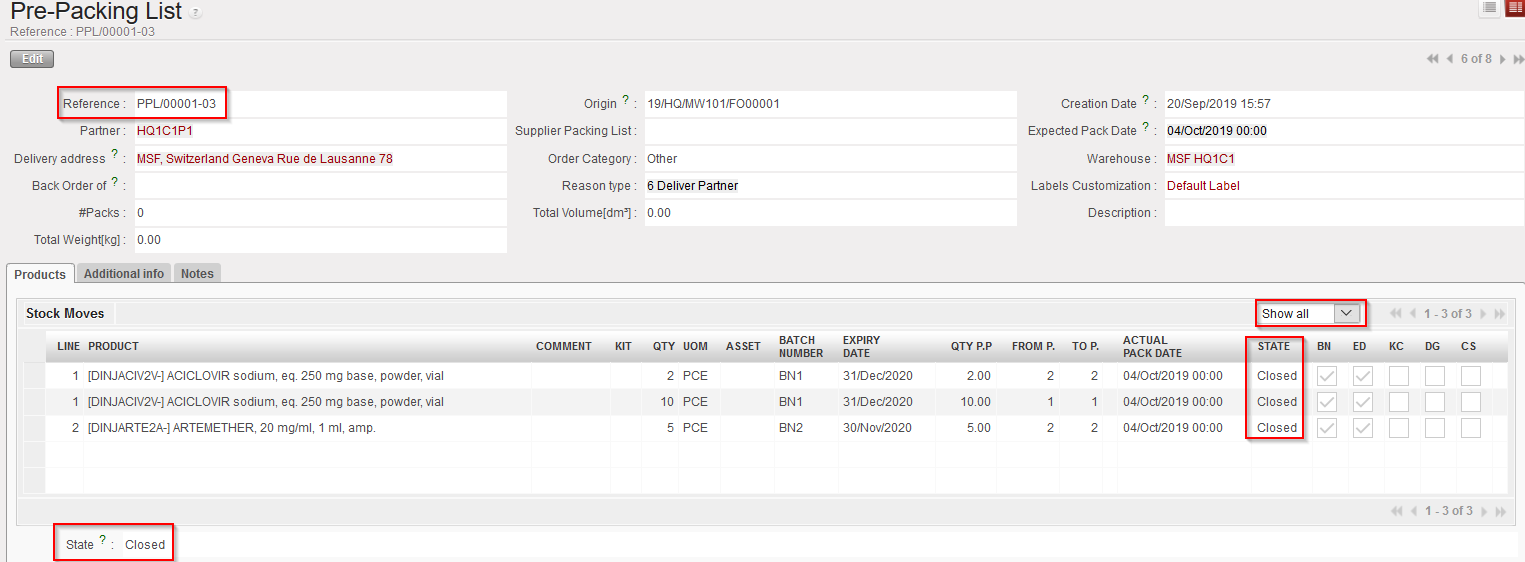
| Sub PICK which was used to move the goods to the “Packing” location |
The system switches back to the main PICK corresponding to the PPL from which a return was done. In the above example, products are sent back to this main PICK which is in state “Draft” with all its lines “Available“. Products have actually been returned from the “Packing” location to the “Cross Docking” location (as the picking was done following the sourcing of an FO on order).
The PPL is now closed with all its lines closed. After updating the “Hide returned” line filter, we can see the returned lines.
Note that the sub PICK which was used to move the goods from “Cross docking” to “Packing” (before they were returned) did not change. Its state is “Closed” with all its lines “Closed” as this movement has been done.
Picking should be repeated. For this you need to start from the main PICK and create a new sub PICK.
Below, you find an example of a picking done from stock (FO sourced from stock) with goods partially returned to stock from the PPL to the stock.
- Situation before partial return.
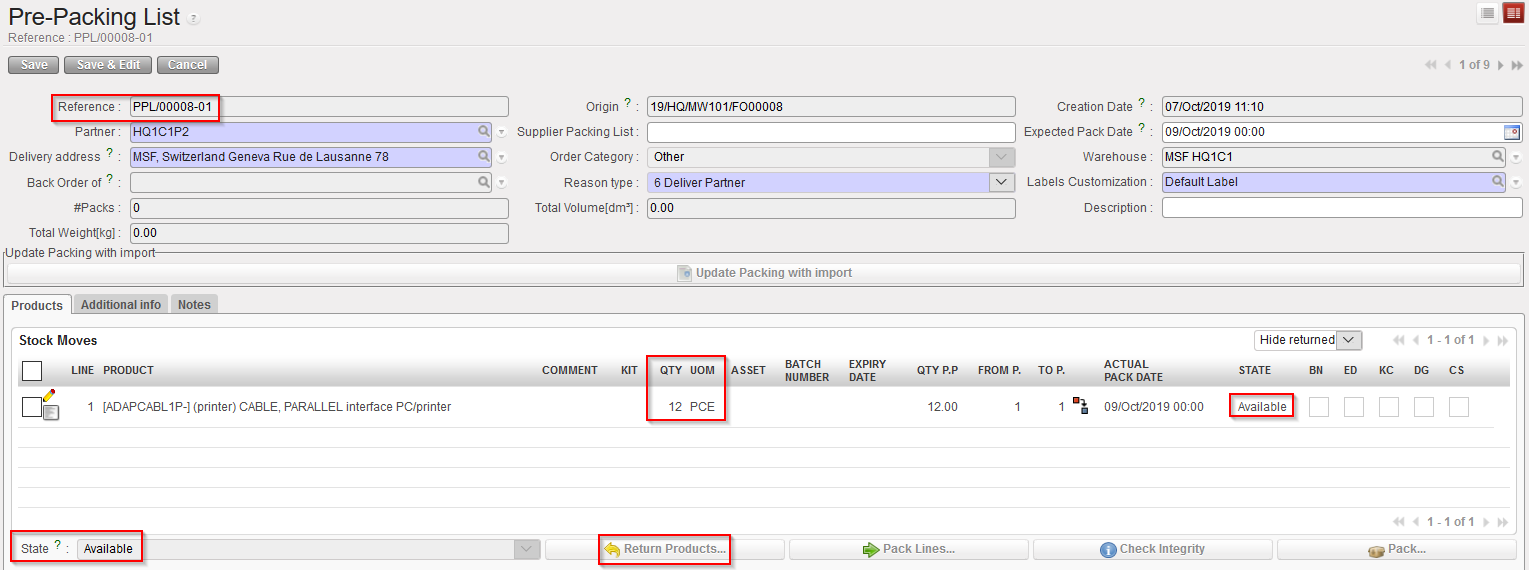 |
| PPL before return |
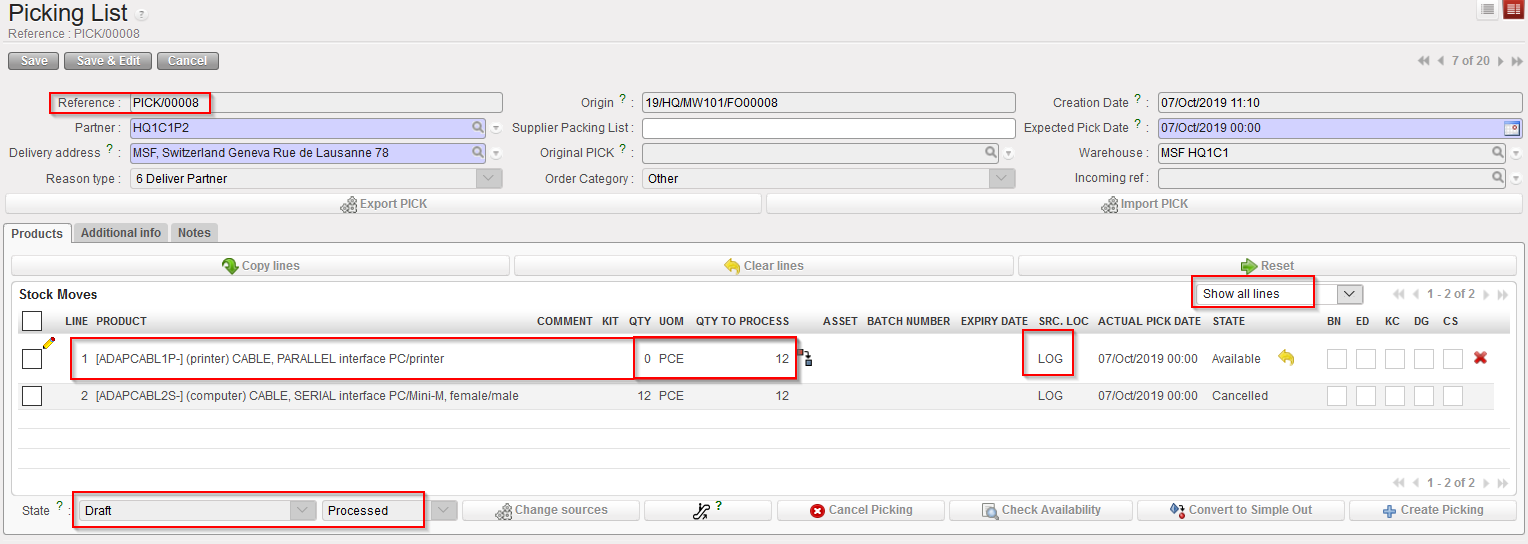 |
| Corresponding main PICK before return – note that “Show all lines” filter is on |
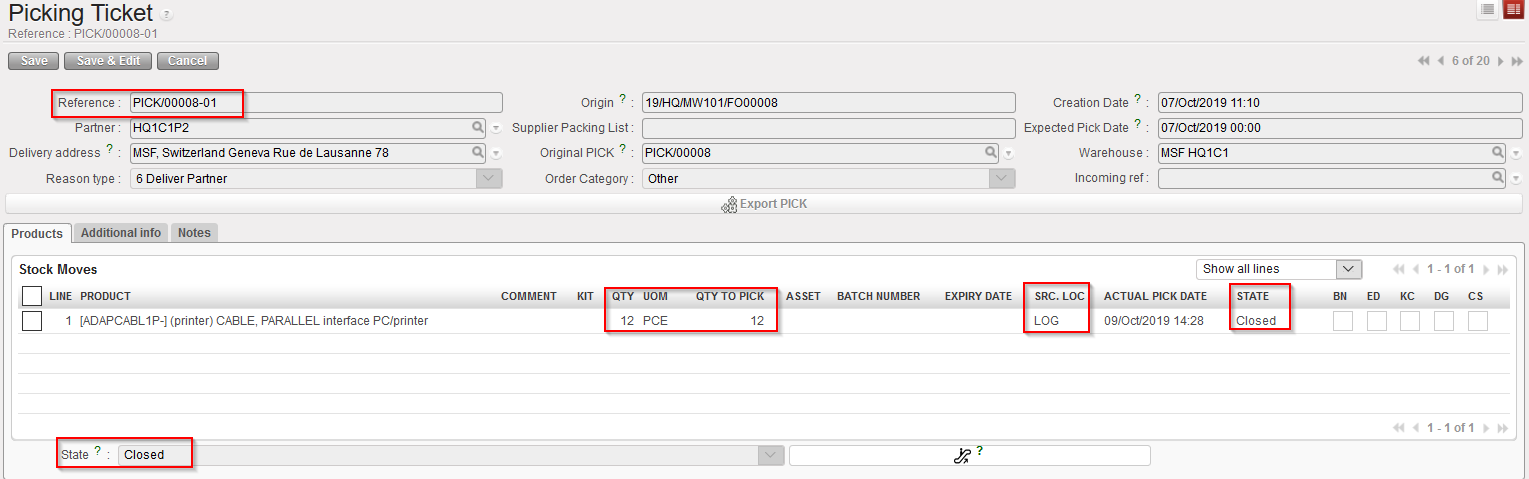 |
| Sub PICK which was processed to pick the goods |
2. Goods are partially returned to stock.
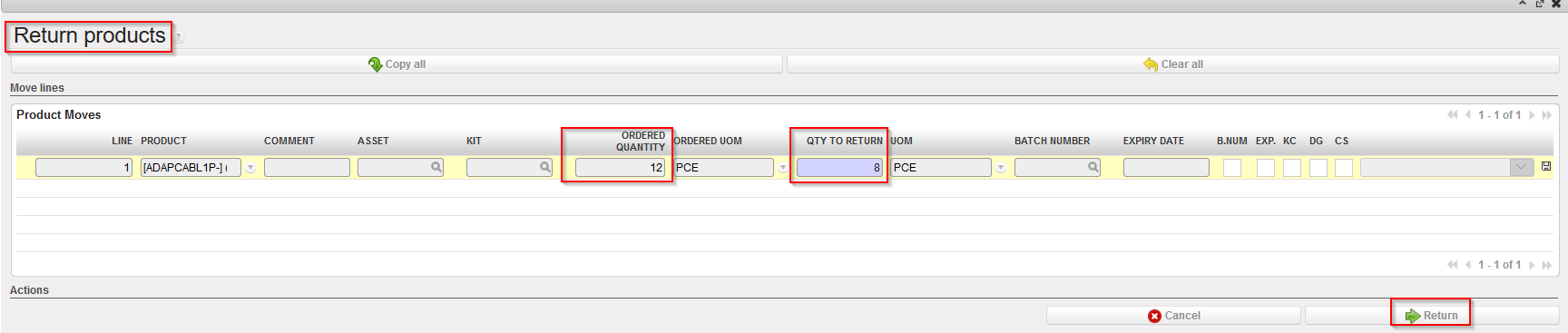 |
| Returning partially the products from PPL to stock |
3. Situation after partial return.
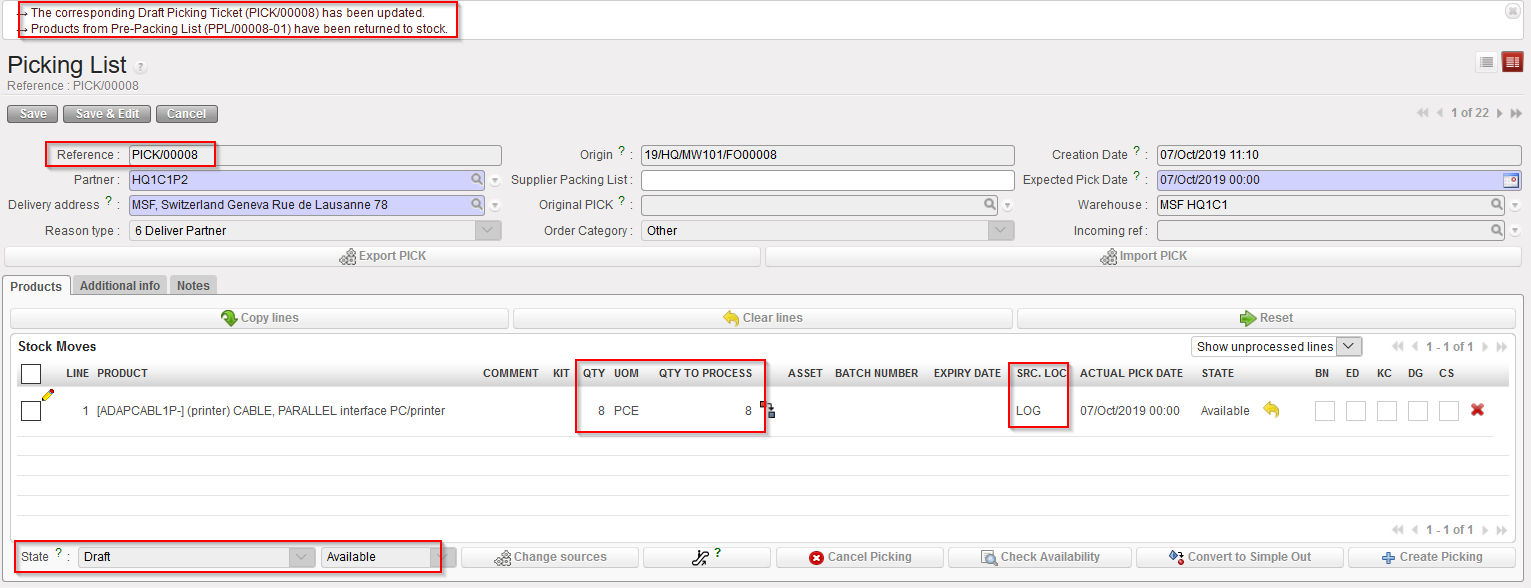 |
| Corresponding main PICK after partial return |
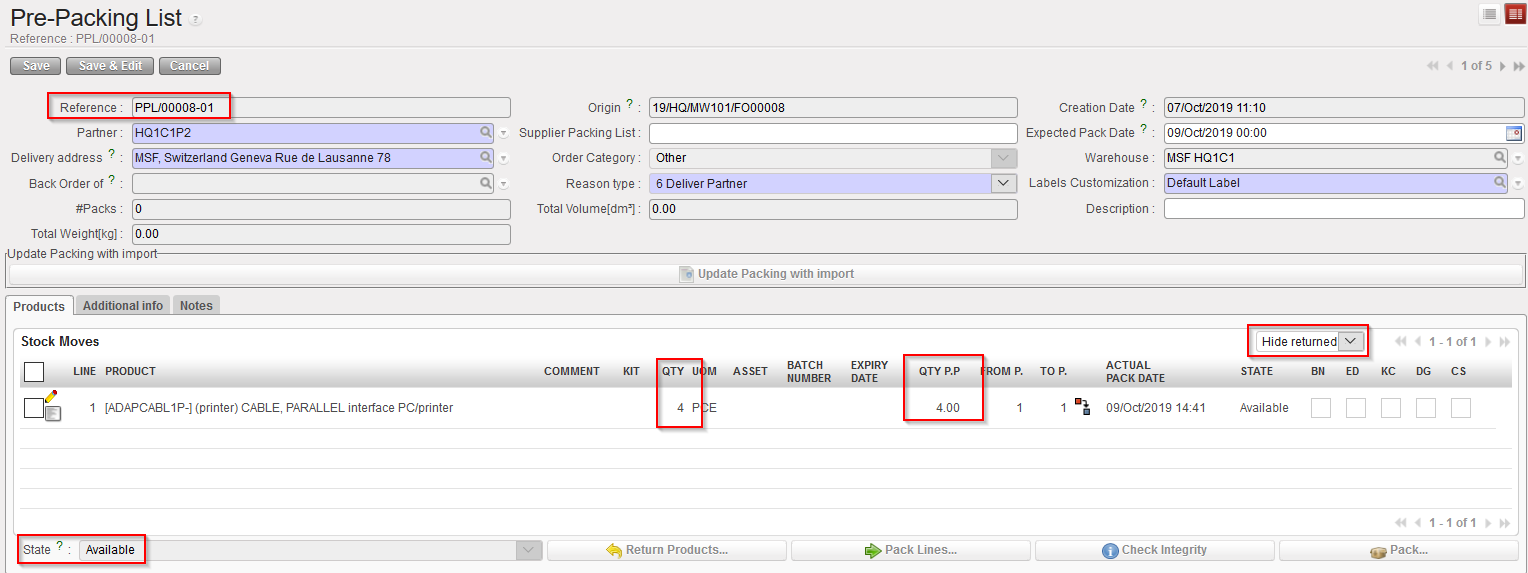
|
| PPL after partial return – please note the change after using filter “Show all” |
Again, many alternative scenarios may exist involving partial validation of FOs, partial sourcing of FOs, partial validation of POs, partial confirmation of POs, partial reception of INs, partial picking, cancellation, cancel & resource, … All scenarios could not be described here but the most common were outlined.
