
Supply User Manual ENG -> 4. Procurement -> 4.8 LU-SU3203: Tenders (CFTs) and Requests for Quotations (RFQs) -> H. How to resource a Tender
H. How to resource a Tender
In case you need to resource a whole Tender or Product line/s from a Tender because you made a mistake on the product you want to prospect or you need to ask another supplier, you can use the resourcing process.
It works just like for the resourcing of PO (see “how to resource a PO” in LU_SU3201).
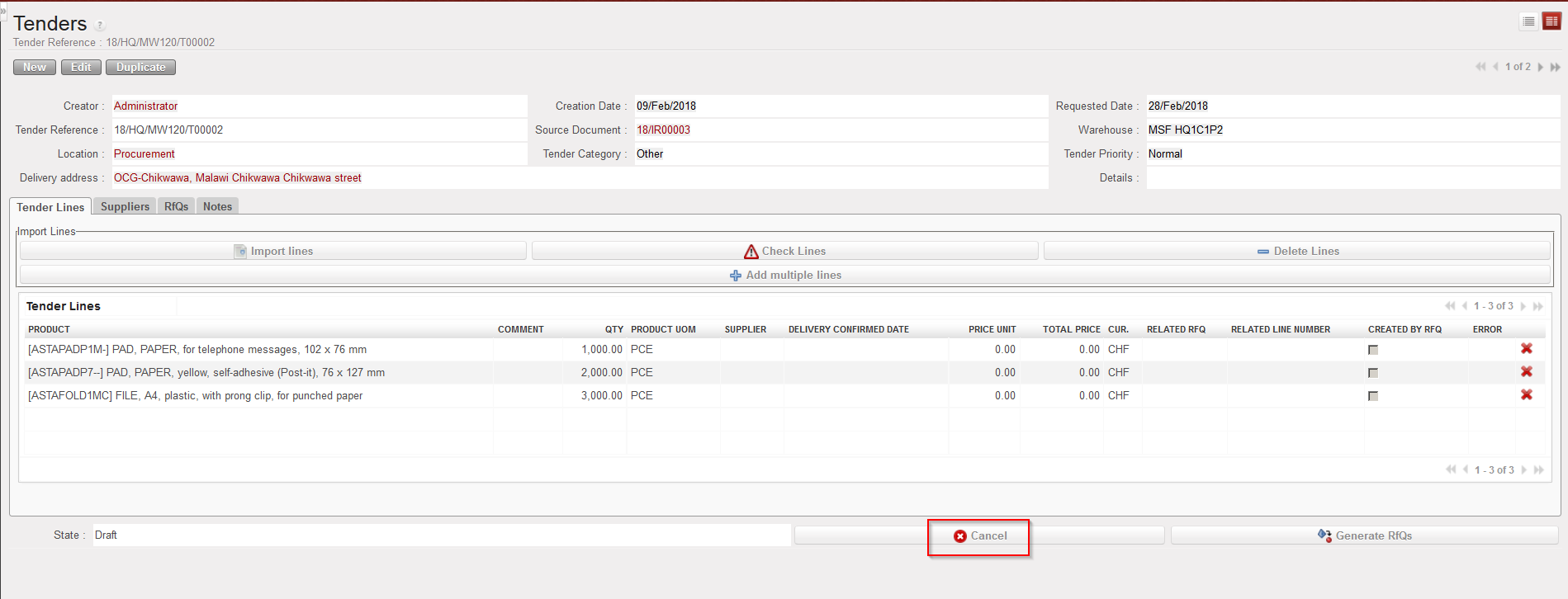
You will need to either click on the “Cancel” button to cancel & resource the whole Tender or on the red cross at the product line level.
|
|
|
Cancelling a Tender at header level |
|
|
|
Cancelling & Resourcing a Tender at header level |

NB: Cancellation of a Tender line will trigger Cancellation of the related RfQ lines in case RfQ have been generated (user will we reminded of this impact by a warning message). RfQ lines can only be Cancelled and Resourced from Tender (but regular Cancellation can still be done at RfQ level if needed)
