Supply User Manual ENG -> 5. Warehouse -> 5.12 LU-SU4205 Replenishment Rules -> H. HOW TO REVIEW AND UPDATE A REPLENISHMENT SEGMENT
H. HOW TO REVIEW AND UPDATE A REPLENISHMENT SEGMENT
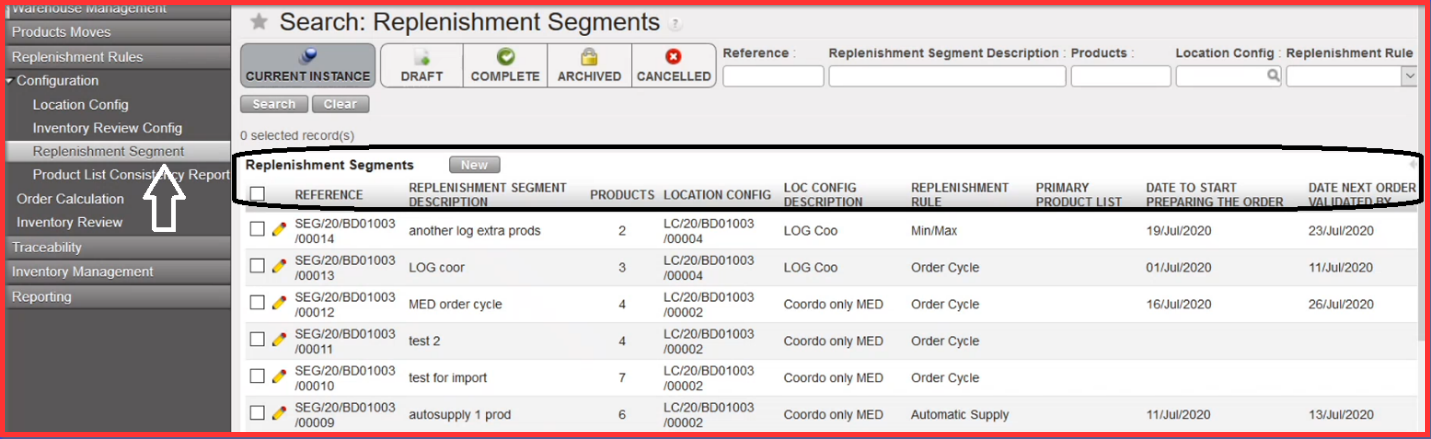
Go to: Warehouse / Replenishment Rules / Configuration / Replenishment Segment
As you can see below, if you click on submenu option “Replenishment Segment” you get the general list of view) where are the created “References” of all replenishment segments, with Replenishment Segment Description, number of Products, Location Config and applied Replenishment Rule (Min/Max, Order Cycle, Automatic Supply).
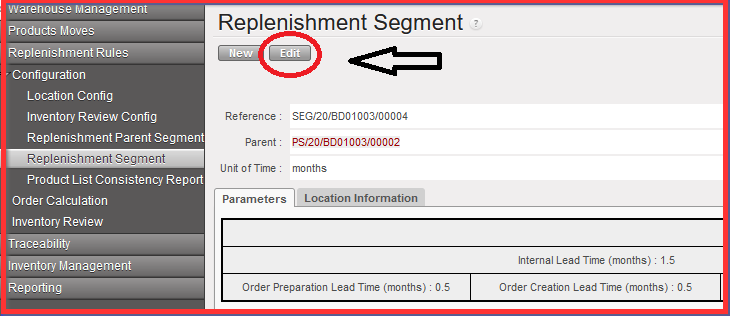
If you go back to Replenishment Segment main screen you can edit and configure the lines of the products in Replenishment Segment. Not all fields will be editable though but some of them only if Segment is already in status “Complete”. However, please note that the document can still be set back to Draft in case there is a need to edit more information.
- Open the Replenishment Segment Reference and click on “Edit” button on the top
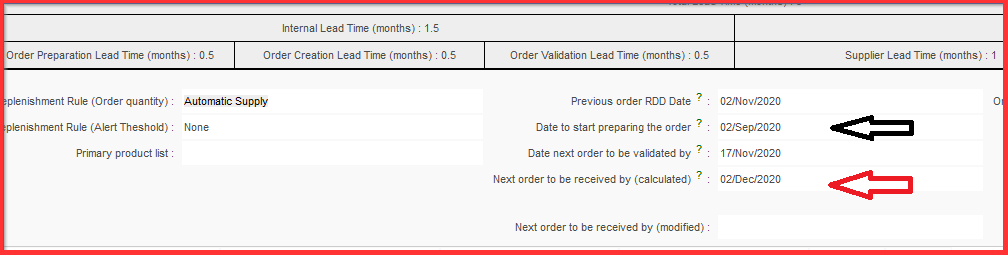
Basically the “Date next order to be validated by” is the date when the “PO” needs to be validated and “Date to start preparing the order” is the specific date when we can generate our order calc. in the system environment.
For the tracking history you can chose the LINKS on the right side action menu with Min/Max, Auto Supply, FMC History and Updates Sent and Updates Received

2. Select the products and click on MinMax, Auto Supply, FMC History
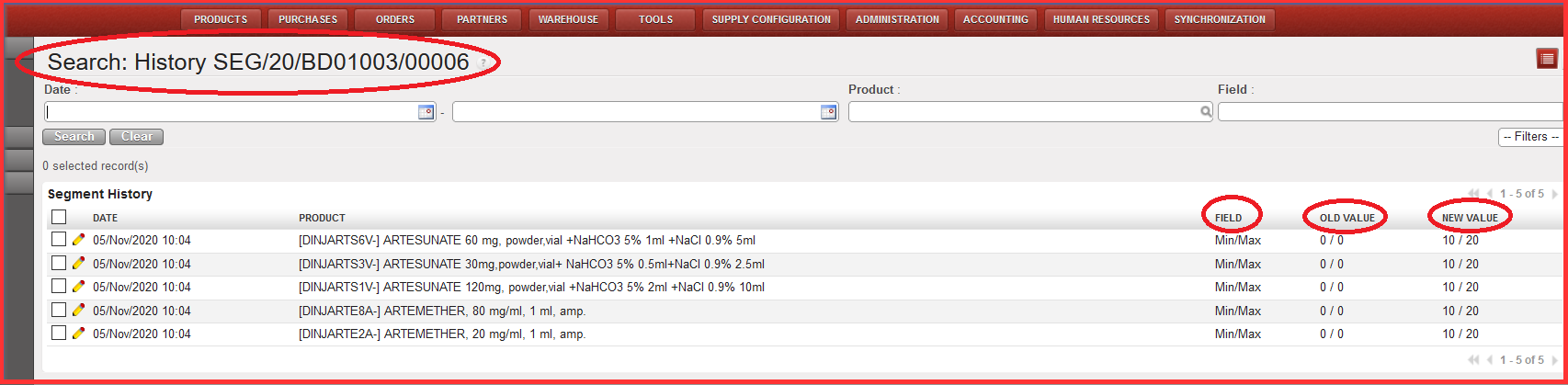
You get screen with “Search: History (Segment reference)” where you can see old and new values. The values per location / product are saved at the end of each month for the latest values present for the month on the last day of the month (if either value has been changed multiple times during the month, only that present on last day (i.e. 30th / 31st ) would be saved). AND/OR: TBC If possible, a Track Changes report would be possible from the Segment
Updating the segment
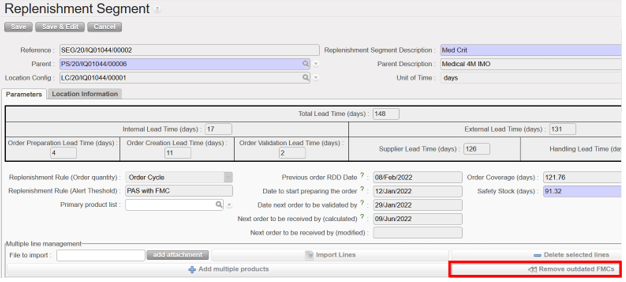
- To remove any FMC values and their dates which are wholly in the past, click on “Remove Outdated FMCs” and all FMCs which are valid will be moved to the left to fill any removed ones. this button can only be used when the Replenishment Segment is in Draft status, and the type of RR is “Order Cycle”.
And the name of the file which is exportable from the RR Replenishment Segment will display “SEG_ XXDBXXXXDATE”.