
Supply User Manual ENG -> 5. Warehouse -> 5.3 LU-SU4102: Picking -> H. HOW TO VALIDATE A PICKING
H. HOW TO VALIDATE A PICKING
The end of the picking process consists in validating the sub PICK, once the goods have actually been picked from the warehouse. This may be done with the help of the printed Picking Ticket on which the storekeeper has noted what was actually picked.
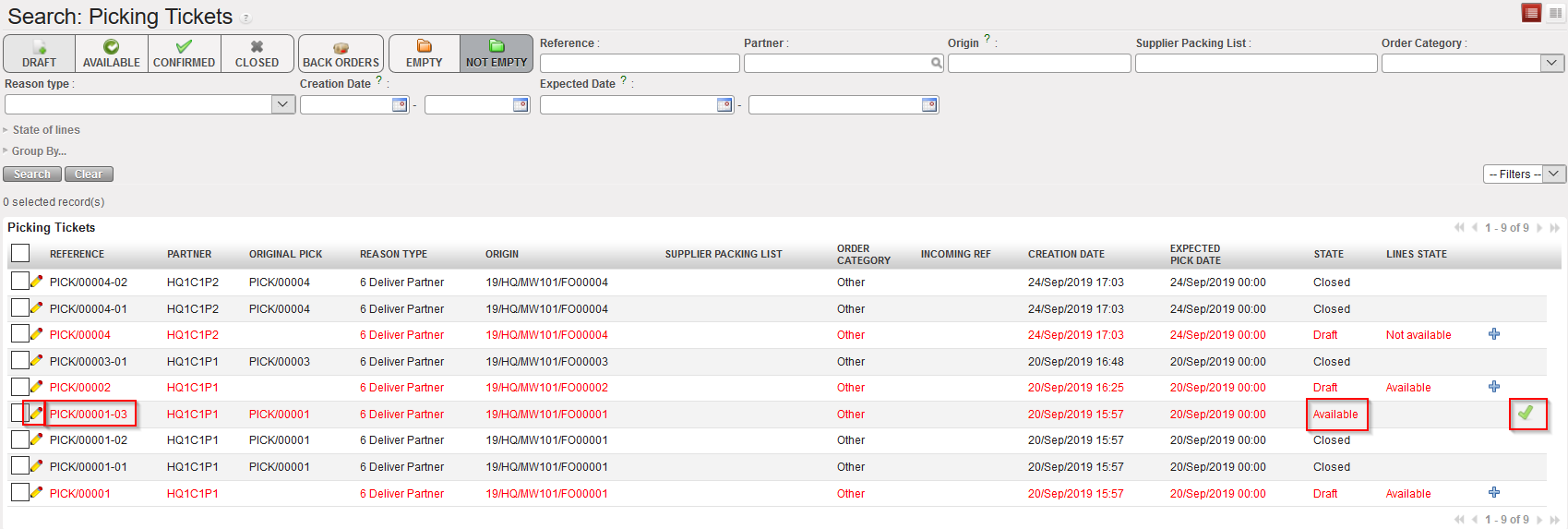
Go to: Warehouse / Warehouse Management / Deliveries / Picking
- Locate the sub PICK which has been picked by the storekeeper.
- Click on the pencil icon
 located on the left side of the picked sub PICK (or on the green icon
  in case you need to Validate directly the sub-pick).
|
|
|
Validating a sub PICK |
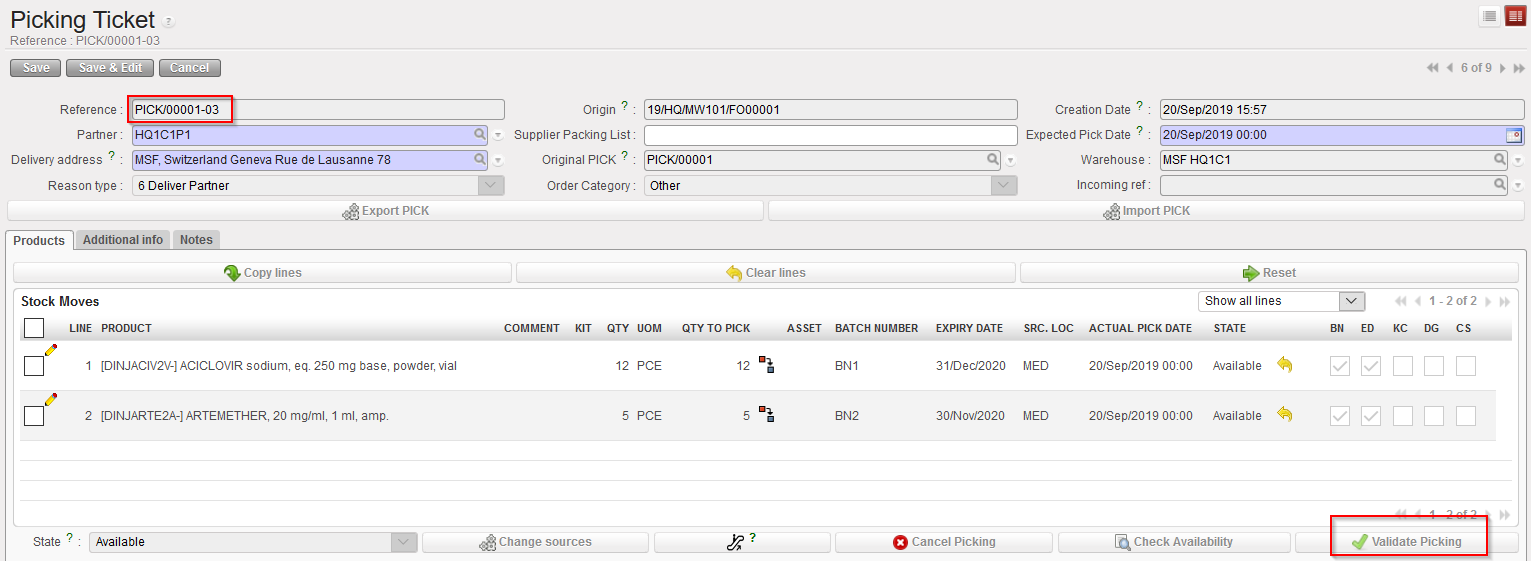
3. Click on the “validate Picking” button located at the bottom of the screen if all items have been picked by the storekeeper according to the printed Picking Ticket. Otherwise, use the pencil icon to enter what has actually been picked by the storekeeper (quantities, batches,…).
|
|
|
Validation of Sub Pick |
|
|
|
Pre-Packing List |
|
|
|
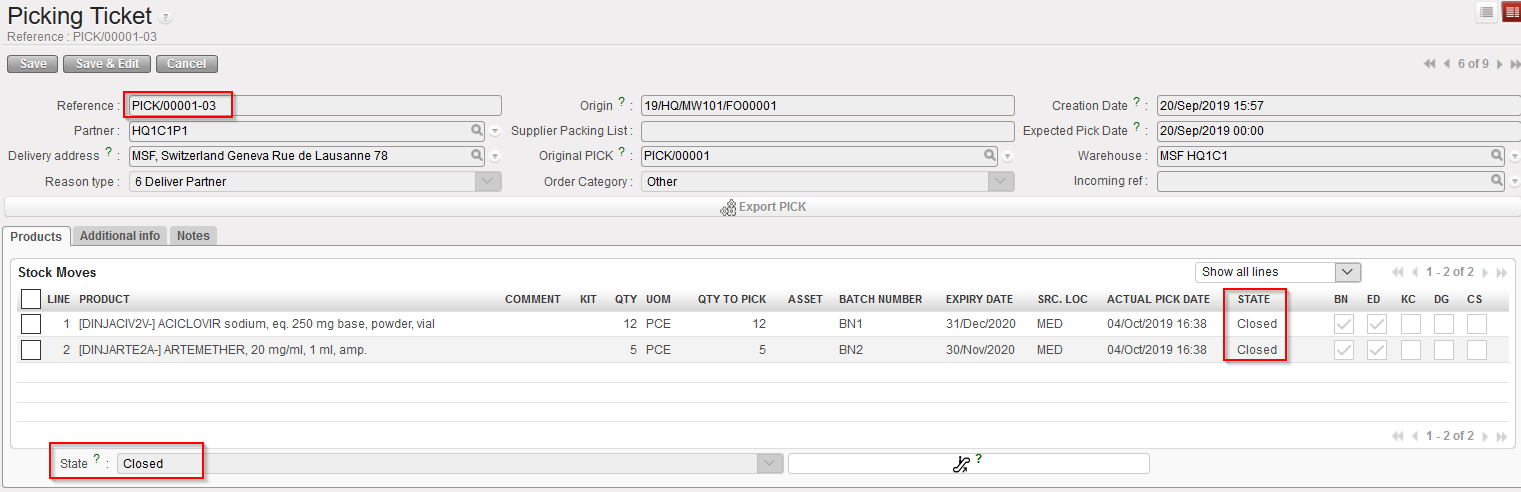
Sub PICK in state “Closed” |
|
|
|
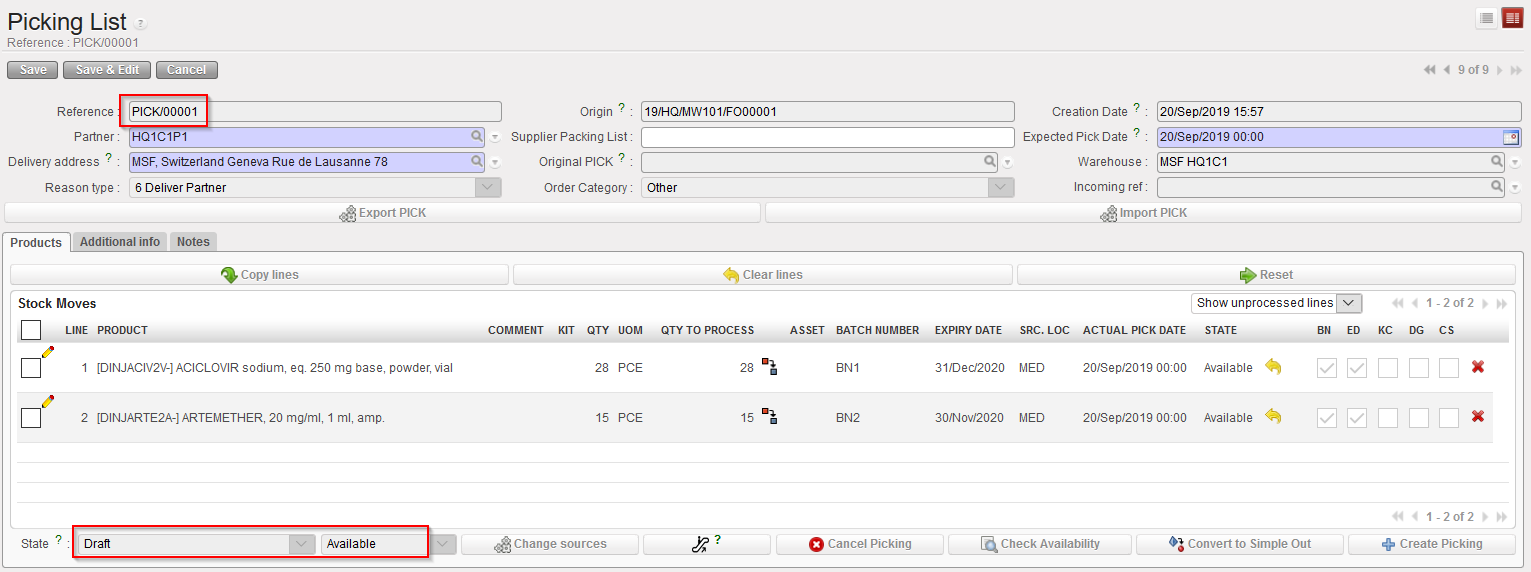
Main PICK in state “Draft” |
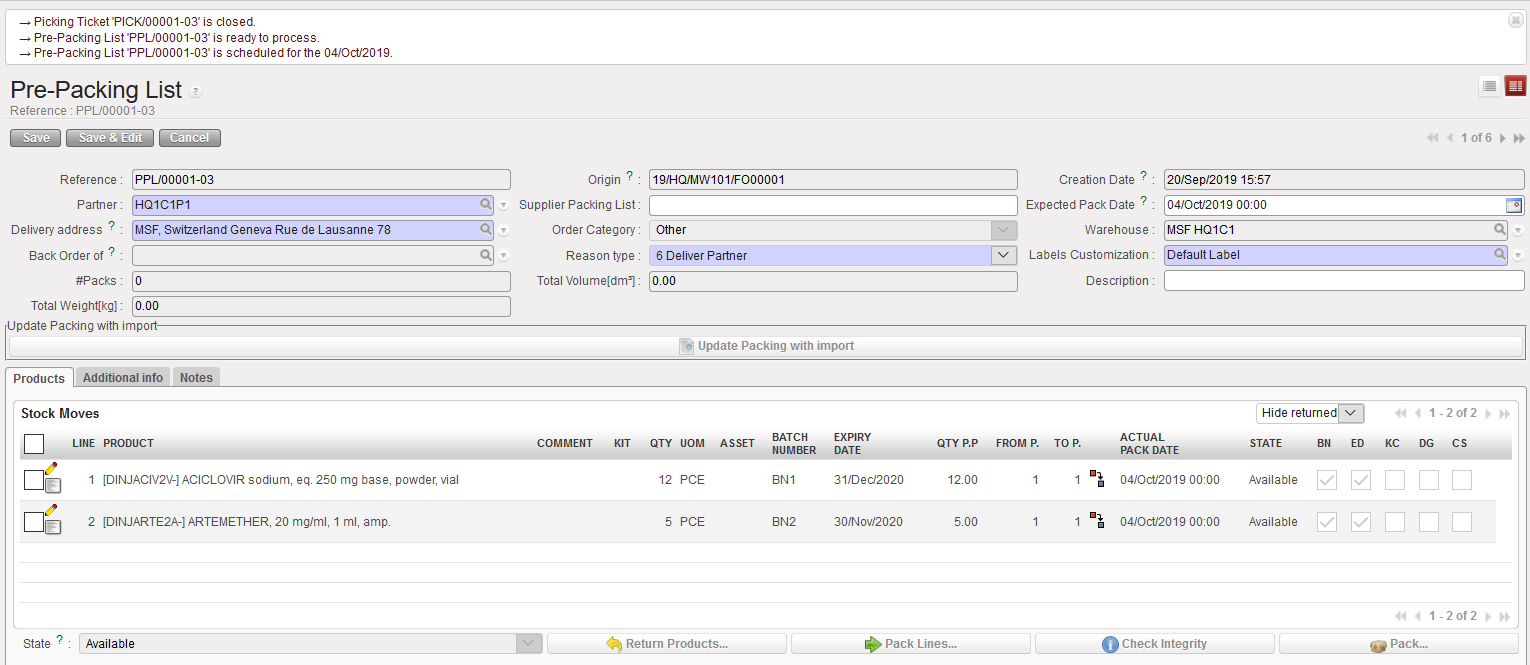
The system creates and opens the Pre-Packing List corresponding to the picked sub PICK.
The picked sub PICK switches to the state “Closed“
The main PICK stays in state “Draft” to pick remaining items and can be used in case of returns.
