
Supply User Manual ENG -> 5. Warehouse -> 5.16 LU-SU4302: Stock Inventory Reports -> H. RESERVED PRODUCTS REPORT
H. RESERVED PRODUCTS REPORT
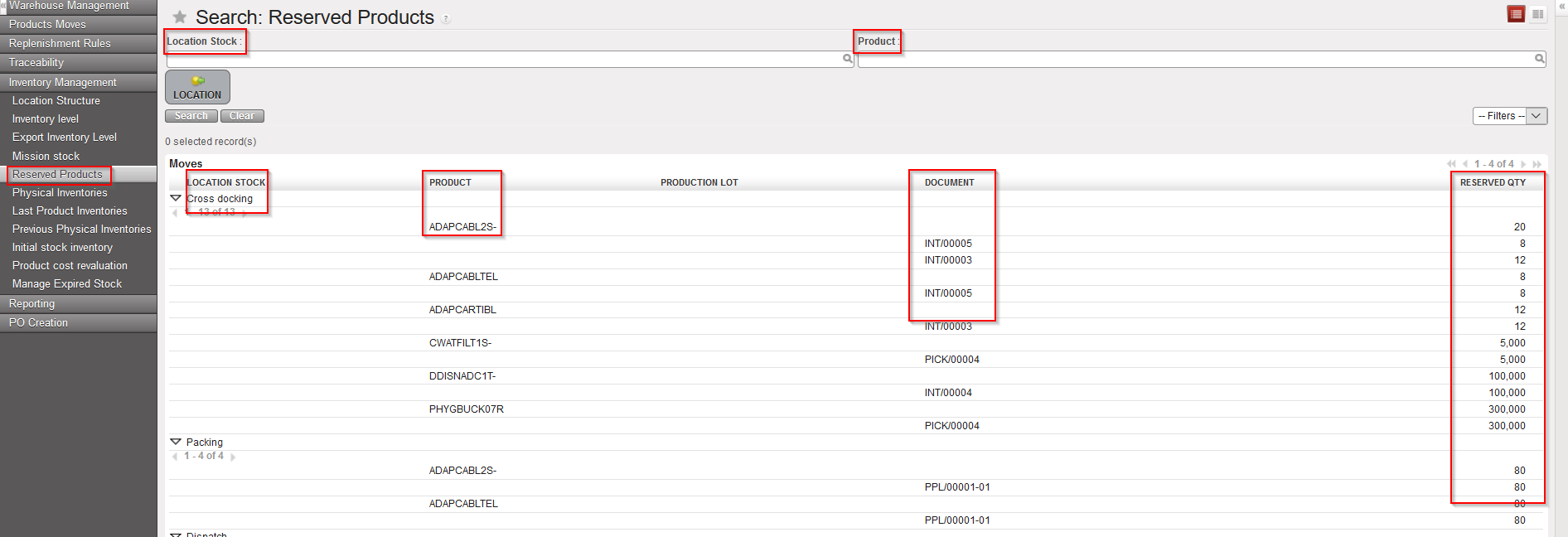
UniField allows you to check the stock levels for products which are allocated to different document: (OUT;Pick; INT; PPL and SHIP). Note that this report will not show the available stock.
Go to: Warehouse / Inventory Management / Reserved Products
- Click on the “Reserved Products” sub-menu.
Filter can be set on “Location” or on “Product”.
The report displays the Location, Product and Reference of the Document on which products are allocated.
|
|
|
Reserved Products |
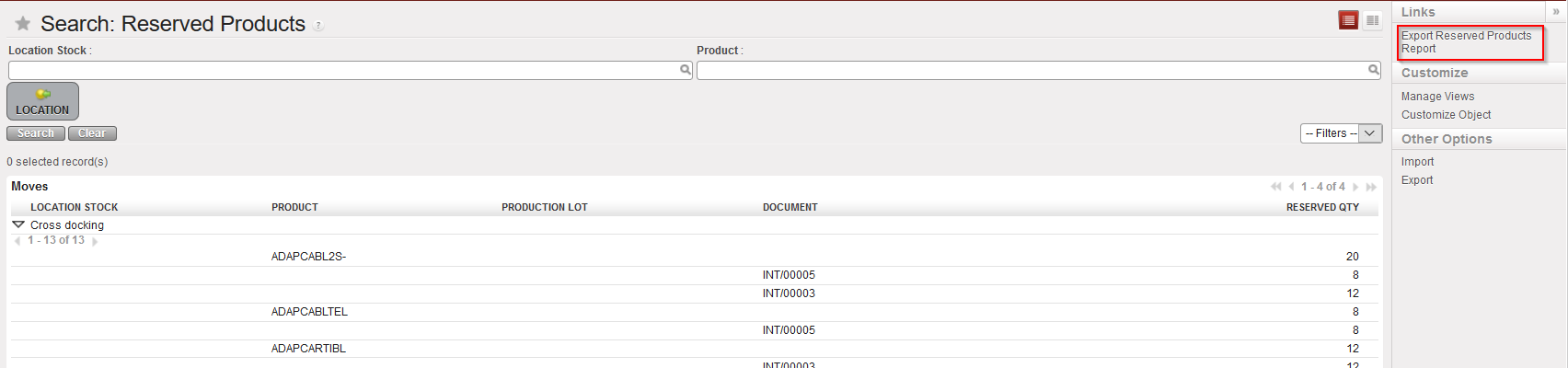
The report can also be Exported to an Excel file.
|
|
|
Link to generate reserved Stock Report in Excel |
|
|
|
Reserved Stock Report in Excel |
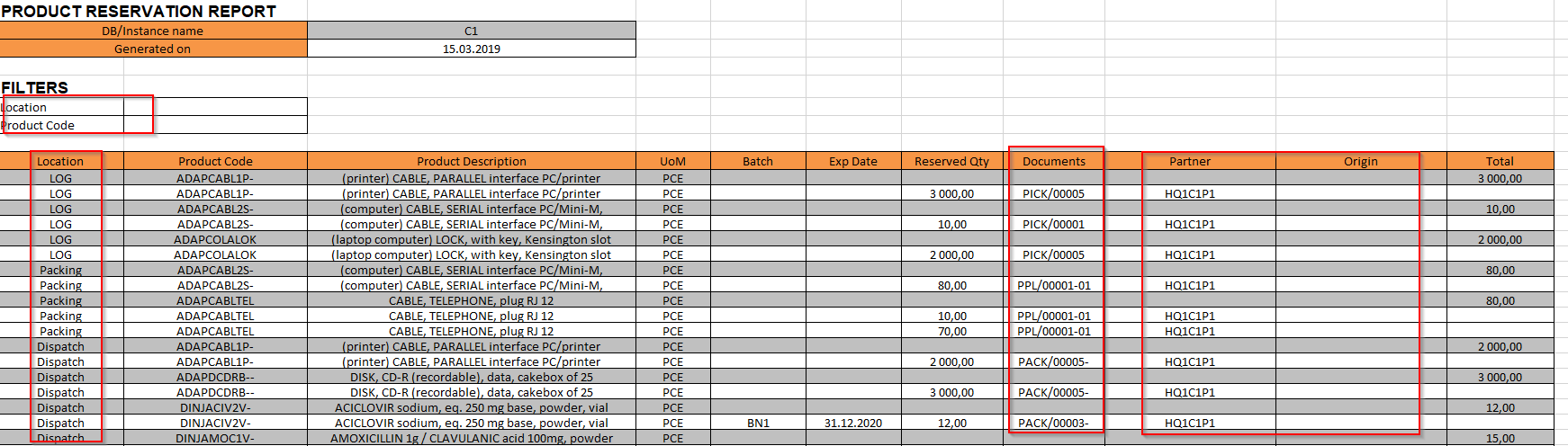
Please note that the “Partner” field is for FO while the “Origin” field is for requesting location of IRs.
