
Supply User Manual ENG -> 4. Procurement -> 4.2 LU-SU3101: Internal Requests (IRs) -> I. How to cancel a line or Multiple lines from an Internal Request.
I. How to cancel a line or Multiple lines from an Internal Request.
At the right of each line of an IR, a red cross is available. Clicking this red cross will cancel the corresponding line.
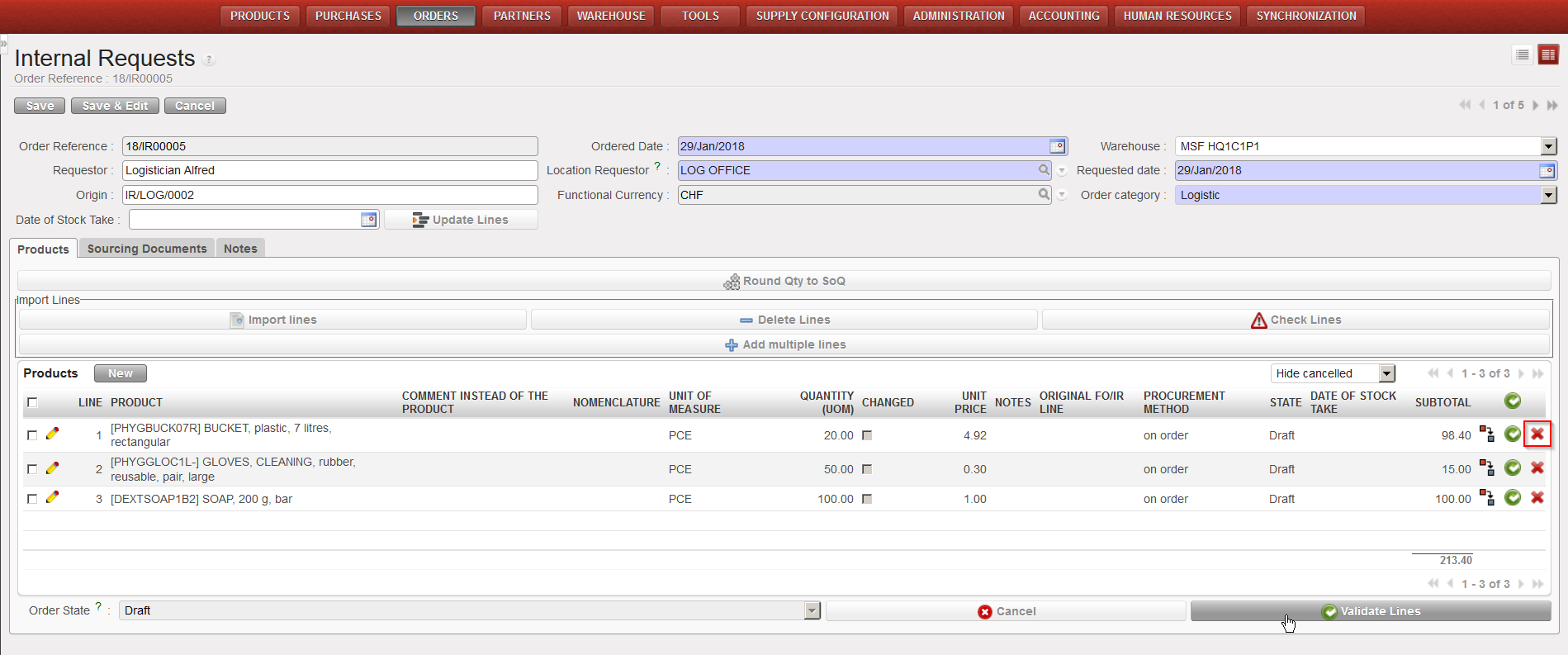
Only “Draft” or “Validated” lines can be “cancelled”. If you wish to cancel several lines at once, you may select them via the check boxes available on the left of the lines and click on the button “Cancel Lines” at the top of the Products table.
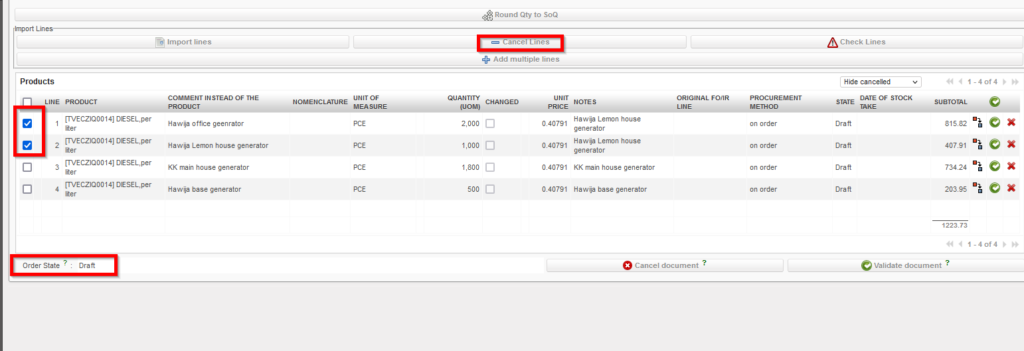 |
| cancelling IR lines |
Note that draft and validated IR-lines can be cancelled in Draft-p / Validated/ Validated-P IR. but an IR-line which has already been sourced cannot. At this stage you will have to do the cancellation on the next document (e.g. PO or OUT).
