Supply User Manual ENG -> 5. Warehouse -> 5.12 LU-SU4205 Replenishment Rules -> I. HOW TO REVIEW A REPLENISHMENT PARENT SEGMENT
I. HOW TO REVIEW A REPLENISHMENT PARENT SEGMENT
Go to: Warehouse / Replenishment Rules / Configuration / Replenishment Parent Segment
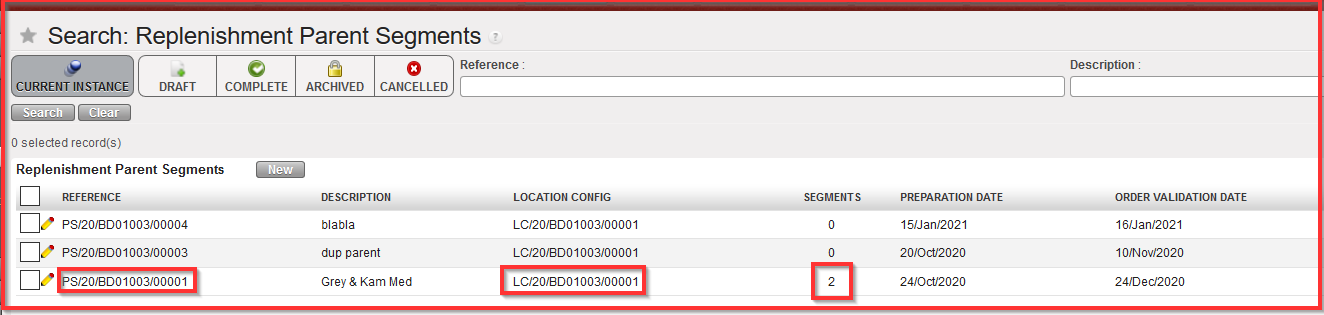
As you can see on the example below, the number “2” in Replenishment Parent Segment column shows how many Segments have been created (i.e.: related to this Parent Replenishment Segment).
Parameters tab
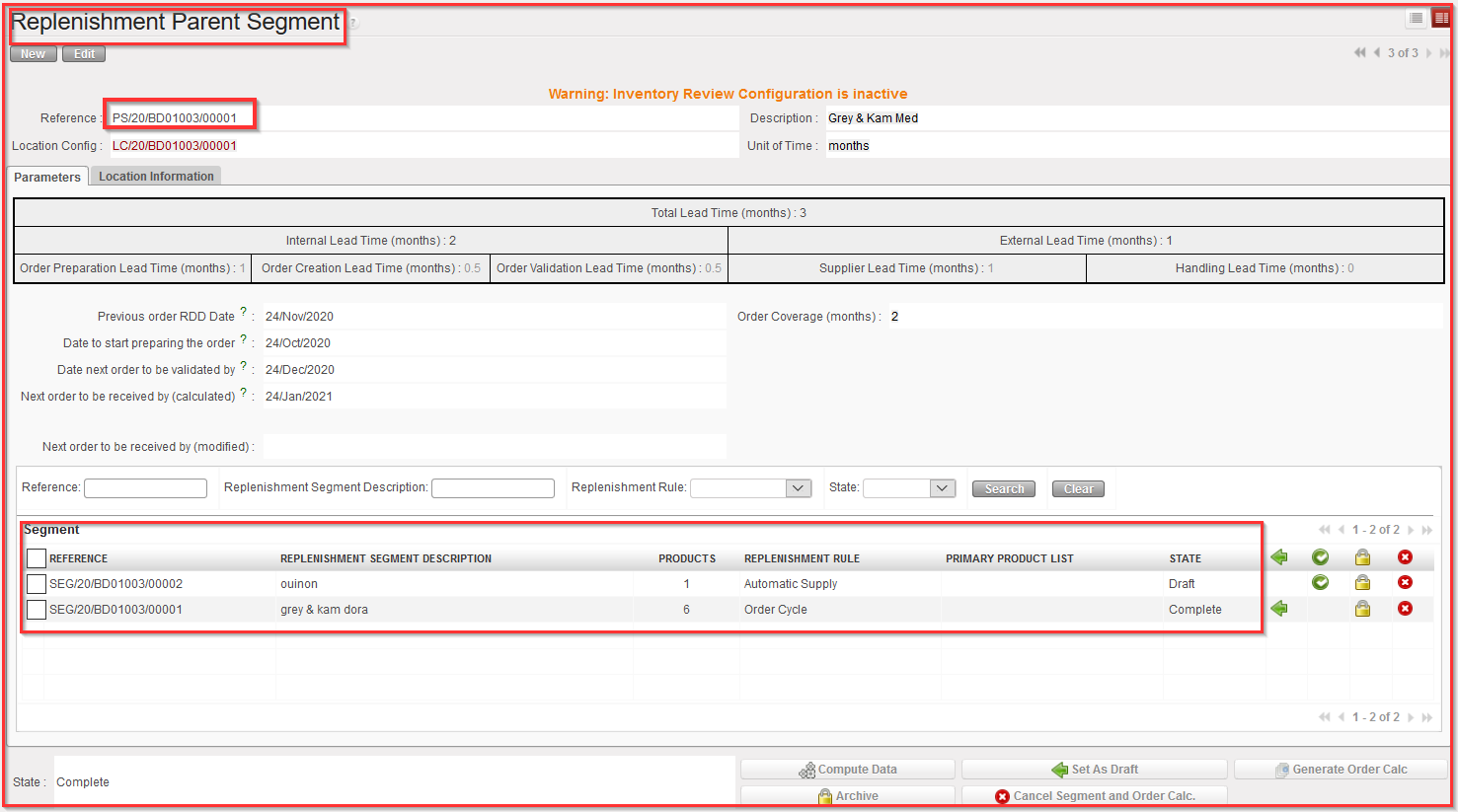
If you click on Parameters tab, you get following screen (see picture below) where in addition to the information set at creation (see chapter D. How to create a Parent Replenishment Segment) you will be able to see the added “Replenishment Segment” created afterwards.
“Location information” tab
The Replenishment Parent Segment only looks at the same location config. Therefore, all the defined “child” SEGMENTS underneath this Parent Segment will use the same location config.
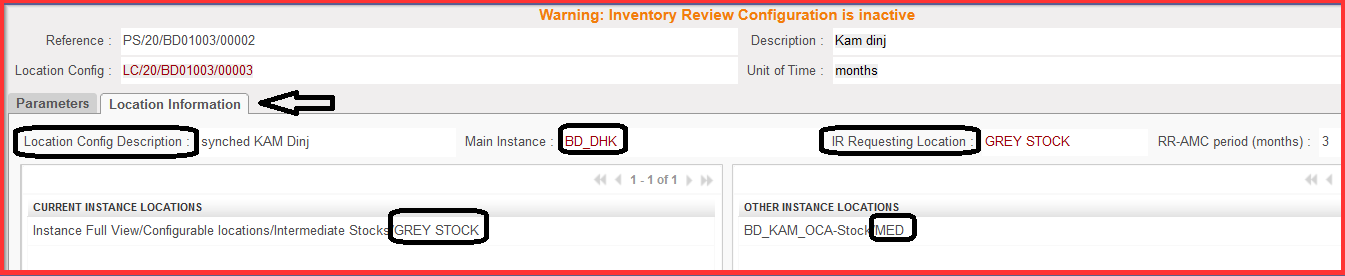
You can see in the “Location information tab”, as depicted below, that there is GREY STOCK under current instance locations and MED on the project level. We can see also Location Config Description which was setup in Location Config step before. There is also Main Instance BD_DHK and IR Requested Location (Grey Stock), which means that IR will be always generated with the requested location on parent level (i.e.: the goods will be delivered to the “Grey Stock” Location).