
Supply User Manual ENG -> 4. Procurement -> 4.10 LU-SU3401: Procurement Advanced Features -> I. How to round the ordered quantity to the standard ordering quantity (SoQ)
I. How to round the ordered quantity to the standard ordering quantity (SoQ)
The purpose of this feature is to help the user to include accurate quantities in orders (IRs, FOs or POs). Standard ordering quantity is often related to packaging.
The feature rounds (up) the quantities included in the orders according to the one defined as SoQ.
SoQs can be defined on the product master data sheet and will be used on IRs and FOs.
SoQs may also be defined in supplier catalogues.
On POs, if defined in catalogues, these SoQs from catalogues will be used; otherwise the SoQs defined on the PMD sheet will be used.
The feature is only available on draft IR, FO or PO.
The feature is only available at header level (i.e. if activated, it will impact all lines of the order).
The use of this feature is optional. Even if the button has been pushed and the order has been updated consequently, the user can still change the quantities as desired.
SoQs can be defined on the PMD sheet, on the “Information” tab.
|
|
|
SoQ on PMD sheet |
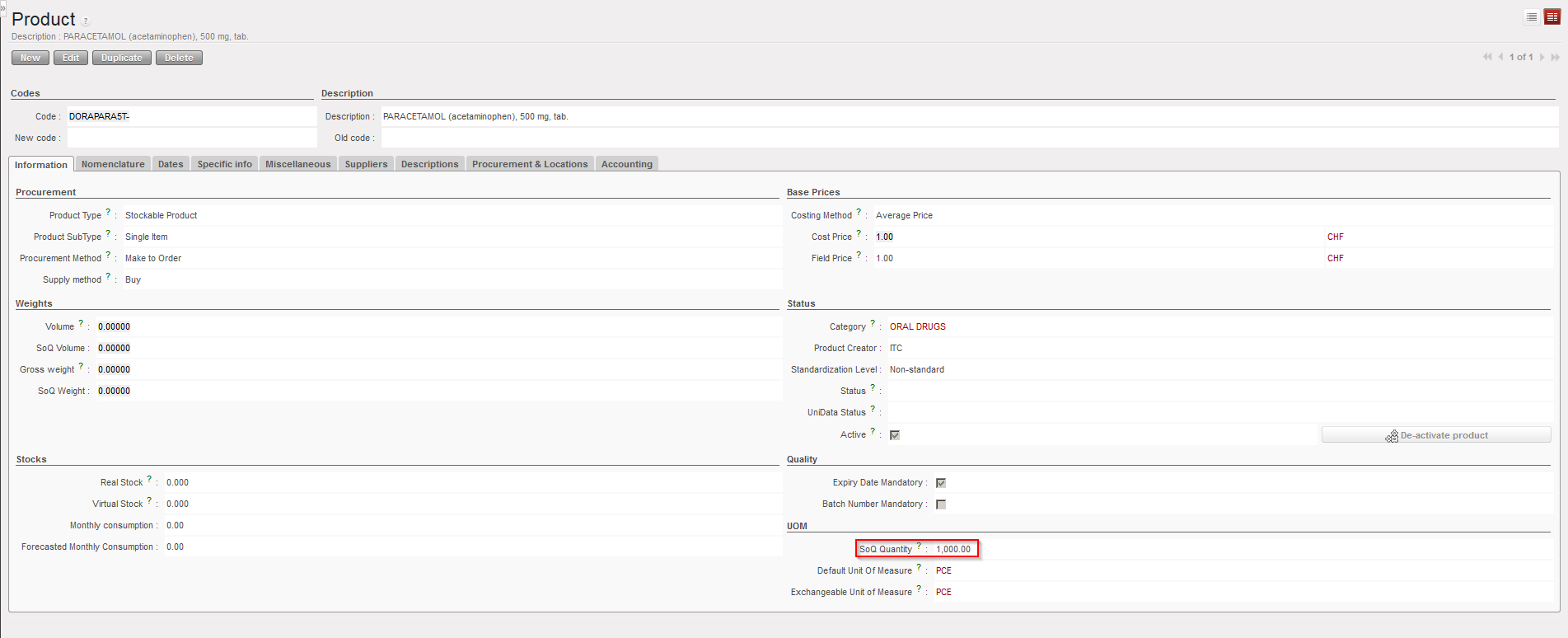
Note that UniData products should only be updated on HQ instances. SoQ should follow this rule. This means that SoQs should be defined at HQ level and be the same on all instances related to this HQ.
For local products, SoQs should be defined at coordination level.
SoQs can also be defined on supplier catalogues. In this case, they will only be valid on POs addressed to this specific supplier.
|
|
|
SoQ on supplier catalogue |
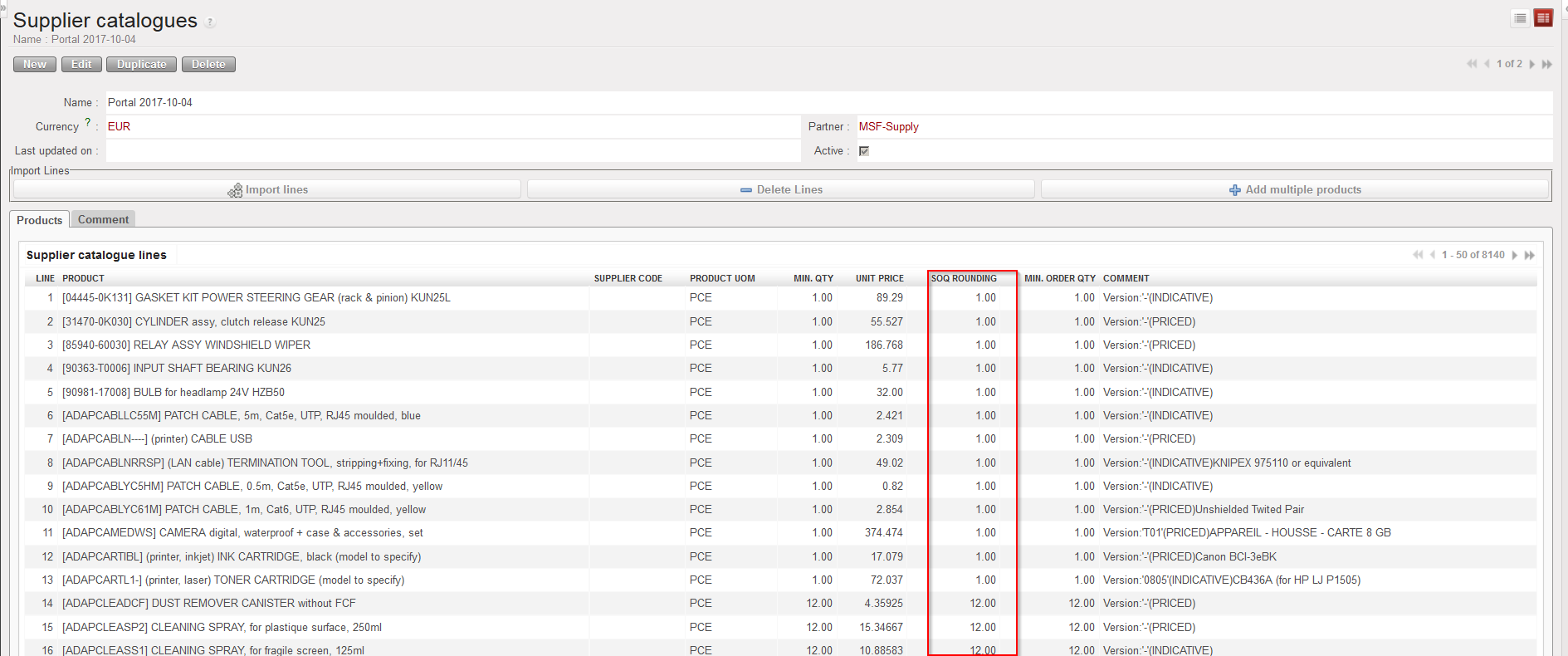
Note that ESC catalogues (including SoQs) are defined at HQ level and are synchronized down to all coordination related to this HQ. Any ESC specific SoQ should be updated on the HQ in the ESC catalogue.
You may define local catalogues (including SoQs) for local suppliers at coordination or project level.
While SoQs defined on PMD sheet can be seen as “typical standard ordering quantities“, SoQs defined on supplier catalogues (SC) are often related to the packaging supplied by this supplier.
To round quantities according to SoQs on orders, simply hit the “Round Qty to SoQ” button.
|
|
|
Draft IR before rounding quantities according to SoQ |
|
|
|
Draft IR after rounding quantities according to SoQ |
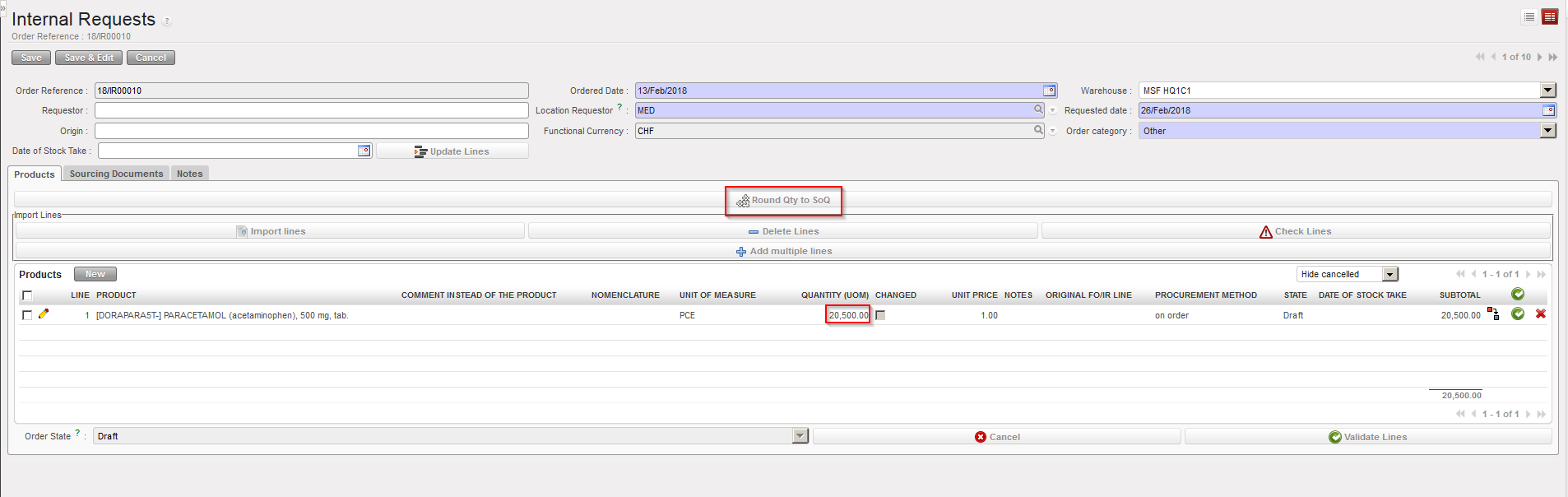
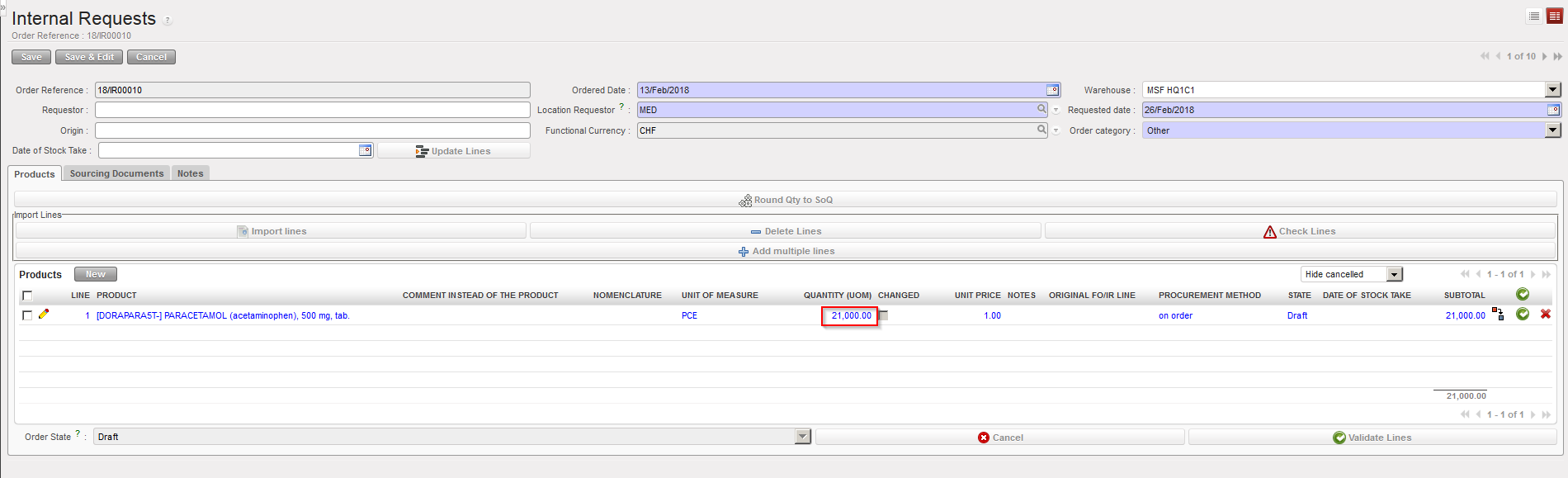
Note that the rounding is always done up (i.e. quantities will never be decreased).
After hitting the button “Round Qty to SoQ“, lines which have been updated will appear in blue.
If no SoQ is defined for a product, quantity won’t be updated.
NB: in the specific case of an ordered quantity in PO lower than the “Minimum order quantity” from a Catalogue, then the rounding will be done to the “Minimum order quantity” of the Catalogue.
