
Supply User Manual ENG -> 5. Warehouse -> 5.16 LU-SU4302: Stock Inventory Reports -> I. PRODUCTS SITUATION REPORT
I. PRODUCTS SITUATION REPORT
This report enables user to see the Real, Available and Virtual Stock as well as AMC and FMC for specific products with some refined filtering options, on products attributes for instance.
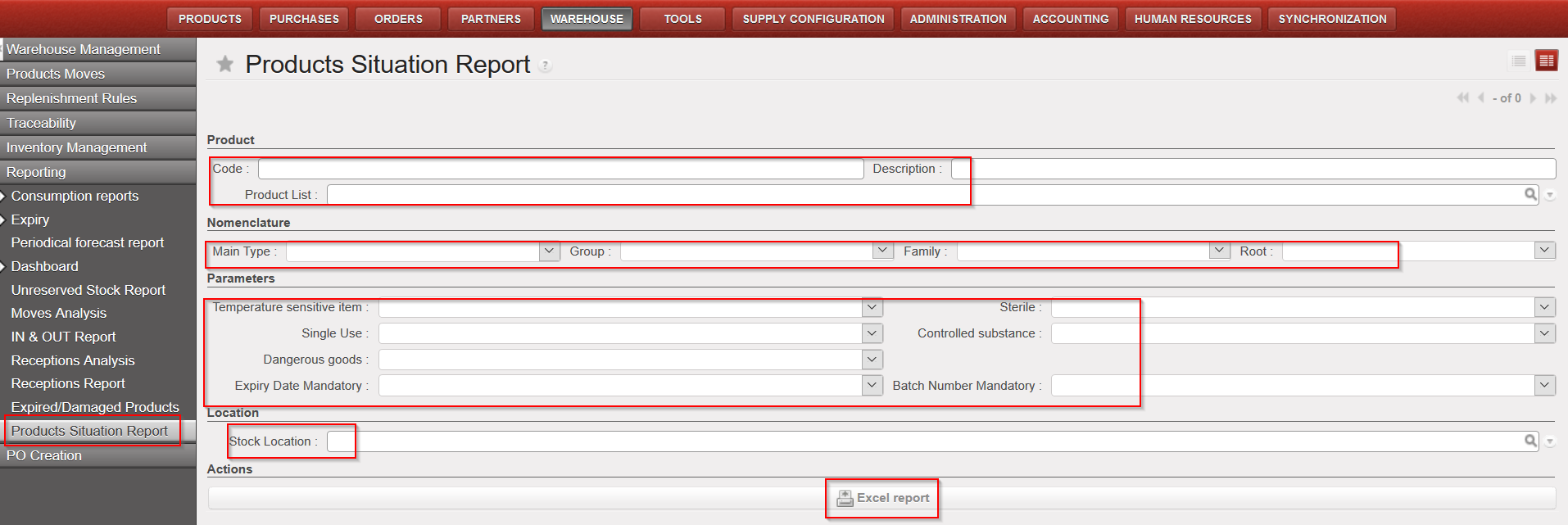
Go to: Warehouse / Reporting / Products Situation report
- Click on the “Products Situation Report” sub-menu.
- Select at least one filtering option (mandatory):
- Product: Code or Description or Product List
- Nomenclature: Main type/ Group/ Family/ Root
- Parameters (product attributes): Temperature sensitive items, Sterile; Single Use; Controlled substance; Dangerous goods; ED mandatory and BN mandatory
- Stock Location: all Internal Locations
3. Click on “Excel report”
|
|
|
Products Situation report |
|
|
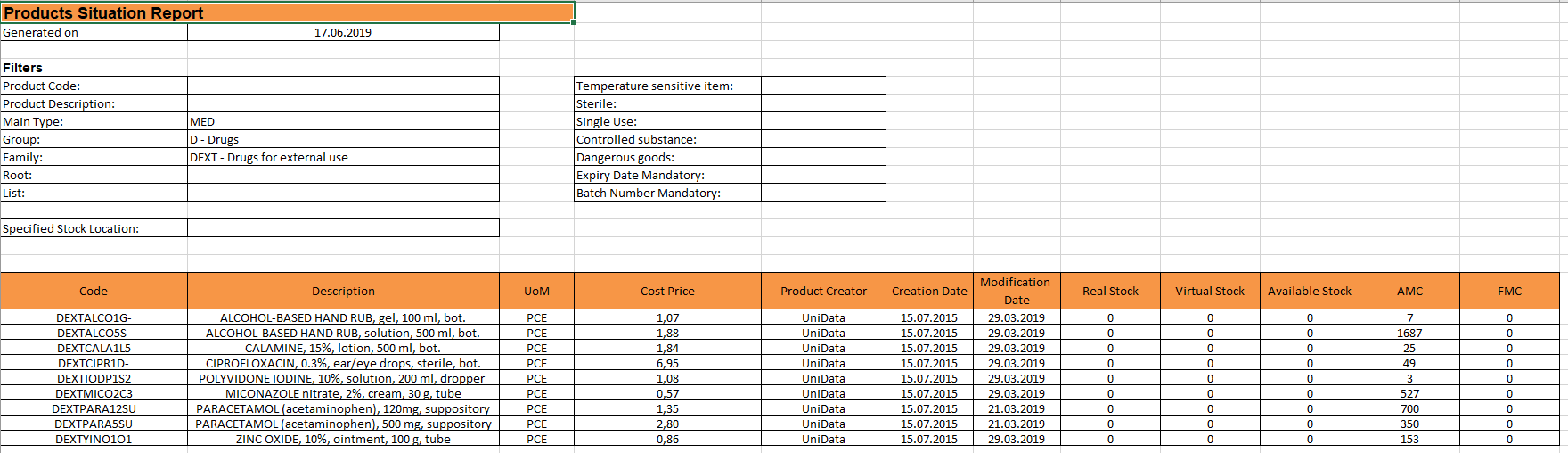
Please note that Real, Virtual and Available stock are calculated per location selected while AMC and FMC are always for whole instance.
If no location is selected then the Real, Virtual and Available stock will be for “MED/LOG” locations as per product form sheet.
