
Supply User Manual ENG -> 5. Warehouse -> 5.3 LU-SU4102: Picking -> J. HOW TO CANCEL & RESOURCE ON PICKING TICKETS
J. HOW TO CANCEL & RESOURCE ON PICKING TICKETS
Cancel & resource is available on Picking Tickets but only on the main PICKS and only on Picking Tickets which have been created following the sourcing of an FO from stock (i.e. not on order). This may be useful if, for example, after deciding to source from stock you realize that goods are actually not available in the stock. Cancel & resource will allow you to resource the request to a supplier (PO).
1) Cancel & resource a Picking Ticket at header level
Go to: Warehouse / Warehouse Management / Deliveries / Picking
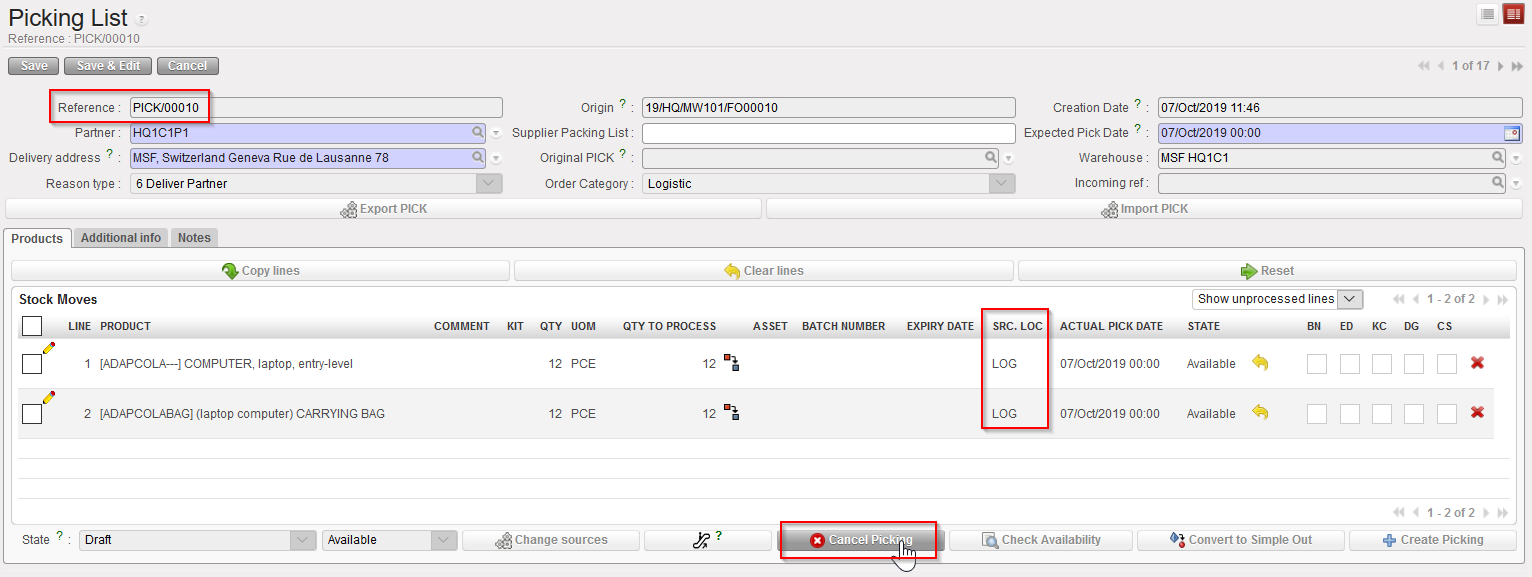
- Open the Picking Ticket you wish to cancel & resource.
- Click on the “Cancel Picking” button located at the bottom of the screen.
|
|
|
Cancelling a main PICK at header level |
3. On the “Cancel Picking” window, click on the “Cancel & Resource” button.
|
|
|
Cancelling & resourcing a main PICK at header level |
|
|
|
Cancelled and resourced main PICK |
|
|
|
FO related to the cancelled and resourced main PICK |

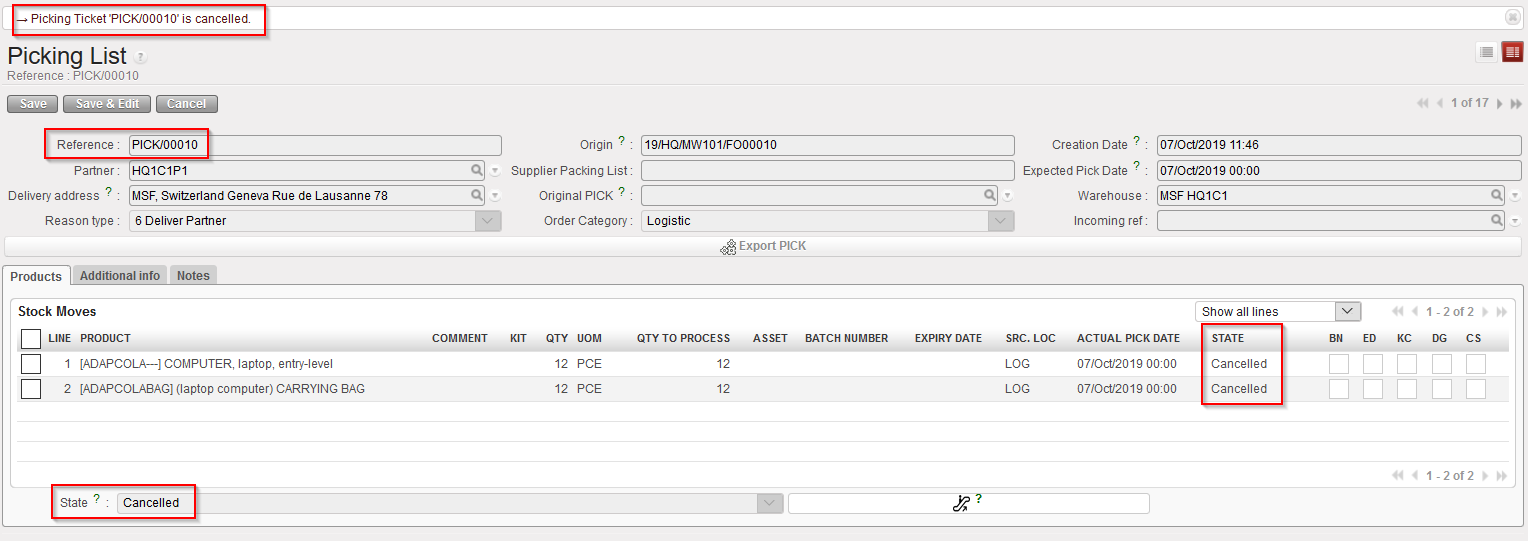
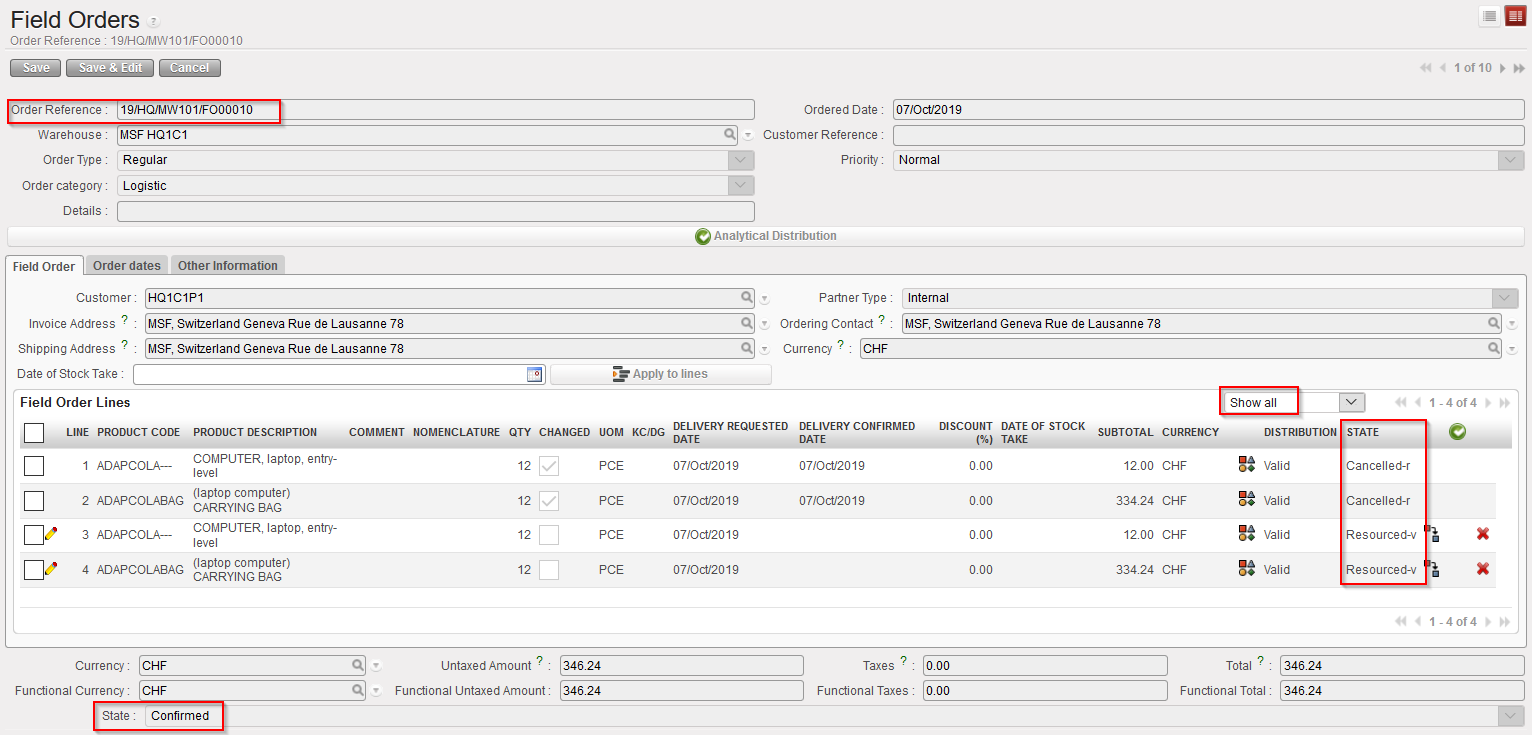
The main PICK (and all its lines) is now cancelled.
The corresponding FO remains in the state “Confirmed“. Lines which have been cancelled & resourced on the PICK are now in the state “Cancelled” (use “Show all lines” filter) while new lines, copy of the “Cancelled” ones, are added on this FO in state “Resourced-v“. In the FO the original Cancelled lines are in state “Cancelled-r” when using filter “Show all”.
2) Cancel & resource a Picking Ticket at line level
Go to: Warehouse / Warehouse Management / Deliveries / Picking
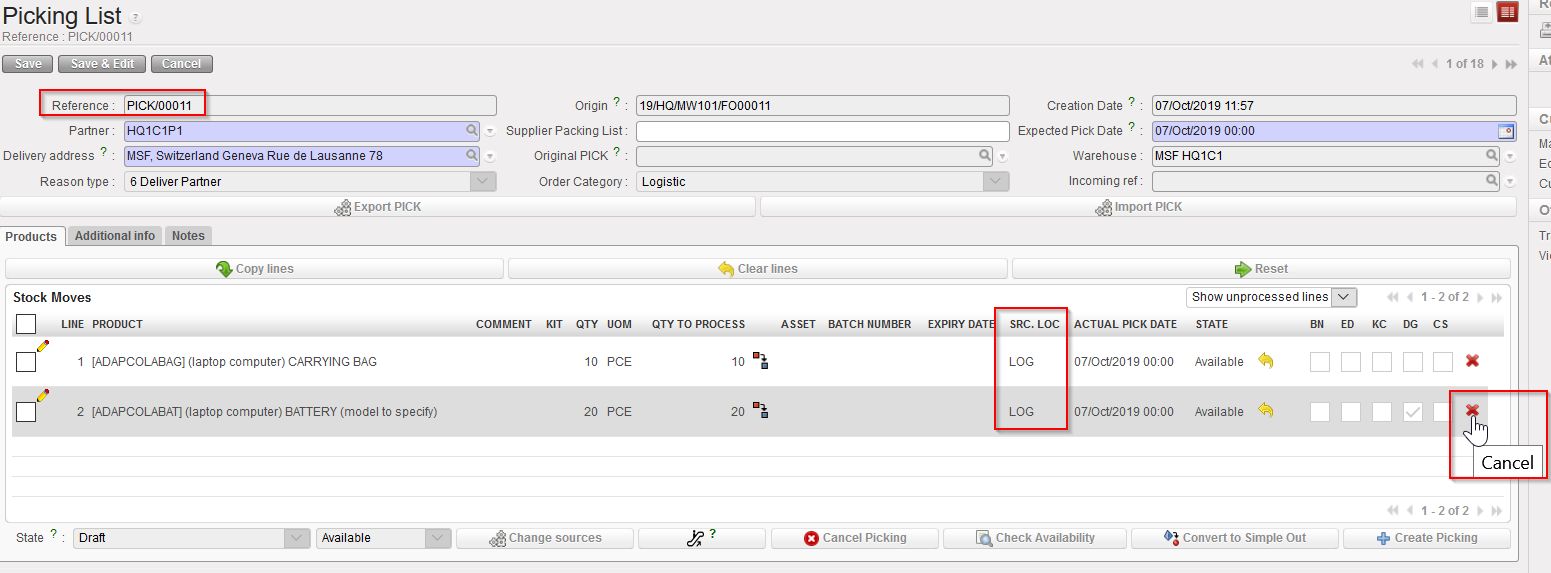
- Open the Picking Ticket on which you wish to cancel & resource a line.
- Click on the red cross located at the right of the line you wish to cancel & resource.
|
|
|
Cancelling one line of a main PICK |
3. On the “Cancel move” window, click on the “Cancel and Resource” button.
|
|
|
Cancelling & resourcing one line of a main PICK |
|
|
|
Cancelled and resourced line on a main PICK |
|
|
|
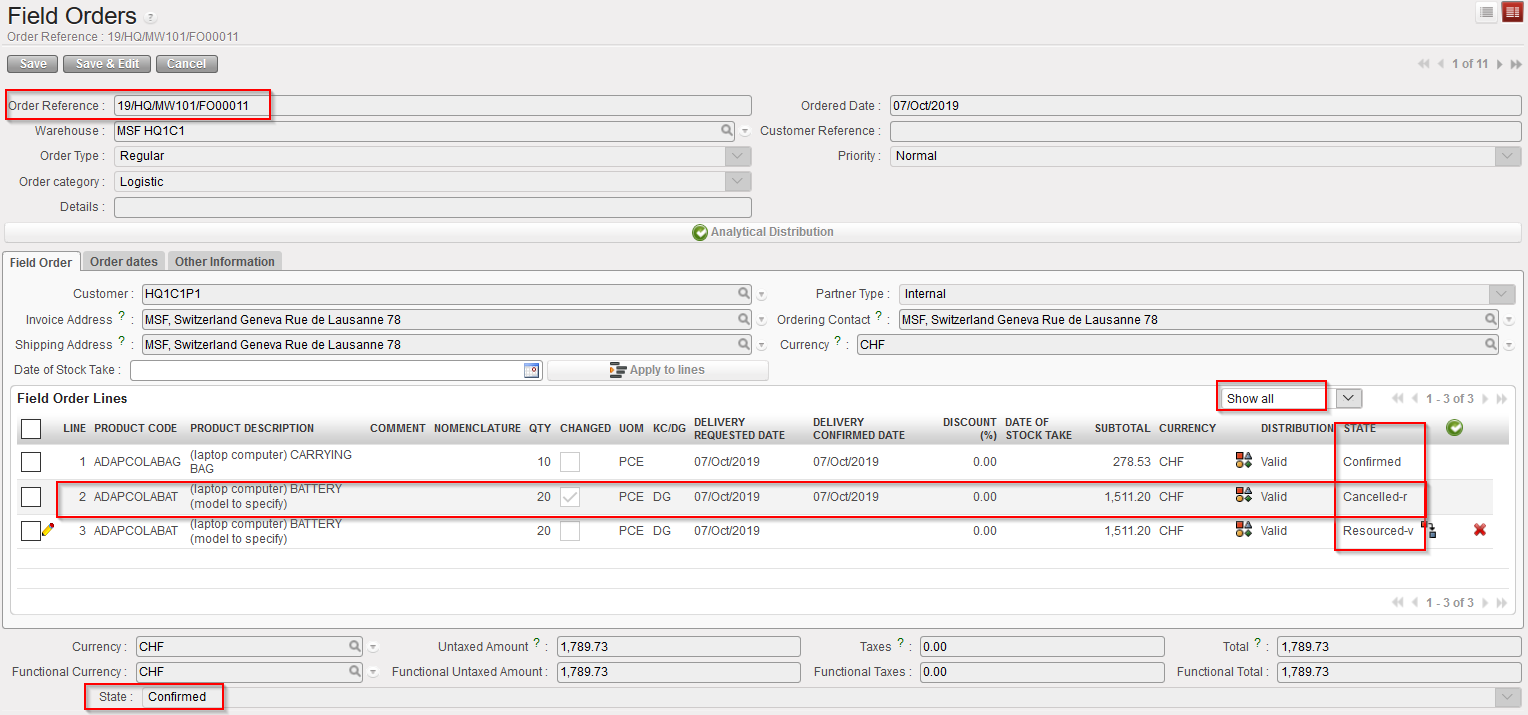
FO related to the main PICK on which a line was cancelled & resourced |

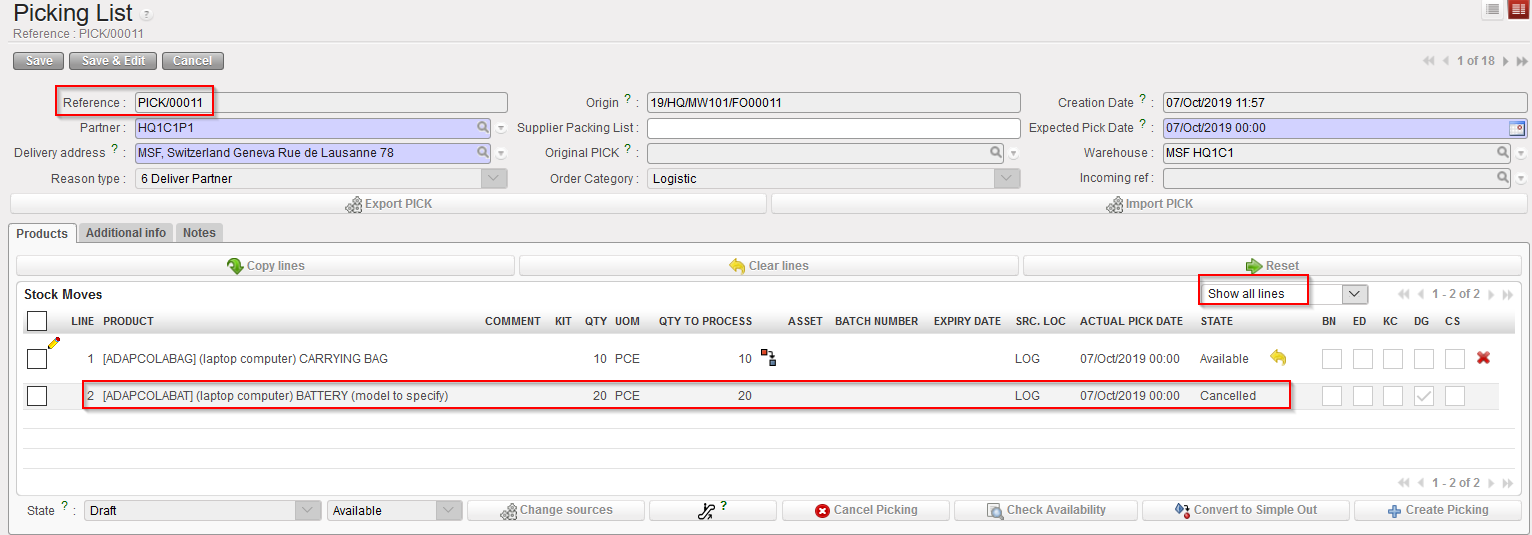
The cancelled & resourced line on the main PICK has the state “Cancelled“.
The corresponding FO remains in the state “Confirmed“. The original line which was cancelled & resourced on the PICK is now in the state “Cancelled-r” on the FO while a new line, copy of the “Cancelled-r” one, is added on this FO in state “Resourced-v“.
3) Conclusion of the section
Remember that cancel & resource is only available on main PICKS and can only be done if FO has been sourced from stock. In this section, 2 scenarios were outlined. Again, many alternative scenario exist involving partial sourcing, FO sourced partly from stock and partly on order, cancel & resourced done after partial picking, cancel & resource done on split lines, …
