Supply User Manual ENG -> 4. Procurement -> 4.9 LU-SU3301: Procurement Reporting -> J. How to view the Supplier Performance Report
J. How to view the Supplier Performance Report
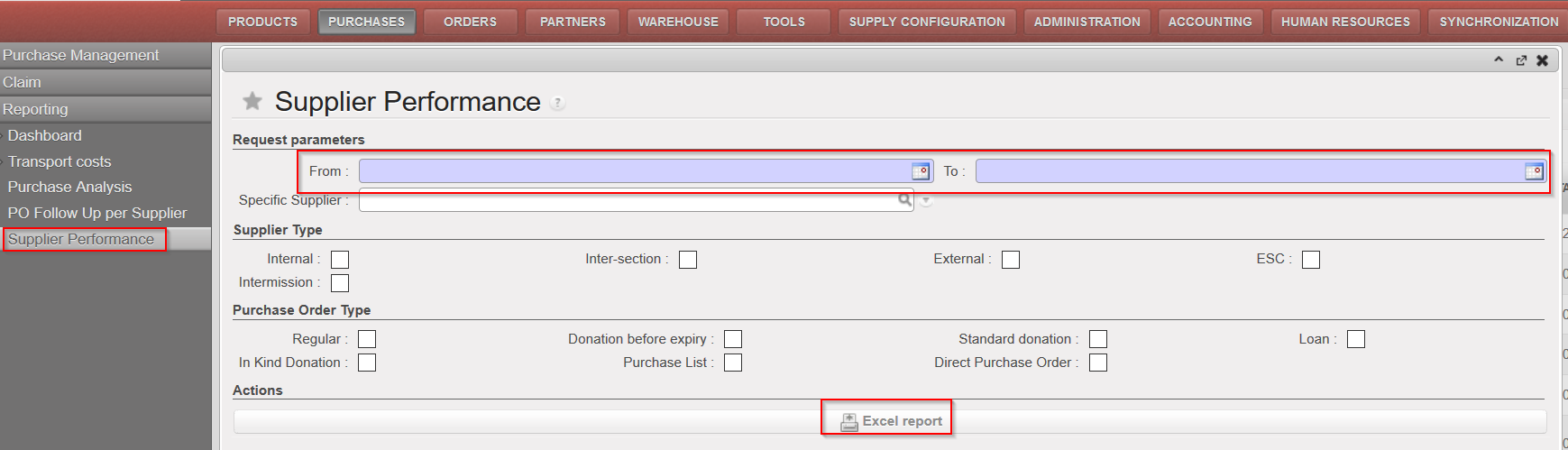
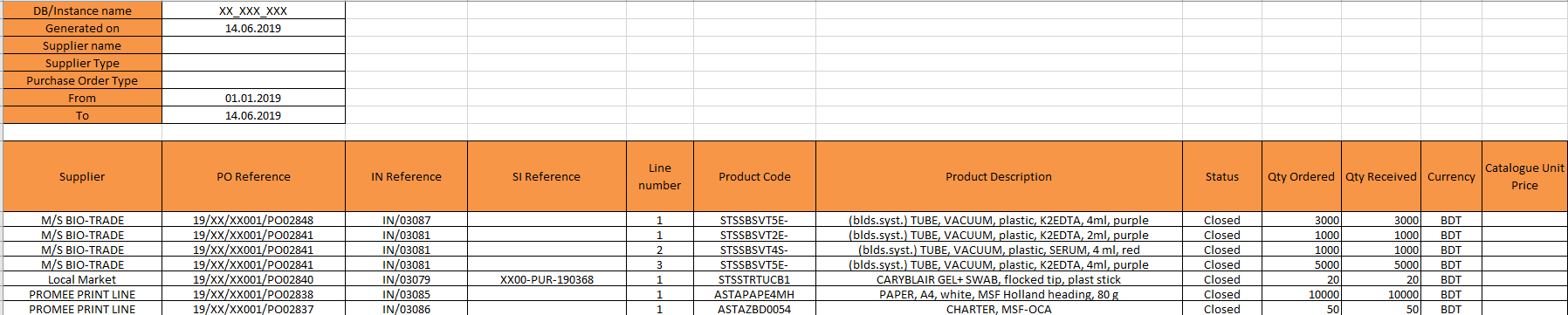
A new report named “Supplier performance” (Purchase > Reporting) has been created in order to give users the opportunity to track supplier’s commitments regarding mainly prices and dates. This report presents different basic indicators calculated for Closed/Cancelled POS ( discrepancy between confirmed and invoiced price or between physical delivery and confirmed delivery date…) that enables to evaluate the performance of a specific supplier. Filters have to be added on Dates (base on reception dates) and optional filters enables to narrow down by Supplier type, PO type or to a specific supplier.
Go to: Purchases / Reporting / Supplier Performance
- Select a filter to narrow down the need: From (mandatory), To (mandatory); Specific supplier; Supplier type; PO type
- Click on “Excel report”
|