Supply User Manual ENG -> 5. Warehouse -> 5.2 LU-SU4101: Incoming Shipments -> L. How to cancel & resource on an Incoming Shipment (at line level)
L. How to cancel & resource on an Incoming Shipment (at line level)
Cancel & resource on IN can also be done at line level.
Go to: Warehouse / Warehouse Management / Incoming Shipments
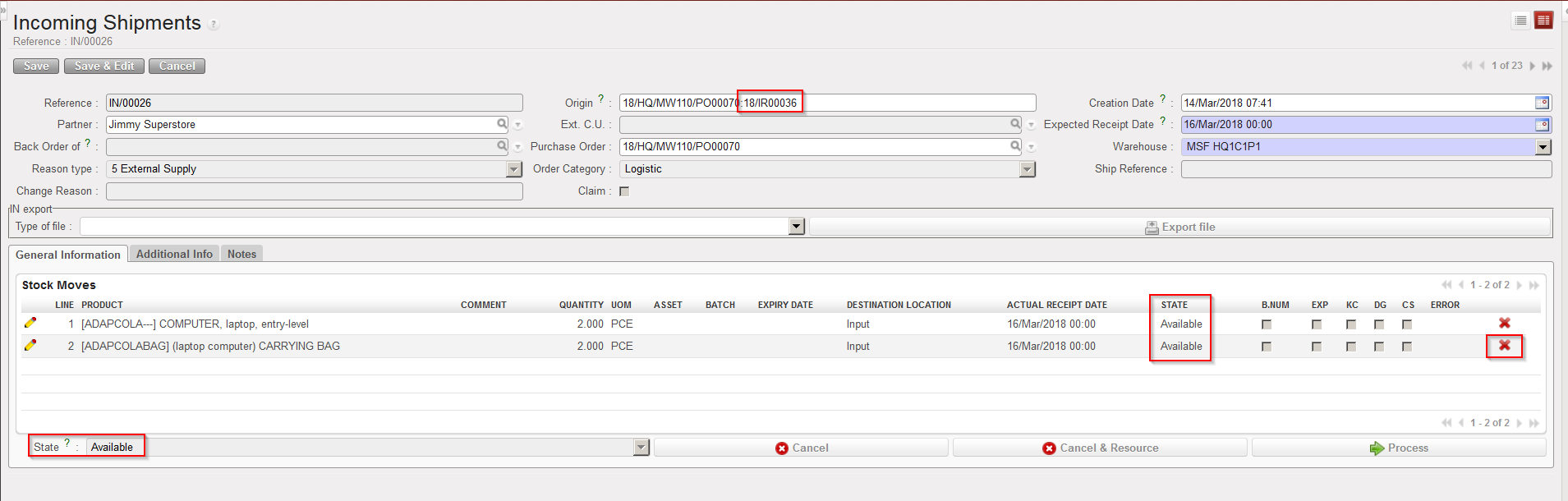
- Open an Incoming Shipment whose state is “Available“. In the origin of the IN, you should see an IR or an FO.
- Click on the red cross (“Cancel“) located at the right of the line you wish to cancel & resource.
|
|
|
Cancelling an Incoming Shipment at line level |
3. In the “Cancel move” window, select “Cancel and Resource“.
|
|
|
Cancelling & resourcing an Incoming Shipment at line level |

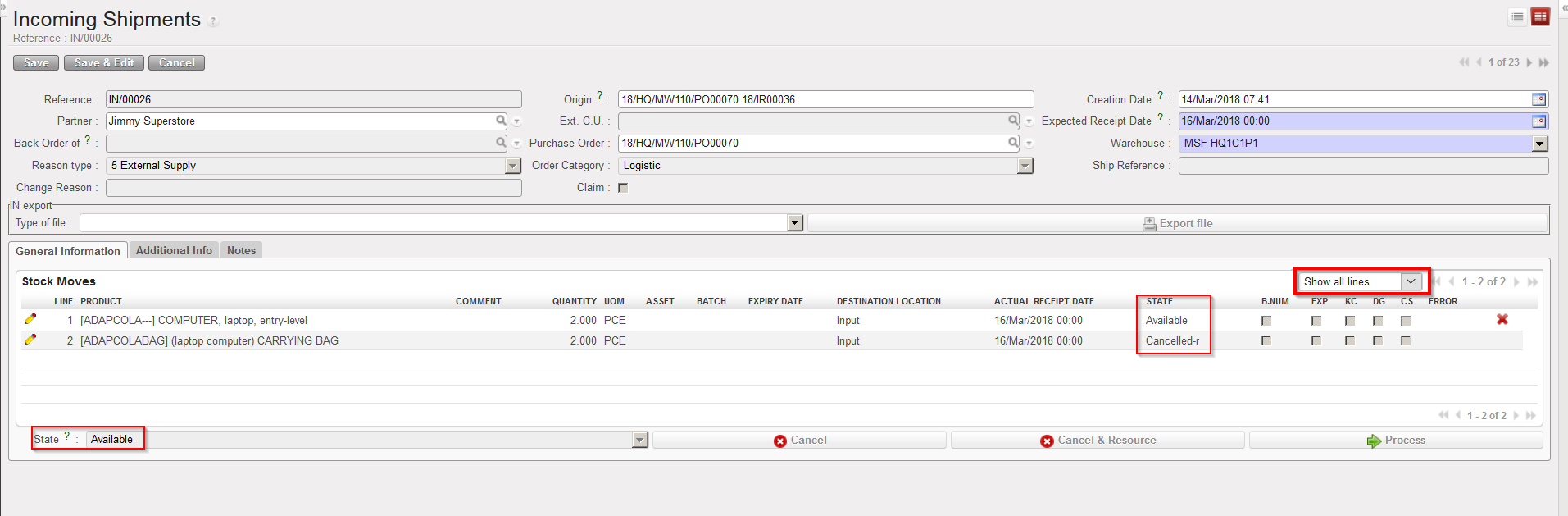
On the IN, the cancelled & resourced line switches to the state “Cancelled-r“. The IN (at header level) and the other lines keep the state “Available”.
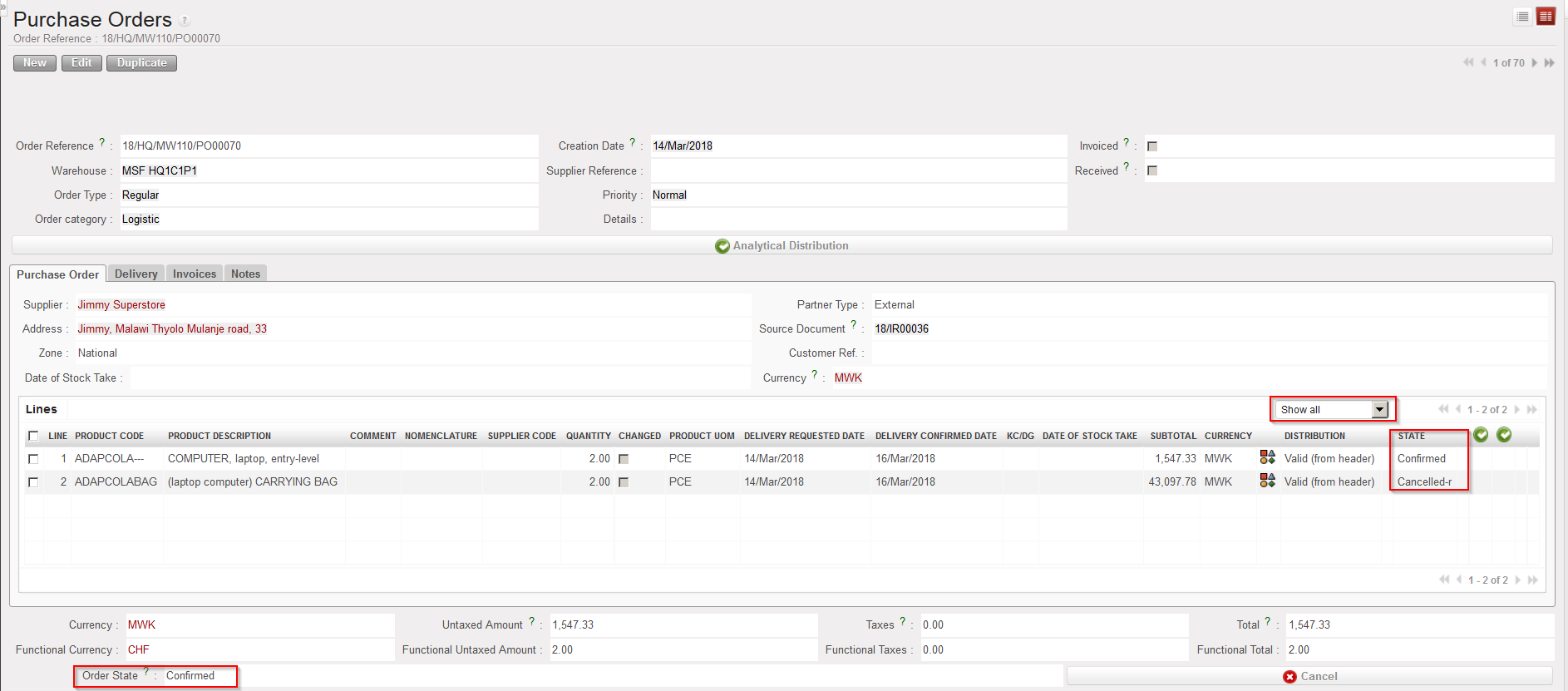
On the PO, the corresponding line switches to the state “Cancelled-r” while the PO (at header level) and the other lines keep the state “Confirmed“.
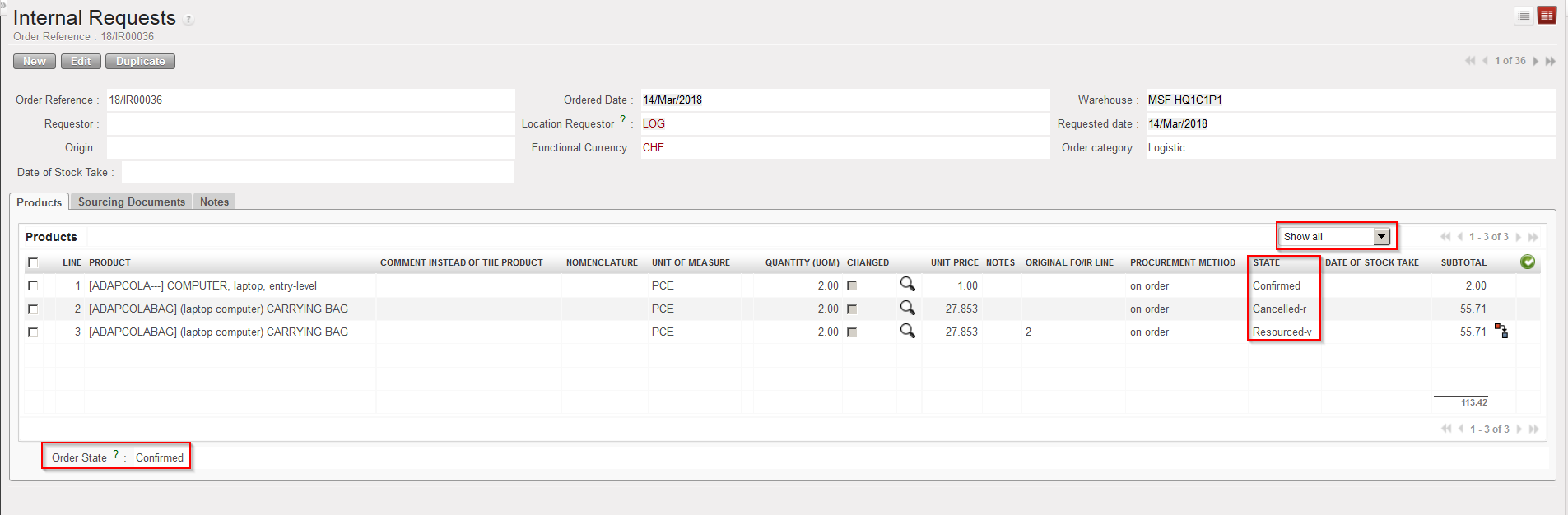
On the sourced request (IR/FO), the cancelled & resourced line switches to the state “Cancelled-r”, while a new line (copy of the “Cancelled-r” one) is inserted on the IR in state “Resourced-v“. This new line can be resourced in the OST. The IR/FO (at header level) and the other IR/FO-lines keep the state “Confirmed”.
|
|
|
IN after cancel & resource at line level ( filter on “Show all”) |
|
|
|
PO after cancel & resource has been done at line level on IN |
|
|
|
IR after cancel & resourced has been done at line level on IN |