Supply User Manual ENG -> 5. Warehouse -> 5.12 LU-SU4205 Replenishment Rules -> L. HOW TO GENERATE A CHRONOGRAM
L. HOW TO GENERATE A CHRONOGRAM
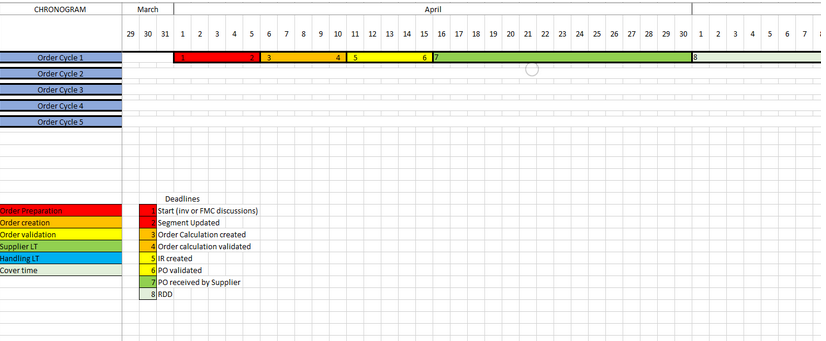
Note: its possible to export the Chronogram diagram in excel format from the Action menu of the Replenishment Parent Segment screen. It gives an overview of a 2 year planning horizon showing up to 5 order cycles based on the dates entered in the Parent segment, with indications of lead times/key dates for order preparation, order creation and order validation, Supplier and Handling lead times as well as the cover time of the order. Chronogram will be generated using Unit of time selected in segment (days/weeks/months). Some restrictions have been added to ensure unit of time selected is pertinent to lead times added along with a warning to indicate these.
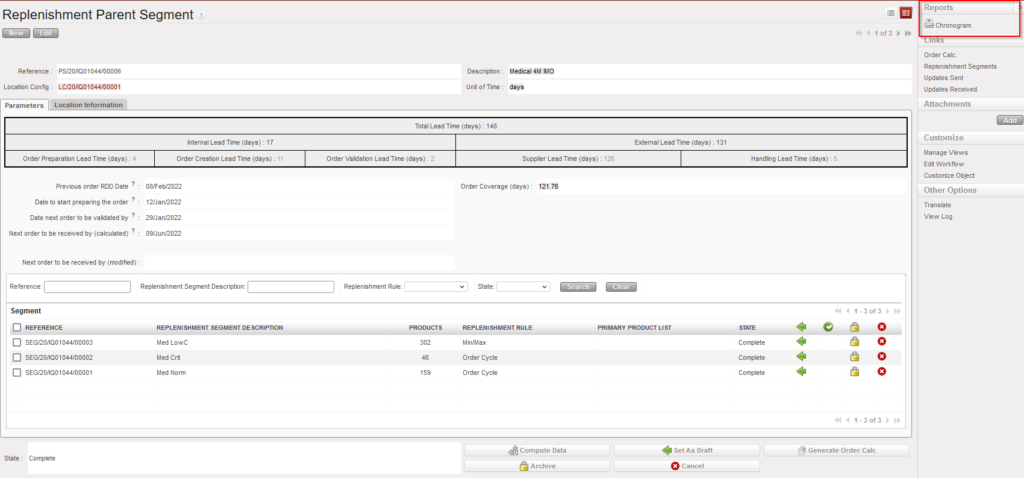
Go to: Warehouse / Replenishment Rules / Configuration / Replenishment Parent Segment / Reports
Below the Chronogram.