
Finance User Manual ENG -> 2. Finance Configurations -> 2.3 Multi-Currency Management -> LUFI-20303 Currency FX Rate Update
LUFI-20303 Currency FX Rate Update
In UniField, accounting entries are shown in booking currencies in the registers and booking and functional currencies in the financial and analytical journals. This requires setting up currencies with their monthly exchange rates against their functional currency.

FX rate changes from one period to another. This results in an automatic calculation of a FX rate gain or loss when two entries posted in different periods are reconciled together (i.e. cash disbursed in May 2017 and returned in June 2017). This revaluation is therefore based on the entry posting date.
How to Update FX Rate Currencies by File Import
- Go to the following website to download the file:
http://ec.europa.eu/budget/contracts_grants/info_contracts/inforeuro/inforeuro_en.cfm
This link is just an example; please refer to your section procedures to find out which website you should use.
CVS Currency Exchange Rate File
- Select the rate period as the reference period to display the Fx rate and {OK}.
- Select the currencies to update.
- Click on {Download in csv format} and save the file.
- Check if rates were properly downloaded.
- Copy/paste them into your currency import template
- In UniField go to: Accounting/Configuration /Currency Management/Import Currencies
- Browse the file to upload and click on {Import}.
- Click on {OK}.
- In UniField go to: Accounting/Configuration /Currency Management/Currencies
A list of currencies displays with updated FX rate
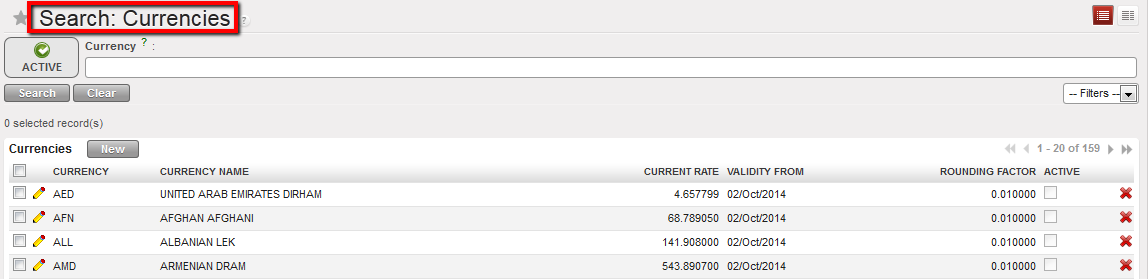
FX rate updated
10. Synchronize
11. Make sure you import the rate at the beginning of the month (import date)
