
Supply User Manual ENG -> 4. Procurement -> 4.4 LU-SU3103: Field Orders (FOs) – General -> M. How to add new lines to FO created via Synch
M. How to add new lines to FO created via Synch
When adding new lines directly to an FO, which was created via SYNCH to add the reference to the project IR. This functionality is like what already exists when adding new lines to a PO which was created from an FO and PO/IR in another instance.
The functionality enables to add project IR reference after SYNCH, you can see the line at the project level on IR and PO reference. The Field “Order in Sync. Instance” is added at coordination level:
Go to: Orders > Field Orders > Add Line
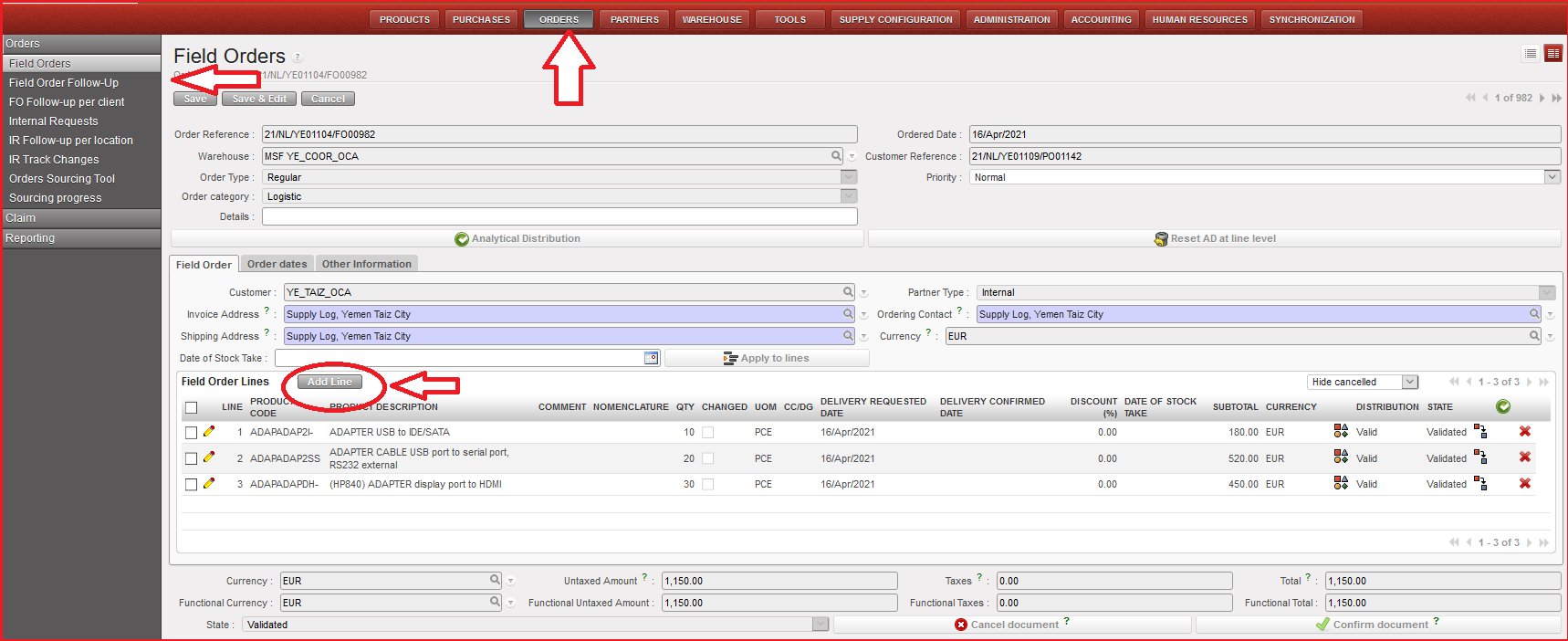
Field Order Lines window is opened with form view “doc” icon for the new added line, click on the magnifying glass in “order in sync. instance” to link the line to original IR/FO. (IR/FO should not be closed or cancelled).
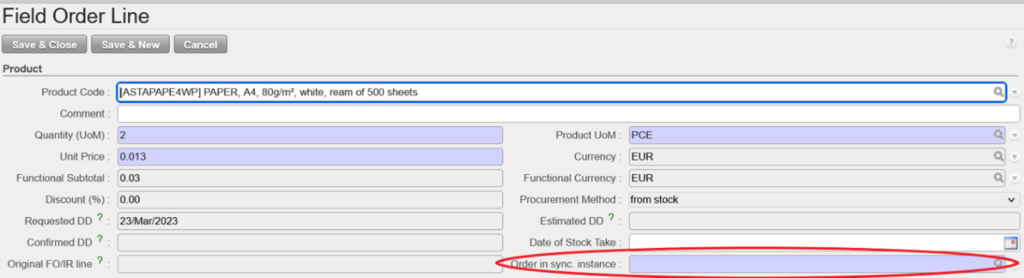
It should only be possible to select an IR/FO which is not in status Closed or Cancelled. Line can then be saved & closed. At the next status change / synch, the project PO and IR will be updated with this line. At the next status change / Synch, the project PO and IR/FO will be updated with this line.
For an FO created from scratch, it is not expected to be able to use this field, so it can stay greyed out as per currently. For extra lines to be added to FO, FO must be in status other than Closed, Cancelled or Confirmed (+-p).
Please make sure that you always select the correct Source document because once the line is saved you will not be able to edit this field anymore. In case of mistake, the only option will be to Cancel the line and Create a new one with the correct Source.
