
The below steps show how to cancel & resource 1 line of a draft Purchase Order which has been generated by the OST following the sourcing of an FO on order.
Go to: Purchases / Purchase Management / Purchase Orders
- Click on the line of the Purchase Order on which you need to cancel & resource.
- Click on the red cross at the right end of the product line.
 |
| Cancelling a PO-line |
3. Select “Cancel & Resource” on the pop-up window.
 |
| Cancelling & Resourcing a PO-line |
4. The cancelled & resourced PO-line switches to “Cancelled–r” state (you need to “Show all” lines to see this line) while the PO stays in state “Draft“.
 |
| Cancelled & Resourced line on a draft PO |
5. On the FO which was sourced on order, the original line switches to state “Cancelled-r” and a new line (copy of the original one) is added in state “Resourced-v“. This line can be resourced in the OST. Note that the FO keeps the status “Sourced“.
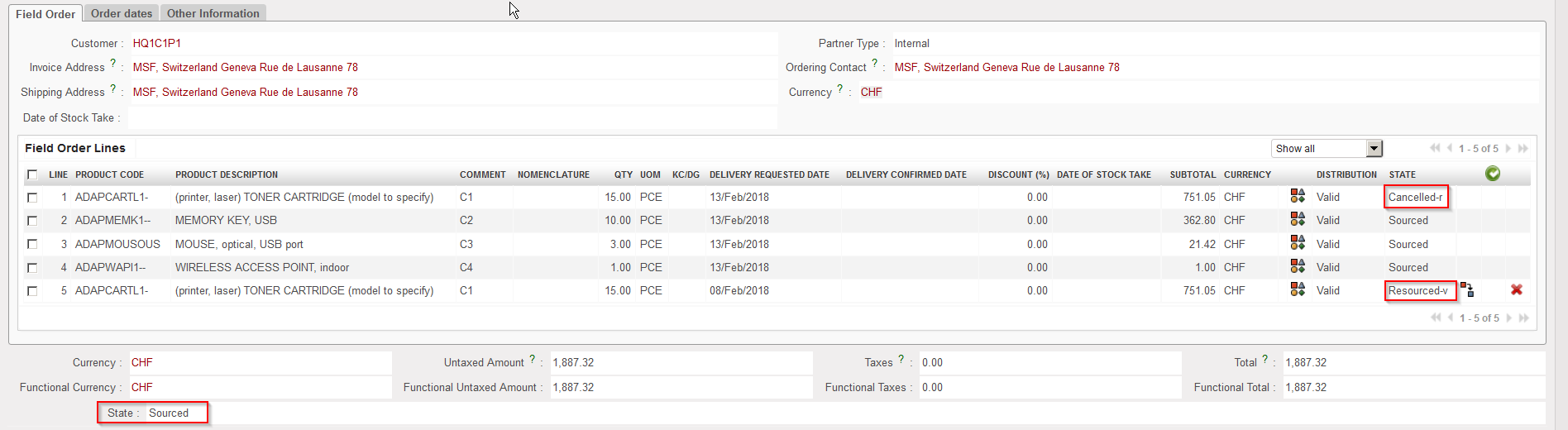 |
| Cancelled & Resourced line on the FO |
Note that cancelling & resourcing 1 PO line can also be done if the PO is validated. In this case, the scenario is the same but the PO header ends up in state “Validated” while the FO header is in state “Sourced-p“.
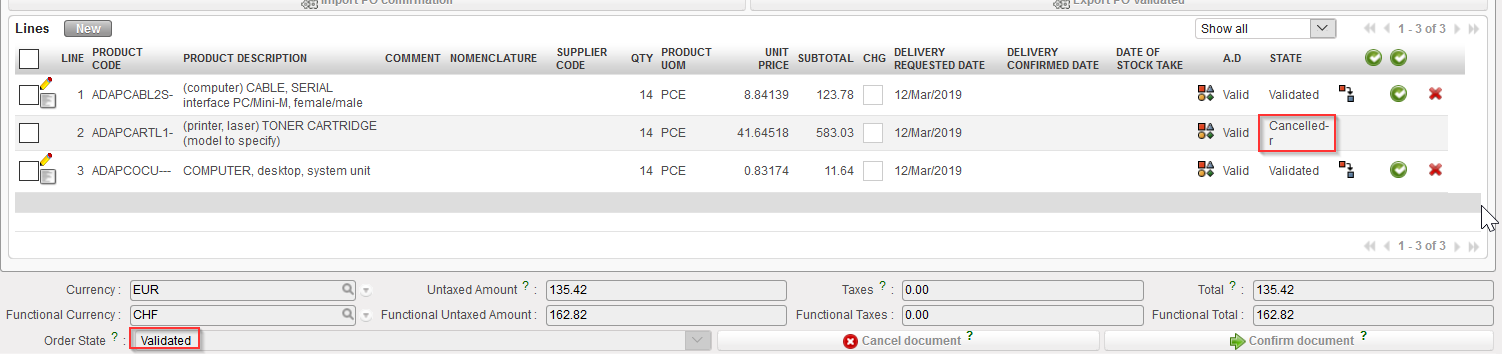 |
| Cancelled & Resourced line on validated PO |
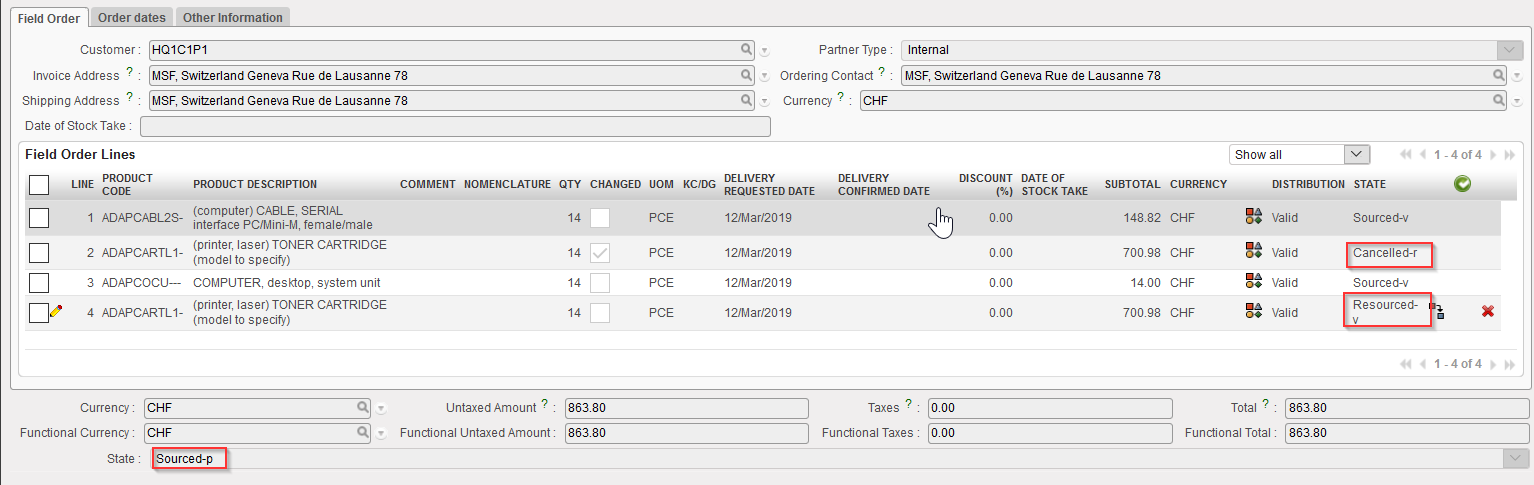 |
| Cancelled & Resourced line on the FO |
