
Supply User Manual ENG -> 4. Procurement -> 4.6 LU-SU3201: Purchase Orders (POs) - Generals -> S. How to follow-up Purchase Orders.
S. How to follow-up Purchase Orders.
Purchase Orders should be followed-up on a regular basis to ensure that procurement is done within the requested time limits and to avoid having any pending or “forgotten” orders.
The Purchase Dashboard (accessible via a click on the “PURCHASES” button) and the general list view of POs, also called “Search: Purchase Orders” screen (accessible via Purchases / Purchase Management / Purchase Orders) already give some basic information on POs: the state (“Closed” means that all items have been received), the percentage of reception, the percentage of the invoice paid, the customer reference, the number of lines,…
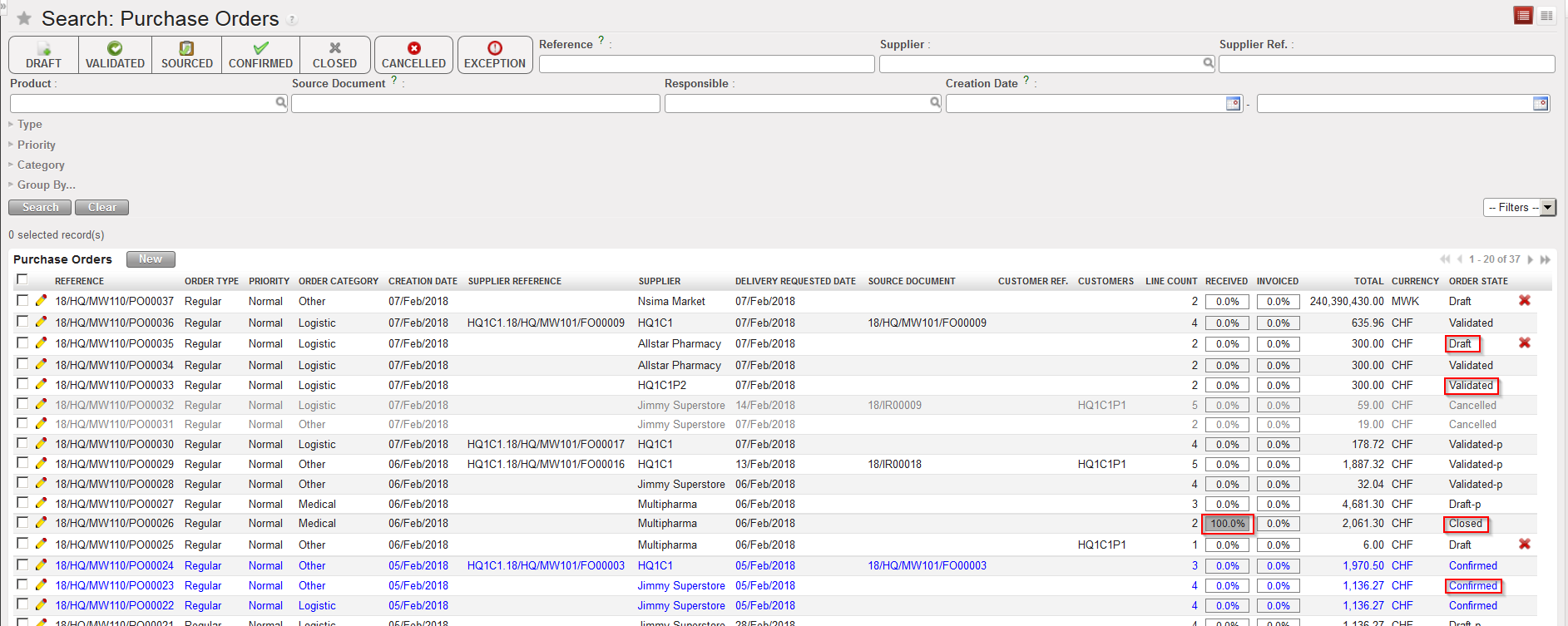 |
| General list view of POs (“Search: Purchase Orders” screen) |
In addition to this information, the “Export PO Follow-up” gives additional information on POs.
Note that the functionality “Export PO Follow-up” should not be used as it is not maintained. In theory you should not be able to access this functionality.
Go to: Purchases / Reporting / Export PO Follow-up
- Restrict the orders selection using selection criteria (filters) if needed.
- Select the wished exported format (Excel or PDF).
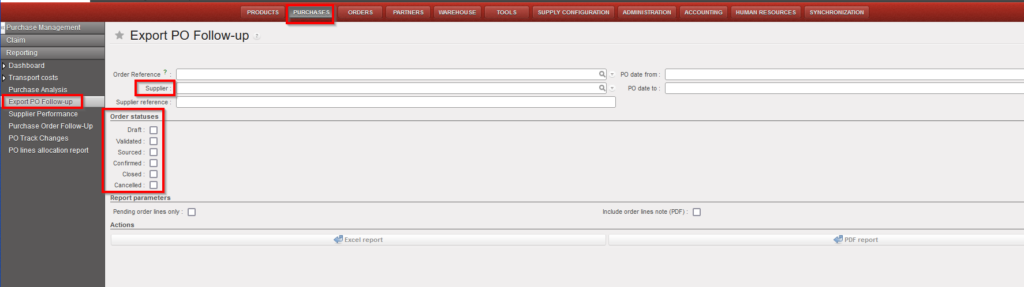 |
| Selection criteria of the Export PO Follow-up |
3. Click on “Generate report“.
4. A file is generated by the system. This file allows to follow-up Purchase Orders.

 |
| Export PO Follow-up in Excel format |
