
Finance User Manual ENG -> 2. Finance Configurations -> 2.9 Products and Product Categories -> LUFI-20901 Local Product Configuration
LUFI-20901 Local Product Configuration
A. LU Introduction
While there is a master file of international products that is common across all sections and missions individual missions may also create local products based on their missions’ individual financial and supply procedures. Remember the common Unit of Measure used in MSF is the Unit (PCE).
B. How to Create a New Local Product
Go to: Products/Products
- Click .
- Fill in all blue mandatory fields. Code and Description should follow mission standards.
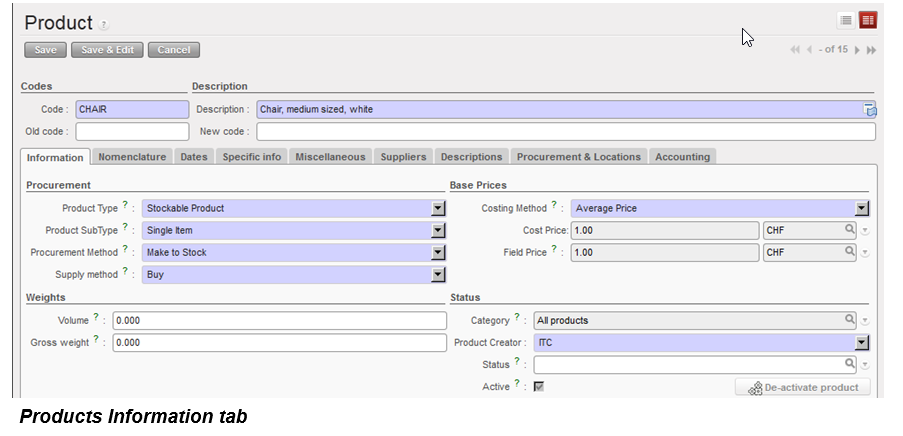
- On the Information tab you must fill in:
- Stockable product, a non-stockable product or a service with reception.
- Costing Method = Average Price or Standard Price. Select Average Price and UniField will automatically recalculate the average costs based on the costs paid when the good is received in the warehouse module. If Standard Price is chosen the user must write in a standard price. This price will continue to be used regardless of actual costs paid.
- On the nomenclature tab you must fill in the four layers which make up the product category. Please follow mission protocols.
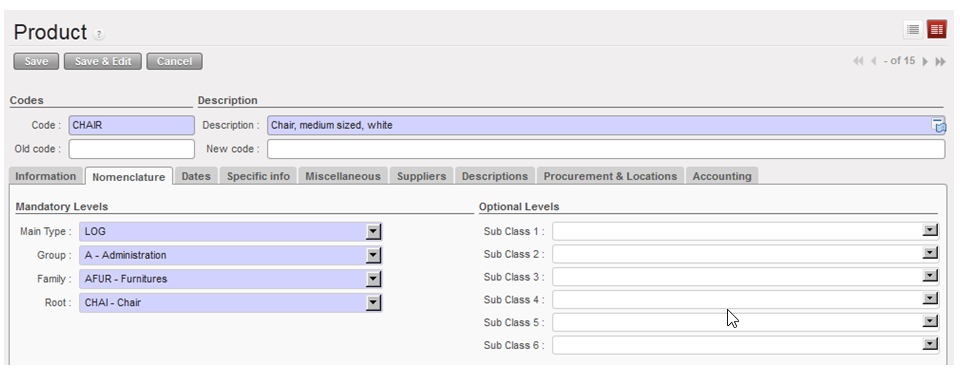
Products Nomenclature tab
- The product category will set the account code based on a standard list. If the account code has to be changed, please follow the steps in 2.8.2 to modify it.
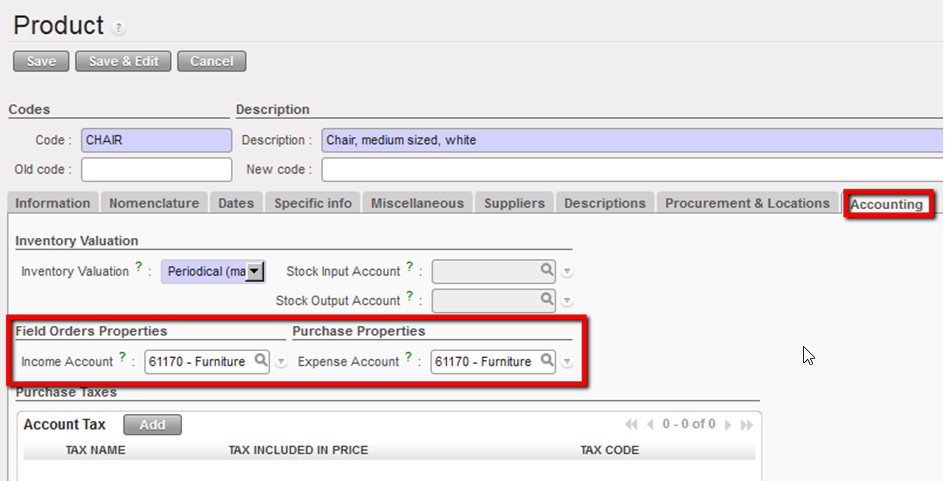
Products Accounting Tab
- Click {Save} button.
