
Finance User Manual ENG -> 2. Finance Configurations -> 2.2 Fiscal Year and Accounting Periods
LUFI-20201 Fiscal Year and Periods Creation
LUFI-20202 Accounting Period Opening
LUFI-20203 Configuration Fiscal Year Dates
LUFI-20201 Fiscal Year and Periods Creation
LU Introduction
Fiscal years and accounting periods have to be defined in order to establish a timeframe for all accounting entries. At MSF, the fiscal year corresponds to the calendar year starting from January 1st and ending on December 31st.
In UniField, creating accounting periods automatically generates the creation of the corresponding fiscal year in {Open} state. UniField creates 12 periods and 5 extra-accounting periods (e.g. for fiscal year opening balances, adjustments posting or corrections required by auditors) by default.
The fiscal year and accounting periods are created at HQ level and synchronized  downwards to the mission (coordination and projects) in {Draft} status. The periods are in {Draft} status until an authorized user opens them.
Note! Periods 0 and 16 are automatically in {Open} status and their status cannot be manually modified.
How to set the configuration for Fiscal Year
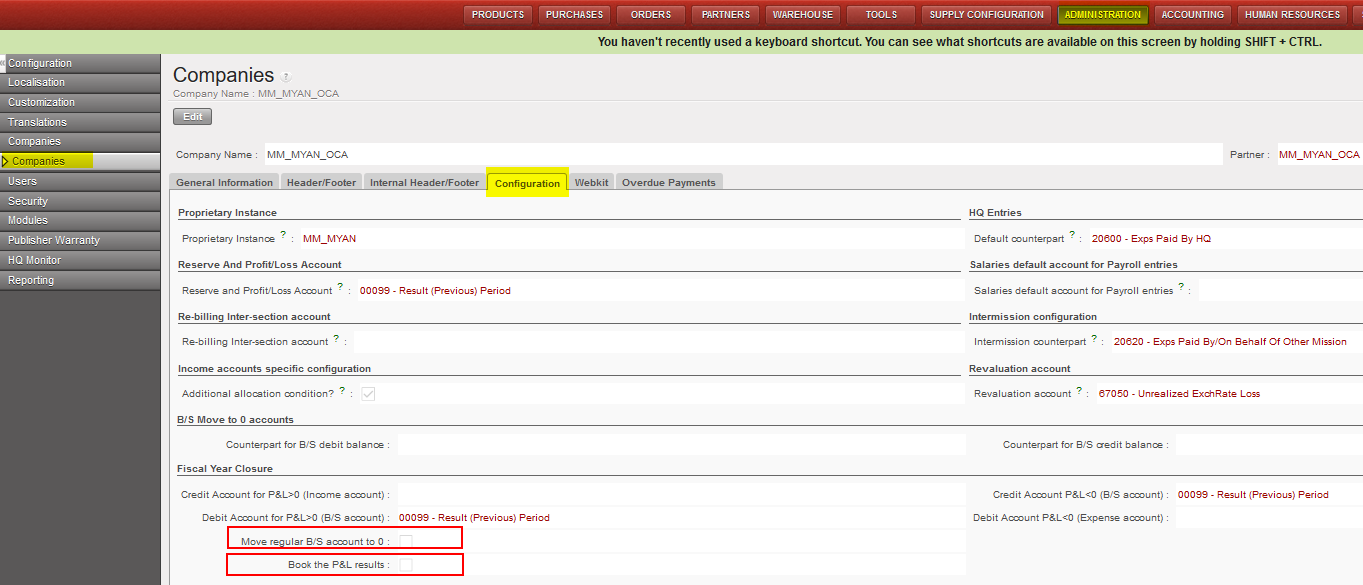
To set the configuration setup related to FY closure, you go to HQ instance and follow the below steps:
Go to Administration/Configuration/Select the instance/Configuration
- You will have two main tick boxes for that “Move regular B/S account to 0” and “Book the P&L results”
- When proceeding the yearly closure, system will check the company configuration to apply the option of (move regular B/S) and/or option of (Book the P&L).
- The checkboxes which should be ticked must be effective just at coordination level.
- The checkboxes which should be ticked will be anyway in the view at project, coordination and HQ level.
For each OC section, the selection should be done as below based on their internal procedures:
- OCG:
Tick Move regular B/S account to 0
- OCB:
Tick Move regular B/S account to 0
Tick Book the P&L results
- OCA:
No tick in the checkbox
- OCP:
No tick in the checkbox
How to Create a Fiscal Year and Associated Accounting Periods
The Headquarter instance will create the fiscal year and synchronize the information downwards to coordination and the projects.
Go to Accounting/Configuration/Financial Accounting/Periods/Create Periods
- In the field {Fiscal year} select {Next FY} or {Current FY} if you want to create the current fiscal year. In the below example, we want to create the (next) FY 2017.
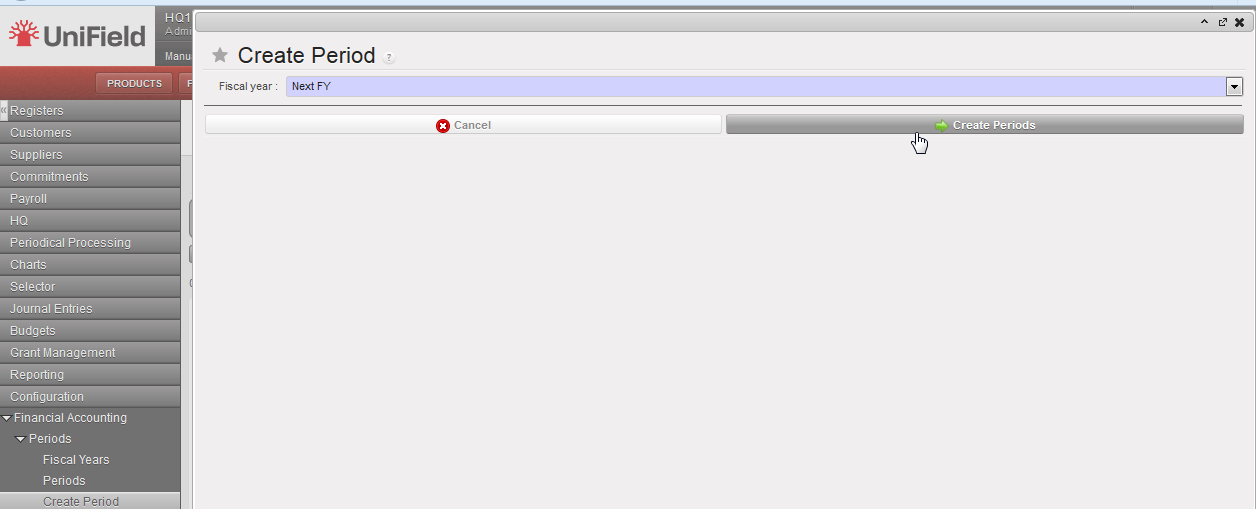
Fiscal Year selection: Current or Next FY
2. Click on {Create Periods} and go to Fiscal Years.
The fiscal year is created in {Open} state.
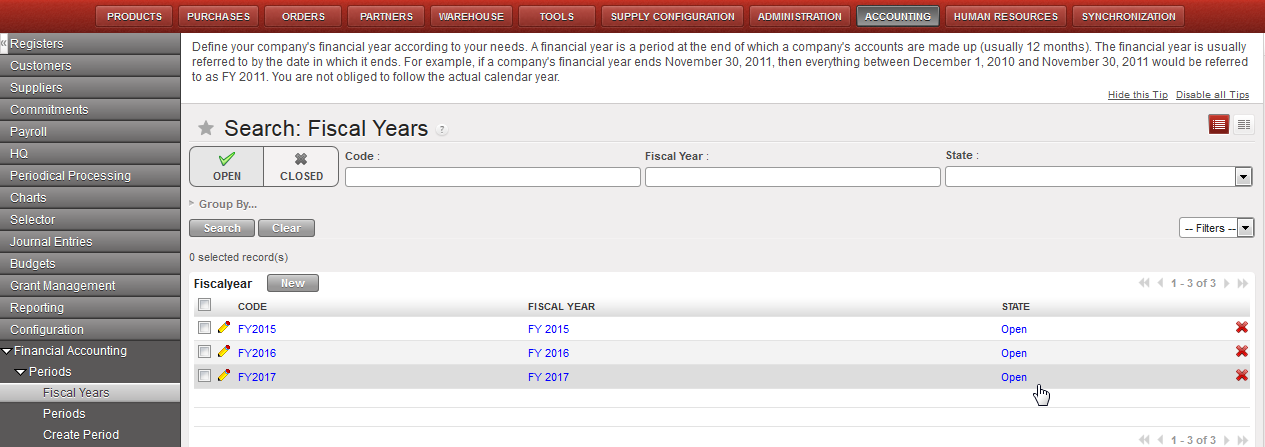
FY 2017 is displayed in {Open} state in the Search Fiscal Years view
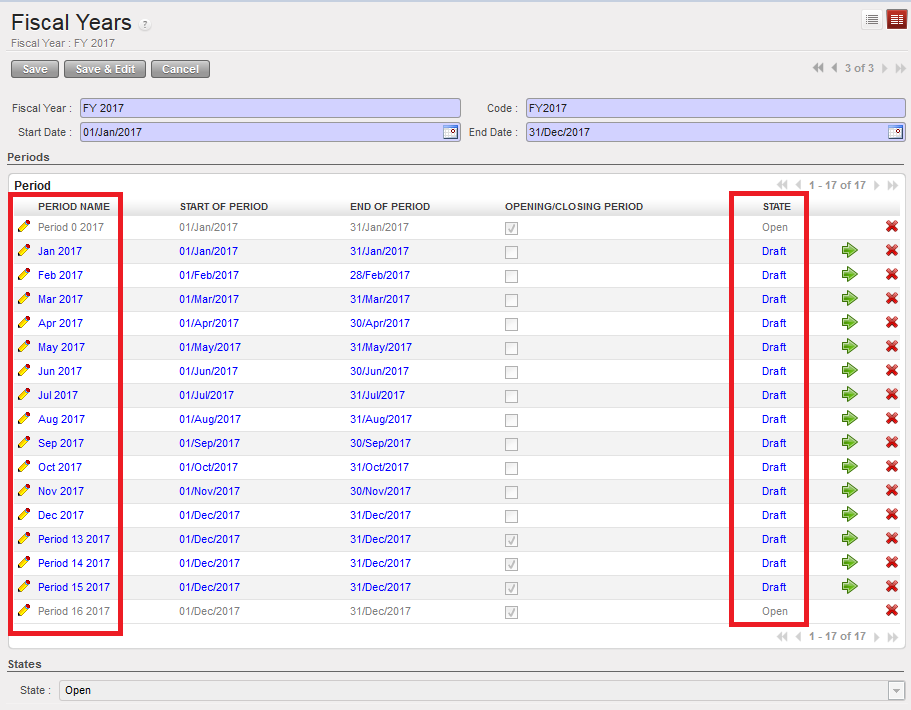
When the fiscal year is created, the accounting periods are in {Draft} status. Periods 0 and 16 are automatically in {Open} status and their status can’t be manually modified.
There are 12 periods plus 5 additional ones displayed in the Fiscal Years Form view.
| Field title | entry protocol: fiscal years form | Source for Information |
| Fiscal Year Name | FY YYYY (e.g. FY 2017) automatic input | System |
| Code | FYYYYY (e.g. FY2017) automatic input | System |
| Start Date | DD/M/YYYY (e.g. 01/Jan/2017) automatic input | System |
| End Date | DD/M/YYYY (e.g. 31/Dec/2017) automatic input | System |
