
Finance User Manual ENG -> 3. Payments -> 3.1 CHAPTER OVERVIEW: Payments
3.1 CHAPTER OVERVIEW
UniField operates under the basic principles of double-entry bookkeeping system moving MSF closer to international accounting standards. For example, when a supplier invoice is sent to MSF after the goods have been ordered and finally received in stock, the expense is booked with its counterpart set as a MSF debt to the external supplier and before any money actually leaves a MSF cash, cheque or bank account.
The following example shows what happens in the journals when the supply team creates a purchase order for Paper in account “61220 – Supplies, stationery and other consumables”. After the supply team confirms the goods have arrived in the warehouse module, UniField automatically creates a supplier invoice.
When the finance team validates this supplier invoice, UniField automatically creates two entries in the journals:
- Debit to the expense account “61220 – Supplies, stationery and other consumables”
- Credit to the “30020 – Trade Payables” to show a debt owed to the supplier
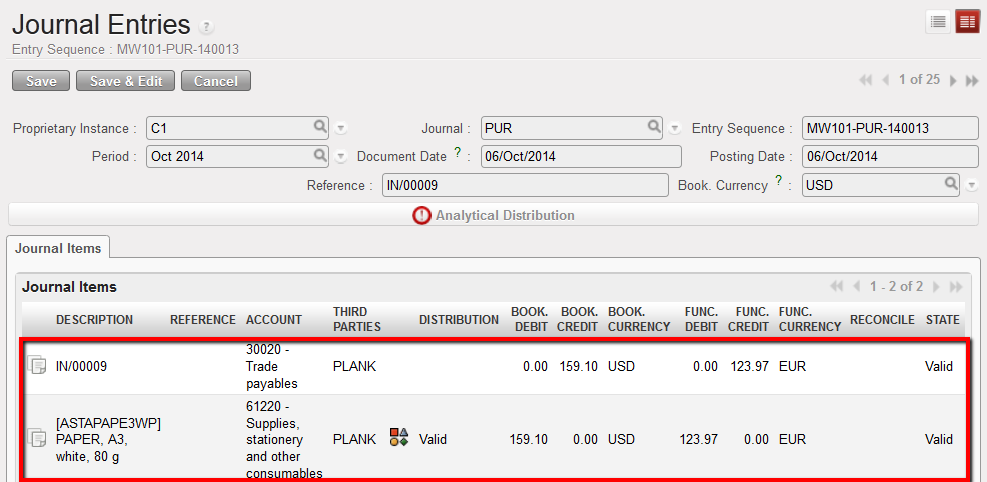
Journal Entries once a supplier invoice is validated
When Finance makes the payment, they import the supplier invoice into a register. In the journals UniField automatically:
- Debits the account “30020 Trade Payables” to cancel the debt owed to the supplier because MSF no longer owes anything to this supplier. This entry is automatically reconciled with the original 30020 entry.
- Credits the “10100 – Cash at Hand, 10200 – Cash at Bank, or 10210 – Outstanding Cheques” depending on which payment means was used. This entry automatically reduces the balance of the register.
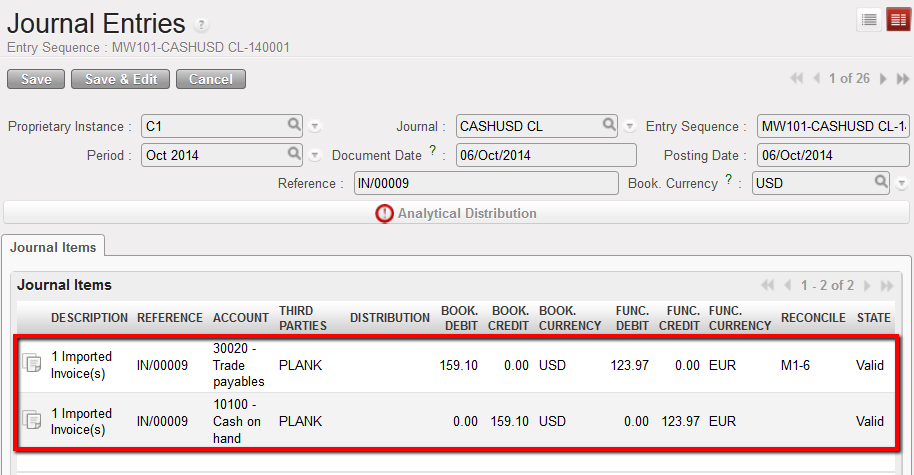
Journal Entries once a supplier invoice is paid in cash. The register line is hardposted
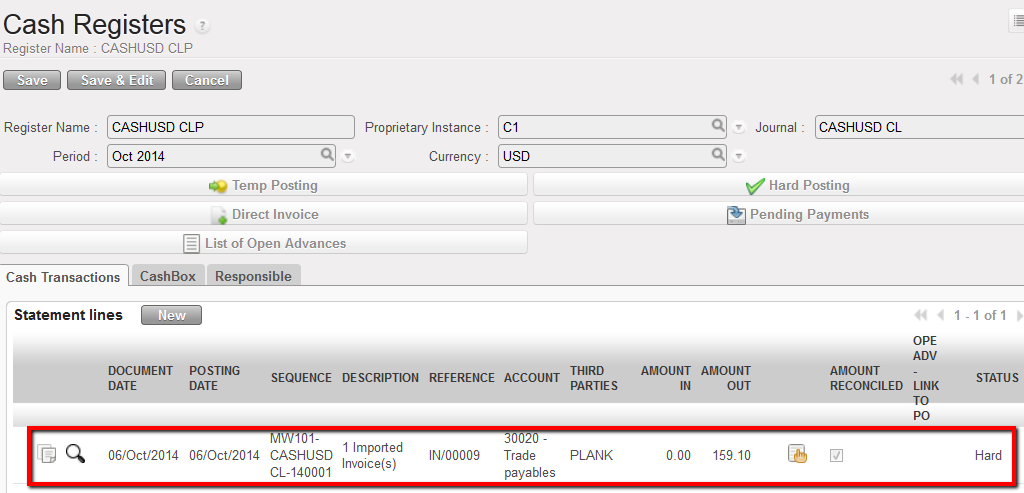
In the Register, only one line is created for the one payment made to the Supplier
The purchase process and link with payment as well as the link between registers and journals will be explained in greater details in this chapter.
We will also see how to manage the register entries according to their state and finally address how to handle different kinds of payments such as direct entries, internal transfer, operational advances, and payments between missions and sections.
After completing the reading of this chapter you will be able to:
- Understand the link between finance and supply and documents generated in the purchase process
- Manage supplier invoices
- Manage direct entries and direct invoices in the registers
- Post entries in the journals
- Manage specific payments such as advances to suppliers and employees, as well as intermission and intersection payments
