
Finance User Manual ENG -> 3. Payments -> 3.3 Finance Payments and Registers
LUFI-30301 Register Entries Statuses
LUFI-30305 Direct Entries Booking
LUFI-30306 Cheque Entries Imported into a Bank Register
LUFI-30308 Register Entries and Journal Posting
LUFI-30309 Actions in Register Entries
INTRODUCTION: FINANCE PAYMENTS AND REGISTERS
Registers are used to encode all accounting entries linked to cash movements. These entries are called Register lines. Registers should be used any time a cash movement occurs.
Any time a register line is made on an expense or income account, the analytical distribution needs to be determined. This is performed by means of the analytical wizard button  , located at the register line level.
The following transactions can be performed through the registers:
- Direct expenses
- Direct Invoices, using the {Direct invoice} button
- Guarantees or deposits
- Down payments to a supplier, linking a PO to an advance
- Internal Transfers
- Supplier Invoice, tax and Payroll Payments, using the {Pending payments} button
- Cash and bank reconciliations
- Operational Advances, using the {List of open advances} or {Advance return} button
Cash, bank and cheque registers need to be reconciled at the end of each period. At the end of each month the user needs to close their register(s) and create new registers for the following month. All existing cash and bank registers created for the new period are populated with an opening balance automatically set to the previous periods’ closing balance.
Users have the ability to work on several periods at the same time as the following period’s register opening is not linked to previous period’s register closing. This means, a new register can be opened before the previous one is closed BUT a new register can’t be closed before the previous period’s register is closed. Also, a new register can’t be opened if the previous one is still in {Draft}.
The liquidity journal associated with the register remains open at all times.
Finally, a register Search view will display a list of registers as shown below. You will be able to use a set of filters to easily retrieve the register in which you want to record your entries.
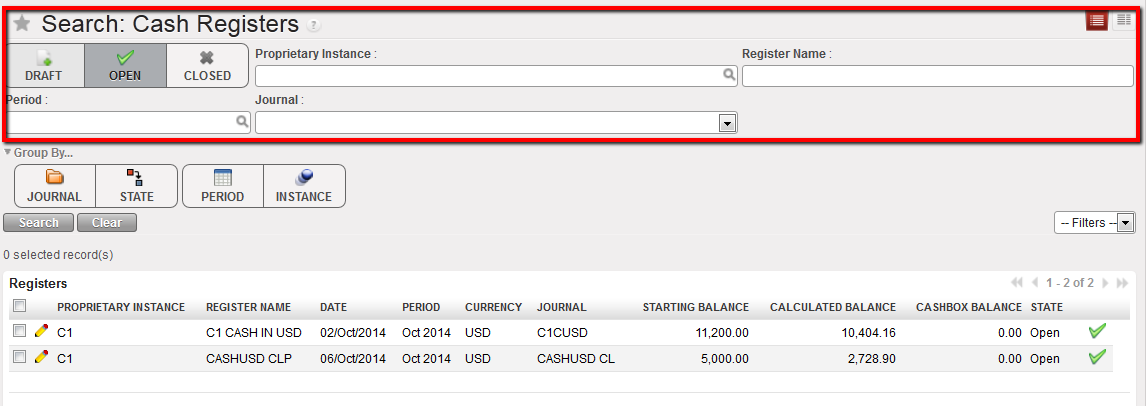 Search view and corresponding filters
