
Finance User Manual ENG -> 5. Searching, Correcting and Closing -> 5.4 Year-End Closing.
Year-End Closing
LUFI-50401 Fiscal Year Closing
LU Introduction
Closing a Fiscal Year is a hierarchical process in UniField and it follows the principles of period closing: closing is done in cascading steps. Fiscal Year is only closed at coordination and HQ level, not directly at a project level. The hierarchical flow means that all coordinations must close their fiscal year before HQ can close it.
Closing a Fiscal Year at coordination level will automatically close the fiscal year at project level through the synchronization mechanism. The same applies for re-opening a fiscal year at coordination level, it will re-open the fiscal year at all projects, too.
Once the Fiscal Year is closed at the coordination and the fiscal year state has changed to {Mission-closed}, the fiscal year state at project level is updated through synchronization and becomes {Mission-closed} as well.
It is possible to re-open the Fiscal Year at coordination level only with the Administrator profile and only if HQ didn’t HQ-close the Fiscal Year yet. Yearly closure will become frozen without the possibility to re-open it or to reverse related actions when it’s done at HQ level – therefore HQ-closing is the last step after all coordinations have mission-closed their Fiscal Year.
Three functions of which two optional are available to proceed with when the Yearly Closure button is launched at Coordination level:
Action 1 “Move regular B/S accounts to 0”
- This function is optional (box to tick depending of your OCs procedure)
- Objective is to set the balances to 0 for all B/S regular type accounts that are not reconcilable at mission level (HQ, Intermission and Intersection accounts)
- The B/S accounts to set to 0 will have to be preliminary activated in the Chart of Accounts at HQ level
- The counterpart accounts to the move to 0 will have to be recorded in the company settings of the coordination in case of a debit or credit move will be recorded
- Entries will be booked in period 16 and will be visible in the G/L journals but no analytical entries will be created (no impact on the budget)
- Entries booked in these accounts throughout the fiscal year are automatically reconciled with the year-end entry. In order to allow automatic reconciliation, the accounts have to be set as non-reconcilable (tickbox for reconciliation needs to remain unticked) in the account master data.
Action 2 “Book the P&L result in the fiscal year to close”
- This function is optional (box to tick depending of your OCs procedure)
- The accounts to be used have to be set in the company settings of the coordination
- P&L entries result will be booked in period 16 and will be visible in the G/L journals but no analytical entries will be created (no impact on the budget)
Action 3 “Carry over all B/S account balances in the next fiscal year” (All OCs)
- This function is not optional and is the final aim of the Year end Closure
- Initial Balances will be booked in period 0 of the next fiscal year
- These entries are not visible in the journals, and it is not possible to edit or delete them
- Entries are only visible in reports like Balance Sheet, General ledger and Trial Balance
Note that the company configuration of each instance must be done before launching the yearly closure. For more details, see Chapter 2 – Configurations and IT User manual guideline.
How to Close a Fiscal Year at Coordination Level
Go to Accounting/Periodical Processing/End of Period/Yearly Closure/Close the fiscal year
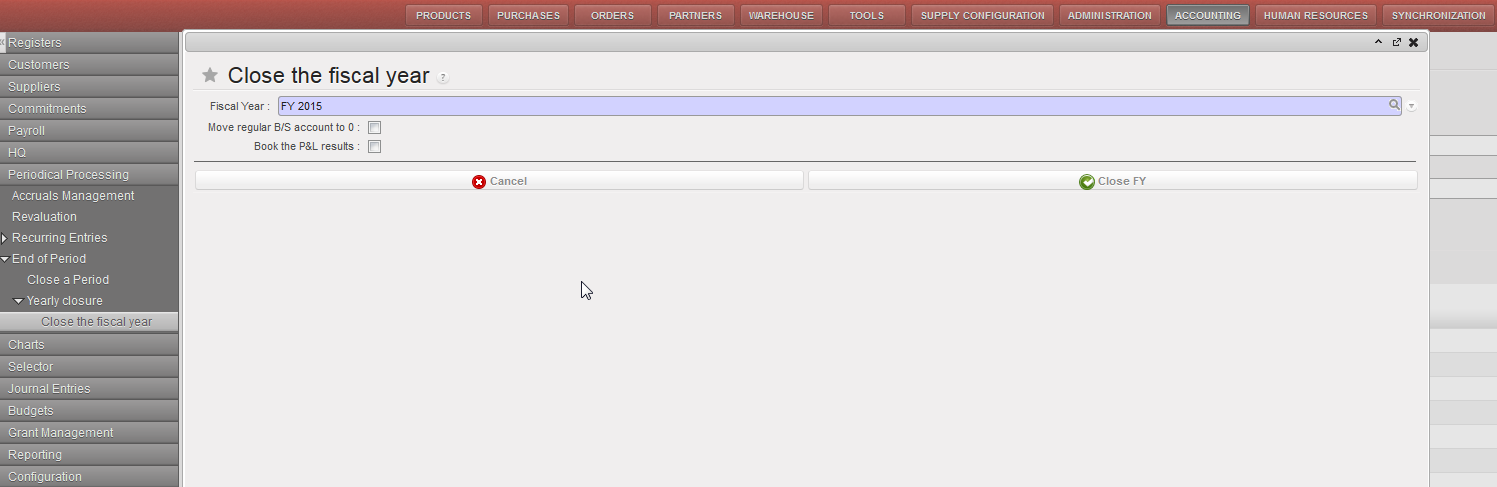
- Choose the FY to close.
- Tick checkbox “Move regular B/S account to 0” depending of your OC procedure
- Tick checkbox “Book the P&L results” depending of your OC procedure
- Click on {Close FY}
- Go to Accounting/Configuration/Financial Accounting/Periods/Fiscal Years/ to see that the status changed from {Open} to {Mission-Closed}

Fiscal Year Status is mission-closed
Conditions for mission-closing the Fiscal Year:
Two conditions prevail for mission-closing the Fiscal Year at coordination level:
- Previous fiscal year must be {Mission-closed}
- All coordination periods 1 to 15 of the Fiscal Year to close must be {Mission-closed}
- All active projects received state “Mission-closed” by sync , if the project not received the state you will receive warning message ( Periods are not at least mission-closed on the following projects: XE1_ZZZ )
If these conditions are not met, Fiscal Year cannot be mission-closed
Impact and behaviour of mission-closing the Fiscal Year
- Entries are booked as {Unposted} in the {End Of Year} journal in period 16 of the fiscal year to close (Action 1 and 2)
- Entries are booked as {Unposted} in the {Initial Balance} journal in period 0 of the next fiscal year (Action 3)
- Only Journal Items are created, no Analytical Journal Items
- Period 16 and 0 become {Mission-closed}
- Fiscal Year becomes {Mission-closed}
Note that it is not possible to edit the fiscal year entries, journals or the periods.
How to Close a Fiscal Year at HQ Level
Go to Accounting/Periodical Processing/End of Period/Yearly Closure/Close the fiscal year
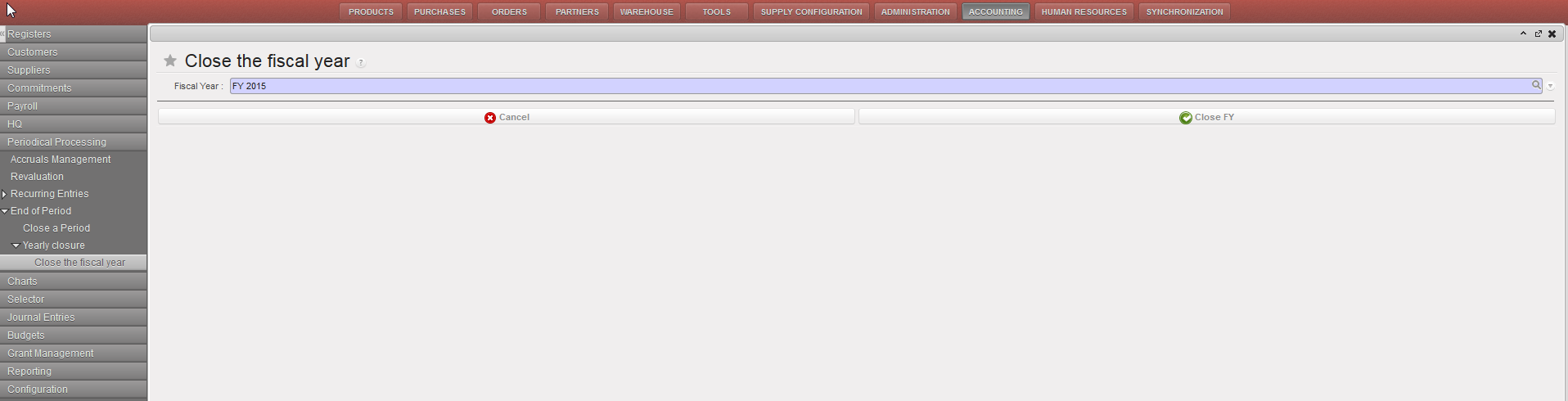
- Choose the FY to close.
- Click on {Close FY}
- Go to Accounting/Configuration/Financial Accounting/Periods/Fiscal Years/ to see that the status changed from Open to HQ-Closed
Conditions for a HQ-closing the Fiscal Year
Three conditions prevail for HQ-closing the Fiscal Year at HQ level :
- Previous fiscal year must be {HQ-closed}
- All HQ periods 1 to 15 of the Fiscal Year to close must be {HQ-closed}
- All missions must have mission-closed their Fiscal Year
If these conditions are not met, Fiscal Year cannot be HQ-closed.
Impact and behaviour of the HQ-closing the Fiscal Year
- Entries booked in period 16 and 0 becomes {Posted}
- Period 16 and 0 becomes {HQ-closed}
- Fiscal Year becomes {HQ-closed}
- All status updates synchronize down to all missions
HQ-closing the Fiscal Year is the final step of Year End closing process after all coordinations have mission-closed the Fiscal Year.
HQ-closing the Fiscal Year is not reversible: it is not possible anymore to re-open the fiscal year neither at HQ nor at Coordination level.
How to Produce a Fiscal Year States Report
As for the period status, it is possible at a parent instance level to have an overview of the fiscal year states of the children instance. For example, at HQ level, it is possible to see the status of the periods of all its missions.
The Fiscal Year states report is an overview of the fiscal year status of all children instances.
Go to Accounting/Configuration/Financial Accounting/Periods/Fiscal Years/
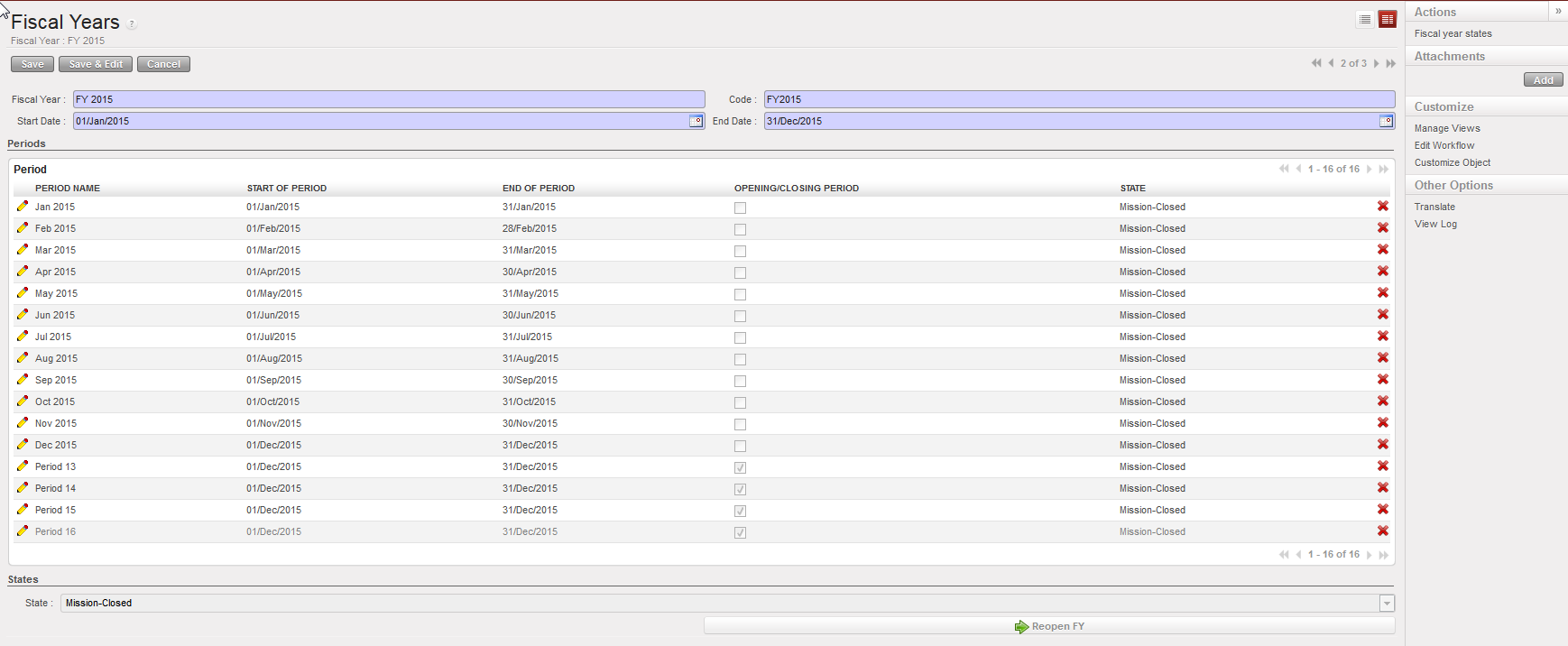
In action menu, click on {Fiscal year states}
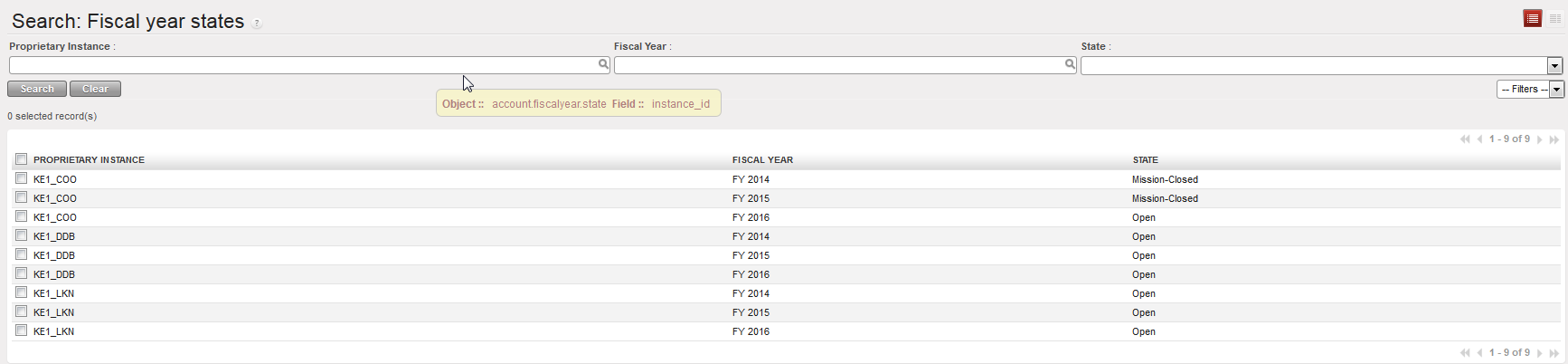
The {Fiscal year states} overview opens
