Finance User Manual ENG -> 2. Finance Configurations -> 2.2 Fiscal Year and Accounting Periods -> LUFI-20202 Accounting Period Opening
LUFI-20202 Accounting Period Opening
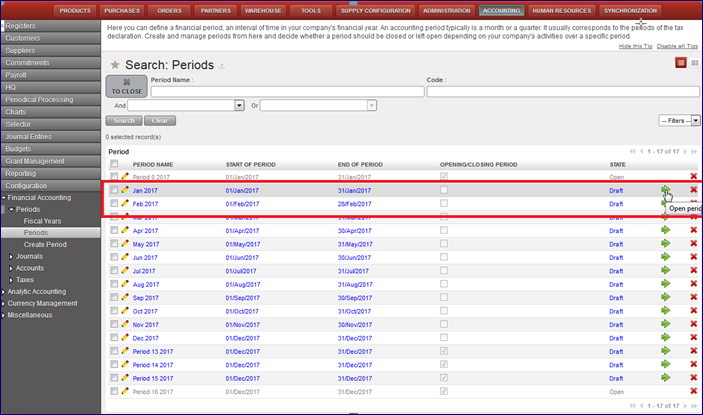
Go to Accounting/Configuration/Financial Accounting/Periods/Periods
- Click on the green arrow to open the relevant accounting period. In the below example, we want to open January 2017.
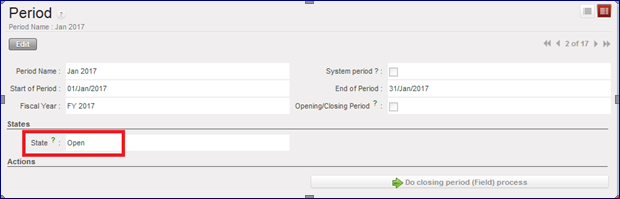
>>> The accounting period is {Open}.