
Supply User Manual ENG -> 5. Warehouse -> 5.6 LU-SU4105: Delivery Orders -> F. HOW TO IMPORT AN EXCEL DELIVERY ORDER FILE
F. HOW TO IMPORT AN EXCEL DELIVERY ORDER FILE
Delivery Document (OUT) can be imported from an Excel file.
Go to: Warehouse / Warehouse Management / Deliveries / Delivery orders
- Select Delivery Order you want to import
- Click “Process” on the OUT that you wish to import
- Click on “Import OUT”.
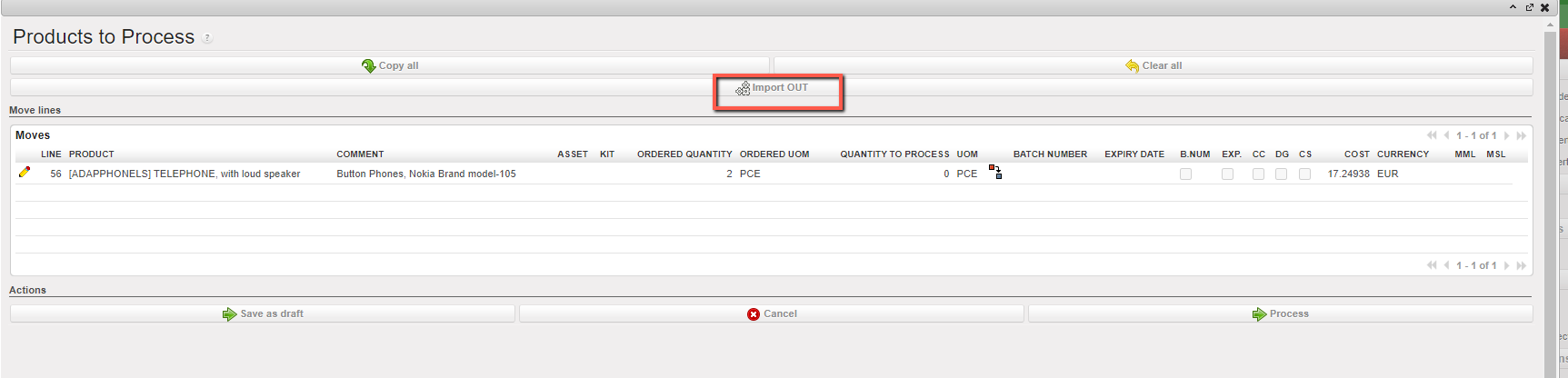
Note that there is a check on qty that must be lower or equal to Ordered Qty

The data is imported to the main screen and manual validation is still needed to process the document forward.
