
Finance User Manual ENG -> 2. Finance Configurations -> 2.3 Multi-Currency Management.
LUFI-20301 Currency Files Loading
LUFI-20302 Currency Activation
LUFI-20303 Currency FX Rate Update
LUFI-20304 Applied FX Rate over Multiple Periods
LUFI-20305 Manual Currency Creation
LUFI-20306 Manual Currency Update
2.3 Multi-Currency Management
MSF normally tracks cash movements in the local currency. We call these currencies the “Booking Currencies”. In addition, each OC has a consolidation currency. This currency is Euro for all sections except MSF Switzerland which consolidates its financial figures in Swiss Francs. We call these currencies the “Functional Currencies”. Monthly currency rates can be loaded into UniField in order to provide accurate values of accounting entries in functional currency.
In addition to monthly currency rates, specific currency tables can be used in various situations. There may be a case where an institutional donor defines a fixed or variable rate to be used for reporting purposes. With UniField, users are able to create currency tables and attach them to a grant in order to generate donor reports with compliant rates. Please see LUFI-60301 of Chapter 6 Donor management.
Specific currency tables can also be created to value actual budget rates and explain budget vs. actual discrepancies notwithstanding FX rates variation effects. In addition, specific currency tables can be used to revaluate balance sheet account balances at a year-end closing rate.
These tables must be created and imported in the HQ instance and once validated, they will synchronize to the field instances.

Search view of currency tables
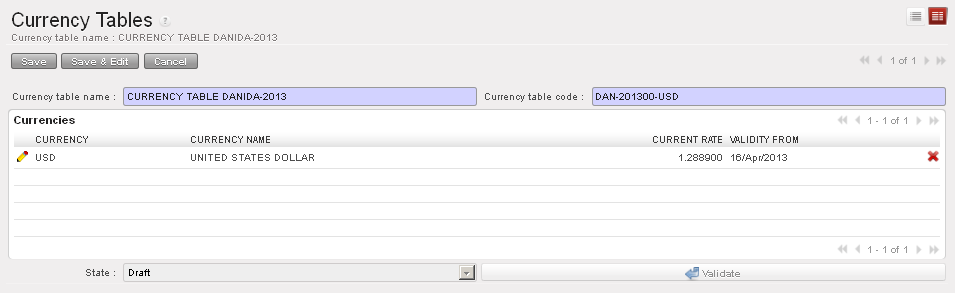
Currency table Form view
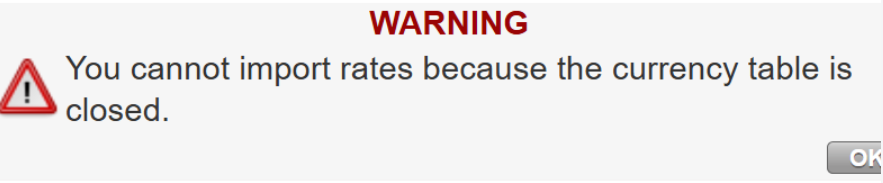
It is not allowed to import new rates on closed currency tables. A warning message will appear if we try to do it.
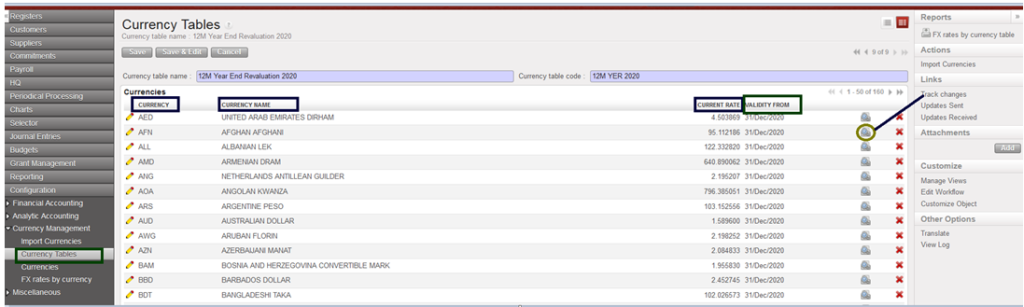
Track changes in the screen of “Currency Tables” :
The track on “Currency Tables as below:
- the creation of the currency table
- the editions of the code, the name, the state, the addition and deletion of currencies
- to see the changes on a currency itself: click on the button on the right of the currency line .
Further information on donor currency tables can be found in UniField Finance User Manual Chapter 6 Donors, Funding Pools and financing contracts.
In UniField you will be able to:
- Manage a list of standard and non-standard currencies (manually or with a downloaded file)
- Activate/inactivate currencies
- Book and display automatic accounting transactions in booking and functional currency in the financial and analytical journals.
- Manage several currency tables attached to budget, grant and revaluation
- Automatically calculate and book exchange rate gain/loss
