Finance User Manual ENG -> 2. Finance Configurations -> 2.5 Analytic Accounts
LUFI-20501 Destinations
LUFI-20502 Cost Centers and Proprietary Instances
LUFI-20503 Free Axis
LUFI-20504 Chart of Analytic Accounts
LUFI-20505 Analytic Account Inactivation
2.5 ANALYTIC ACCOUNTS
MSF operational finance consists of following the expenditures per project or per activity meaning that resources mobilized in the field are allocated to a project and directly expensed.
Analytic accounts enable users to track revenues and expenses per project and per expense type to maintain efficient control over MSF resources and report back both internally and to external stakeholders (Associative members, private donors, institutional donors etc.).
Expenses need to be allocated according to an analytical distribution. In UniField, there are several types of analytical distribution. We call them analytic account categories which are:
- Destination: Operations, Support, National staff, Expatriate staff are the four destinations (See LUFI-20401 Destinations)
- Cost Center: Some sections handle cost centers at a project and activity level while others handle them only at a project level (See LUFI-20402 Cost Centers and proprietary instances)
- Funding Pool: A group of expenses meeting a donor defined set of conditions (for further details on funding pool, refer to Chapter 6 – Donors, Funding Pools and financing contracts in UniField)
In addition to these 3 main account categories, we have also 2 additional analytical dimensions:
Free 1 and Free 2 (See LUFI-20503 Free Axis )
Destinations, cost centers and funding pools can be found in Accounting/Configuration/Analytical Accounting/Analytic Accounts.
The entries on expense accounts cannot be validated if the expense is not fully allocated to a destination, a cost center and a funding pool. A dedicated wizard helps the user to do it (further details are given in chapter 3 – Payments). Allocation remains optional on Free 1 and Free 2 analytic accounts.
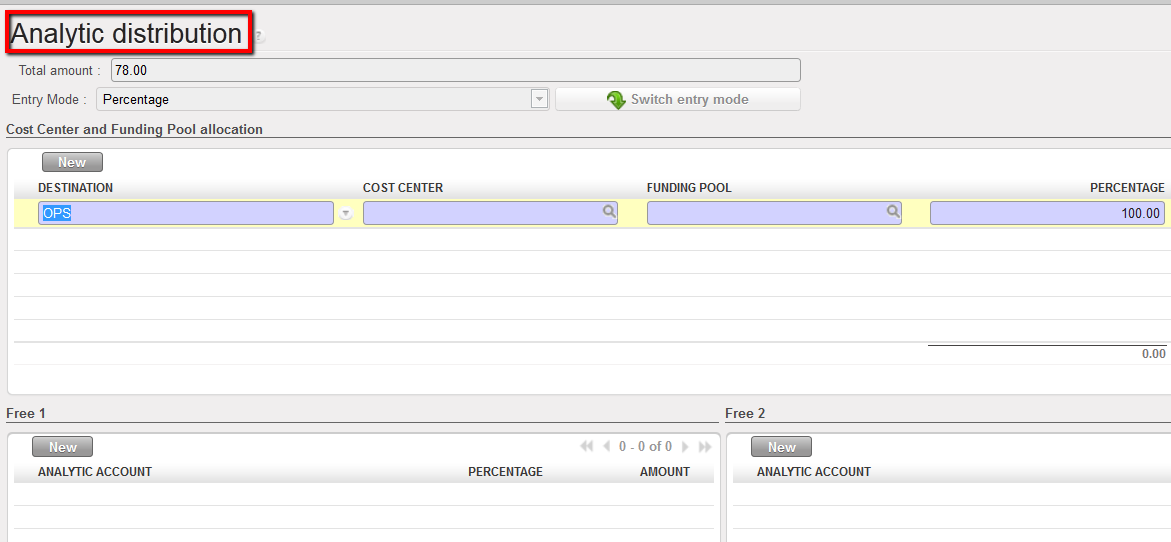 Analytic distribution wizard
There are various ways (functionalities) to execute an analytical allocation:
- The allocation is done individually through an {allocation button}
 represented by the icon located on each expense line in a register, manual journal entry or an invoice (direct invoice, supplier invoice, refund invoice, stock transfer voucher and intermission voucher).
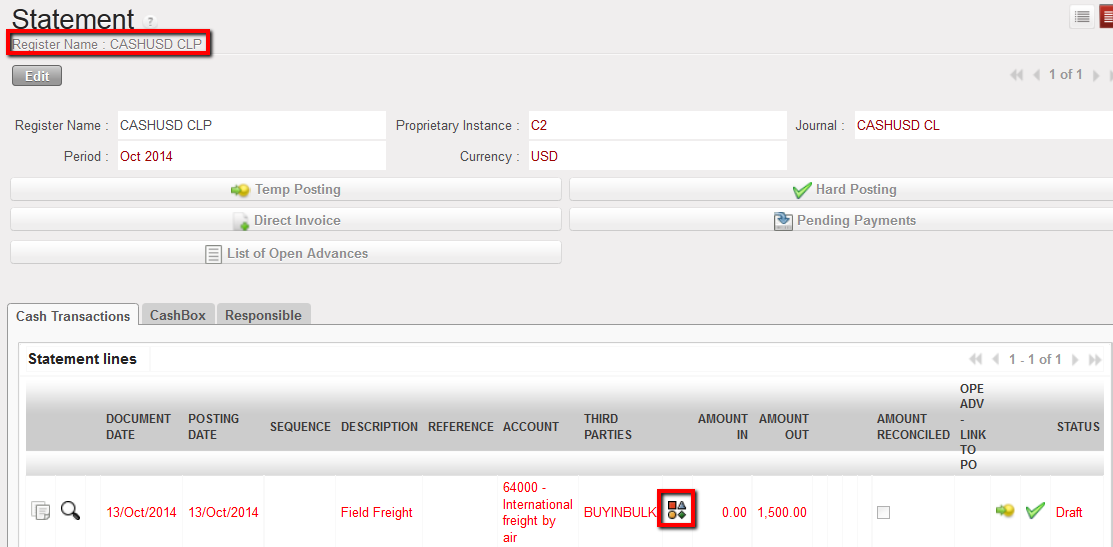 Analytical allocation icon to allocate an expense individually on a register entry
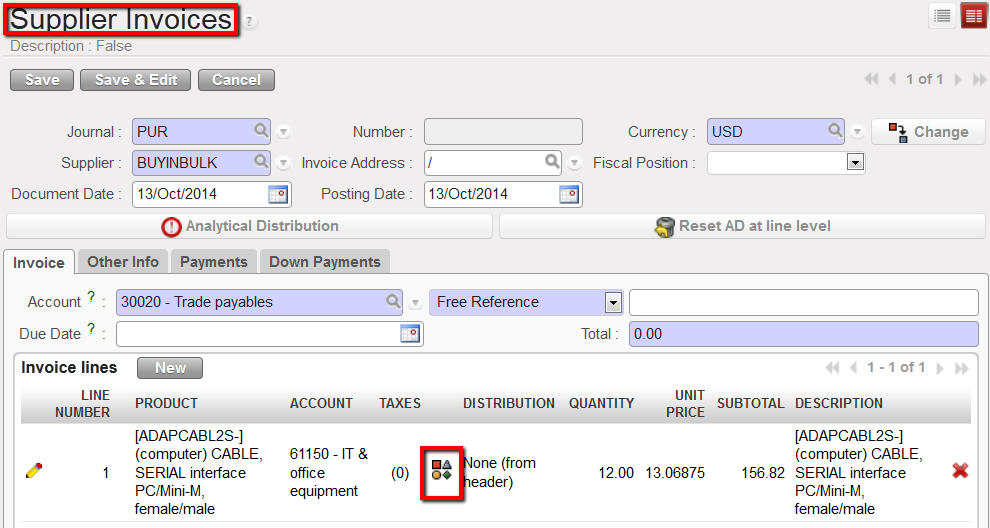 Analytical allocation icon to allocate an expense individually on an invoice line
2. The allocation is done for multiple invoice lines through the {Analytical Distribution} button at header level
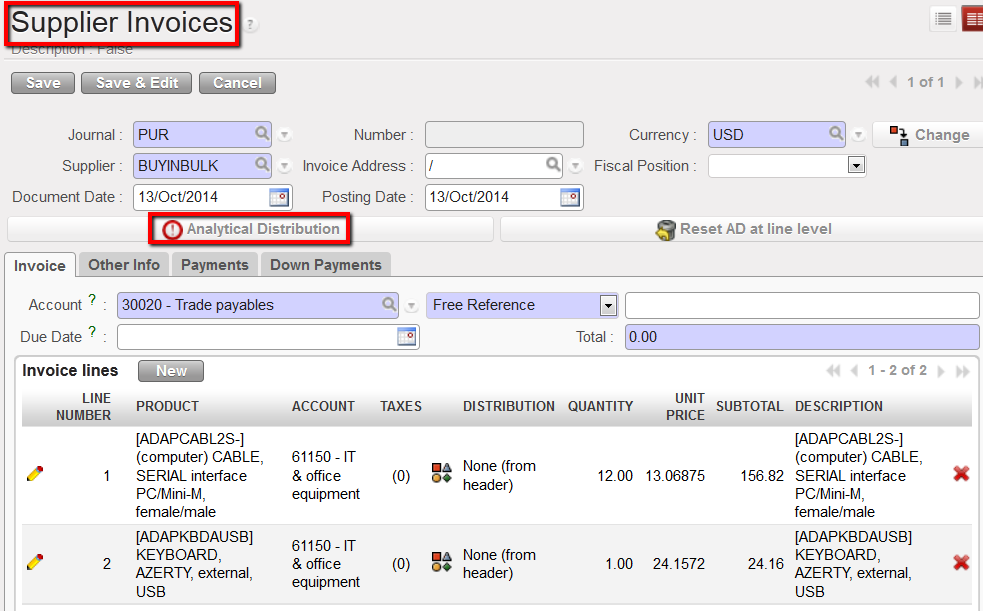 Analytical Distribution located at invoice header
3. The allocation is done in mass using a dedicated action tied to the Analytical Journal Items
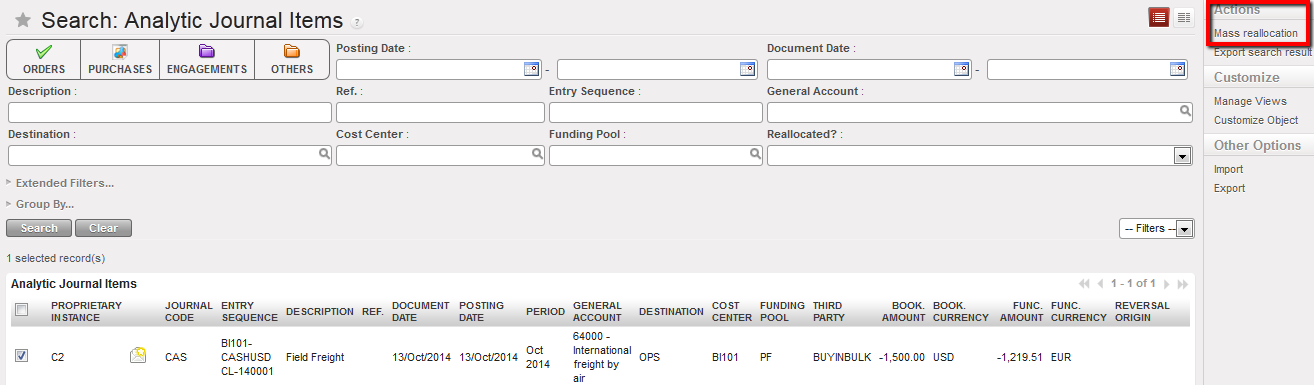 Mass reallocation function to allocate several analytical journal items
If one expense needs to be allocated across multiple cost centers or funding pools, clicking on the {New} button in the analytical distribution wizard creates additional lines. The user can distribute the cost by amount or by percentage by clicking on {Switch entry mode}. Remember that cost centers and funding pools are entered manually while destinations are proposed by default when the allocation is done individually per register or invoice line. The default destination can be modified.
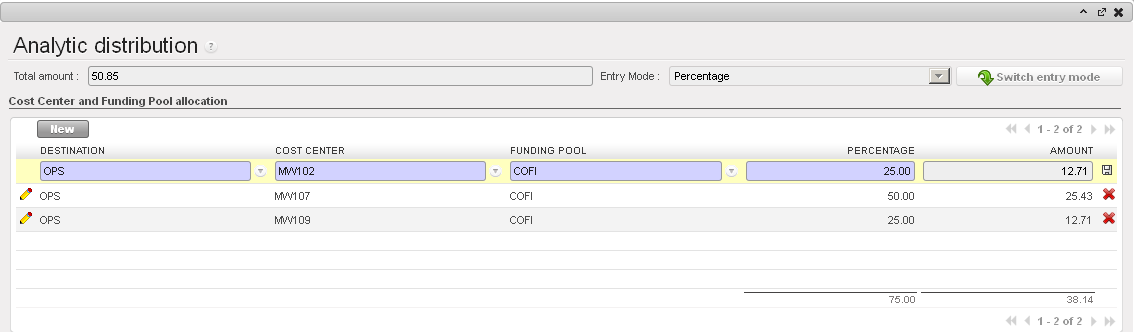
In this example, the total purchase worth USD 50.85, the cost is spread over 3 cost centers by percentage.
Entries on income accounts may require an analytic allocation too if you use income accounts. Please check your OCs procedures.
UniField behaviour is similar to the allocation on expense accounts. You will use the Analytic distribution wizard as well.
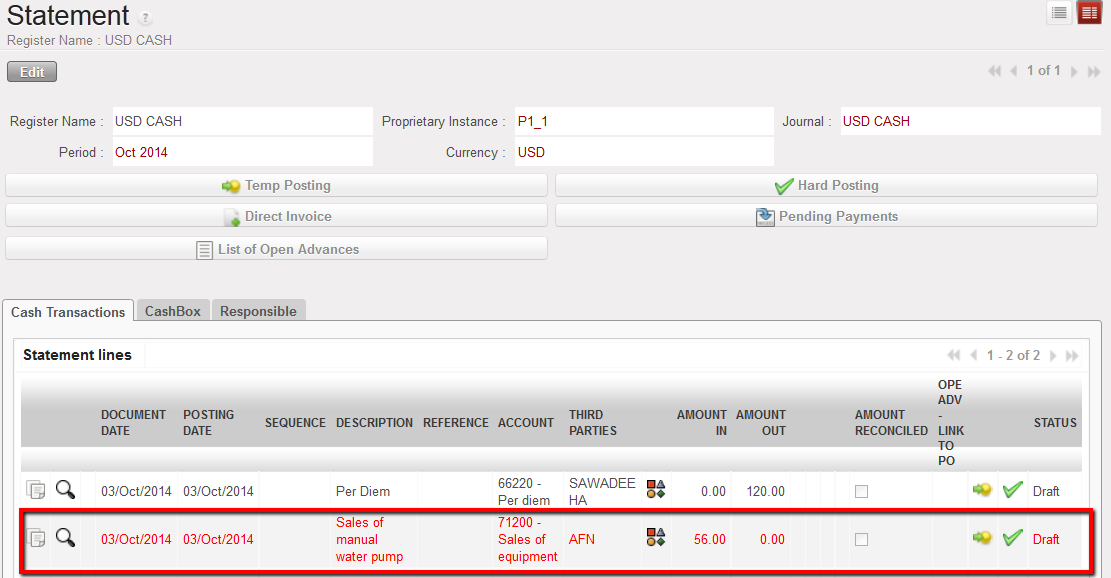
In this example, the sale of a manual water pump is booked on an income account requiring an analytical distribution.
Should the allocation be incorrect, the entry line will remain in red until it is changed.
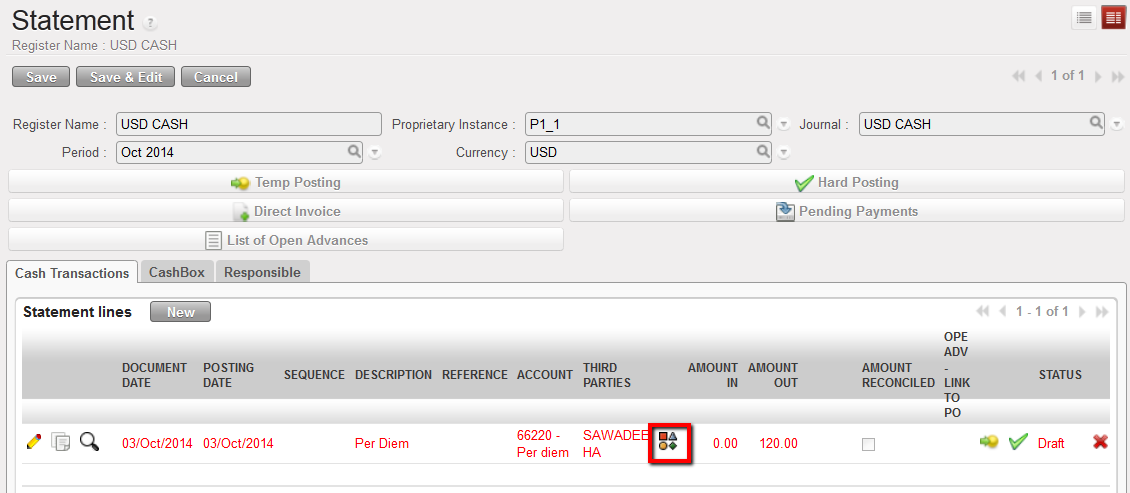
Analytical distribution button located on a line of a cash register. The register line is red because the analytical allocation was not done or is invalid
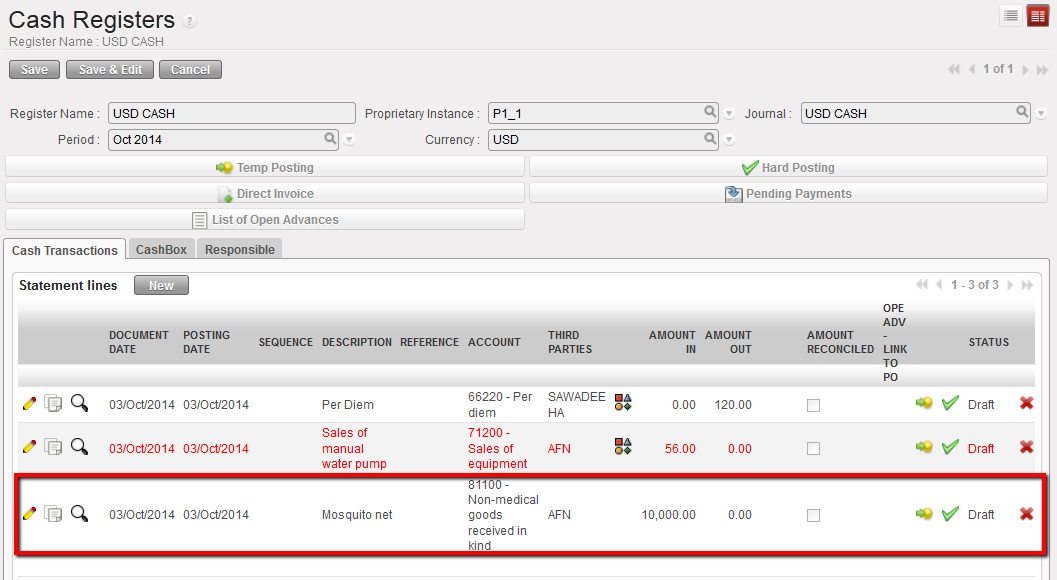 In this example, no allocation is requested for income accounts of type 8.
Destinations, cost centers and funding pools can be either {View} type or {Normal} type. This defines the account behavior. {Normal} accounts are the actual accounts assigned to expense entries while {View} accounts consolidate {Normal} type accounts.
The duplication of a register line, supplier invoice and any other financial documents where a cost allocation was set also duplicates the analytical distribution.
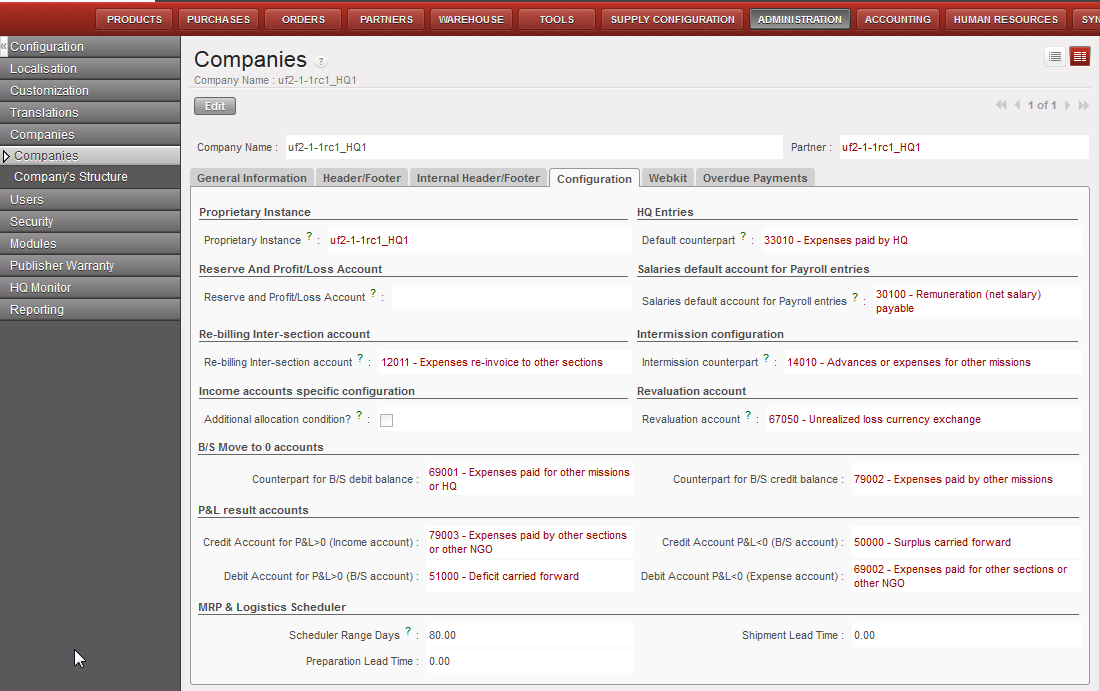
In order for the system not to consider all income accounts for analytic allocation, a check box has been created in company settings. Checking the box will only require an analytic distribution for the income accounts starting with 7. The other income accounts will not require any allocation.
This means in both cases (unchecked or checked box) accounts starting with 7 will require an allocation.
To change this company setting, Go to: Administration/Company as shown in the below view: