LUFI-40104 Activate/Deactivate Staff
Activation/Deactivation of staff in Human Resources
You can deactivate/activate a group of employees in mass (for both expats and national staff). You just need to select all the employees you want => Click on Activate/Deactivate Employees in the right-side menu:

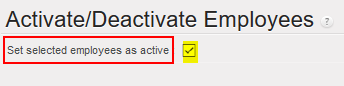
If the purpose was to activate the selected list of employees, then you tick the box of (Set selected employees as active). If the purpose was to deactivate the selected list of employees, then you un-tick this box.