LUFI-40105_J-L:
J. How to Reconcile and Settle National Staff Salaries Advance
(Reconciliation is explained in greater details in Chapter 5 – LU50302)
At the end of each month you must reconcile the staff salary advance with the end of month salary payment and the total amount imported via the Homere file. In order to reconcile the account, the advance entry must be hard posted.
Go to Accounting/Journal Entries/Journal Items
- To find your entries in the {Account} field, enter the account {13210} and {Search}.
- Once the entries are retrieved, check the checkboxes of the entries on account {13210} and select {Reconcile Entries} in the Actions menu.
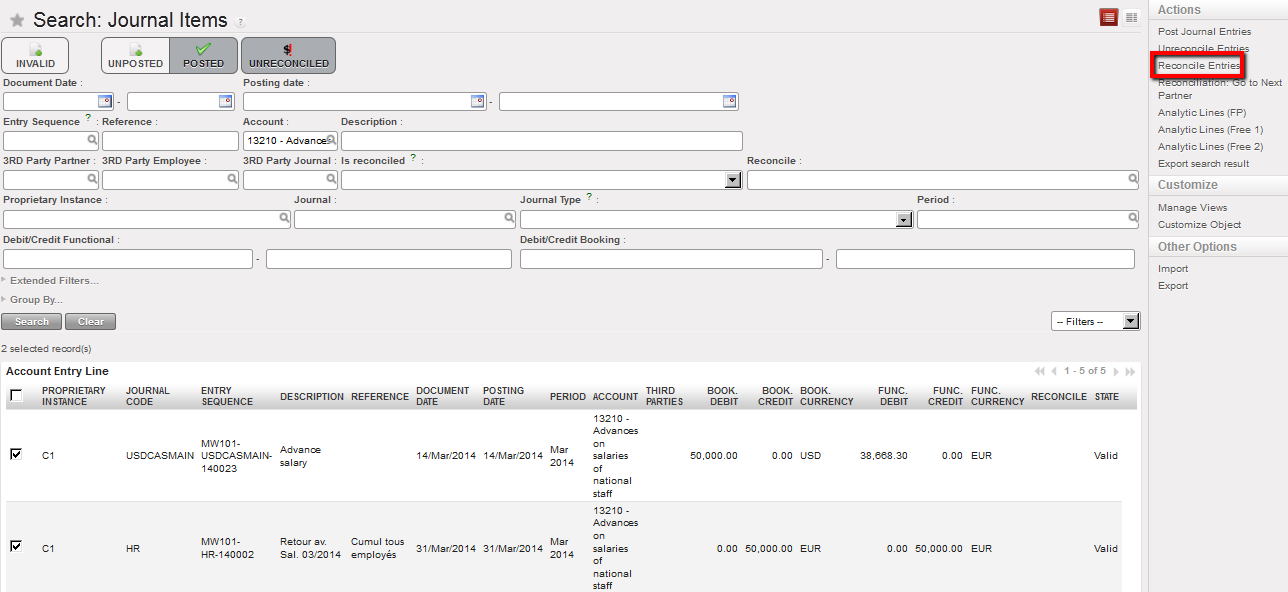
Selected unreconciled entries to reconcile using the Reconcile Entries Action

|
If you have created one salary advance entry per employee, then the reconciliation on the salary advance for national staff account is performed on more than two (2) entries. A manual reconciliation is required for salary advances. An automatic reconciliation takes place for the end of month salary payments when the pending payments button has been used. |
Entries created via the Homere import are in the HR journals.
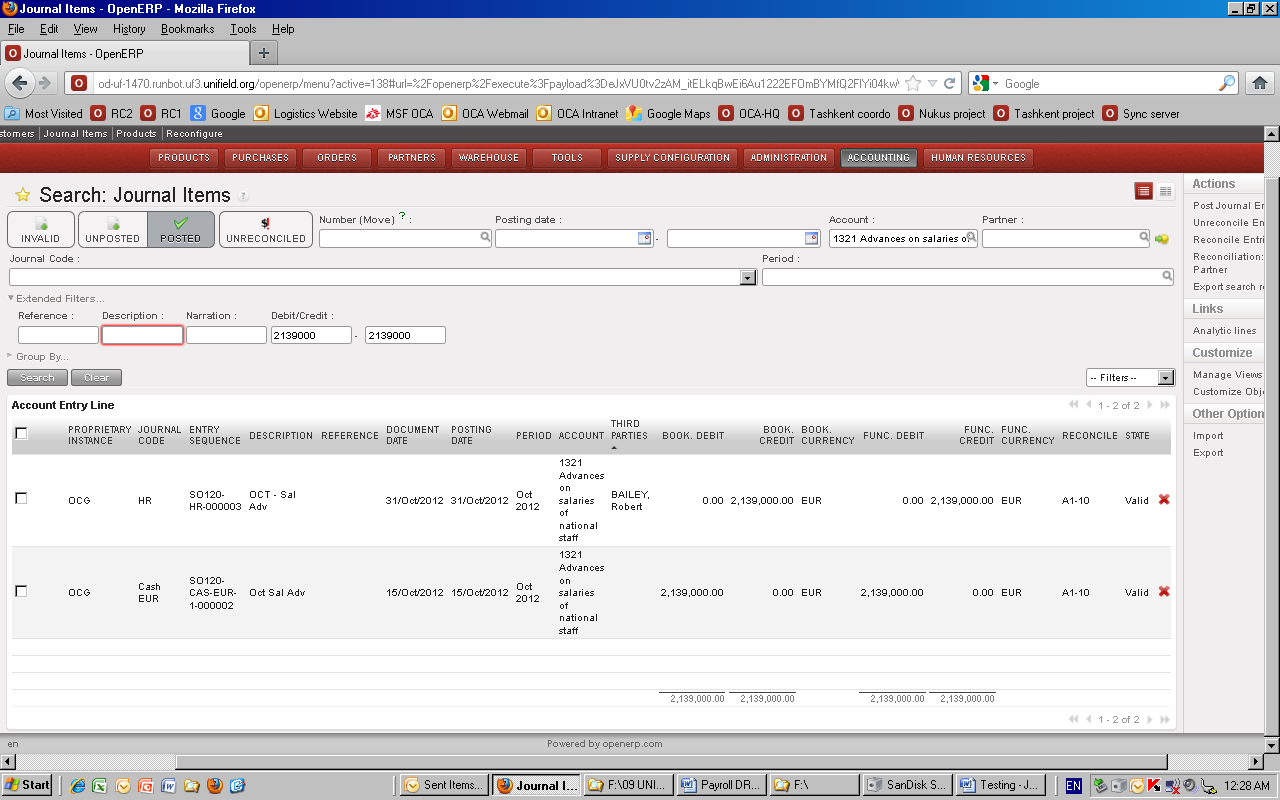
Reconciled entries for 13210 Advances on salaries of national staff – all employees
K. Payroll for Missions Not Using Homere
For those missions not using Homere there are various options to record payroll. One option includes:
- Manually encoding the global salary booking directly in Journal entries on the debit side. There should be no link to a third party.
- The counterpart entries (social security, taxes, pensions, salary advances, Salary to pay…) can also be manually encoded in the Journal Entries each month on the credit side.
- The booking of the payment is done in the appropriate register. After hard posting the register entries, the credit and debit can be manually reconciled in the journals.
J. Employees’ Payment Methods
How to create payment methods:
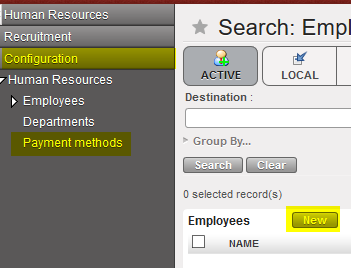
- From HQ only: Human resources / Configuration / Human resources / Payment methods / {New}
- Currently 3 payment methods in all OCs : CHQ, ESP (Cash) and VIR ( by bank transfer).
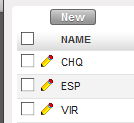
- Sync from HQ to all instances.
- The payment method is filled in Homere for each employee and UniField retrieve it in the Per-mois staff.csv file. It updates the employee form with the following information: Payment Method, Bank Name and Bank Account Number.

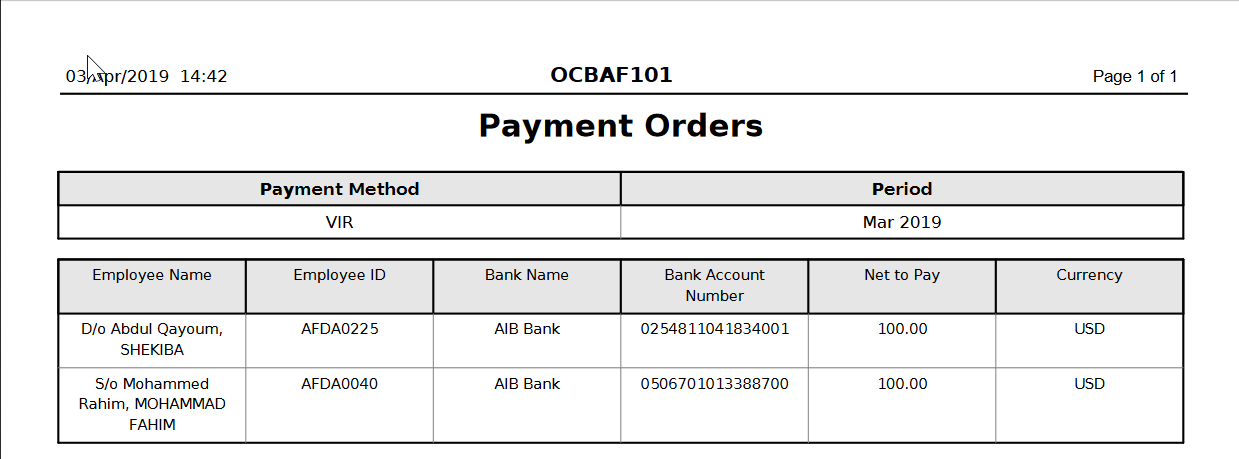
How to generate the “Payment Orders” report:
- In Accounting/Payroll/Payroll entries in the windows action menu.
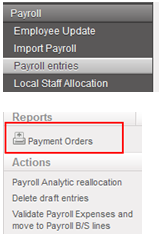
- Wizard: choose the payment method and the period.

- The report is actually kind of Employee Balance report. The pdf report show the Employee name, Employee ID, Bank name, Bank Account Number, Net to Pay and Currency. The Net to Pay amount is calculated by employee for the payable and receivable accounts that are used in system for HR entries and where the third party is an employee. Note: the amounts are taken from all unreconciled entries on these accounts, no matter if they originate from HR journal or not.