
C. b) From scratch
Depending on your need and your OC’s procedures you can also create an RFQ from scratch (not related to a Tender), for instance if you need a quotation from one supplier for a small request.
Go to: Purchases / Purchase Management /Requests for Quotations
- Click on the “New” button to create a new RFQ from scratch.
- Complete the header information (Order Type -should be left to “Regular“-, Order Category, Details,…).
- Enter a supplier in the “Supplier” field.
- Enter the need product lines (manually or via file import).
- Click on the “Save” button at the top of the screen.
- Click on “Send RFQ” button to print a PDF document and to hand it out to the supplier. The RFQ switches to state “Sent“.
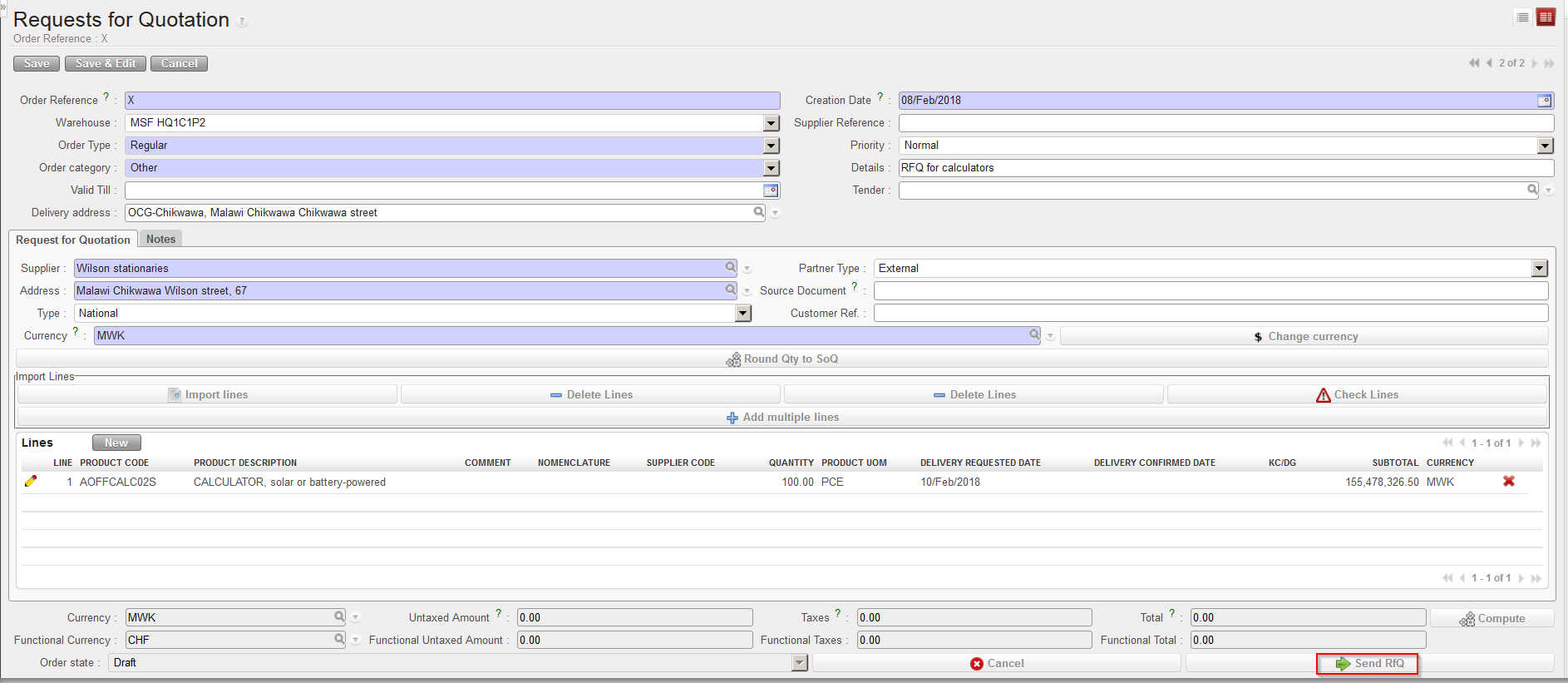 |
| Sending RFQ to supplier |
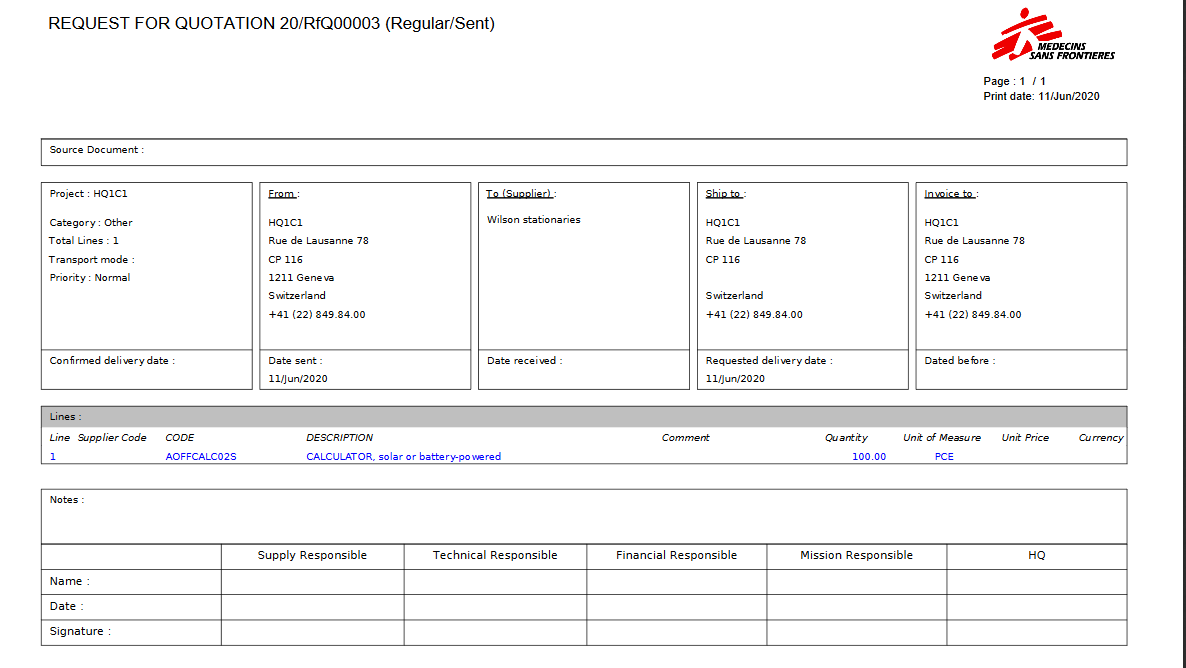 |
| RFQ print-out |
