
Supply User Manual ENG -> 4. Procurement -> 4.8 LU-SU3203: Tenders (CFTs) and Requests for Quotations (RFQs) -> D. How to cancel & resource RFQ lines generated from the Orders Sourcing Tool.
D. How to cancel & resource RFQ lines generated from the Orders Sourcing Tool
If an RFQ was generated by the OST, it will be possible to cancel & resource this RFQ or some RFQ-lines. Cancelled & resourced lines will be available in the OST, ready for resourcing.
We start from a situation where an RFQ was generated by the OST (from an IR) and we assume it was sent to the supplier.
Go to: Purchases / Purchase Management / Requests for Quotation
1.Use filters to find the RFQ on which you wish to cancel & resource a line and open it.
2. Click on the red cross at the right of the line you want to cancel & resource.
3. On the pop-up, select “Cancel & Resource” (alternatively you can simply cancel the RFQ-line, but the resourcing of the item won’t be possible).
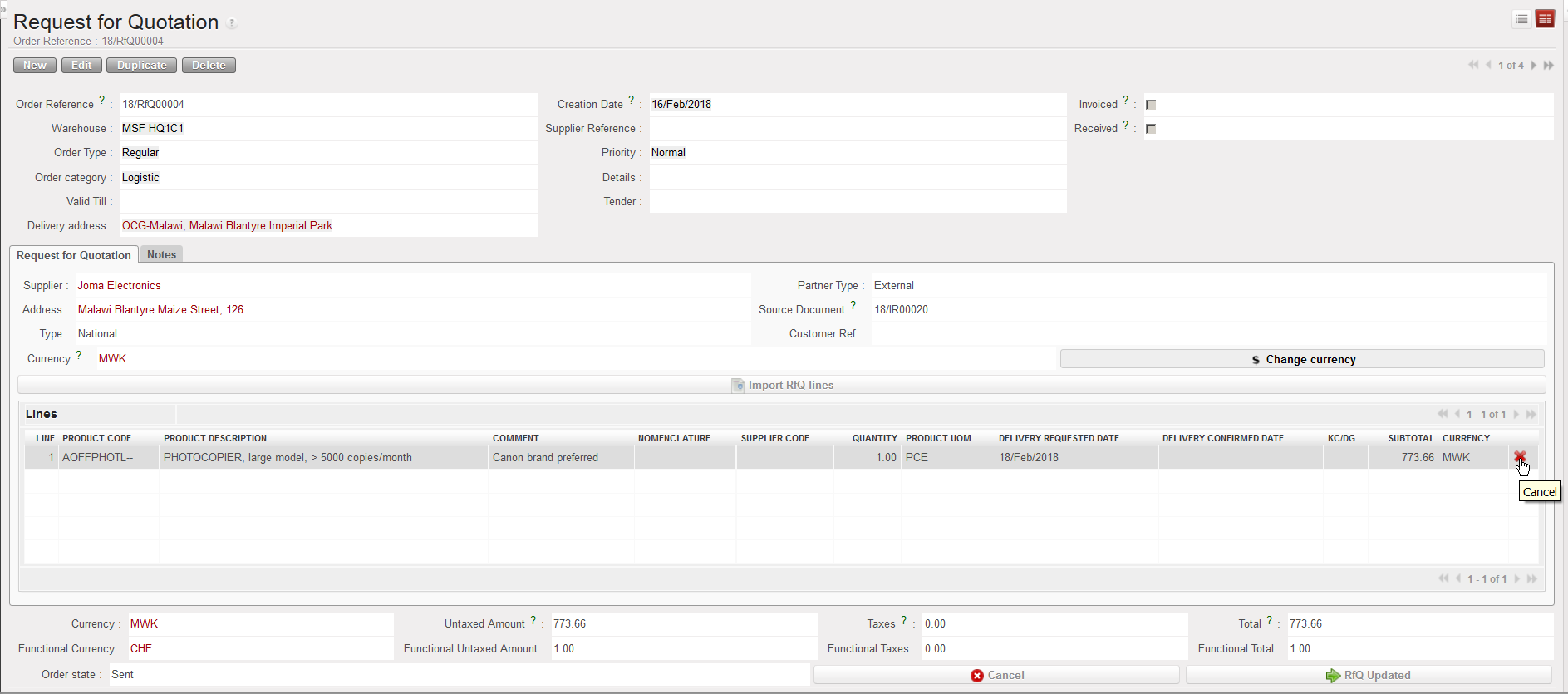 |
| Cancelling an RFQ-line |
 |
| Cancelling & Resourcing an RFQ-line |
4. On the IR that was sourced on order to create the RFQ, the line which was C&R on the RFQ is now in state “Cancelled-r” while a new line (copy of the other one) has been created in state “Resourced-v” and is ready for resourcing in the OST.
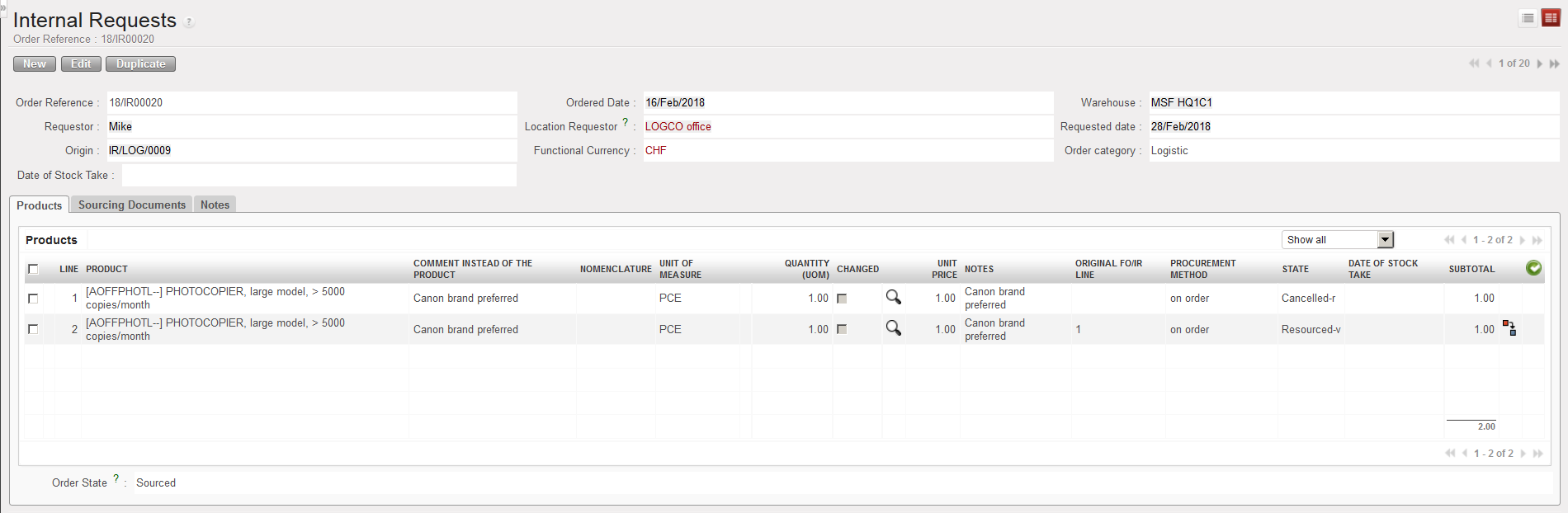 |
| IR after Cancelled & Resourced RFQ |
NB : RfQs generated from Tenders cannot be Cancelled and Resourced, they can only be Cancelled.
However, RfQ lines can still be Cancelled and Resourced from the linked Tender.
