
UniField v29.0 Release Notes
Release Details
Release version: UF 29.0
Date of production synchronization server patch: 14TH June 2023 / 18:00 Geneva time
Latest user rights files updated: UF29.0 can be found here
Note that no user rights need to be loaded at each HQ. This will be done at the Sync Server by the Core team and will update the user rights via Sync for all HQs and missions.
JIRA filter for all integrated tickets: https://jira.unifield.org/issues/?filter=12472
Supply
(US-8455) Request to introduce a “Loan Certificate” in PPS and OUT
With this release, a Loan Certificate will be available in the Action Menu for all INs and OUTs (Pick/Pack/Ship and Delivery Orders). The certificate will only show the lines in the document that pertain to the Loan or Loan return.
If there is a Loan and a Loan Return in the same SHIP, it will be possible to select the document you want to view. When selecting the document that you wish to view, it is possible to choose to see the Total Value of the Loan. By default, no value will be shown.
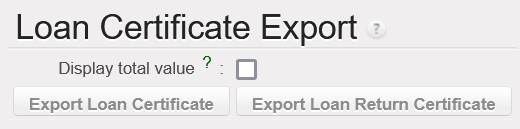
The project’s name in the documents will be based on the name submitted by HQ. Any changes required to the name shown cannot be modified at project or coordination level.
(US-8361) Free gift certificate text alignment with donation certificate
A Certificate of Donation has always been available in UniField, but it has been added to the action menu for all SHIP and OUT for better accessibility. This certificate will be available for all Reason Types, not just ‘Donation.’
Previously it was possible to view Gift Certificates and Free Gift Certificates. This change harmonizes the names and shows the Free Gift Certificate in any place where the Gift Certificate was shown in the past. This document is now also available in the action menu for all SHIPs and OUTs.
(US-11141, 11462) Prevent new lines from being added on Validated POs that sync to a supplier
Lines from Cusomer Purchase Orders that have been validated have never synchronized to the Supplier instance, since the second instance may have already started to process the order. Despite this limitation, it was possible for the requesting instance to add lines to the PO even though the added lines would never be visible in the FO in the supplying instance.
In this release, it is no longer possible to add lines in the requesting instance once a synchronized PO is validated. The add line button is no longer visible once the PO is validated if the PO is sent to the supplier by synchronization (Internal, Intersection, or Intermission orders). All new lines must be added in the Field Order or Purchase Order of the Supplying instance and will synchronize to the Requesting Instance.
(US-10580) Alignment of IN pdf “Line Number” and “Qty Confirmed” to the PO
In past versions of UniField, the line numbers shown in the PDF version of an Incoming Shipment always started from 1, where the line numbers in the form view were linked to the PO’s line numbers. With this release, the line number shown in the Reception PDF will match what is shown when processing the IN.
The quantities shown in Incoming Shipments are also being updated to provide more insight on backorders and quantities in the original orders.
The Qty Confirmed column in the IN will now show the quantity that was confirmed in the PO, even if some of the original quantity has already been processed, same for qty in the IN from scratch, confirmed qty will show the quantity that was confirmed in the IN from scratch.
The Qty backorder column will now reflect the open backorder (the qty confirmed minus qty received from all IN lines linked to that line of the PO/IN from scratch).

(US-10563) Add fields in PO lines allocation report
The “Allocation Report” has been updated to show two new pieces of information:
- Requestor: The allocation report will now show who requested the line, whether the request came from an FO or an IR. Previously this column was called ‘Partner’ and only showed the requestor when the request was an FO.
- Comments: Any comments included in the Purchase Order for the line will now be shown on the PO allocation report.

(US-11218) VI PO import job stops due to checksum
During Automated Vertical Integration, UniField checks to make sure that a file isn’t a duplicate. If it is, the import is stopped, even if there are new non-duplicate import files to process. With this release, UniField will continue to process remaining VI files, even if another file processed was a duplicate file.
(US-10126) Split IN lines VIA manual VI, Duplicate ordered QTY and update QTY to process
When processing an IN via manual vertical integration, the quantities to process are taken from the import file. To prevent replacing the correct import data with order information from the PO, the top 3 buttons (Copy All, Clear All, Import IN) in the IN process screen have been removed.
(US-8968) To introduce a “Returned” status for completely returned SHIPs
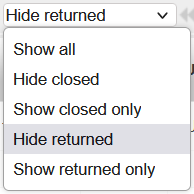
Until this release, the statuses available for processed Shipments were ‘Dispatched’ and ‘Received,’ even if all lines in the order were returned. With this release, a new status ‘Returned’ will be available for shipments Replaced “Cancelled” State:

If all lines in a SHIP have been returned, the document status will be Returned. The status of shipments where all lines were returned before this release have been changed from Dispatched to Returned.
The status of all lines that have been returned in a SHIP will be changed from Closed to Returned.
A dropdown menu has been added to SHIPs to make it easier to only view relevant line statuses:
(US-9022) Allow modification of Estimated and Actual Ship Dates on Ships
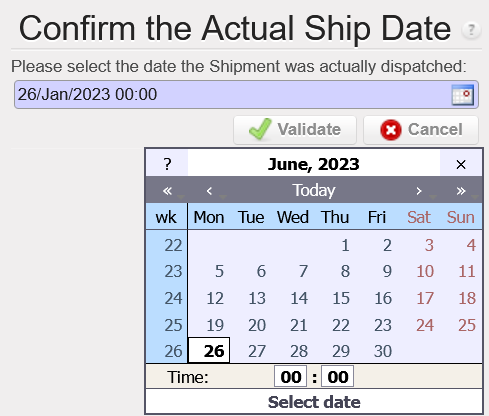
Previously the Actual Ship Date in a SHIP could not be manually modified and the shipment’s Expected Ship Date could only be modified when the state is Draft.
With this release, it will be possible to modify the Expected and Actual Ship Date fields until the shipment is dispatched (Validated). Sometimes shipments are sent before or after they are validated, so now there will be a pop up allowing the shipper to select the date the shipment was actually dispatched. Once a shipment is dispatched, the Ship Date fields cannot be modified.
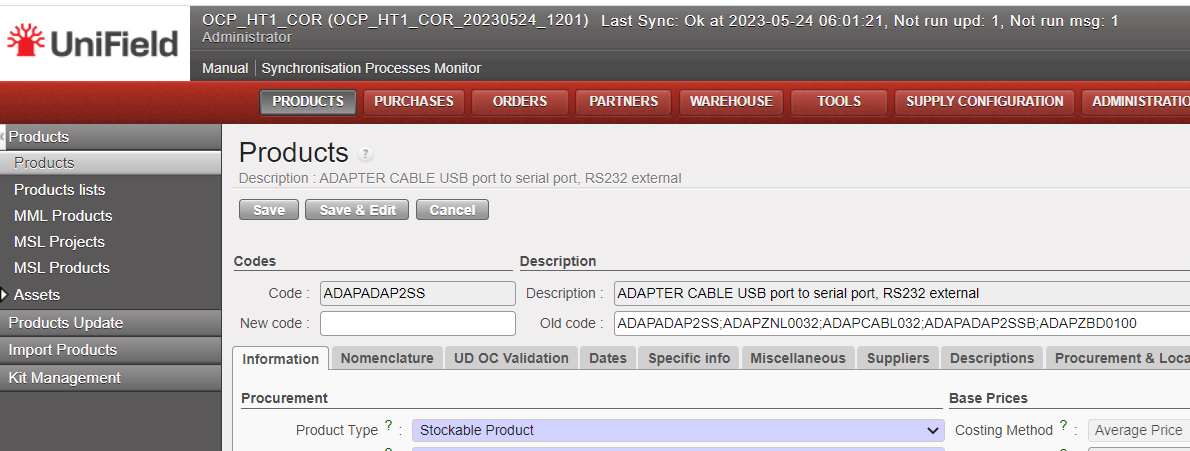
(US-10752) Products: Prevent change of Product Type (Stockable > Service etc)
Users at HQ can change the Product Type for UniData products and these changes will synchronize down to all coordination and project instances. At coordination level, changes in Product Type will synchronize down to projects for local codes. If an item is in stock and then the Product Type is changed to Non-Stockable, the product could be stuck in stock without being able to be delivered.
Now, a check will be done using data from latest MSR. If an item is in stock/Pipelines in any linked instance, the Product Type cannot be changed.
(US-10923) Prevent resubscription of NSL that have been unsubscribed in Unidata
OCs can choose to unsubscribe to Non Standard Local (NSL) codes in UniData and this change in subscription will be reflected in UniField. Previously, it was possible to reactivate these NSL codes in coordination, even if it was unsubscribed by HQ.
Now, when an NSL product has been unsubscribed by the OC, it cannot be activated at mission level unless the product code is resubscribed.
(US-11000) Magnifying glass to search for orders in the OST does not show lines from IRs
In the Order Sourcing Tool, the magnifying glass in the Order field previously only showed references from Field Orders. With this change, it will also be possible to search for sIR references using the magnifying glass.
(US-11177) Add ability to search for batch numbers with magnifying glass for KCL
Previously batch numbers for kit components managed by batch number/expiry dates had to be entered manually when creating a Kit Composition List (KCL).
Now, the magnifying glass functionality has been added when selecting batches for Kits so that users can view all available batches for a given kit’s Component .
(US-9157) RR: Better differentiate OC exports
The names for the Replenishment Rules export files have been updated to be more clear. The new document names are:
| Previous Name | New Name |
|---|---|
Order Calc | Order Calc Excel Export |
Order Calc (only lines with warning) | Order Calc Excel Export (only lines with warning) |
Export Draft Consolidated OC Lines | Draft Consolidated OC Lines |
Export Consolidated OC all status | Consolidated OC Lines – All Statuses |
A warning Message will be displayed in case of trying to import an incorrect file type:
“Error: Wrong format: Order Calc Excel Export template must be used”.
All Supply tickets integrated in UF29.0
| Key | Summary | Detailed |
|---|---|---|
US-8455 | Request to introduce a “Loan Certificate” in PPS and OUT | x |
US-8361 | Free gift certificate text alignment with donation certificate | x |
US-11141 | Prevent new lines from being added on Validated POs that sync to a supplier | x |
US-11462 | (US-11141) Prevent new lines from being added on Validated POs to Internal Intermission Intersection Partners | x |
| US-10580 | Alignment of IN pdf “Line Number” and “Qty Confirmed” to the PO | x |
| US-10563 | Add fields in PO lines allocation report | x |
| US-11218 | VI PO import job stops due to checksum | x |
| US-10126 | Split IN lines VIA manual VI, Duplicate ordered QTY and update QTY to process | x |
| US-8968 | To introduce a “Returned” status for completely returned SHIPs | x |
| US-9022 | Allow modification of Estimated and Actual Ship Dates on Ships | x |
| US-10752 | Products: Prevent change of Product Type (Stockable > Service etc) | x |
| US-10923 | Prevent resubscription of NSL that have been unsubscribed in Unidata | x |
| US-11000 | Magnifying glass to search for orders in the OST does not show lines from IRs | x |
| US-11177 | Add ability to search for batch numbers with magnifying glass for KCL | x |
| US-9157 | RR: Better differentiate OC exports | x |
| US-11340 | [Physical Inventory] Include accurate decimal values instead of rounding down in discrepancy reports | |
| US-11015 | No statuses for some items lines in Export IR/FO Follow-up | |
| US-11140 | Add Link to RfQ Reference when Sourcing to RfQ | |
| US-11184 | French translation improvement for IN print out – « contrôlé par » | |
| US-10880 | Claims: Claim from scratch from IR ext CU strange behaviour | |
| US-11268 | [RFQ] Update RFQ button once RFQ is sent | |
| US-11450 | Product track changes attached to the wrong product | |
| US-11465 | (US-8968) Main Shipment becoming Returned when it should not | |
| US-11471 | To fix the QTY confirmed and backordered qty calculation in the IN from scratch | |
| US-8371 | PO: UF refuses to change unit price | |
| US-11524 | [9022] Actual Ship Date should be Today’s Date in Pop Up, but it defaults to previous Actual Ship Date | |
| US-11528 | To fix the qty confirmed in the IN from scratch |
Finance
(US-10858) Electronic Validation: Inactivate signature when user is inactivated
After this improvement, we will get automatically the signature inactivated, when the user will be inactivated.
The aim is to prevent that old signatures could be used when the profile is reactivated later.
(US-10991) Electronic Validation: Improve the error message when the user has a signature, but he is not allowed to sign a document
We have improved the error messages for this use case: the user has the signature, but the user is not allowed to sign the document. In this case, the user tries to apply his/her signature on the object and the old error message was “Operation denied”. We have adapted the message to put it clearer.
The error message has been changed as follows:
“You are not in the list of users allowed to sign this document – please contact the document creator”.
“Vous n’êtes pas dans la liste autorisée à signer ce document – merci de contacter le createur de document”.
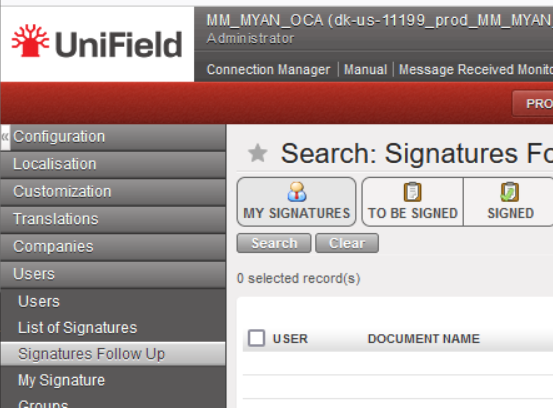
(US-11199) Electronic Validation: signature follow screen up for “document creator”: to remove the default filters [my signature] and [to be signed]
In Unifield, go to: Administration/Users/Signature/Signature follow-up: we have removed the default filters [my signature] and [to be signed]. After user’s experience we have considered that it was not pertinent.
(US-11349) Electronic Validation: “signature follow up” exporting option (excel and pdf)
We have created two “Export” action menus from the Signature follow up screen:
- Export to Excel
- Export to PDF
Go to Administration, Users/ Signatures Follow up, go to the right menu Actions and select “export search results”.
The idea is to apply some filters using the existing filtering method above the screen and to be able to export the list in Excel/PDF.
The content will be the information of all the columns that we have on the current “signature follow-up” screen.
The use of this: when we need to quick check which documents/objects have been signed in UF, we can export the report and provide to auditors/control etc.
(US-10807) Users: filter based on the “department code”- drop down list
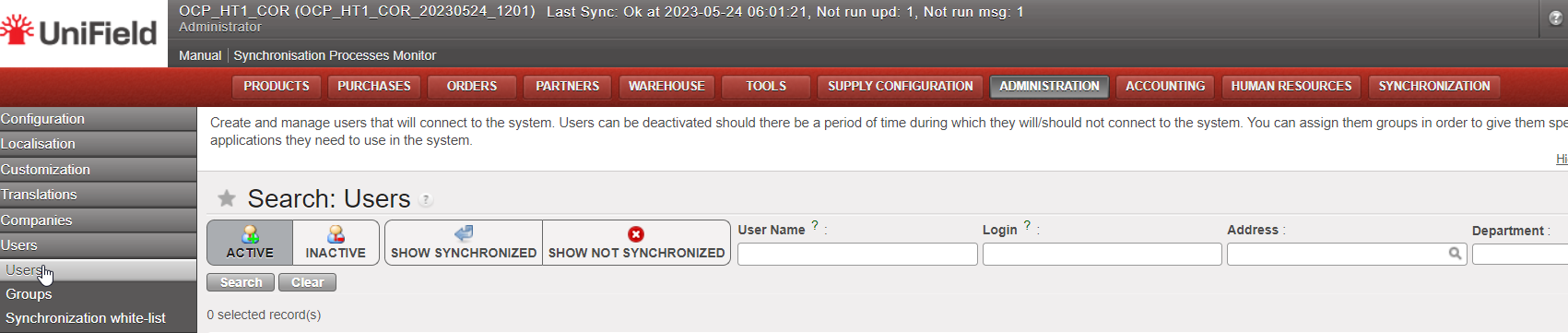
In Administration, Users: “Search: Users” there was an inactive filter named “Company“. It has been now renamed as “Department” and it will be used to have the Department information.
Remember that to populate the department field, you need to go to the menu Human Resources => Configuration => Human Resources => Departments.
(US-10820) OCB: Sub-cost center validity date greater than parent cost center validity date, no import in CODA: to add an error message
We have added an additional check for cost centers parametrization:
In the case that the Sub cost center validity date is greater than the parent cost center validity date ==> we have added a warning error message.
“the sub-costcenter validity date is greater than the parent cost center validity date”.
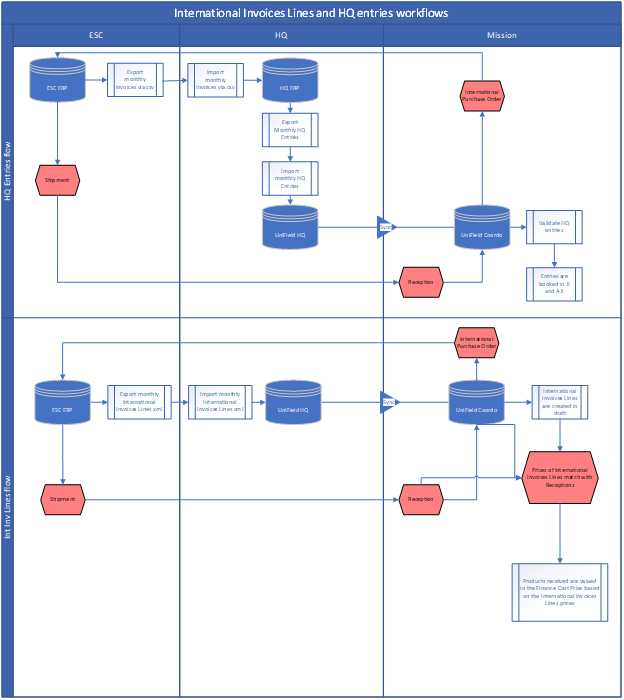
(US-10835) International Invoice Lines – ESC ERP (European Supply Center ERP)
To develop the Finance Cost price *, we have created the International Invoice Lines module to synchronize down the International Invoices Lines extracted from ESC ERP to the requestor instances. This is to get the real paid prices from the ESCs for International orders.
* Finance Cost price: the product finance cost price will be calculated based on invoices and no more on POs.
This module intends to:
- Allow a downstream flow from UniField HQ instance to missions’ instances, called International Invoices Lines.
- With information extracted from the ESCs’ ERPs and imported in UniField HQ instance.
- International Invoices Lines are a more detailed information of HQ Entries/Invoices placed by ESCs to OCs related to International orders placed by missions to ESCs, where information of a product line level / Purchase Order Line level are available, especially invoiced prices.
- Match International Invoices Lines with reception of International Orders in UniField so prices of International Invoices Lines can be used to value the average Finance Cost price of a product.
Principles :
The Module is not compulsory to use and will be in the reconfigure (Manage International Invoices Lines) and access managed via user rights.
IIL imported at HQ will sync to the instance where the CC is ticked as PO/FO Reference to ensure IIL are available either at Coordo or project that placed the International Orders.
In case of DPO to ESCs, the CC of the receiving instances will have to be entered in the IIL instead of the CC of the instance that placed the order.
If ESC entries are not found at time of reception triggering the creation/validation of the ESC invoices, invoices prices will be populated by the Purchase Order prices.
ESC entries can be monitored at HQ regarding their status (status will sync up from mission to HQ).
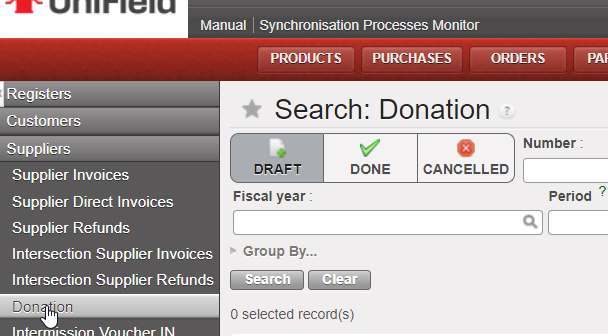
(US-10904) Final status of in kind donation: from OPEN status to new status DONE/TERMINE (it is not a renaming)
We have done some improvements on the in kind donation functionality:
– We have created the button called: “Set as done” (“Terminer” in French version).
– we have also created the Status Done (Terminé in French). The status OPEN will not exist anymore.
(US-10921) IVI / IVO / STV / ISI: to add the Counterpart Invoice Number search field
We have added the “Counterpart Invoice Number” field on the IVI / IVO / STV / ISI search views and to display it in the list views.
(US-11005) To prevent FO / PO creation if “Cost center picked for PO/FO reference” is empty
We have prevented the FO / PO creation if the “Cost center picked for PO/FO reference” is empty:
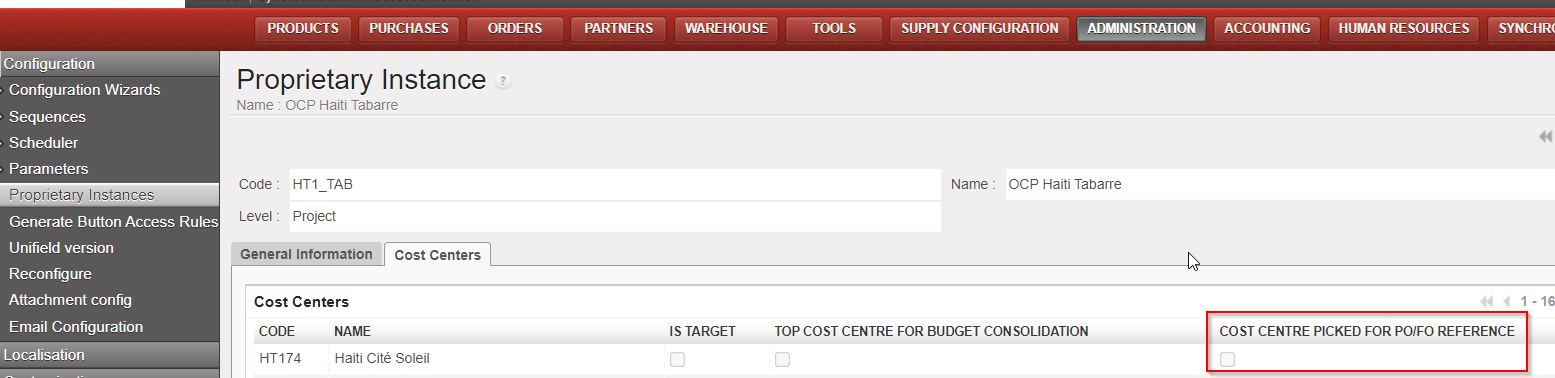
We have also put an error message:
English message: “add the cost center picked for PO/FO reference”
French message : “rajouter le centre de coût utilisé pour la reference PO/FO”
(US-11046) Costing methods: standard price to remove + Patch script to correct products with the wrong costing method
We have removed the option Standard price, as MSF used just the option Average price.
We have done a patch script to correct the products with the standard price.
(US-11103) Manual journal entry: available journals: to remove the not used journal with code REV
The REV journal is no more available for manual journal entries.
All Finance tickets integrated in UF28.1
| Key | Summary | Detailed |
|---|---|---|
US-10799 | ELECTRONIC VALIDATION: To create a submenu in the Users with the Signatures (List, Follow-up and My Signature) | |
| US-10858 | Electronic Validation: Inactivate signature when user is inactivated | x |
| US-10991 | E-validation: Improve the error message when the user has a signature, but he is not allowed to sign a document | x |
| US-11199 | E-validation: signature follow screen up for “document creator”: to remove the default filters [my signature] and [to be signed] | x |
| US-11349 | E-validation: “signature follow up” exporting option (excel and pdf) | x |
| US-6976 | Remove the translation option from the analytic accounts | |
| US-8443 | OCA_VE_COOR Unbalanced entry after synch – causing failure of test auto Finance VI in from HQ. | |
| US-9702 | Code fix for Journal entries: use case with AD KO to avoid | |
| US-10629 | Partners form: purchase default currency and field order default currency | |
| US-10755 | Selector saved queries/templates: to be able to delete them at once (to do with the user right ticket US-11328) | |
| US-10807 | Users: filter based on the “department code”- drop down list | x |
| US-10820 | OCB: Sub-cost center validity date greater than parent cost center validity date, no import in CODA: to add an error message | x |
| US-10835 | International Invoice Lines – IIL module – ESC ERP | x |
| US-10904 | Final status of in kind donation: from OPEN status to new status DONE/TERMINE (it is not a renaming) | x |
| US-10915 | OCB VI – vertical integration – Changes to the interface file (to add additional columns) to adapt to the new HQ system | |
| US-10921 | IVI / IVO / STV / ISI: to add the Counterpart Invoice Number search field | x |
| US-10996 | Entries Data Integrity at project: remove coordo Unbalanced reconciliations | |
| US-11005 | To prevent FO / PO creation if “Cost center picked for PO/FO reference” is empty | x |
| US-11022 | Accrual – Edition of the third party on draft ACC to empty is not reflected in the list view + patch script | |
US-11046 | Costing methods: standard price to remove + Patch script to correct products with the wrong costing method | x |
| US-11103 | Manual journal entry: available journals: to remove the not used journal with code REV | x |
| US-11348 | Allow editing entry line with if the line contains character (° ) | |
| US-11399 | OCA_MM_MYAM: DF: Target instance of CC did not synched to the field | |
US-11410 | OCB VI vertical integration: to add the db-id for journals (account_journal.id) | |
US-11444 | French Translation: Cash request into Demande de fonds |
Non- functional
(US-11254) Python3: patch file too large to store in database
This improvement is in preparation for the python3 migration. In the UF28.1 and all earlier versions of UF, the patch file retrieved from the sync server by the instances is stored in the database. However, when we tested this procedure to migrate from python2 to python3, it returned an error when allocating memory to output buffer. To fix this, we changed the patch file to be stored in the filesystem under a new folder: “C:\Program Files (x86)\msf\Unifield\Patches”
Please note that the new patches folder will not be visible with this 29.0 release. It will be created with the next patch/release when the new patch is applied. The patch file to migrate py2 to py3 will be approximately 100MB and should not heavily impact the disk space on the C drive.
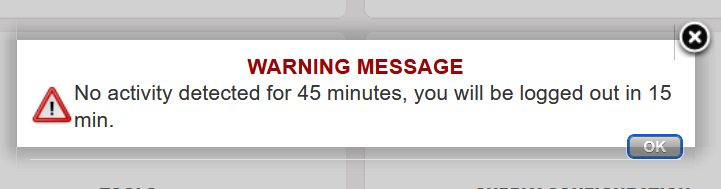
(US-9958) Time out for inactivity
Currently, there is no automatic log out when users are not using UniField. This poses some IT security risks. This release implements a 1hour timeout activity which was agreed upon by both Supply and Finance as acceptable for the business. The user will be notified 15mins before automatic logout.
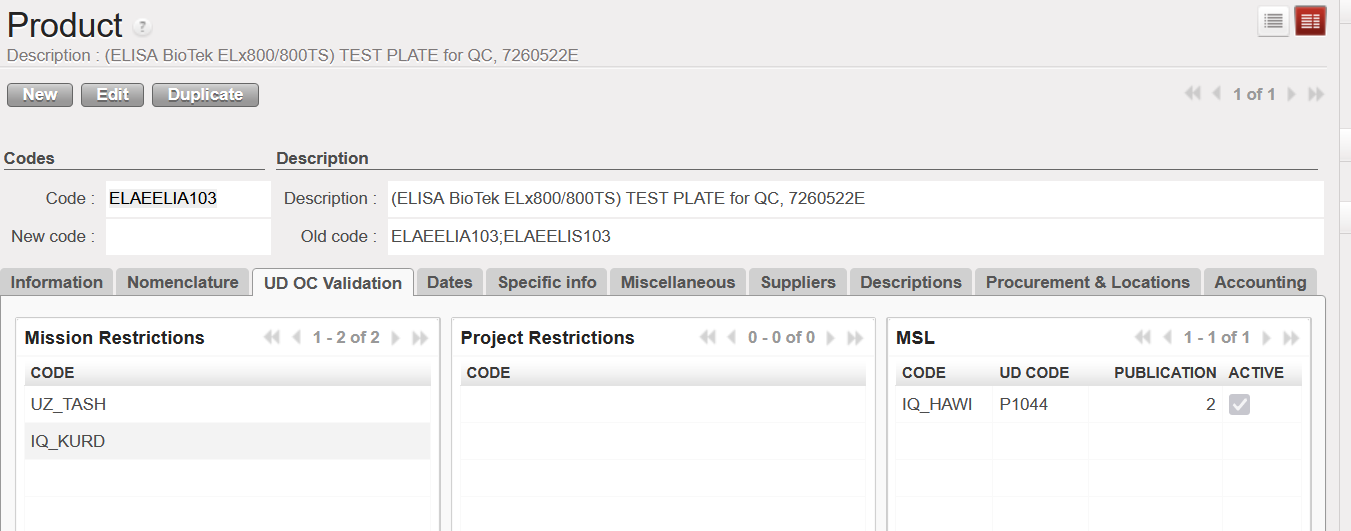
(US-11232) Unidata API: Display Mission/Project Restriction and OC validation
We have extended the integration with UniData and UniField. As a result, some of the fields from UniData are now visible in UniField as well.
On the Product level, in the ”Information” = > “Status” section, the following fields are newly visible:
- “OC Validation” checkbox
- “Devalidation Date” or “Validation Date“ (depending in whether the product is OC validated or not)
A new tab on the ”UD OC Validation” has been created. You will find there all ”Mission Restrictions”, ”Project Restrictions” and ”MSL” in which the specific product is listed. The ”Code” field is the instance code that has been mapped to the specific mission/project/MSL restrictions. Please note that if the Mission/Project restriction has not been mapped yet, the field will remain empty.
(US-10885) MSL: prepare prototype call to MSL API
We have integrated the MSL data into UniField. This enabled us to show all the published MSL projects in UniField as well as all the products listed in these projects which are also present and active in UniField.
You will find new submenus in the ”Products” menu:
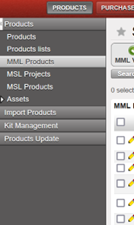
- MML Products – The submenu lists all the products, that are active in UniField and are also OC Validated for the given OC in UniData. You can also see, whether the product is MML or MSL Valid. MML Valid means that for the given product, there are either no restrictions for the products in UniData or these restrictions apply to the proprietary instance, or coordination instance. MSL Valid means that MSL project applies to the proprietary instance. The ”MML Valid” filter serves as a quick filter to see only MML Valid products. Please note that on the HQL level, ”MML Valid”/”MSL Valid” fields are always empty as MML restrictions and MSL projects only apply to Coordination/Project level instances.
- MSL Projects – The submenu lists only relevant MSL Projects for the proprietary instance. Which project is relevant depends on the instance level. For the HQ instances, all published projects within OC are displayed. On the coordination level, only published projects mapped to the proprietary instance or its children are displayed. On the project level, published projects mapped to the proprietary instance + projects of its coordination + all children of its coordination are displayed.
You can click on each project to see the specific products that are listed under this project.
To see the specific products in the ”MSL Products”, you need to activate the specific project first. You can do so by clicking on the green button positioned on the right side. The project can also be deactivated at any time. By default, all projects are deactivated.
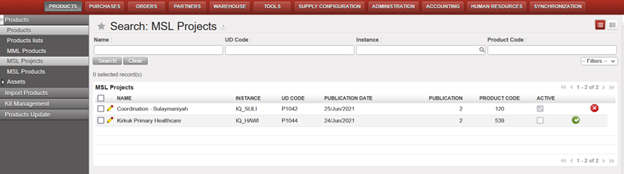
- MSL products – all products listed in the relevant MSL projects are listed in this submenu. Each MSL project must be activated first in the “MSL Projects“ object. By default, only products listed in the MSL Project mapped to the proprietary instance are displayed. If you wish to see the products listed under another MSL project, you need to choose them in the “MSL Valid for instance” filter. Again, you can only choose from projects, which are already activated in UniField.
In the ”Tools” -> ”Unidata” => ”MSL Projects with no link to UF” you will find all unmapped MSL projects. Also, these unmapped projects will appear in red font in the “MSL Projects” submenu.
All Non-functional tickets integrated in UF29.0
| Key | Summary | Detailed |
|---|---|---|
| US-11254 | Python3: patch file too large to store in database | x |
| US-9958 | Time out for inactivity | x |
| US-11232 | Unidata API: Display Mission/Project Restriction and OC validation | x |
| US-10885 | MSL: prepare prototype call to MSL API | x |
UniField v28.1 Release Notes
Release Details
Release version: UF 28.1
Date of production synchronization server patch: 5th April 2023 / 18:00 Geneva time
Latest user rights files updated: UF28.0 can be found here
Note that no user rights need to be loaded at each HQ. This will be done at the Sync Server by the Core team and will update the user rights via Sync for all HQs and missions.
JIRA filter for all integrated tickets: https://jira.unifield.org/issues/?filter=12468
Supply
(US-11297) Order in Sync Instance Missing
The changes made in US-10180 made it mandatory to fill the Order in Sync Instance field in FOs in order to validate added lines.
It was not mandatory to fill this field for FOs created before release 28.0, so this field is empty for field orders created before the last release. If any lines in the FO have this field filled, it must be filled for any added lines, including lines which have been cancelled and resourced.
This change ensures that it is possible to Cancel & Resource PO, IN and Pick lines with FOs that have at least Order in Sync Instance filled when the resourced line was not.
(US-11176 & 11146) Allow KCL for perishable items to be added to INs and OUTs
Ticket US-7603 made it possible to enter a KCL reference in INs, Picks and OUTs. Of these documents, only the Pick could add a KCL reference for items that were managed by batch number or expiry dates. This change ensures that the KCL reference items managed by BN/ED can be added to OUTs and INs.
All Supply tickets integrated in UF28.1
Key | Summary | Detailed |
|---|---|---|
US-11297 | Order in Sync Instance Missing | x |
US-11291 | Opening KCL sometimes shows create view instead of list view | |
US-11176 | Allow KCL for perishable items to be added to INs | x |
US-11146 | Allow KCL for perishable items to be added to OUTs | x |
Finance
(US-11252) ADVANCE MANAGEMENT: Correction of US-10279 – show all advances button”
After this development, we are able to settle advances from one register in another register. This is very important for settling bank or cheque advances which are 99.99% of the case settled via cash register.
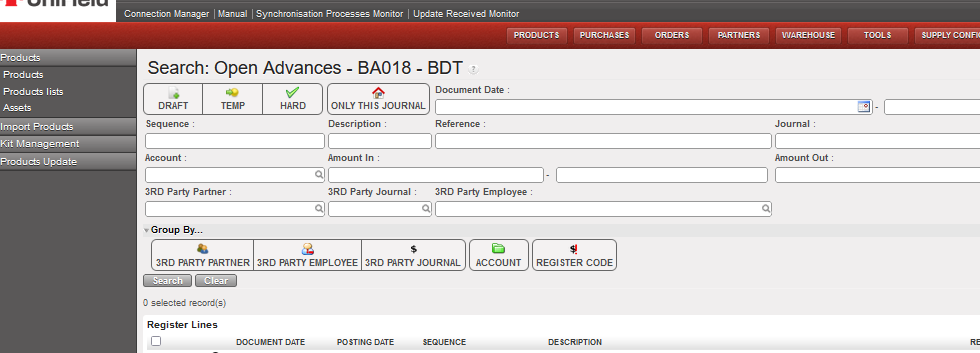
We have a default checked button to display ONLY entries from that specific register. When the button “ONLY THIS JOURNAL” is activated, it shows advances from the register we are in. If it is not selected, we show all advances from all registers as follows:
- when we are at COORDO level, we can see the open advances of all registers, all periods, of all instances, in the same currency, which are not yet settled, and which are in Temp or Hard posted status.
- when we are in a PROJECT level, we can see the open advances of all registers, all periods, in the same currency, which are not yet settled, and which are in Temp or Hard posted status.
All Finance tickets integrated in UF28.1
Key | Summary | Detailed |
|---|---|---|
US-11252 | ADVANCE MANAGEMENT: Correction of US-10279 – show all advances button” | X |
N. How to merge 2 Local products (Coordination only)
Supply User Manual ENG -> Products -> 3.2 LU-SU2101: General Product Management -> N. How to merge 2 Local products (Coordination only)
N. How to merge 2 Local products (Coordination only)
In the Coordination instance, it is possible to merge 2 Local products. This is possible for any 2 Local products, even if they are in stock or in open transactions in any country instance. The selected product is de-activated and when synched, all previous stock / closed transactions with this product are transferred so that they now show the Active (kept) product in its place.
The merge of Local products can only be performed at Coordination instance level, and both products must be “Active” at point of merging.
Once the merge action has been performed for the 2 Local products, the selected product will be de-activated in Coordination. After synch, this product will be de-activated in all lower country instances, and any quantities in stock or open or closed transactions will be updated so that the “kept” product will appear in its place. For any case where there is a conflict at a lower instance after product has been merged and synched, a Not Run message will appear in receiving instance.
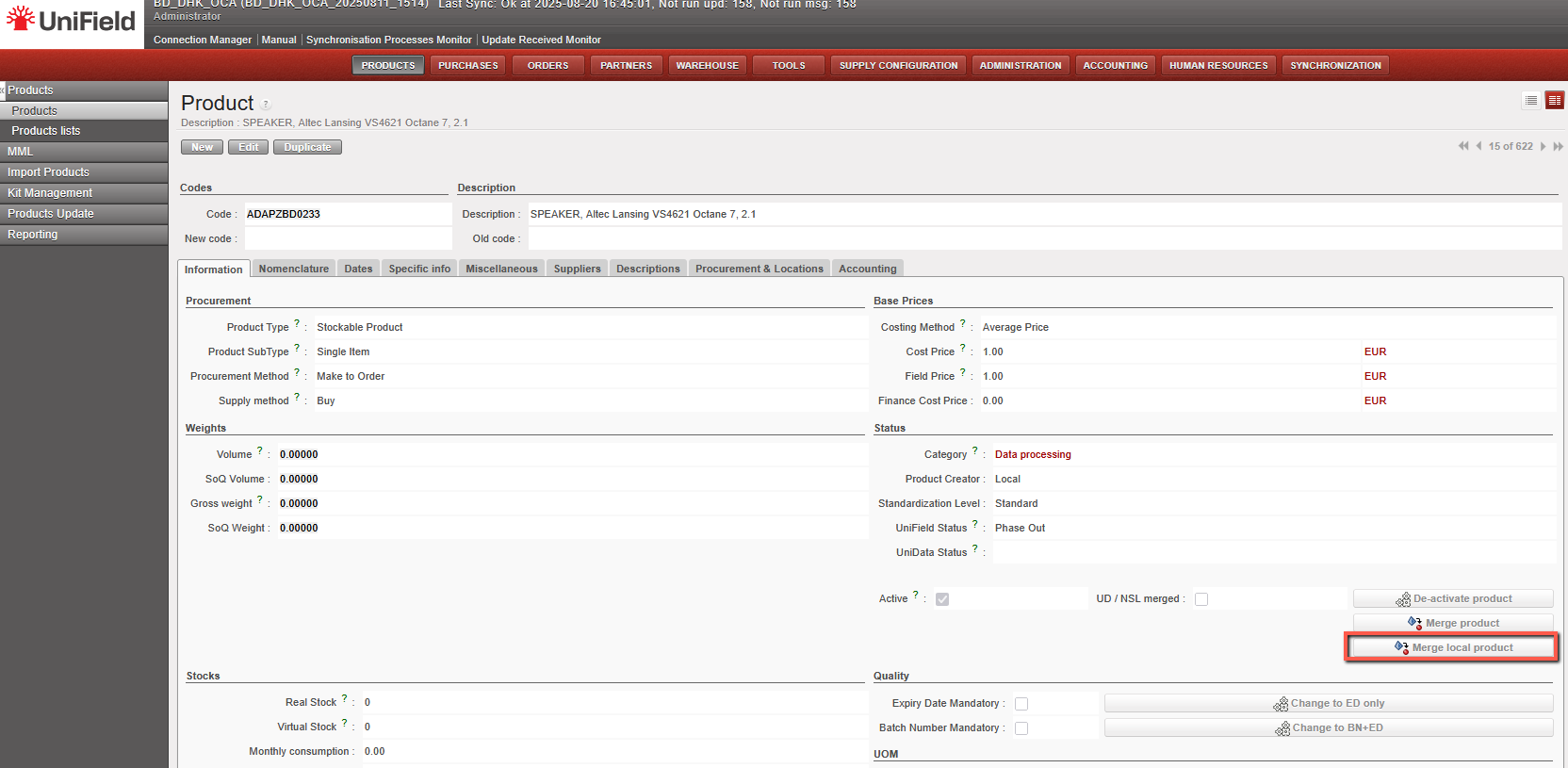
The merge functionality is available on the product data sheet at Coordination level as a button that will be displayed only for Local ( Non-MED) type products. The display of this button will also be conditioned by User Rights.
To merge a Local product, go to: Products/ Products:
1- Use the search tools to filter values to find the product you want to merge/deactivate.
2- Click on the product line to open it
3- Click on the “Merge Local product” button
4- Select the “Kept product” (the product that will remain active) from the list of all the Active type products of the instance. When clicking on the magnifying glass, you can search using filter fields “Code”, “Description”, “Old code”, “New code”, and the 4 main nomenclature types.
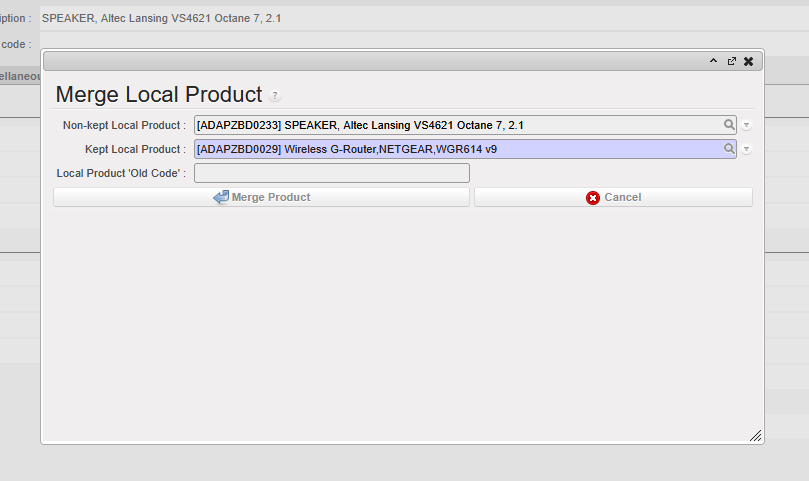
5-Click on “Merge Product” on the pop up.
The de-activated Local product will be replaced by the “kept” Local product on all open or closed documents (including Stock locations and movements) containing the product.
The “Merge local product” button will still be active on the “Kept” product after merge. This means the kept product can be merged again with another Local product.
After merge, the deactivated product cannot be reactivated and the merging cannot be undone.
When merging, there are several checks performed on compatibility of attributes of both Local products to ensure consistency after merge. In case of a discrepancy, a message (in certain cases blocking) should be displayed urging the user to align the inconsistent attributes before merging can be done.
- The warning blocking message for the above attributes should be: “Warning: There is an inconsistency between the selected products: <attributename> need to be the same. Please update (one of) your Local product’s <attributename> and then proceed with the merge.” (applied to Main Type, Product Type, Expiry Date Mandatory, Batch Number Mandatory, Default Unit of Measure,)
- The non-blocking warning message should be: “Warning: There is an inconsistency between the selected products’ <attributename> . Do you still want to proceed with the merge?” (applied to Nomenclatures: Group, Family & Root and Temperature sensitive)
In general, attributes of the “kept” product will prevail over those of the de-activated product.
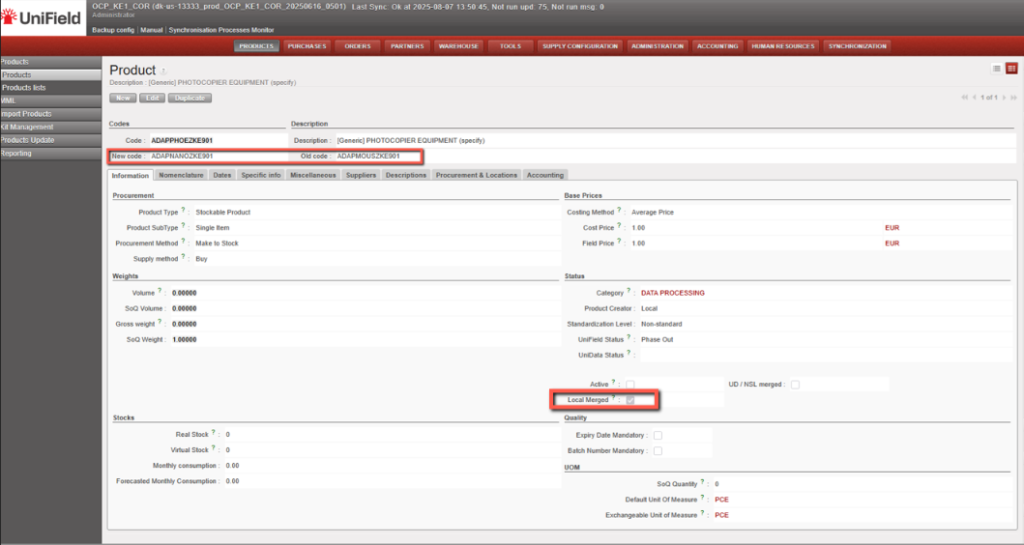
The deactivated Local products will have a checkbox named “Local merged” which will be ticked automatically once it is deactivated via merging process.
The reference of the de-activated product will be populated in the “Old code” field of the newly merged UniData product data sheet. In the non-kept product’s data sheet, the “New code” will be filled with kept product’s code.
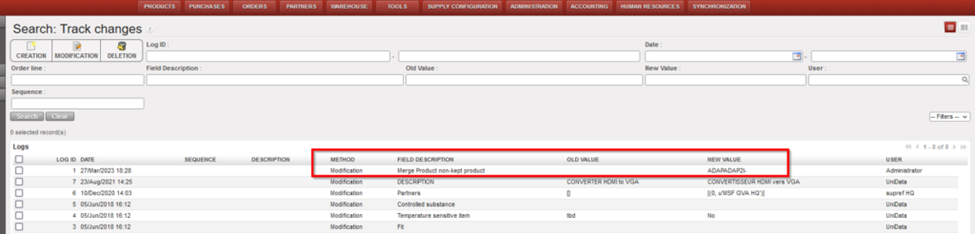
In the Track Changes of both products, there will be an indication of the other product code/product ID with which it was merged.
N.B. It is recognized that the sync rules for Non-Standard and Standard products differ from those for Non-standard Local products. The decision to merge any product should be in agreement and in line with local processes
*N.B.: The recalculation of average cost price done in the case that both kept and non-kept products stock should result in a accurate result based on current working of weight average cost price mechanism.
UniField v28.0 Release Notes
Release Details
Release version: UF 28.0
Date of production synchronization server patch: 15th March 2023 / 18:00 Geneva time
Latest user rights files updated: UF28.0 can be found here
Note that no user rights need to be loaded at each HQ. This will be done at the Sync Server by the Core team and will update the user rights via Sync for all HQs and missions.
JIRA filter for all integrated tickets: https://jira.unifield.org/issues/?filter=12462
Supply
(US-7598, US-7603, US-10562) Changes to Kit Composition Lists
With this release there are several changes to Kit Component Lists (KCL) and how their components and expiry dates are tracked and managed.
A ‘Kit’ column has been added when processing KCL, Kitting Orders, PICK, Pack, Ship, Delivery Orders and Real Consumption to make it possible to identify which kit is being processed. It is not mandatory to identify a KCL in the ‘Kit’ column, but when one is chosen, the kit being processed will be linked to the document that’s being processed. This information will be shown on the related documents.

When a Kit is processed in an OUT, the KCL will be automatically set to Status “Closed” when it is sent out of the instance. If a KCL has kit as a component, the component KCLs will also automatically be set to Closed status when the top KCL is closed.
If the kit has components that need to be managed by Batch Number/Expiry Date, these fields will be mandatory in the KCL for the kit and its components.
(US-7957) Improved usability in the OST
Several changes have been made to make the Order Sourcing Tool more user friendly. It is now possible to click on column header to sort by Requested Delivery Date.
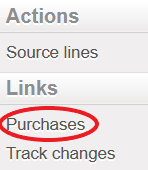
A new link has been added to the Action Menu when a line is selected in OST which displays all POs that contain this Product.
Last, in the Supplier pop-up that opens after clicking the magnifying glass, suppliers that have an active catalog which contain selected item are displayed in green at the top of the list.
(US-8454) Upgrade of FO, RFQ, Tender for consistency
In this release, the functionality of Field Orders, Requests for Quotation and Tenders has been updated to make them more easily editable and to make line level information more easily viewable.
Previously, Field Orders and RFQs could only be modified in the pop up screen. In the current release, there will be 2 icons to the left of each line to allow the 2 different modes of edit: a “Pencil” icon to edit directly in the line, and a “doc” icon to open line in pop-up. Clicking anywhere on the line will allow the line to be edited in line-mode. In addition to being editable at line level, it will now be possible to add lines by Nomenclature in FOs and RFQs. The process for adding products by nomenclature in these documents will follow the same steps as the current functionality for POs.
Header information for FOs, RFQs and Tenders have been updated to make the naming more consistent, and to ensure that pertinent information is shown in each document.
(US-9495) Re-sync between internal partners
The Re-sync functionality that allows orders to be synchronized to a third (external) UniField instance has been expanded to allow synchronization to a third internal instance. This means an order can be created at a project, synched to Coordination and the Coordination could then send the order (by sourcing the FO to a PO) to another project in the same Mission. Transport documents will work in the same way as previously: each order document will have a corresponding transport document for the goods flow. The “Re-synch” mechanism is limited to 3 UniField instance partners and not more.
The functionality for DPOs remains the same; this Order Type can only be issued to External suppliers. This means that DPOs can only be created in the final instance with the second instance as the Consignee/Delivery partner. This is where the IN for these goods must be received. For the original requestor to receive the goods, the second instance must use the Pick/Pack/Ship mechanism to send goods.
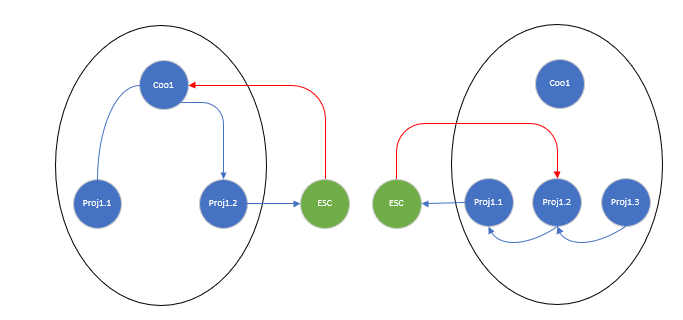
Diagram 1: 2 possible DPO flows
- The order is initiated at project1.1, and order sent to Coordo1, who sources to project1.2 in the same Mission. Project1.2 can source the order onto a DPO to an external/ESC partner. The delivery flow (red arrow) starts with External/ESC partner and goes directly to the middle internal partner Coordo1.
- The order is initiated at project1.3, and order sent to project1.2, who then source to their project1.1 in the same Mission. Project1.1 can source the order onto a DPO to an external/ESC partner. The delivery flow (red arrow) starts with External/ESC partner and goes directly to the middle internal partner proj1.2
*Only some possible flows are displayed, however bother internal and DPO flows are equally valid for any combination of flows between 3 internal partners of same mission.
(US-9874) Improvement on the LOAN flow documents’ naming
An additional Order Type has been created for processing Loans. When processing INs, POs and FOs for loans, “Loan Return” has been added as a reason type. When the “reminder” document is automatically generated by the system, the system will automatically add the reason type “Loan Return” to this document and all transport documents which follow.
(US-10180) Adding new lines in synced FO – Order in Sync Instance
Each FO line created by synchronization is linked to the original request in the field “Order in synced instance”. If a line is added to a synchronized Field Order, the line will be red and it will not be possible to validate the FO until the line is linked to an original request from the requesting instance.
It is now possible to link an added line to the original request by opening the FO pop up and selecting the order in the mandatory Order in Sync instance field:
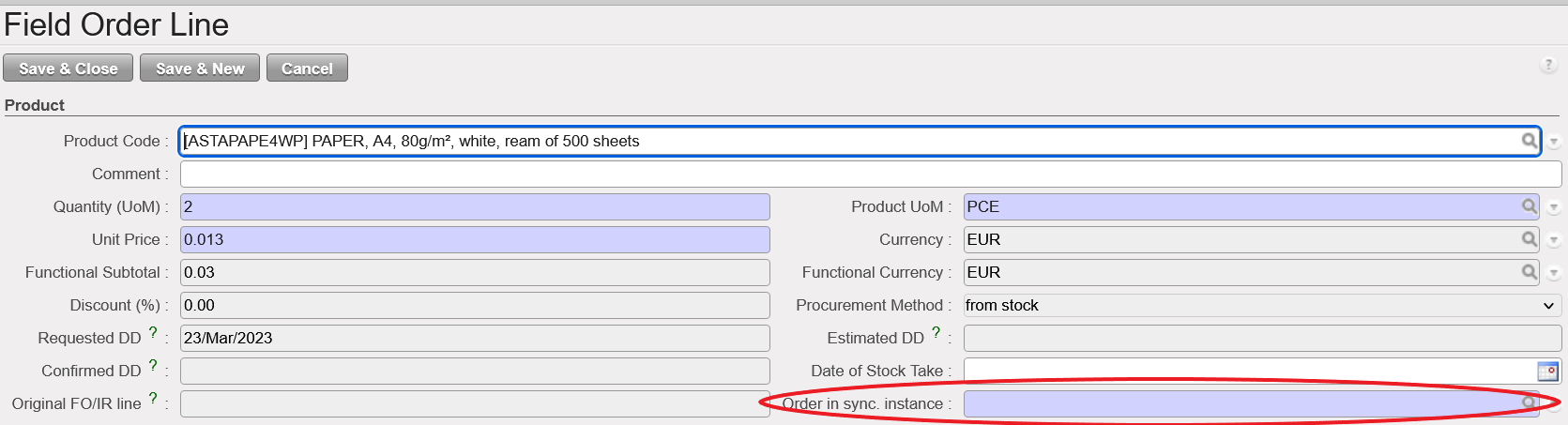
With this change, the added lines will be able to enter the stock or be included in the OUT for delivery following the reception the goods.
(US-10585) Merge 2 UniData products functionality
In previous versions of UniField, if two products that are active in the HQ instance are merged in UniData, the items had to be manually deactivated and merged. This could only be done when there were zero stocks in all instances and no open transactions for this product.
With this release, two UniData products can be merged at HQ, even if they are in stock or have open transactions. Once the merge action has been performed for the 2 UniData products, the selected product will be de-activated in HQ. After synch, this product will be de-activated in all Coordination and Project instances, and any quantities in stock or open or closed transactions will be updated so that the active “kept” product will appear in its place.
There are 2 new reports which display products which have been merged; one accessible at HQ and one at instance level (Coordination and Project) displaying Products which have been merged.
User rights for merging products at HQ have been added to the group Sup_Config_HQ.
All Supply tickets integrated in UF28.0
| Key | Summary | Detailed |
|---|---|---|
US-7598 | KIT: If KCL contains KCL as component, automatic closure of component KCL(s) if delivered out | x |
US-7603 | x | |
US-7957 | x | |
US-8417 | Report and on-screen reason type mismatched for orders with Service Products | |
US-8454 | Upgrade of FO, RFQ, Tender for consistency | x |
| US-9495 |
Re-sync between internal partners | x |
US-9874 | Improvement on the LOAN flow documents’ naming | x |
US-10180 | Adding new lines in synced FO – Order in Sync Instance | x |
US-10185 | FO Follow per Client: Qty to deliver > 0 despite PICK was cancelled | |
US-10562 | Kitting: KCL component products which are BN/ED : info (BN/ED) to be mandatory in KCL | x |
US-10566 | Customer get changed after merging two PO’s | |
US-10585 | x | |
US-10591 | EPREP as External Consumption Unit | |
US-10706 | Physical Inventory: Minor user friendly changes | |
US-10913 | Synch Messages: Set to “Run” without execution for NR IN processed before C&R and SHIP sent | |
US-10918 | FOs in Draft status unable to edit | |
US-11062 | Prevent changing of partner when PO Type is DPO | |
US-11139 | Issues with KCL References in PICK-OUT conversion (US-7603) | |
US-11143 | [US-9495] Re-sync: starting from ext FO1, line added to last PO do not sync to FO1 |
Finance
(US-6710) New Cost center (CC) import behaviour in Tools/Import-Export/Finance:
We have done an improvement in the export/import file be able to import the cost centers for their creation. This is import is just for the creation and not to update the cost centers that exist already un the system. If we import a cost center already in the system, the hole file will be rejected and we will get an error message:
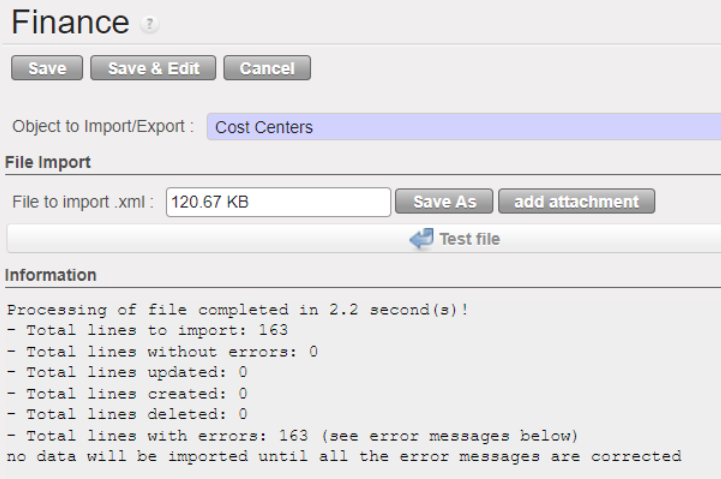
CCs with a “Top prop instance” to be tied with but with no target instance will reject the whole file as target is mandatory for each CC.
All file is accepted or nothing.
The new import file will have 4 new fields :
Top Proprietary Instance | Only one Top prop instance can be filled in. It has to be a coordo level instance type as if added to the coordo, it will be added to all children instances. Top prop instance shall exist and match. |
Instance having the CC as Target CC | Top Prop instance: only one Top prop instance can be filled in. It has to be a coordo level instance type as if added to the coordo, it will be added to all children instance. Top prop instance shall exist and match. |
Instance having the CC as Top CC | Top cost centre for budget consolidation: either empty or shall be the prop instance code |
Instance having the CC as CC picked for PO/FO ref | Cost centre picked for PO/FO reference: either empty or shall be the prop instance code |
How to do the extract of the new improved file:
Go to Tools > Tools > Import/Export > Finance.
Filter “Object to Import/Export” by “Cost Center”.
Under “File export” click on “Export empty template”, you will get extract with the following headers:
| Code |
| Name |
| Parent Analytic Account / Code |
| Type |
| Active from |
| Inactive from |
| Top Proprietary Instance |
| Instance having the CC as Target CC |
| Instance having the CC as Top CC |
| Instance having the CC as CC picked for PO/FO ref |
Example:
| Code | Name | Parent Analytic Account / Code | Type | Active from | Inactive from | Top Proprietary Instance | Instance having the CC as Target CC | Instance having the CC as Top CC | Instance having the CC as CC picked for PO/FO ref |
CD511-SUPZZZ | Prise en Charge de Blesses Buna Support Cost | CD51 | Normal | 2022-04-01 | CD1_COO | CD1_COO |
| ||
CD510 | RDCongo Urgence Rougeole | CD5 |
Normal | 2022-04-01 | CD1_COO | CD1_EM1 | CD1_EM1 | CD1_EM1 |
(US-7624) Remove the possibility of partial import for automatic import of international staff (employees) (let possible ONLY the TOTAL import)
In the menu Human Resources, Import Expats: We have removed the possibility of partial import for automatic import of international staff (employees).
The import must be total or rejected if the file contains errors.
CASE 1: If there is no error at all:
- If the file is “processed” ==> it will have all the employees displayed.
- If the file is “rejected” ==> nothing will be displayed.
CASE 2: If there is one or several errors:
- the file is “rejected” ==> it will have all the employees displayed – because all of them has been rejected!).
There will be an ERROR column. If the column is not empty, it means that the employee contains an error to correct.
The error message that will be on the rejected file: “THE EMPLOYEE DOES NOT HAVE AN ID NUMBER AT LINE X”.

CASE 1: If there is no error at all:
- If the file is “processed” ==> it will have all the employees displayed.
- If the file is “rejected” ==> nothing will be displayed.
CASE 2: If there is one or several errors:
- the file is “rejected” ==> it will have all the employees displayed – because all of them has been rejected!).
There will be an ERROR column. If the column is not empty it means that the employee contains an error to correct.
The error message that will be on the rejected file: “THE EMPLOYEE DOES NOT HAVE AN ID NUMBER AT LINE X”.

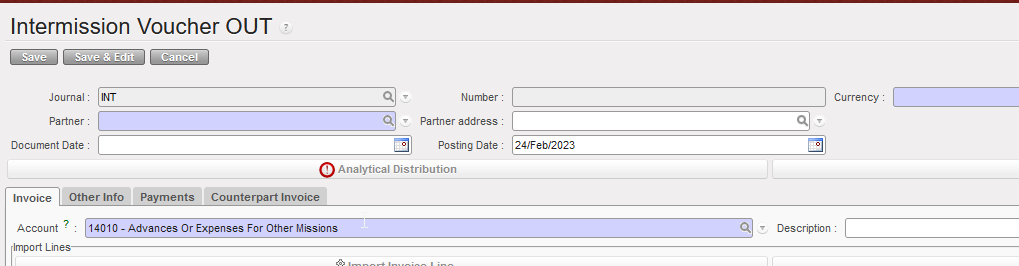
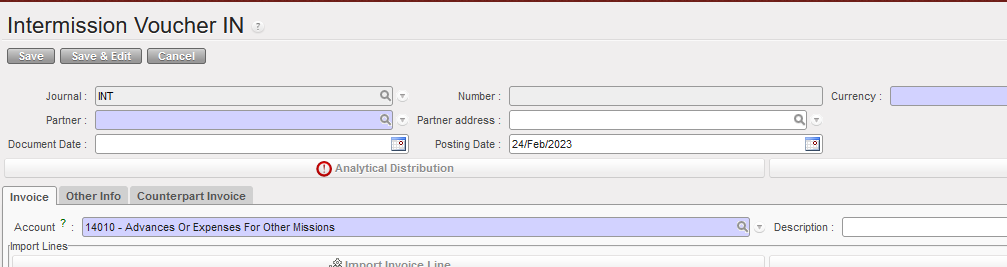
(US-9215) Intermission/intersection: IVO/IVI Change the fields name from “reference” to “description”
IVO (Intermission voucher out):
Go to Accounting > Customers > Intermission Voucher OUT> Invoice
No more “Reference” field, now renamed as “Description”
IVI (intermission voucher in):
Go to Accounting > Customers > Intermission Voucher IN > Invoice
No more “Reference” field, now renamed as “Description”
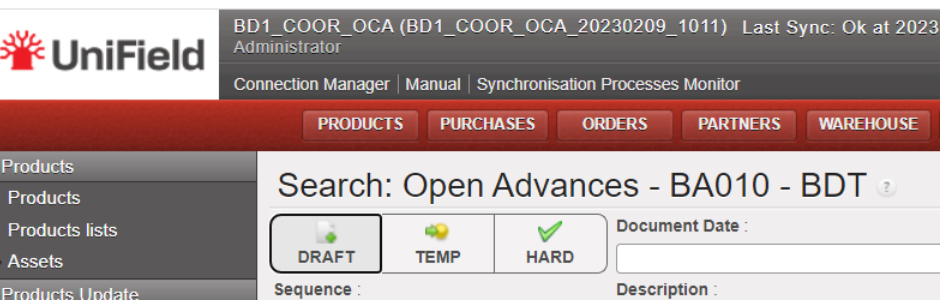
(US-10279) Open advances: When clicking on “Open advance” button from a given register: filter of the list of open advance per journal code of the register where we are
Go to: Accounting/Registers/Bank registers
Select a bank register.
Go to “List of Open Advances” in this bank register.
You arrive to this screen: Search: Open Advances – BA010 – BDT
(before this development, we had not the journal name)
When clicking on [open advance] button from a given register – filter the list of open advances per the journal code of the register where we were:
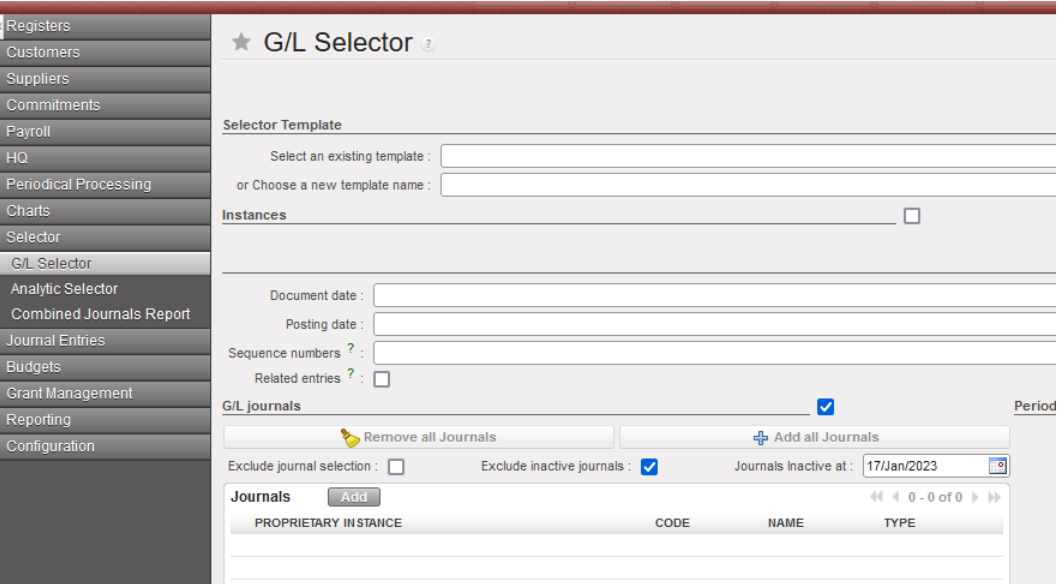
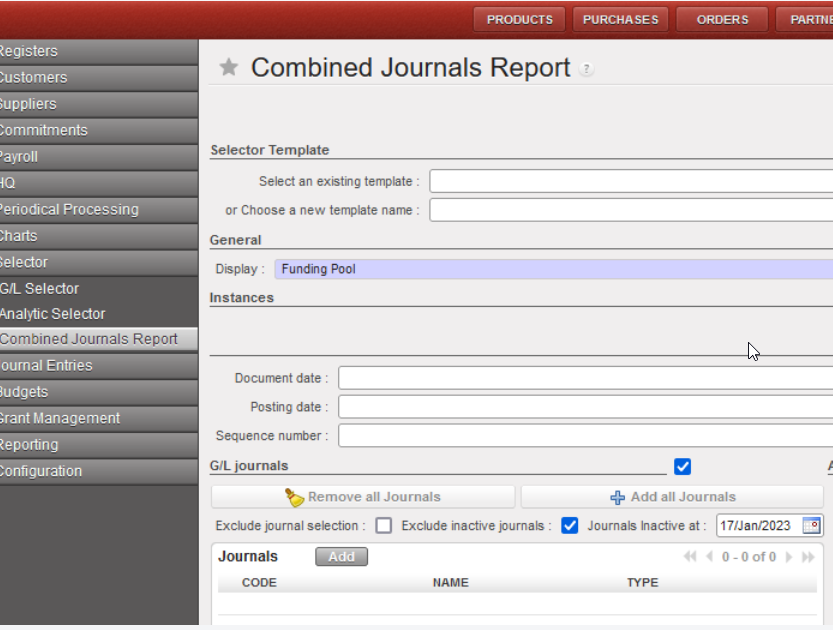
(US-10353) Selector (GL and combined): to add a new checkbox “Exclude inactive journals” with also the filter journal inactive date.
We have created a new checkbox “Excluded inactive journals” and also a date on the G/L Selector and Combined Selector:
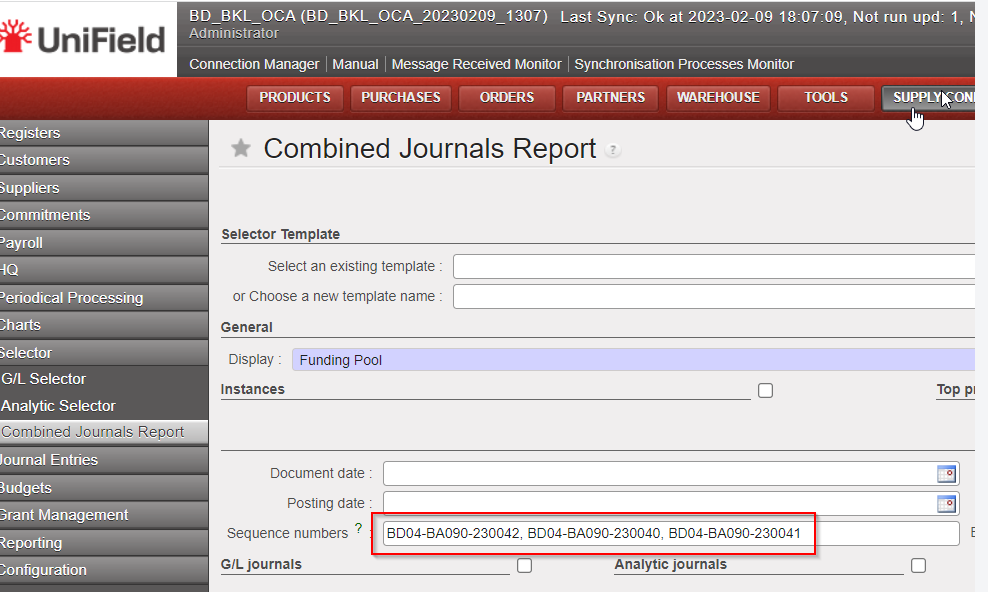
(US-10410) Combined journals reports: allow multiple sequence numbers on the selection
In the Accounting/Selector/Combined Journal Report we are now allowed to add multiple sequence numbers to search “Combined journal reports”:
(US-10652) Improvement of the Supplier list (Search: Suppliers): to add 3 additional filters
Go to partners, Suppliers/Suppliers and add after Partner type and zone 3 additional filters:
- purch default cur: purchase default currency
- cur acc rec: currency accounts receivable
- and acc pay currency accounts payable
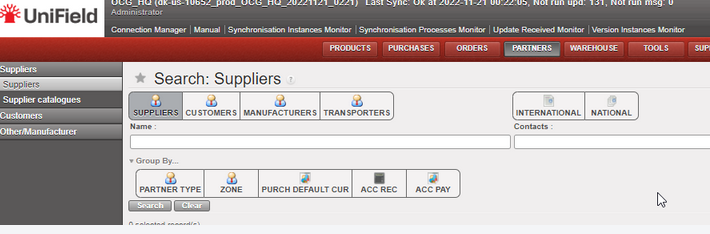
(US-10653) To improve the Liquidity Balances report: to be able to select from the HQ all the liquidity balances (Coordo and project)
At HQ level, go to Accounting/reporting/legal reports/liquidity balances:
==> Now we have the possibility to select all missions at once in the liquidity balance report: coordinations and projects.
==> The result is sorted by instance code and journal code.
(before this development we could select all coordinations -so we had the liquidity balances of the coordinations at once – but we could not select the projects, so we didn’t have the liquidity balances of the projects).

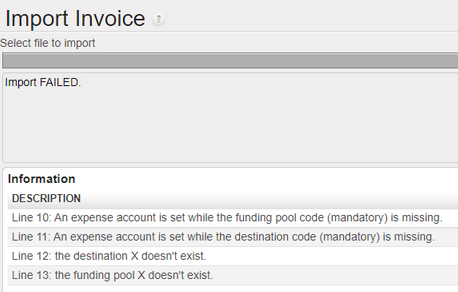
(US-10838) To add additional error messages in the Export/Import invoices in case of import of wrong or empty destination or funding pool
In the Export/import invoices, we have added additional error messages in case that we import a wrong or an empty destination or funding pool:
Example:
(US-10850) OCG Vertical integration: modification of the formatted data file: department column (exception to the CD1 mission)
We have done a change in the formatted data file exported from UF (to be imported in D365) as follows:
- for any accounting line that does have a cost center, the department field should be the first three characters of the cost center (ie: in the instance MX1, if cost center is MX101, department is MX1, if cost center is MX301, dpt is MX3).

- for any accounting line that does not have a cost center (ie: balance sheet accounts), department should be the name of the instance (in the instance MX1, dpt is MX1.
This change has been applied to all OCG missions, with the exception of CD1 where a specific development was made and should not be updated.
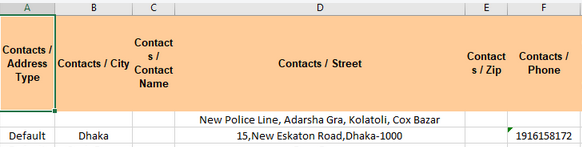
(US-10897) In Tools: To add the field “Phone” in the excel file of “Suppliers”
In Tools (XML File)
Go to Tools > Tools > Import/Export > Supply
From “Object to Import/Export” select the object “Suppliers”
==> we have added an additional column with the field “Phone”:
All Finance tickets integrated in UF28.0
| Key | Summary | Detailed |
|---|---|---|
US-6710 | New CC import behavior in Tools/Import-Export/Finance: | X |
US-7624 | Remove the possibility of partial import for automatic import of international staff (employees) (let possible ONLY the TOTAL import) | X |
US-7955 | Remove spaces in the description of the invoice lines | |
US-8557 | To prevent the duplication of AJI – users in the same instance – by creating an sql log in the journal entries | |
US-9215 | Intermission/intersection: IVO/IVI Change the fields name from “reference” to “description” | X |
US-9281 | Change the data type of field “piece” in account_cashbox_line: to maximum 10 digits | |
US-9724 | To improve the error message when the reconciliation should be done and the cost center for FXA is inactive | |
US-9995 | Bug in the default free analytic account in Intermission Vouchers In IVI an Out IVO | |
US-9996 | Total Amount computation in AD wizards: mix balance sheet accounts and profit and loss accounts | |
US-10279 | Open Advances: When clicking on [open advance] button from a given register – filter the list of open advances per the journal code of the register where we were | X |
US-10290 | JOB name imported from PER_MOIS file not always correct: to import the job name from the last contract | |
US-10353 | Selector (GL and combined): to add a new checkbox “Exclude inactive journals” with also the filter journal inactive date | X |
US-10363 | Default display: Commitment lines: to add ENGI | |
US-10409 | Not runs with model res_partners_address and reason: /XX partner not found | |
US-10410 | Combined journal reports: allow multiple sequence numbers on the selection | X |
US-10637 | To avoid that the description of the register line ends with a non-breaking space | |
US-10652 | Improvement of the Supplier list (Search: Suppliers): to add 3 additional filters | X |
US-10653 | To improve the Liquidity Balances report: to be able to select from the HQ all the liquidity balances (Coordo and project) | X |
US-10725 | Advance return wizard: third party must be required for “internal transfer” or “internal trasnfer same currency” | |
US-10736 | CD_GOMA OCA Solution to inactive (local) product used in IVO/IVI/STV/ISI with HQ settlement account | |
US-10784 | Electronic Validation: Ability to de-activate E-validation in Reconfigure | |
US-10838 | To add additional error messages in the Export/Import invoices in case of import of wrong or empty destination or funding pool | X |
US-10850 | OCG Vertical integration: modification of the formatted data file: department column (exception to the CD1 mission) | X |
US-10894 | Donations: to translate the field “Fiscal Year” in the French version to “Exercice Comptable” | |
US-10897 | In Tools: To add the field “Phone” in the excel file of “Suppliers” | X |
US-10933 | To improve the Import of suppliers: partners CSV file. |
UniField v27.0 Release Notes
Release Details
Release version: UF 27.0
Date of production synchronization server patch: 7th December 2022 / 18:00 Geneva time
Latest user rights files updated: UF27.0 can be found here
Note that no user rights need to be loaded at each HQ. This will be done at the Sync Server by the Core team and will update the user rights via Sync for all HQs and missions.
JIRA filter for all integrated tickets: https://jira.unifield.org/issues/?filter=12448
Cross-functional
(US-9406) Electronic Validation
A new functionality which has been developed in this release is that of Electronic Validation. This has been developed for both Finance and Supply with requirements raised by OCA (Finance) and OCB (Supply), with the aim of providing users with the ability to sign key documents online which will reduce the need for signatures on printouts and give improved traceability of the signature process for each document.
This functionality will only be available if it has been configured to be active at instance level (in the instance which wishes to use E-validation), via the Reconfigure menu.
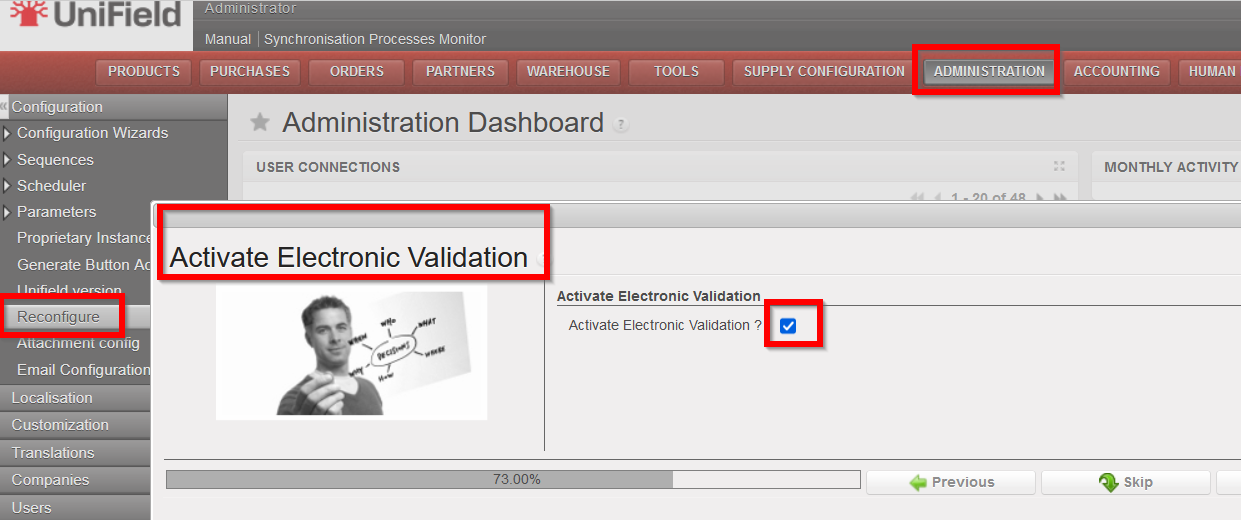
If there is no change to the Reconfigure settings, it will not be possible to access or use the E-validation functionality (users will see no change).
Once E-validation has been activated in the Reconfigure, each user who should have access to the functionality (e.g. because they will need to sign documents or should manage part of the online signature process) will need their User Profile to be configured to allow for this (to be managed in the same way as user rights are currently).
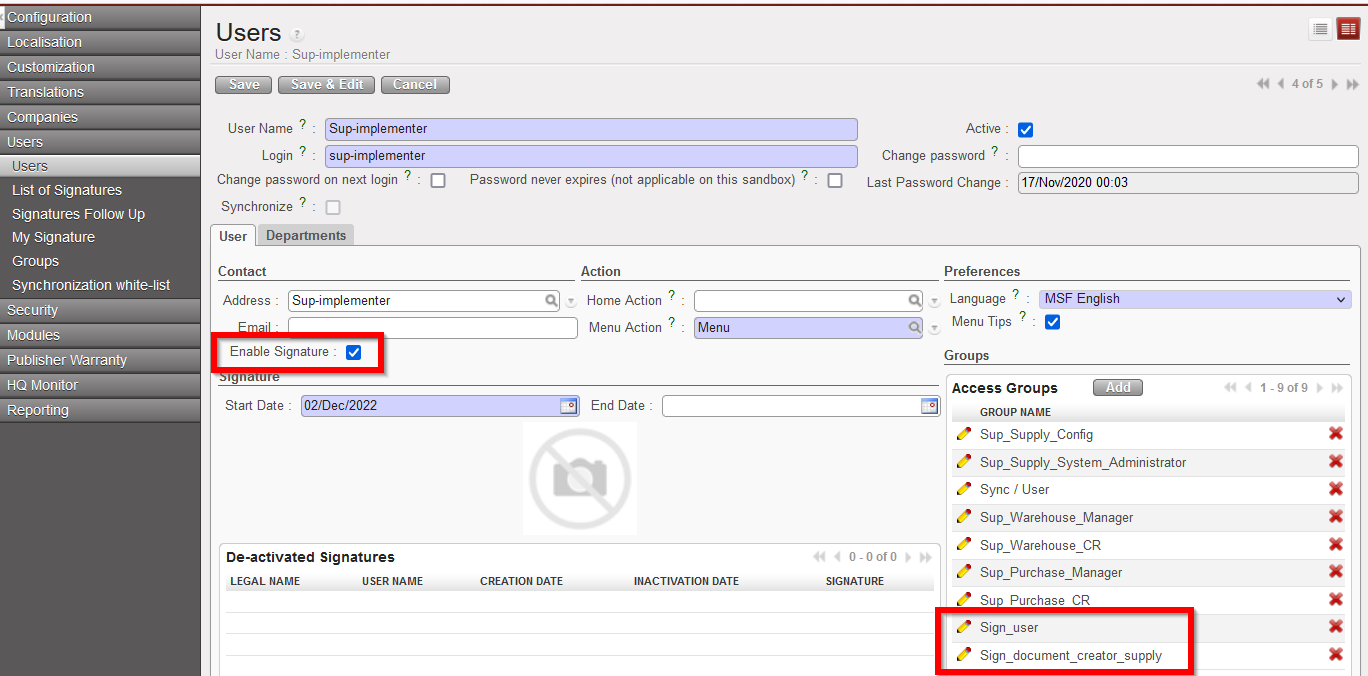
In the User profile, the checkbox “Enable Signature” should be ticked, Start date and End date can be filled (or can be left as default settings as from today without an End Date) and the relevant Signature user groups must be added to the profile:
Sign_user = for user who needs to sign documents (either Finance or Supply)
Sign_document_creator_supply = user who decides who should sign each Supply document, can decide to Close signature part of Supply documents and has visibility of documents for follow up.
Sign_document_creator_finance = user who decides who should sign each Finance document, can decide to Close signature part of Finance documents and has visibility of documents for follow up.
For users who need to manage the signature process and be able to sign they will need more than one of the groups added.
Once a user has had the Signature enabled on their User profile, they need to add their signature. This can be done either by filling in the pop-up which they will see when they next log in to Unifield:
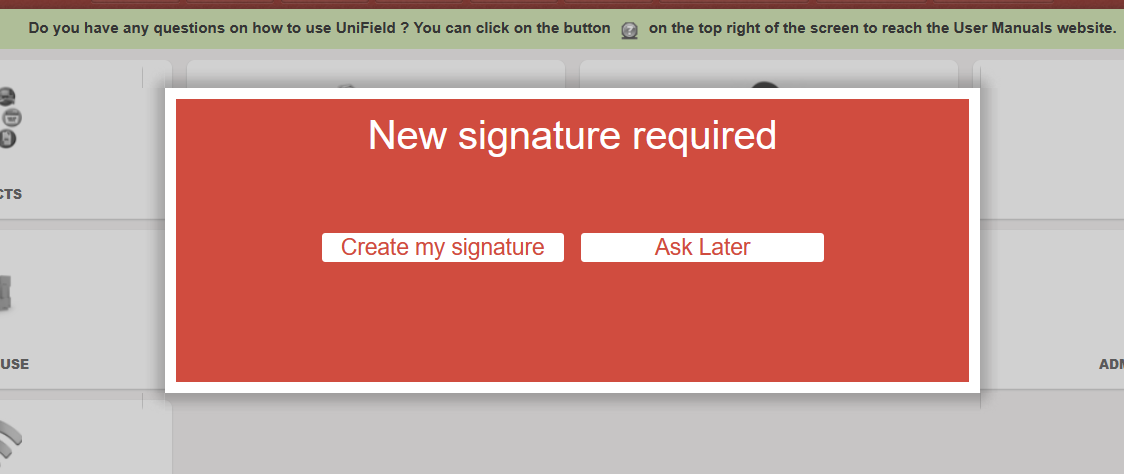
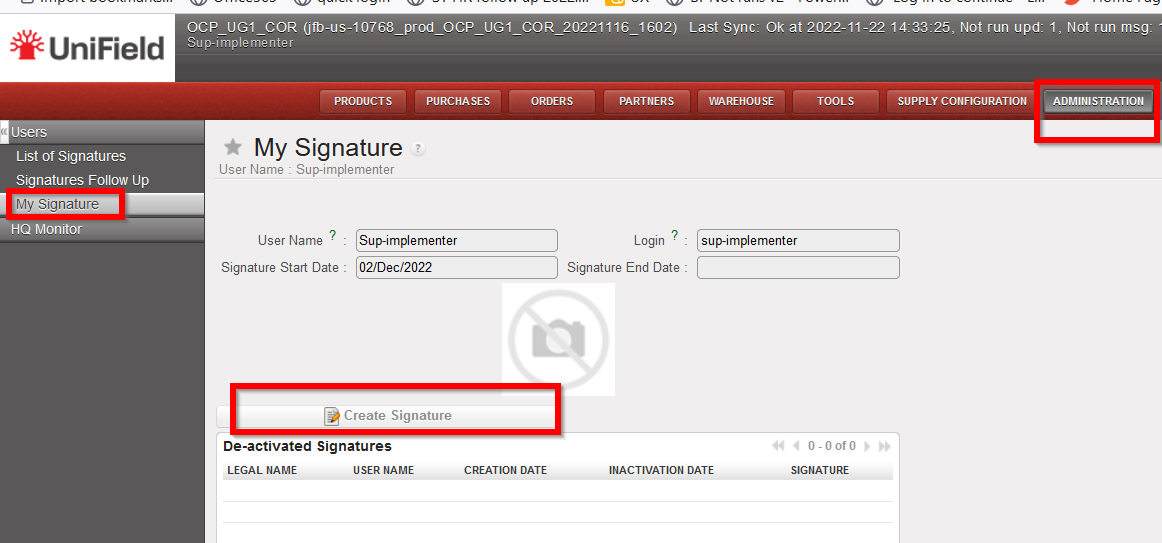
Or by going to the submenu which will now appear to help manage their signature in Administration>Users>My Signature.
(This submenu screen can also be used later for if user wishes to replace or delete their signature)
Once the E-validation functionality has been activated, users will be able to manage signatures and / or sign for the following documents: Supply: Internal Request, Purchase Order, Incoming Shipment, and Finance: Supplier Invoice, Donation Invoice, Bank reconciliation, Cash reconciliation, Full report.
Each of the above documents will now have an additional tab for signatures.
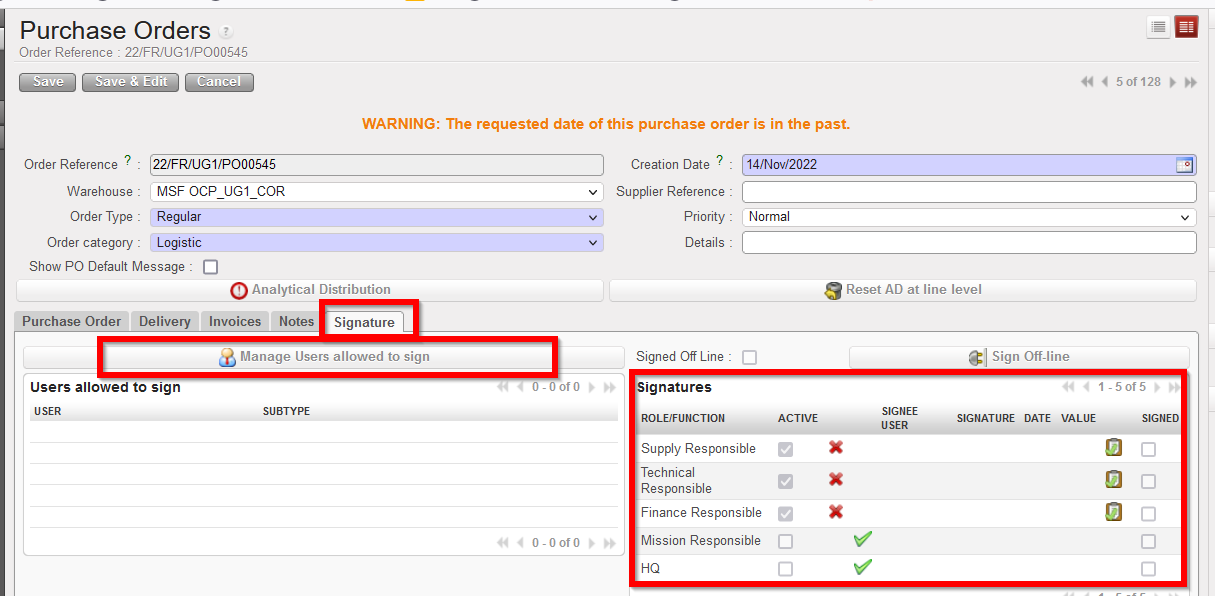
A user can only sign a document on which they have added as “allowed to sign”.
The button “Manage Users allowed to sign” can only be used by a user who has specific document_creator user right.
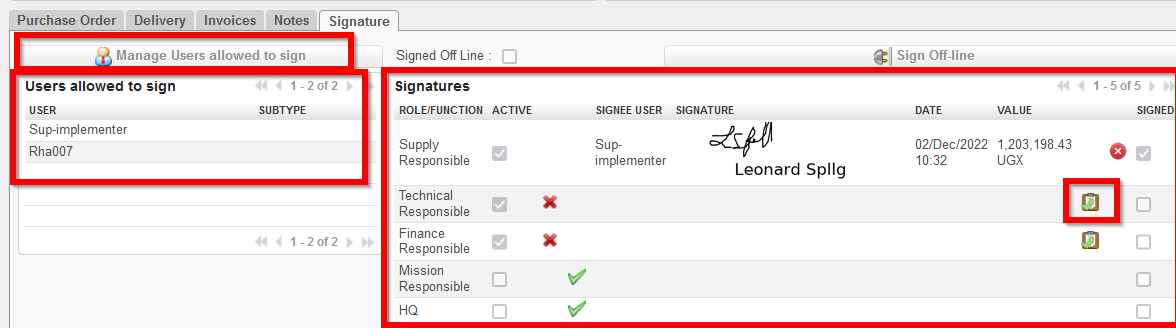
The default and optional Signatures (right panel) are based on the signatures already displayed in the relevant PDF of that object.
When a user that has been added as allowed to sign then signs the document (using the tick box icon  ), their signature will be displayed on the object Signature tab, and also in any relevant PDF of that document. Track changes of document will also record any signatures added, removed or changed.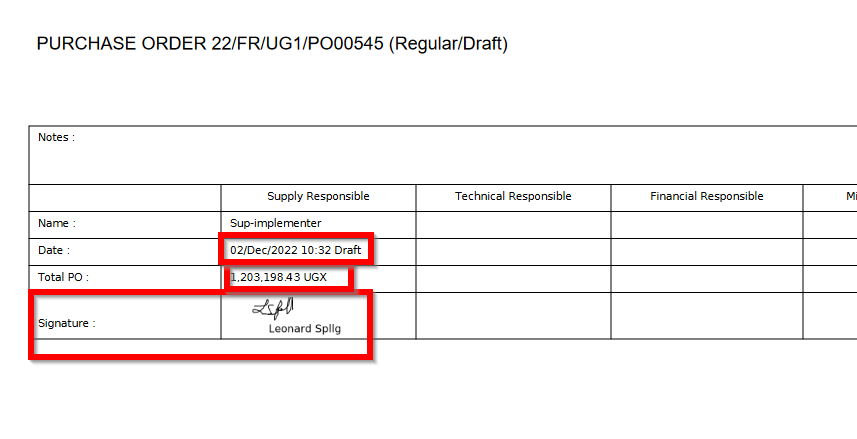
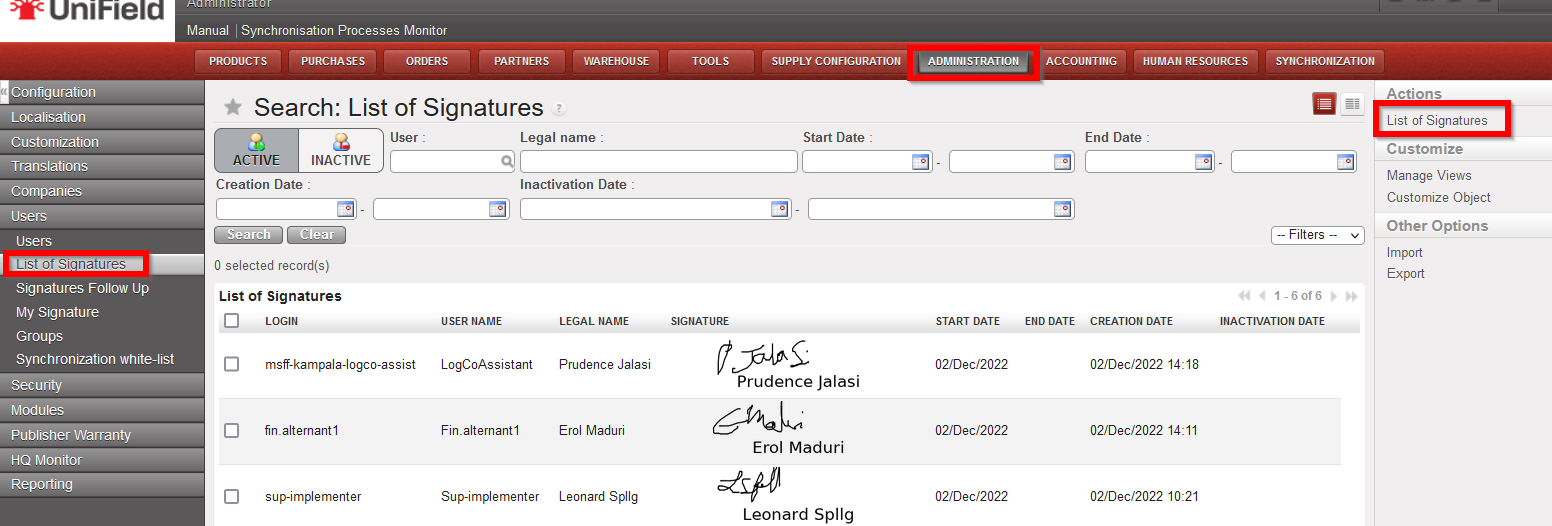
For users who have specific rights, they will be able to see the “List of Signatures” (Administration>Users>List of Signatures) which also has a PDF in the Action menu
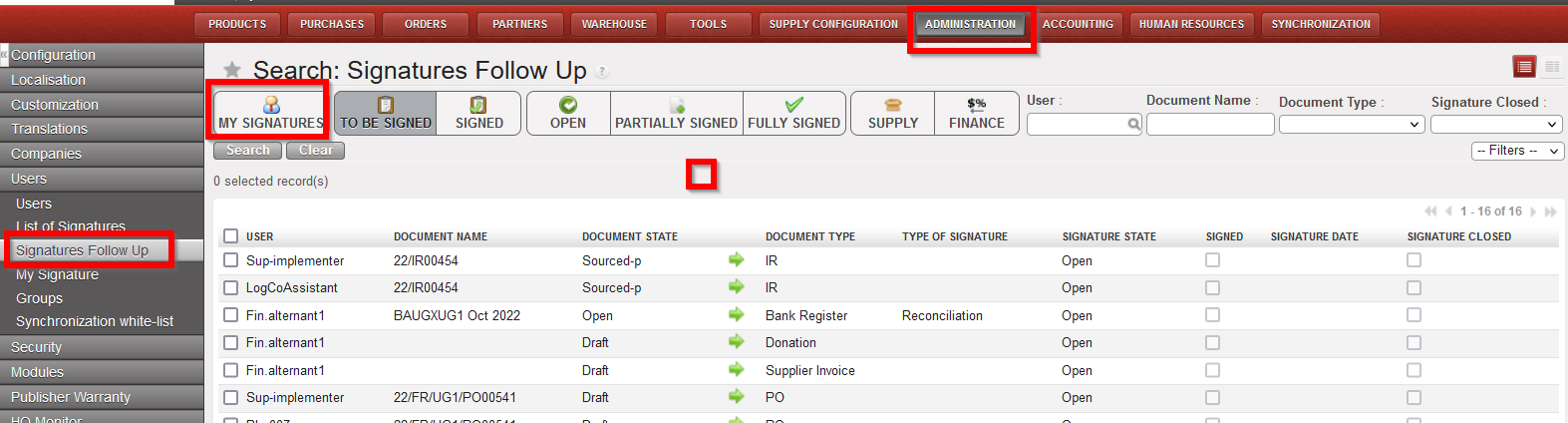
And a “Signatures Follow up” screen (Administration>Users>Signatures Follow up) is available, in a limited capacity, depending on rights, to allow users to follow up which documents are assigned to them for their own signature, or for those with further rights, which documents are assigned to other users for signature.
Supply
(US-10798) Product field: “Controlled Substance” value: P2 – Psychotrop 2
New request from OCBA-HQ Medical data steward, due to new value which has been created for field “Controlled Substance” attribute in PMD of UniData: P2 – Psychotrop 2. This value should now be available in UniField Products to allow for UD linkage to work. When it is selected for a product, it will behave in same way as for any another value selected in Controlled Substance field – ie in all transport docs (PICK, OUT, IN etc) and reports which have the “CS” checkbox or column.
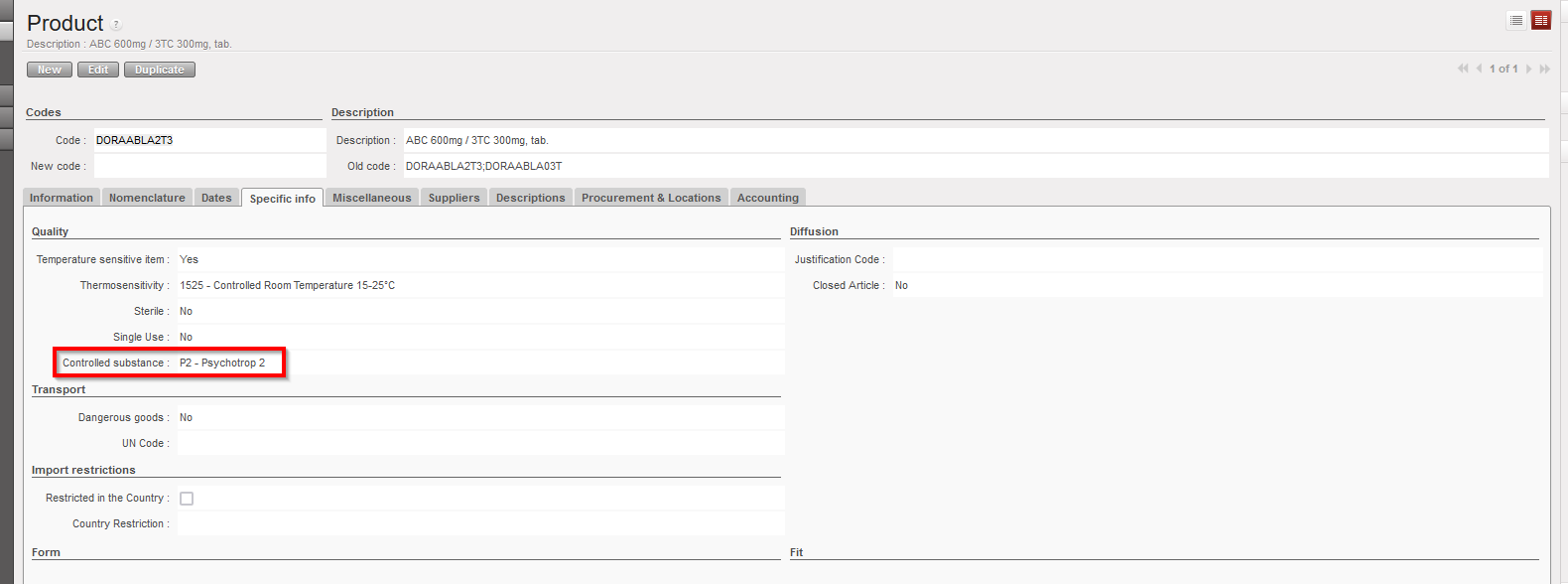
(US-8749) (US-10777), (US-8749) LOAN report displays new status Cancelled & (US-10403) correction of Loan report for External Partner flow
Improvement requested by OCB for Loans report, to show consistent statuses for PO/FO lines in loans report (column R) with documents, means the following:
- Where original loan has been dispatched but for return of loaned goods, PO/FO documents lines are cancelled (no returns) – line status in report is Cancelled (new status).
- Where PO/FO document lines are closed (complete flows – complete or partial goods quantities returned) – line status in report is Closed.
- PO/FO documents lines are open (pending returns) – line status in report is Open.
- PO/FO documents to external partner, goods received and returned, lines status in report is Closed.
- Where no stock movement (IN / Out) has been done and PO/FO document lines to external/internal partner are cancelled (no ships nor returns) – no line displayed in report.
There has also been a correction to the report for a specific flow to External Partner.
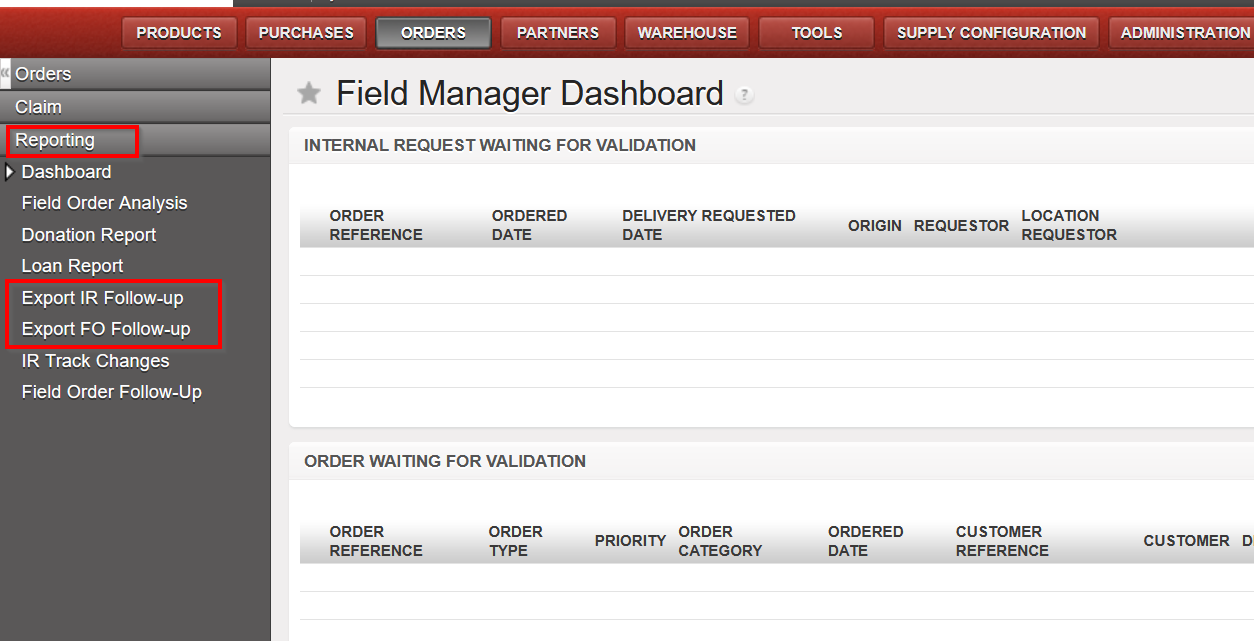
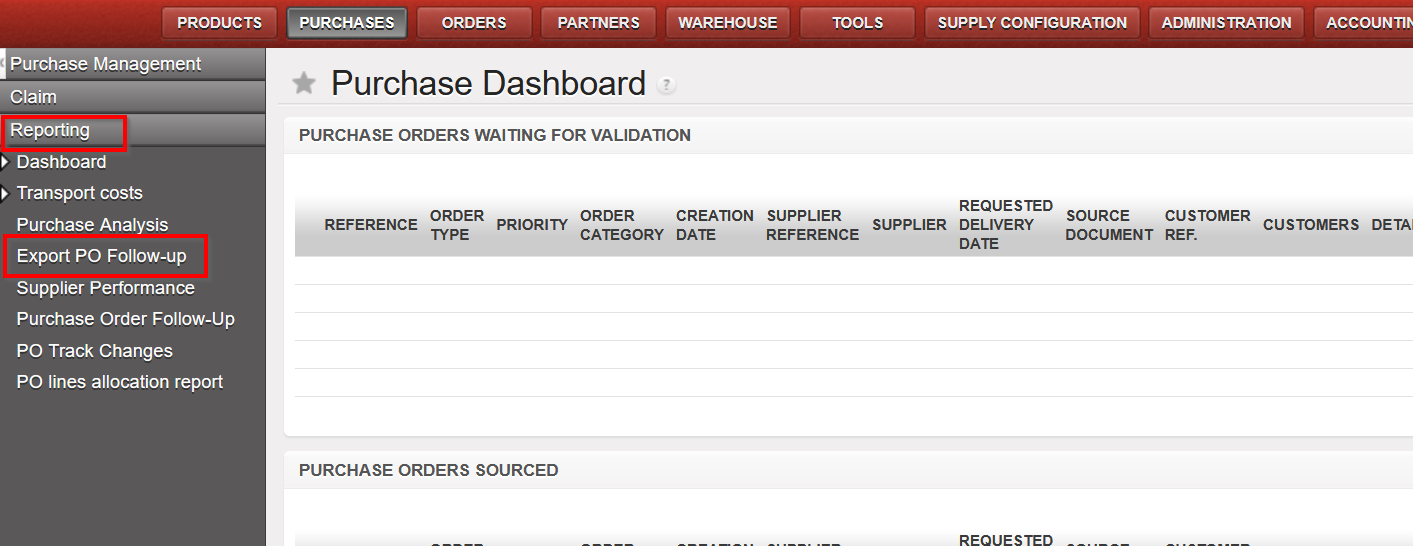
(US-8386), (US-10766), Renaming of reports “PO Follow-up per supplier” and “FO Follow-up per client” & report location changes
Improvement requested by OCA to rename IR/FO/PO follow-up reports and to change their locations so that they are all under the “Reporting” submenu as per below:
- Original “IR follow up per location” is now named “Export IR Follow-up”
- Original “FO follow up per customer” is now named “Export FO Follow-up”
- Original “PO follow up per supplier” is now named “Export PO Follow-up”
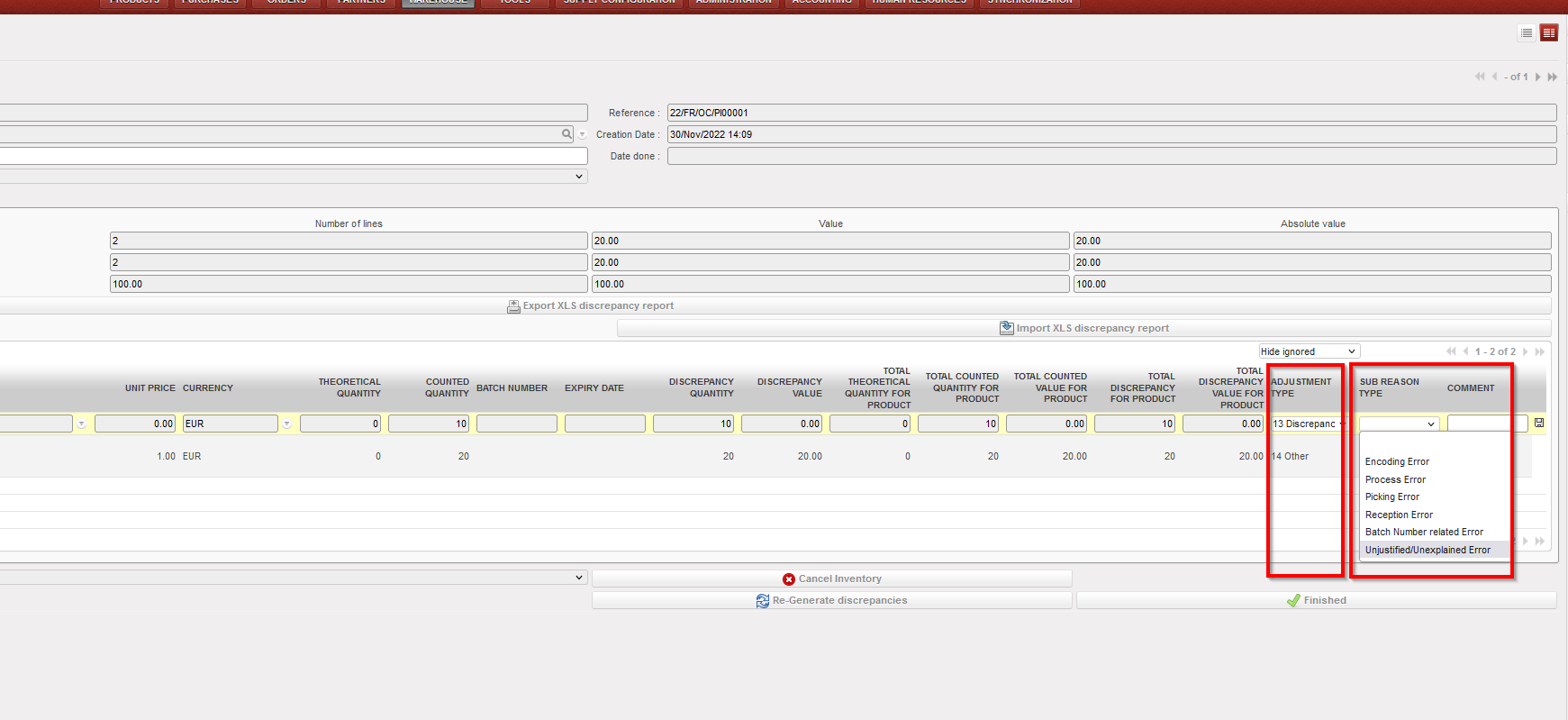
US-9394, US-10721 Modification of Physical Inventory Adjustment Types and new field Sub Reason Type
Improvement requested by OCG, in Physical Inventory – Discrepancy report, now for the “Adjustment type”, only 2 options are available, “Discrepancy” and “Other”, it is no longer possible to add or import other options. There is an additional (new) field, also at line level “Sub Reason Type” which is optional to fill in. This field can only be used if “Adjustment Type” is “Discrepancy”. “Sub Reason Type” allows the following options to be selected from the dropdown list or they can be imported. This new field can be changed until the PI is Closed and will appear in all reports:
i)Encoding Error
ii)Process error
iii)Picking error
iv)Reception error
v)Batch Number related error
vi)Unjustified/Unexplained error
(US-10600) RR: Real Stock in Inventory review + Order Calc takes into account all projects & (US-10554) RR: Coordo cannot access project Expiry date info
Corrections raised by OCB for the Replenishment Rules (RR) functionality: When RRs are configured in Coordo and include synced locations in projects, after computing data on all levels , in the Inventory Review report and Order Calculation, the system will now consider the expiry dates of the stocks in Coordo along with those in the configured project locations, and will no longer consider stocks from projects which were not included in the Location Config of that RR.
(US-10598) Addition of Service product to Regular PO from FO no longer possible.
Improvement to avoid having service products in crossdocking location: User will now be blocked from adding a service product to a regular PO created from a synced FO, a blocking message will be displayed in this case. It is still possible for user to add Service type product to a DPO (Direct Purchase Order).
(US-10596) Automated VI E-PL of IN message & check on forced availability in stock correction
Improvement to solve the issue of failed automated import of E-PL in IN due to negative/forced inventory of relevant product in crossdocking location. In the case where there is an import of IN via VI which includes direction to P/P/S goods directly, if those goods are already forced “Available” on an unrelated Out/Pick document (meaning they will be “Unavailable” for the Out/Pick doc linked to E-PL IN) there will be a blocking message “There is not enough stock in Cross Docking which can be allocated to process XXXX with a quantity of XXX” . This message / block of process will only be displayed for the case of POs from FOs for which the IN to PPS option has been selected, and no longer for cases of INs of POs which are from scratch or which come from IRs.
The same checks are done for manual VI IN import.
(US-10587) Reason Types in PPS & OUTs for Loans & Donations correction.
Correction raised by OCB, to fix the reason type in P/P/S & OUTs for Loans & Donations, now all picking documents (Picking, PPL, Packing, SHIP and Out) Reason Types will correspond to RT of preceding order document and adhere to the following rules:
FOs:
– where FO has Order Type “Regular”, Pickings now have RT “Deliver Partner”
– where FO has Order Type “Donation before Expiry”, Picking docs now have RT “Donation before Expiry”
– where FO has Order Type “Standard Donation”, Picking docs now have RT “Standard Donation”
– where FO has Order Type “Loan”, Picking docs now have RT “Loan”
IRs
– for IR to External CU, picking docs now have RT “Deliver Unit”
(US-8684) KIT: Partial qty removal of one component/line & (US-10579) Addition of “Completed” Status Filter in TKC and KCL
Improvement to ease the management of KITs. In the Kit Composition List (KCL), the option to substitute (remove lines and add others in their place), products is now more flexible meaning it is possible to remove a partial quantity of an existing line (previously it could only be the full quantity). This means that in the KCL Substitution pop-up, the field “Qty” will be modifiable for products being removed.
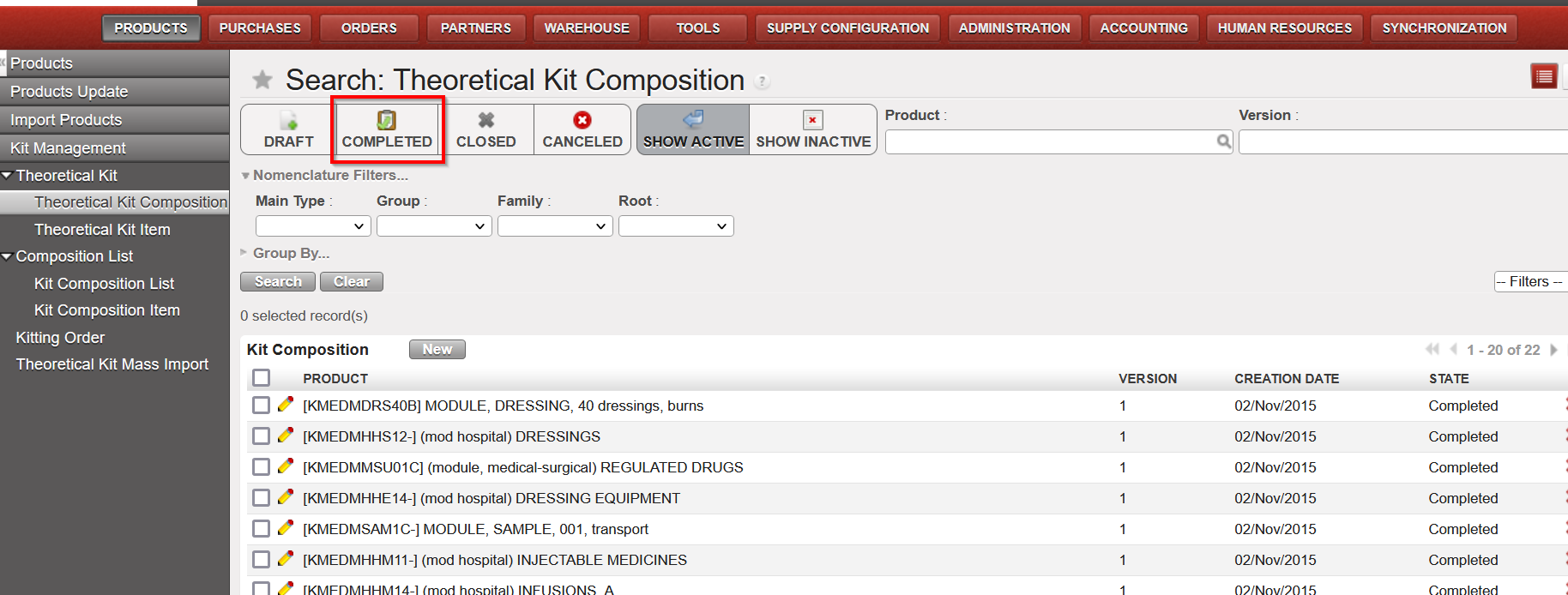
Also another improvement to be more user-friendly, a new filter “Completed” has been added to both Theoretical Kit Composition (TKC) and Kit Composition List (KCL).
(US-10491) Synch Messages: Automatically set to “Run without execution” for Not Runs from INs processed before SHIP sent
As per agreement with OCs, this improvement ticket means specific types of Synch Messages which were “Not Run” will now be Run automatically without execution. The aim of automatically running them is to reduce the amount of Not Runs in the system which need to be manually run (the flows themselves cannot be treated as already closed/processed). The type of Not Runs which will be treated in this way are for the Use Case:
Project (or other requesting instance) process an Incoming Shipment (ignoring warning message) for which the Coordo (sending instance) has not yet processed/sent the SHIP. Then when Coordo do send the SHIP, this creates a Not Run message since it cannot update a Closed / already treated IN.
This type of Synch message (Run without Execution) can be identified by searching for the following in the Synch Messages screen:
Method to Call. “stock.picking.partial_shipped_fo_updates_in_po”
Execution Messages starts with “Exception: Unable to receive Shipment Details into an Incoming Shipment in this instance as IN” .
(US-10369) IR follow up perf improvement
Improvement to decrease the time needed to export IR f/up per location report, time required to export this report has been reduced by around 3 times less than before.
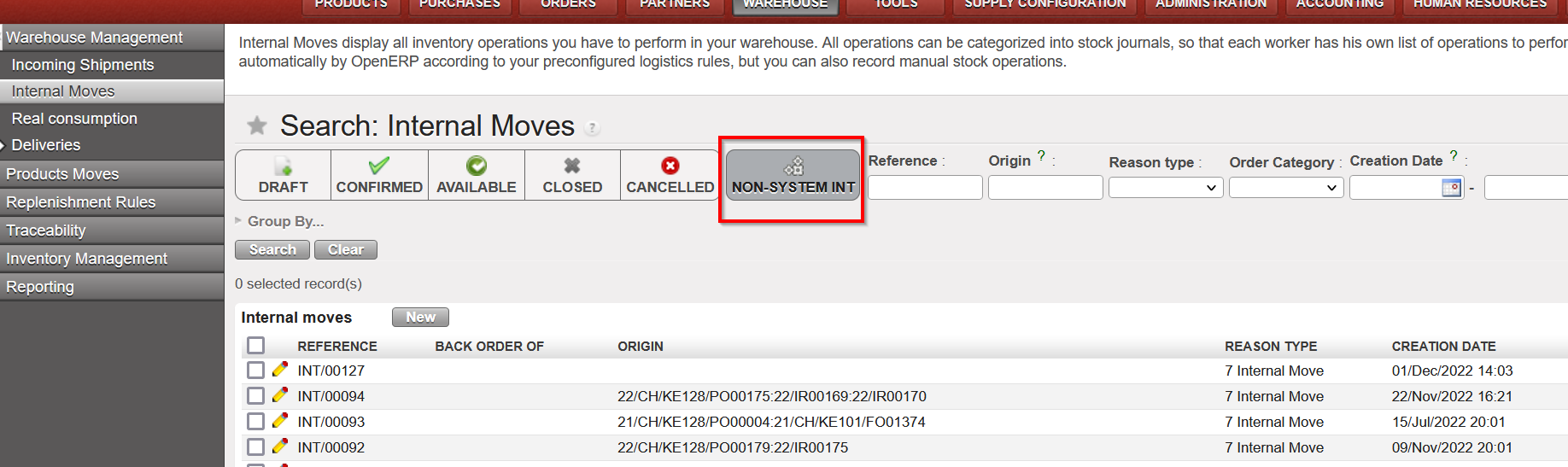
(US-10193) SYS filter in Internal Move label made more accurate
Improvement requested by OCB, to be more logical for users, in list view of Internal Movements “INTs”, the filter button named “SYSTEM INT” has been renamed to “NON-SYSTEM INT”, no other change has been made to this functionality.
(US-10067) (US-10068) Change to how taxes can be added to POs
There has been a change to the way the taxes can be added to POs, please see Finance section for more details
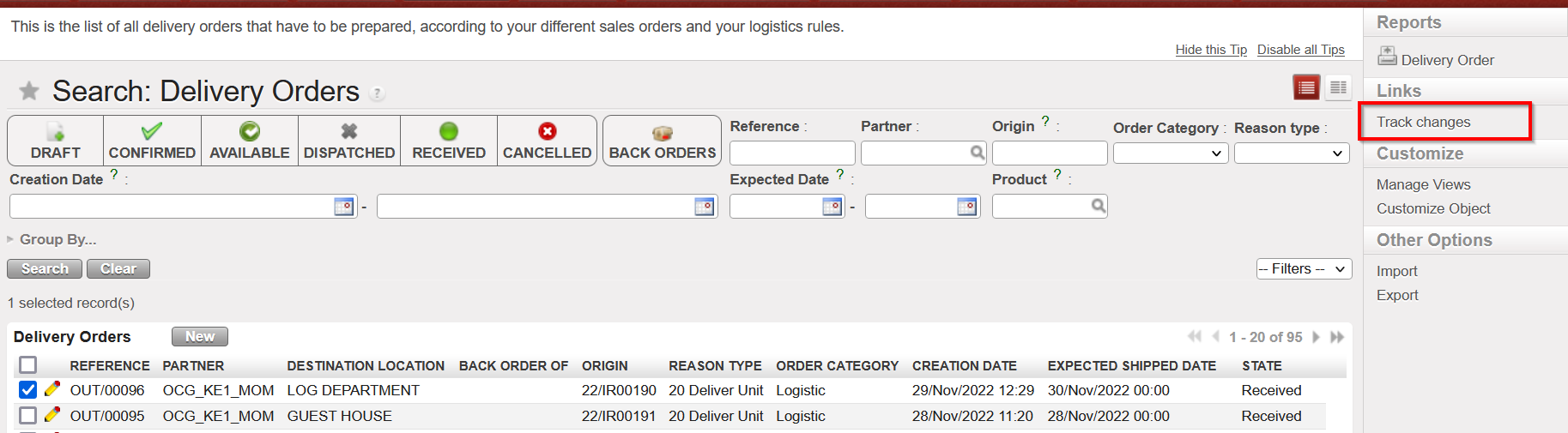
(US-7434) Track changes added to OUT & PICK
Improvement to add Track changes in the Action Menu > under links, to Delivery Orders (OUTs) and Picking Tickets (Parent & Child pickings) to make more user friendly and to get the information easily for analysis.
The track changes will show same information as was already displayed in Track Changes of INs.
N.B.: See below in IT section for explanation on new Supply User group with possibility to add to white list (for synched users)
All Supply tickets integrated in UF27.00
Key | Summary | Detailed |
|---|---|---|
| US-10812 | [US-10475] Extra space in Sup_Config_HQ group name | |
US-10802 | UR: E-Validation change to User Rights for view of Signatures Follow up screen | |
US-10798 | UD: PMD controlled_substance: extra value: P2 – Psychotrop 2 | X |
US-10787 | E-VALIDATION: “Signatures Follow up” data protection. View screens supply / finance | |
US-10777 | (US-8749) Extra check on Loan report | X |
US-10768 | Electronic Validation corrections / adjustments | |
US-10766 | The files exported from the 2 reports “Export IR Follow-up” excel and pdf export. & “Export FO Follow-up” excel export. do not have the same titles like the name of the reports | X |
US-10721 | Impossible to import a Sub Reason Type on the Physical Inventory’s discrepancy lines | |
US-10600 | RR: Real Stock in Inventory review + Order Calc takes into account all projects | X |
US-10598 | Addition of Service to Regular PO from FO should not be possible. | X |
US-10596 | Automated E-PL of IN was failed with error (There is not enough stock in Cross Docking which can be allocated) | X |
US-10587 | RT in P-P-S & OUTs for Loans & Donations needs correction | X |
US-10579 | Kit Management – Add “COMPLETED” Status Filter in TKC and KCL | X |
US-10567 | OCBCD100: RR-AMC do not show consumption | |
US-10554 | RR: Coordo cannot access project Expiry date info | X |
US-10522 | To improve error message when importing CS which includes not existing products in PI | |
US-10491 | Synch Messages: Set to “Run” without execution for NR IN processed before SHIP sent | X |
US-10480 | UR: Prevent Local finance user to create intermission / intersection partners at mission level | |
US-10475 | Synchronize user from HQ is not possible for supref HQ user |
|
US-10403 | Loans report: remains Open PO to External Partner | X |
US-10369 | IR follow up perf improvement | X |
US-10193 | SYS filter in Internal move works in opposite logic than in other applications | X |
US-10068 | To prevent to add taxes on line nor on header on External PO with Order Type In Kind Donation | |
US-10067 | To avoid the possibility to add taxes at line level in the PO for internal suppliers (internal flows) | |
US-9406 | Electronic Validation | X |
US-9394 | Modification of Physical Inventory Adjustment Types and Comments | X |
US-8749 | LOAN report to show status Cancelled for cancelled lines | X |
US-8684 | KIT: Partial qty removal of one component/line | X |
US-8386 | Rename reports “PO Follow-up per supplier” and “FO Follow-up per client” & report location changes | X |
US-7434 | Add track changes to OUT & PICK | X |
Finance.
3.1 (US-6844) Intermission / intersection flow: Counterpart invoice status filter on IVO/IVI/STV/ISI.
We have added new filters to show the states of the counterparts for the following transactions:
- Stock Transfer Vouchers
- Intermission Voucher OUT
- Intersection Supplier Invoices
- Intermission Voucher IN

3.2 (US-9142) Add in Interface the total of Output Amount/Output Credit and Debit when Output Currency is selected in Selector.
The improvement has been done in both search results: “Analytic Journal Items” & “Journal Items” interfaces that are created from the selector search screen.
Please to see this, go to Accounting / Selector/ G/L / Selector and then select in the Selector the field “Display in output currency “with a currency.
Both “Analytic Journal Items” & “Journal Items” interfaces will appear with two columns and their totals “Output amount” & “Output curr.”:
- Total output amount at the end in the entries interface when using the Analytic selector
- Total Output Credit and Output Debit at the end in the entries interface when using the G/L Selector

3.3 (US-9271) Full report: add the correction lines when using Wizard of correction on return of advance expenses.
The improvement is in the extract of the “Full Report” from the registers. When the correction of the analytic distribution belongs to an advance line (expenses) through the “Analytic Distribution Items” interface, the extract of the “Full Report” will show both lines “Corrected” and “Reversal”:

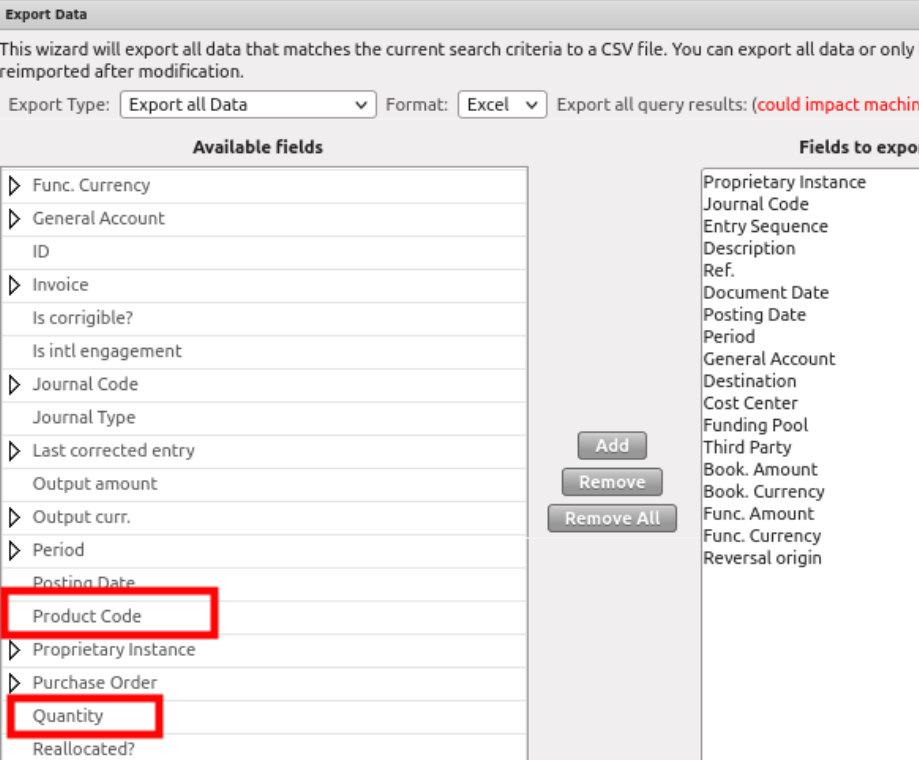
3.4 (US-9301) Possibility to get the product code and quantity of the expense in the JI (Journal Items) and AJI (Analytic Journal Items) export.
The improvement is done in the Export data excel file through both interfaces “Journal Items” and “Analytic Journal Items”.
Now we can get the Product code and the quantity available in the Export of JI and AJI of each entry, line by line.
3.5 (US-9357) Donation’s improvements miscellaneous: filters, journals, fields.
There have been additional improvements for the donation’s functionality:
Go to Accounting > Suppliers > Donation:
- The default search of the donations is the “Draft” state:
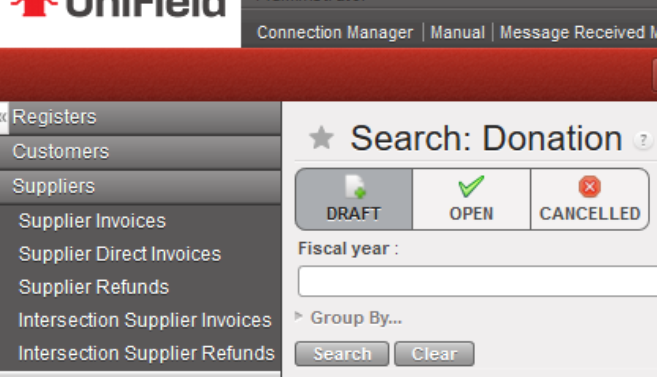
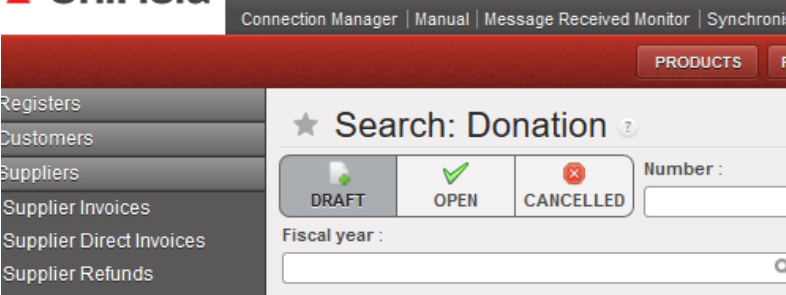
- Below the 3 states of donation filters, we have added a new filter named “Fiscal year”, to allow to filter by year:
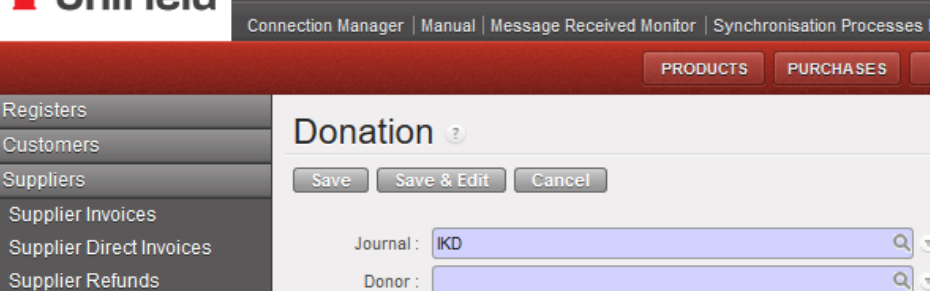
- The only journal available is now the IKD journal -In kind donations- (it is not possible to select the ODX journal in manual. This ODX journal will be used just for automatic entries):
3.6 (US-9389) Commitment Voucher CV: to set up “export CV lines “and “import CV lines” like for the supplier invoices (to do with US-9732).
We have done an “export cv lines” report and an “import cv lines report” (as the ones that we have developed for the supplier invoices in the ticket US-9732).
- We have created two new buttons in the “Commitment voucher lines” tab named: “Import CV Lines” and “Export CV Lines”.
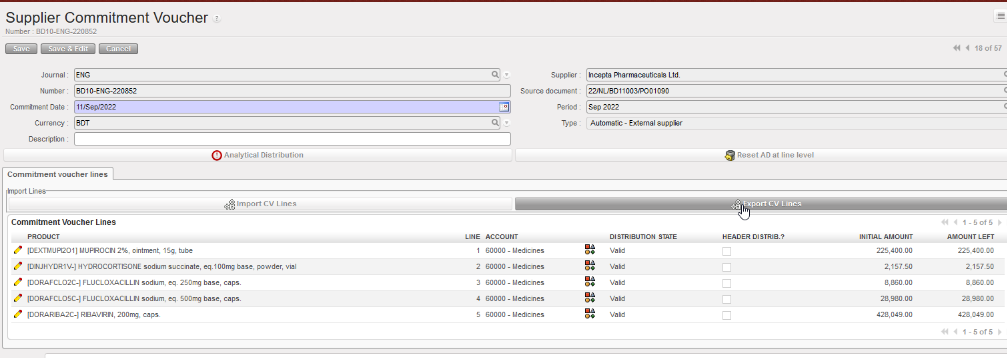
- The “Export CV Lines” includes 10 columns: 4 columns are editable which are “Account” plus the analytic distribution columns.
- Each line has its own ID defined in the column “Internal ID”.
- In the case that a line of the commitment voucher has been split in several lines, the AD will be empty. We will have the word “SPLIT” in the column “Analytic distribution”. The 3 last columns Cost Center, Destination and Funding Pool will be empty.

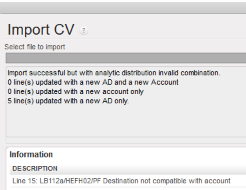
- We can export the information, change the data and import the file with the data in Unifield. The import fails in case one of the main components do not match: “CV Number, Currency, Supplier, Source Document and CV Type“: an error message will be shown:

3.7 (US-9588) The filtering for the periods 13, 14, 15 and 16 (extra accounting) is not correct in AJI on ENGI (international commitments).
The display of “ENGI” lines in the “Analytic Journal Items” interface has been corrected.
The ENGI will be seen in the filter of the ordinary periods (Jan-Dec).
3.8 (US-9732) Extend to AD the Export/Import invoice lines (to do with US-9389).
We have improved the excel file by adding the analytic distribution:
- The exported file “Export Invoice line” has been improved by adding 4 additional columns: Analytic Distribution, Cost Center, Destination and Funding Pool).
- If the invoice line has been split, we will have the word SPLIT in the excel file and the analytical distribution will be empty.

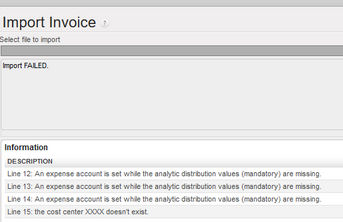
- If we try to import incorrect values (cost center that does not exist, mandatory values not reported…), the import will fail, and we will have error messages that will help us to correct the errors and to import again the file.
3.9 (US-9770() and (US-10780) OCA: Closing of Period 15 and end of year REV: to add checks and warning messages.
UF has the functionality to revaluate a/liquidity every month, b/liquidity end of year (using a currency table) and c/regular balance end of year (using a currency table).
OCA is using this option.
REV is happening at Coordination instance only – it can be applied once and not correctable.
REV is optional. If an account code for REV is set at company configuration, an instance type coordination could not be closed without REV being processed for a defined list of periods: Jan – dec. We did not include extra accounting periods.
This improvement request is to add P15 in the list of months where we do a revaluation and to add warning messages in case of not respect of the procedure.
The current list of periods to be revaluated is January to December. Those periods have only a/ liquidity every month revaluation.
In Period 15 we have to do the revaluation in 2 steps:
B/ liquidity end of year and c/ regular balance end of year (in both cases it is compulsory to use a currency table).
This improvement has added to P15 2 revaluation checks and additional warning messages:
(EoY: End of Year revaluation)
1. No EoY revaluation run = no warning message.
2. Liquidity EoY has been done => “EoY Revaluation of liquidity has been done”.
3. B/S EoY has been done => “EoY Revaluation of B/S has been done”.
4. Both has been done ==> “Both EoY Revaluation have been done”.
3.10 (US-9869) To be able to identify where the LOCAL staff has been originally created “instance creator”.
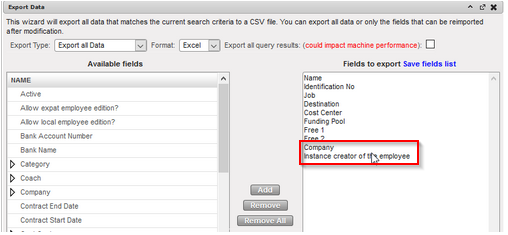
We have added a new field in the Employees tab indicating the instance where the employee has been created. The field is named “instance creator of the employee”.
We have added in the export report (in the right action menu), the field “Instance creator of the employee” and the field “Company”.

3.11 (US-9941) To add a filter button named “ACTIVE INSTANCES” in the “Search: Period States” interface
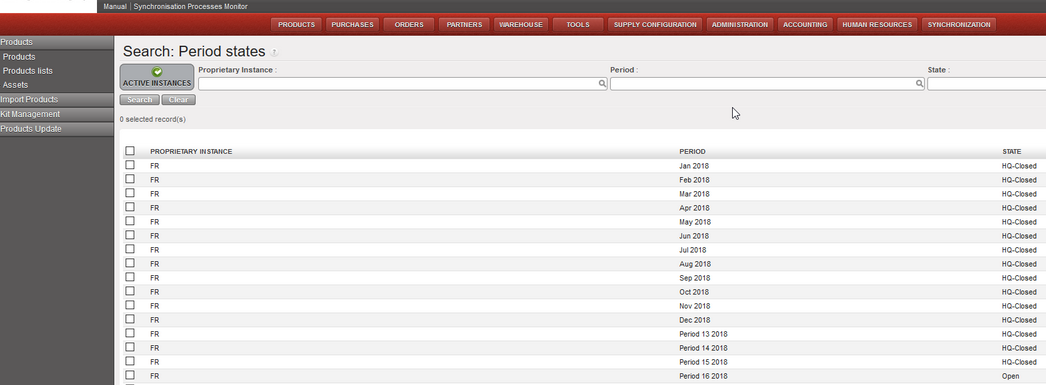
Go to accounting / configuration / financial accounting / periods / periods
1. We have added a new button called “Active Instances” to filter only the Active Instances.
2. This button “Active Instances” will be selected by default.
3.12 (US-10067) To avoid the possibility to add taxes at line level in the PO for internal suppliers (internal flows).
We have disabled the possibility to add taxes at line level in the PO for internal suppliers (internal flows).
3.13 (US-10068) To prevent to add taxes online nor on header on External PO with Order Type In Kind Donation.
We have disabled the possibility to add taxes at line level nor on header on External PO with Order Type In Kind Donation.
3.14 (US-10073) How to inactivate liquidity journals from decommissioned instances in an easy way.
At coordination level, it is now possible to inactivate the journals of a decommissioned/deactivated project.
3.15 (US-10124) To allow the import PAYE_UNIFIELD even if Destination and Cost centers in the file are not compatible.
UniField will allow the import of the Paye Unifield file even if the combination of cost center and destination is not active. But in this case, a warning message will appear:
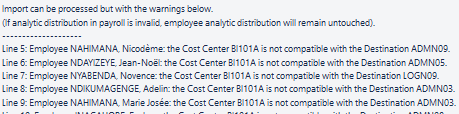
The incorrect payroll lines will be reported as invalid and there will be no update of the analytics on staff with error.
The correct payroll lines will be reported as valid and there will be the update of the analytics on staff without error.
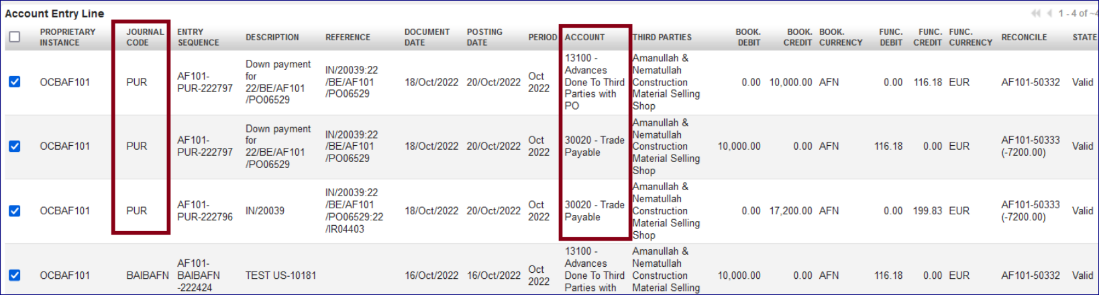
3.16 (US-10181) Improve the booking of Entries linked to down payments function: use the PUR journal.
The improvement in the column “Journal Code” in the “Journal Items” interface.
When an account code is configured “type for specific treatment = down payment”, the down payment entry in the register needs to be linked to a confirmed PO. The entries related will appear in “Journal Items” interface as below (example):
- “13100 – Advances Done To Third Parties with PO” recorded in the liquidity journal will appear under the journal code of the liquidity journal.
- All other lines related created automatically from the reconciliation will be booked in the “PUR” journal.
- Below you have an example:
3.17 (US-10237) Selector saved query list view: add creation and last edit date/editor fields.
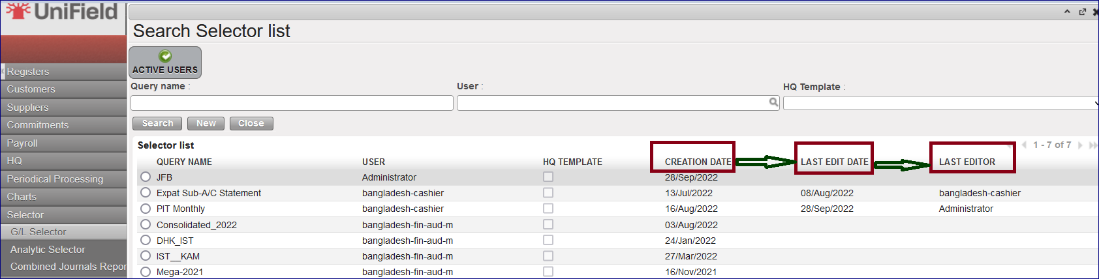
This is an improvement in the “Selector” at saved queries for “GL Selector”, “Analytic Selector” and “Combined Journals Report “.
We have created three additional columns:
- CREATION DATE
- LAST EDIT DATE
- LAST EDITOR
3.18 (US-10262) To block the possibility to create a Journal if the currency parametrized is not active.
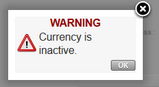
The improvement blocked the possibility to select an inactive currency during the creation of a new journal.
Now with the creation of a new journal, if an inactive currency is selected, you will receive a popup message with “WARNING Currency is inactive” and you will not be able to save.
3.19 (US-10480) UR: Prevent Local finance user to create intermission / intersection partners at mission level.
The possibility to create intermission / intersection partners at mission level has been blocked for the groups of users below:
- Sup_Demand_Manager
- Sup_Purchase_Manager
- Sup_Purchase_Officer
- Sup_Store_Keeper
- Sup_Supply_Config
- Sup_Supply_System_Administrator
- Sup_Warehouse_Manager
- Fin_Config_Coordo
- Fin_Config_Project
- Fin_Config_Full
3.20 All Finance tickets integrated in UF27.0
Key | Summary | Detailed |
|---|---|---|
Change of Color codes for HQ entries: validated (to black) and split lines (to green) | ||
Intermission / intersection flow: Counterpart invoice status filter on IVO/IVI/STV/ISI. | X | |
Remove the space at beginning and at the end of the “journal code” and “journal name” object when saving. | ||
Report the third party “code” and not the third party “description” in the Analytic Journal Items interface. |
| |
Default [destination] could not be displayed in the AD wizard of the Direct Invoice. | ||
In the register import file, technically allow this special character “…” | ||
Add in Interface the total of Output Amount/Output Credit and Debit when Output Currency is selected in Selector | X | |
Impossible to validate a direct invoice (DI) after having deactivated the original destination. | ||
Full report: add the correction lines when using Wizard of correction on return of advance expenses | X | |
Advance settlement wizard: to make AD screen a pop up on top of the advance settlement wizard. |
| |
Possibility to get the product code and quantity of the expense in the JI and AJI export. | X | |
Donations improvements miscellaneous: filters, journals, fields. | X | |
Commitment Voucher CV: to set up “export CV lines “and “import CV lines” like for the supplier invoices (to do with US-9732). | X | |
The filtering for the periods 13, 14, 15 and 16 (extra accounting) is not correct in AJI on ENGI (international commitments) | X | |
Extend to AD the Export/Import invoice lines (to do with US-9389). | X | |
OCA: Closing of Period 15 and end of year REV: to add checks and warning messages. | X | |
AD check on HQ entries not correctly applied: check on both parametrized account code and Cost centres of the Destination. |
| |
To remove the white space in the beginning and end of the identification number of the international employees. | ||
To be able to identify where the LOCAL staff has been originally created “instance creator”. | X | |
To add a filter button named “Active Instance” in the “Search: Period States” interface. | X | |
Accruals: to change the default display ACC in the list view. | ||
To avoid the possibility to add taxes at line level in the PO for internal suppliers (internal flows). | X | |
To prevent to add taxes online nor on header on External PO with Order Type In Kind Donation. | X | |
How to inactivate liquidity journals from decommissioned instances in an easy way. | X | |
Invoice object default display + Commitment vouchers (CV) in list view: draft State on the top |
| |
To allow the import PAYE_UNIFIELD even if Destination and Cost centers in the file are not compatible. | X | |
Improve the booking of Entries linked to down payments function: use the PUR journal. | X | |
Pending Invoice Report to fix: not to add the temp posted register entries for direct invoices (draft DI). | ||
Payroll entries shown as Valid without AD (analytic distribution): behaviour to be changed! they must be Invalid. | ||
Selector saved query list view: add creation and last edit date/editor fields. | X | |
To block the possibility to create a Journal if the currency parametrized is not active. |
X | |
OCG_LB1_COO: Cheque paid in May appears as unpaid in July : code fix to exclude FXA entries from later period check. | ||
UR: Prevent Local finance user to create intermission / intersection partners at mission level. | X | |
Patch script: to turn all one-time accruals manually reconciled in status Running to status DONE in OCA and OCB prod instances. | ||
End of year REV on P15: change warning messages. | X | |
E-VALIDATION: “Signatures Follow up” data protection. View screens supply / finance. | X | |
US-10819 | To add product_id and quanity in account_move_line sync rule 412 |
Non- functional
(US-10662) Error: No valid Time zone detected: Disable time zone field on user preference and user form.
The timezone field on user preference and user form has been removed for all users. This fixes the bug that was causing application error when timezone is set on a user profile. The standard openERP behaviour when timezone is set on a user profile is to:
- Detect the system Timezone
- Change time displayed on the User Interface to apply the rule: database time – system timezone + user timezone
Most of the time OpenERP is unable to detect the system timezone on Windows so the default UTC timezone is set.
This release removes the timezone drop down menu from Users and Settings to prevent this behaviour. Only the database time and system timezone will be taken into account.
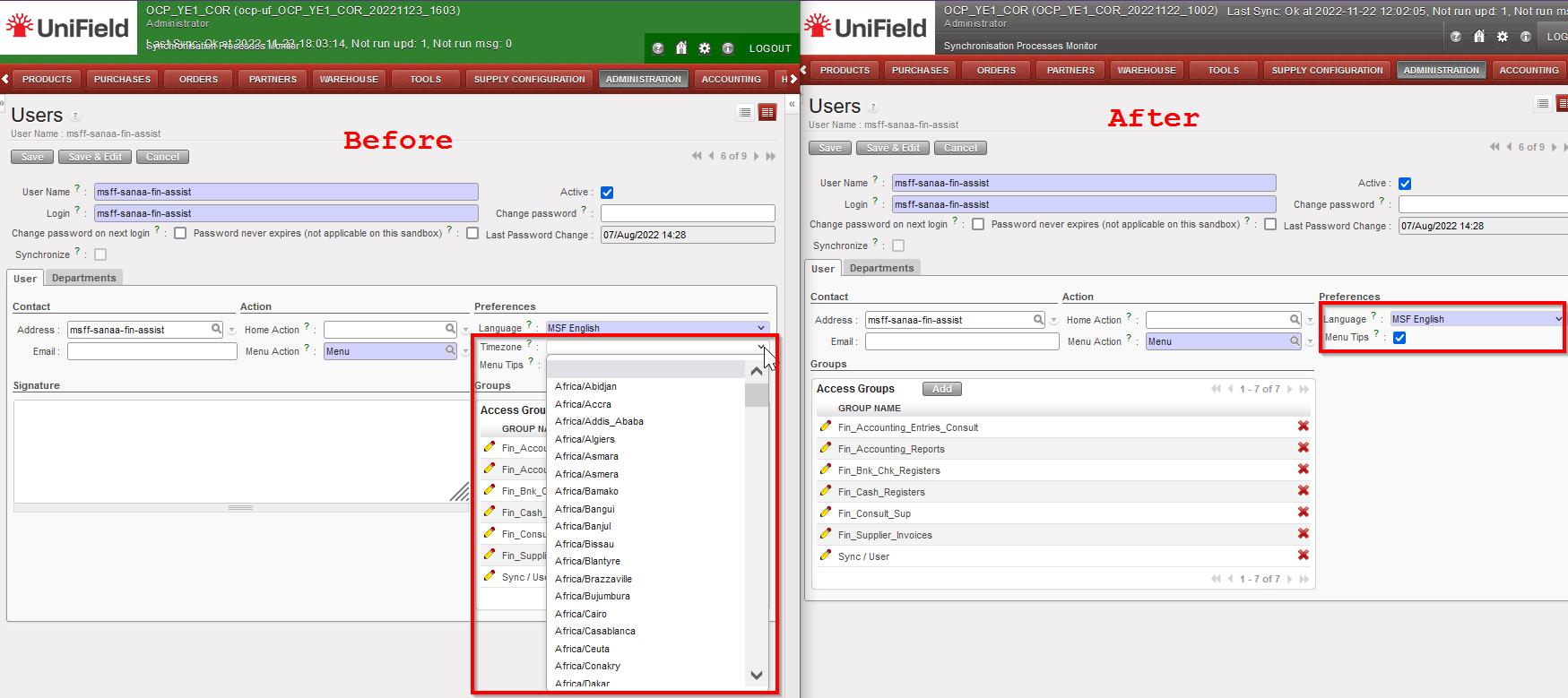

(US-10475) Synchronize user from HQ is not possible for supply referent HQ users
Prior to this release, only the group Fin_Config_Full had access to the synchronization whitelist. We have created a new group Sup_Config_HQ only at HQ level for supply to independently manage the Supply synchronized users.
(US-10604) To improve the performance of the HQ entries import
The performance of the HQ entries import has been improved. A progress bar and state of the import has been added. The state will show status: In progress, Done or Error if import fails with the reason for the failure displayed. See finance part of the release notes for the functional details
All Non-functional tickets integrated in UF27.0
UniField v26.0 Release Notes
Release Details
Release version: UF 26.0
Date of production synchronization server patch: 14th September 2022 / 18:00 Geneva time
Latest user rights files updated: UF26.0 can be found here
Note that no user rights need to be loaded at each HQ. This will be done at the Sync Server by the Core team and will update the user rights via Sync for all HQs and missions.
JIRA filter for all integrated tickets: https://jira.unifield.org/issues/?filter=12435
Supply
(US-10168) Lookups for headers and constants should be case insensitive
This improvement ticket is to ease the importing job in UF, it is now acceptable for all Supply imports in UniField to have inconsistent cases, e.g., UoM “pce” instead of “PCE”, or “Pce” instead of “PCE”, file will be recognised and imported.
(US-10051) Accurate naming / addition for product codes XMLID / MSFID
This ticket is to improve the accuracy / visibility of background product id codes:
- In Tools>Object Query > Products
Possible search field has been updated so that it is now named “MSFID” (previously it was named “hidden field for UniData). It is also now possible to search for additional field “SDref”.
- In Product PMD>Action menu>View Log:
i) existing label “Internal module data ID” is now renamed to “SDref”
ii) existing label “UniData xmlid_code” is now renamed to “xmlid_code”
- In Product PMD>Action menu> Export
User can search for field MSFID, and MSFID is not possible to be changed by users via import or update products menus (should not be possible to update MSFID of product via import (MSFID should ONLY be added/changed by by UniData)
- Log to show if the MSFID of a Product has been changed has been added to track changes In Product PMD>Action menu> Track Changes
(US-10010) Avoiding Local products import at Project
This improvement ticket is to avoid the issue of users accidentally creating or updating products in project-level instances. In this release below sub-menus are no longer accessible in projects:
- via menu Products > Import products> import products
- via menu Products > Import products> update products
- via menu Tools > import / export > Supply
- via menu Tools > automated imports > Products
(US-10008) Disable tick box “Cross Docking”
This improvement ticket raised by OCA, to prevent user from changing the destination location on the PO level. Users can still do the change in the IN level. In the PO, the tick box “Cross Docking” in the tab “Delivery” is not visible anymore for users.
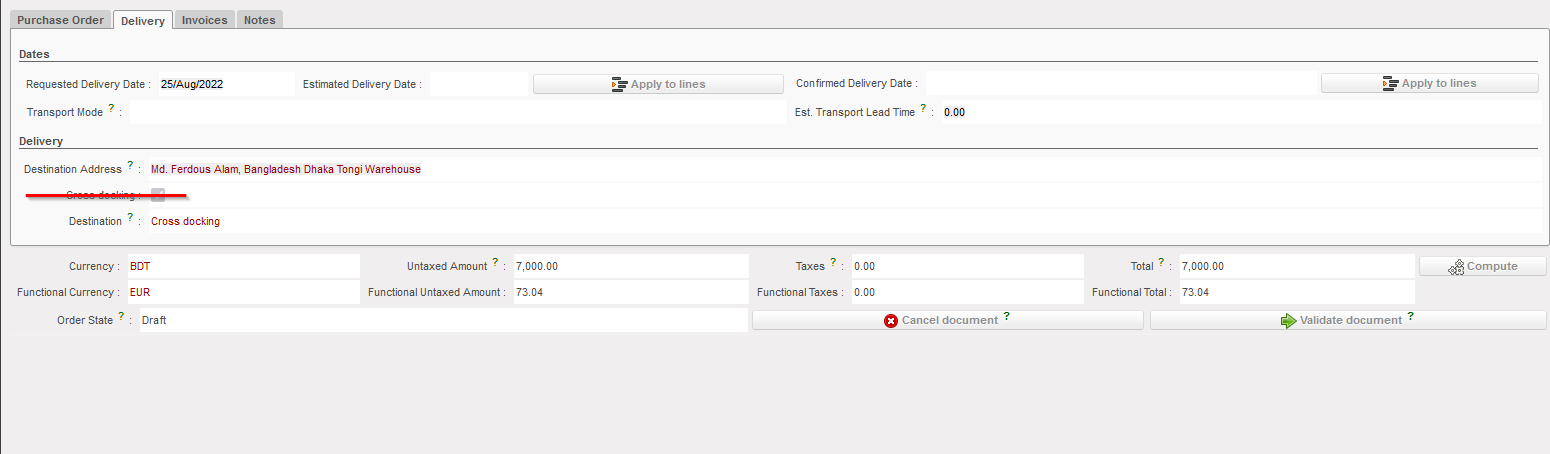
(US-9968) Blocking the creation of EPREP in Intermediate stock location
Improvement ticket raised by OCB, to stop the creation of “EPREP” location under the “Stock” category, system prevents such a location being created if name includes word “eprep” and a message is displayed to stop this action:
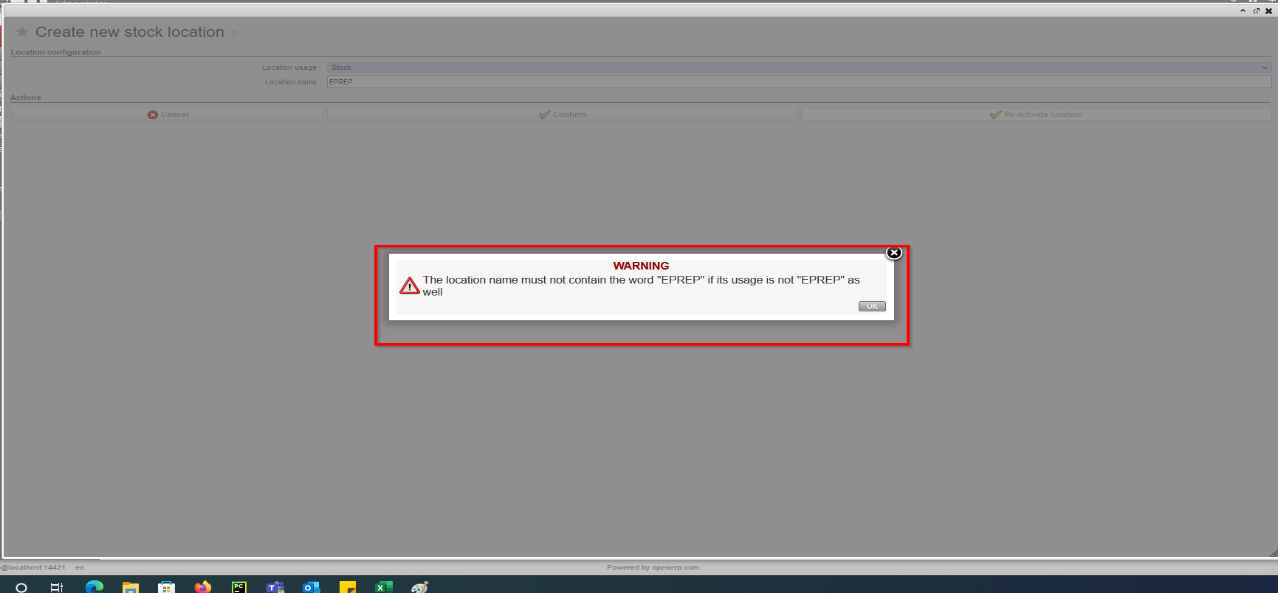
(US-9962) VI: If E-Packing IN > PPS import cannot be done (forced availability/negative stock) clearer message
Improvement ticket raised to avoid previous issues found by OCB. In the flow of ordering, sourcing, and importing E-packing VI import into IN with the option to pick & pack after, if one of the products is already “forced” as “Available” in an unrelated OUT from the same location (Crossdocking), the import could not be processed. With this dev, system will now check at IN import (if IN>P/P/S) that products do not have a negative available stock in CD location, and if so, the import will be blocked and product code / qty displayed in warning message. Same check done for all types of VI IN import.
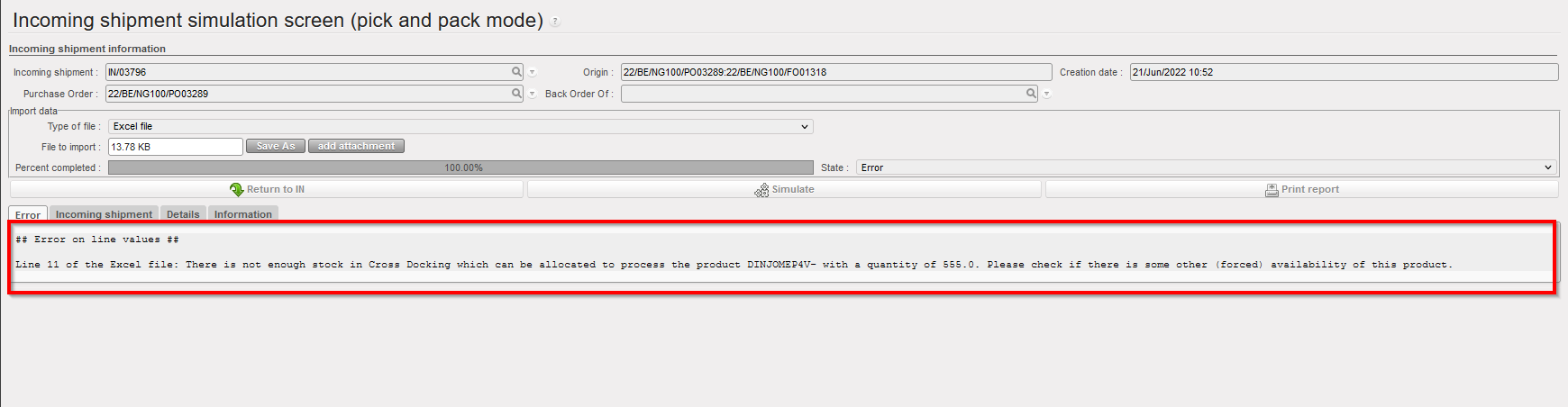
(US-9744) Remove PI C/S check on line reference.
Improvement ticket raised by OCB, to avoid any duplication in Physical Inventory. At import of Counting Sheet, system will no longer check the line reference in file at import of counting sheet.
System will keep the check of Product / BN / ED, duplicate lines, and match imported Prod/BN/ED, add new lines, etc.
(US-9509) Product UniField Status after re-activation of product.
Improvement ticket raised by OCG, to ensure the consistency for UF Product Statuses when a product is manually re-activated. At manual re-activation, the product’s “UniField Status” should change accordingly. In the case of UniData products, the UF Status should be updated based on its “UniData Status” and “OC Subscription”.
- For HQ, ITC and ESC products at HQ: If product re-activated, then UF Status automatically set to “Valid”
- For Local products at Coordo: If product re-activated, then UF Status automatically set to Valid
- For UniData products at HQ: If product re-activated, then the following is the result:
- If Product is OC Subscribed = FALSE, then UF status > No change (remains Archived or Phase out)
- If Product is OC Subscribed = TRUE, and:
- UD Status = Forbidden then UF status > No change (remains Forbidden)
- UD status = Archived then UF status > No change (remains Archived)
- UD Status = Valid / Outdated/Discontinued then UF status > set to Valid
(US-9229) New Reason Type for OUTs: Deliver Unit
Improvement ticket raised by OCA, to improve the analysis of stock movements and to ensure greater consistency. With this ticket a new Reason Type (RT) is introduced for stock movements towards External Consumption Units. The default RT on any OUT or (converted) Pick to an External CU is now “Deliver Unit”. This new RT can also be selected in an OUT from scratch (although Default RT remains “Deliver Partner” for this). For both Picks and Outs, the RTs at line level will now be consistent with header level RT. The RT “Other” can no longer be selected.
Previous documents (Picks and Outs) have been migrated to conform to the RT logic as follows:
“Deliver Unit” for all OUTs created for IR with Ext CU.
“Deliver Unit” for all Picks created (via converting OUT) for IR with Ext CU.
“Deliver Partner” for all OUTs and Picks created for FO to customer.
“Consumption Report” for all OUTs created via a Consumption Report.
These documents have had their RTs at line level adjusted to be consistent with header level RT
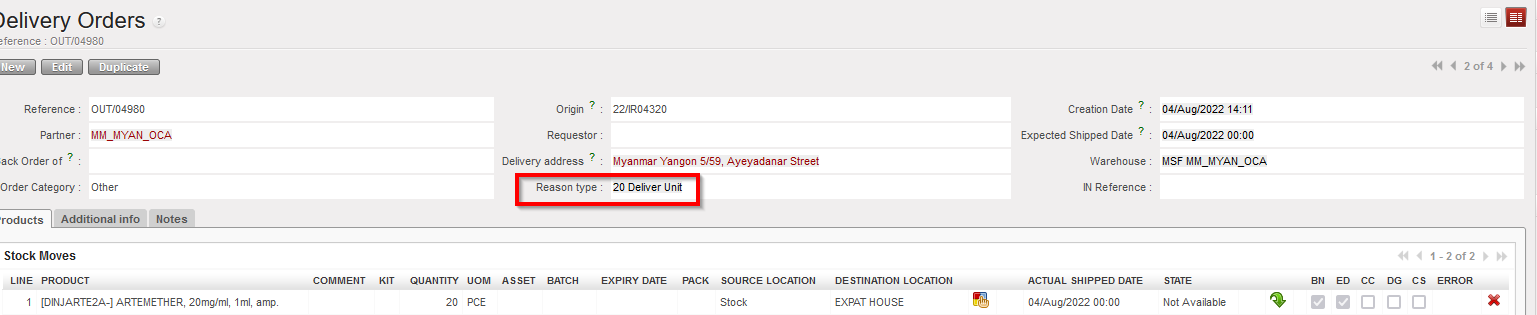
(US-8966) Cancel / C&R multiple lines to be consistent with single lines in IR/FO/PO
This improvement requested by OCB, ensures Cancel and C&R of lines is consistent in IR/FO/POs. It is possible now to cancel / C&R multiple (Draft/validated) lines, in Draft-p / Validated/ Validated-P IR/FO, and also in POs with supplier type ESC or external, (It is not possible to Cancel / C&R validated lines in PO with Internal/Intermission/Intersection type suppliers if they are beyond “Draft” status).
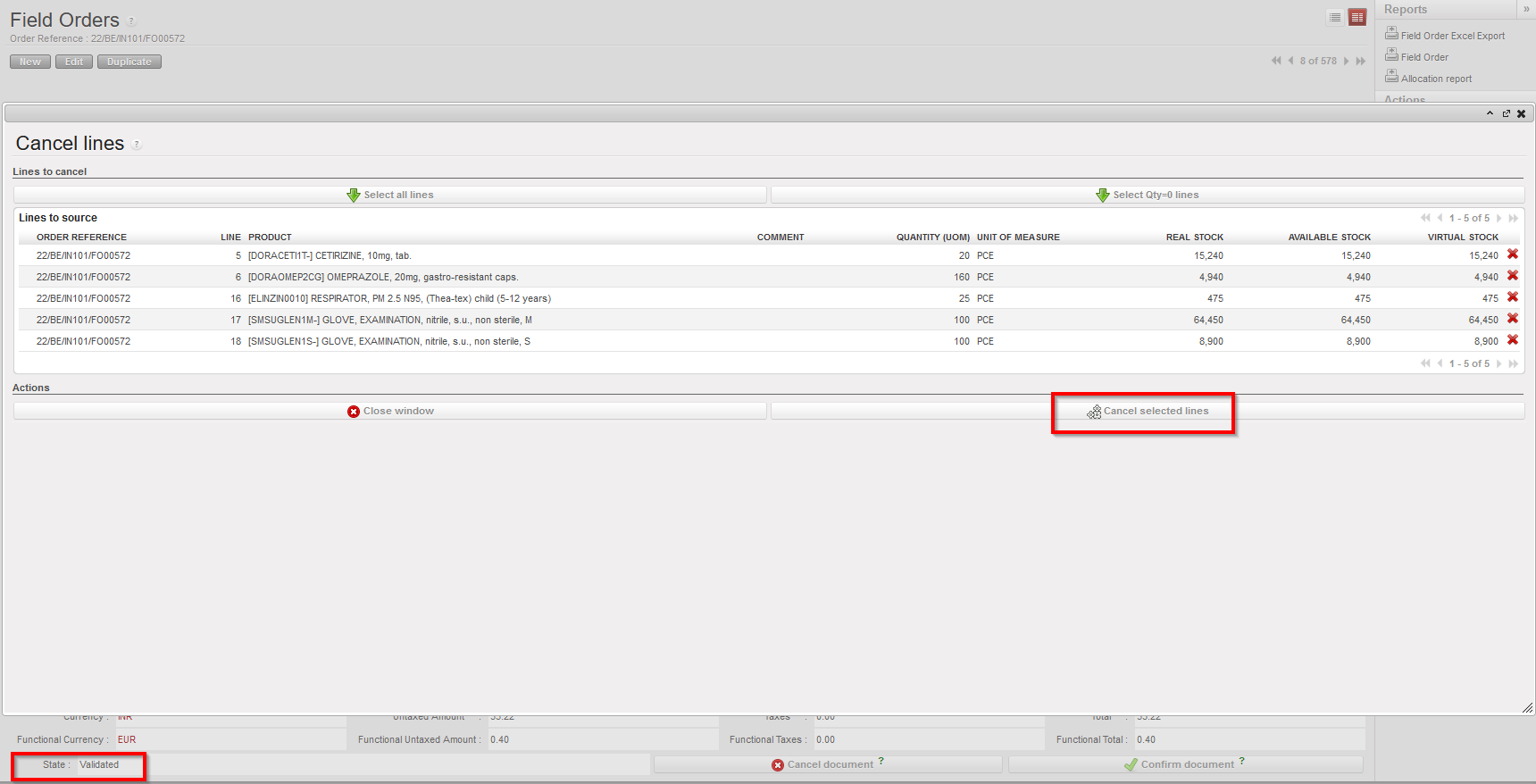
(US-8864) Export Inventory Level lists batches with no movement in the selected period
Improvement ticket raised by OCA, to improve the Export Inventory Level report, in case the checkbox “Include products with stock <= 0 with movements in the last months” is ticked, and X months is selected, report generated will include Products and their EDs/Batches which are in stock or have had movements in the last X months, and exclude the ED/batches which have not moved in the defined value X months and are not in stock.
(US-8428) Physical Inventory – Planned Inventory vs Stock Correction
Improvement ticket raised by OCB, to improve options for inventory management, in the Physical Inventory, the checkbox for “Full inventory” is replaced by a mandatory drop-down list with below options:
- Full inventory count (planned),
- Partial inventory count (planned)
- Stock correction (unplanned).
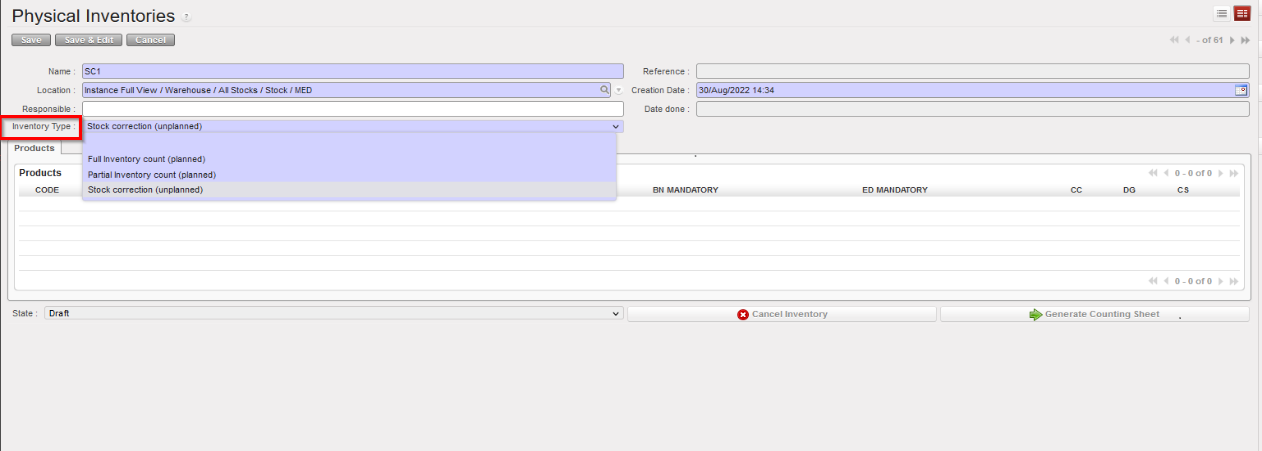
If 3rd option is selected “Stock correction (unplanned)”, only the “Add” button displays to allow products to be added. The button “Products selection” is not displayed.
Drop-down list values of (Inventory Type) options can be changed as long as no products have been added yet.
The rest of the functionality stays as per before.
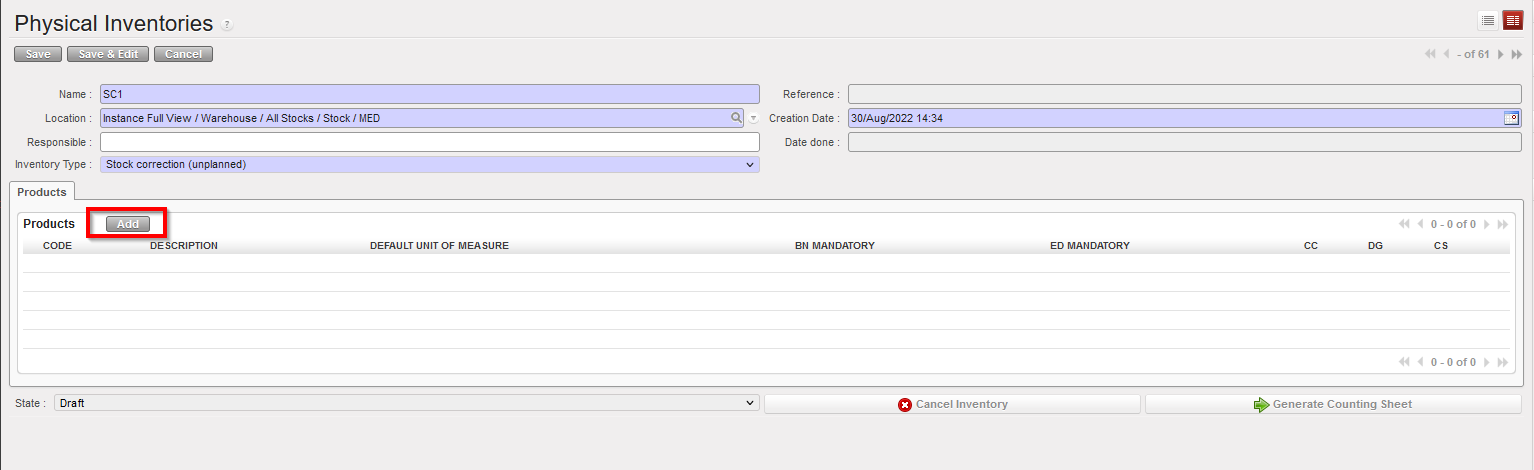
(US-7323) Add Product search field for INs etc and PMD Action menu links
This Improvement ticket was raised by OCG. For more consistency and to extend the searching possibilities, an additional search field for “Products” has been added at header level in the List View for each of these documents: IR, FO, Tender, RFQ, INs, INTs, Outs, Picking, PPL, so as to behave like that existing in POs list view.
Also, in the Products/PMD Action menu, links to see the relevant documents for selected (ticked) product have been added. Links displayed are: Field Orders – Internal Requests – Purchases- RfQ’s – Tenders – Incoming Shipments – Internal Moves – Delivery Orders – Picking – Packing.
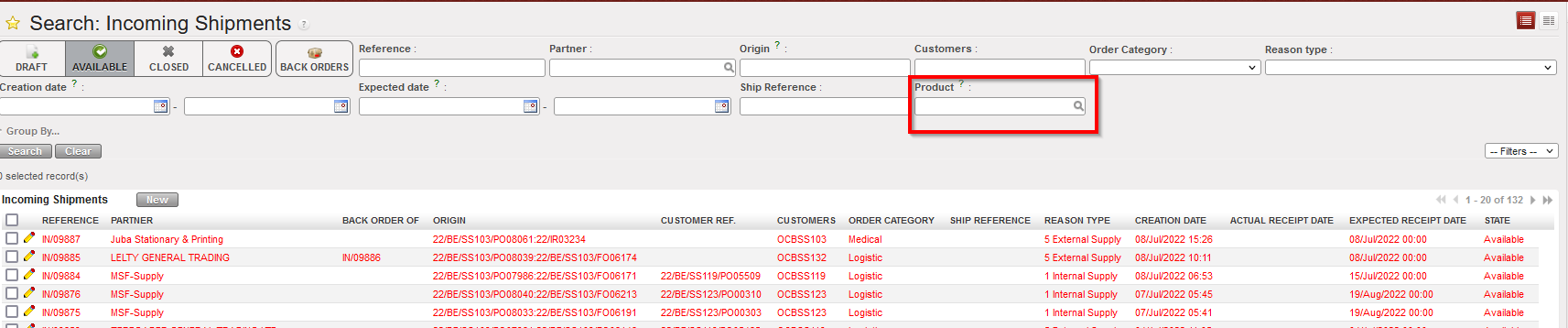
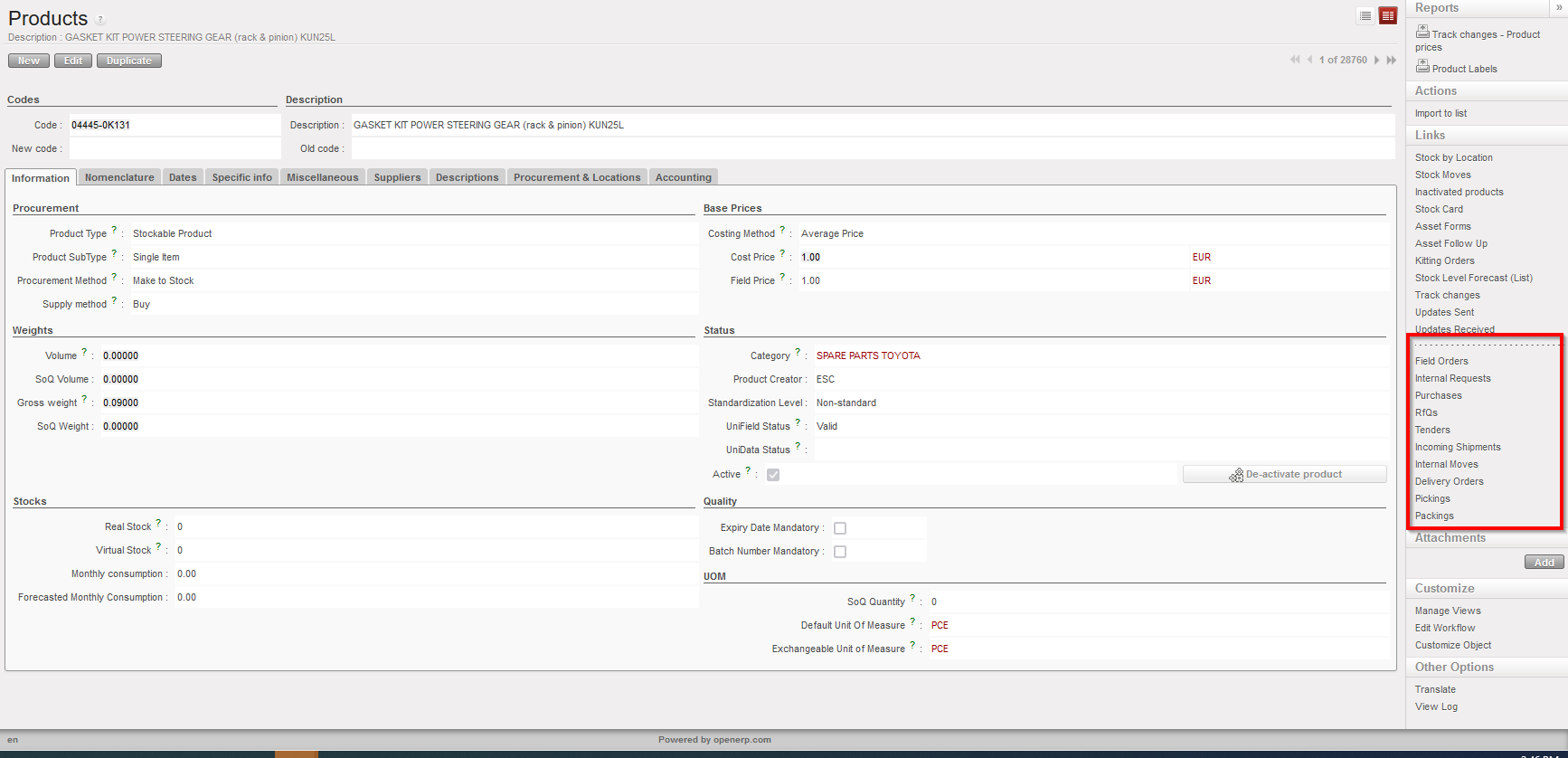
(US-5190) Remove possibility to split Draft FO lines
This improvement ticket is to avoid several issues caused in the past leading to NRs and wrong data, and means it is now not possible to split FO lines directly in FO in Draft status. Other functionalities allowing split in FO lines at a later stage (OST, PO, IN etc) remain as before.

(US-3694) Product sheet: Display inventory level from all locations
Improvement ticket raised by OCA, to update the calculation of Real stock and Virtual stock displayed for products so that more locations are taken into account. The calculation of Real/Virtual stock now includes the product Qty in the following locations: LOG/MED in main stock AND all configured Internal locations (Intermediate stock and Internal consumption units). AND E-Prep internal locations. It (still) does not include any transition locations (such as Input, Packing, Cross-Docking etc). The revised stock calculation is displayed in the below menus:
- Product Data sheet – a) list view and b) form view
- Search screen for products – ie pop up when selecting products from other transactions (e.g. IR, PO, FO, Tender, RFQ, OUT) having the calculation of the value for Qty “Real Stock” and “Virtual stock”.
Improvement corrections on reports (US-10296, US-10222 & US-7388)
The last 3 improvement tickets to increase the efficiency of UF reporting and for more consistency,
- Bug solved to correct the CDD/EDD in “IR Follow-up per location” report.
- Performance improved for the times’ needed to export “FO follow-up per client” report, selecting IR in order ref no longer possible in this report to decrease the time since there is another dedicated report for IRs doing the same checks.
- “IR follow-up per location”: For more consistency, in the “IR follow up per location” in case of cancelled lines in Delivery out, report is now more accurate and consistent in display of “Qty to deliver” and in displaying “INT Ref.” where relevant. please refer to ticket “US-7388” for more details.
All Supply tickets integrated in UF26.0
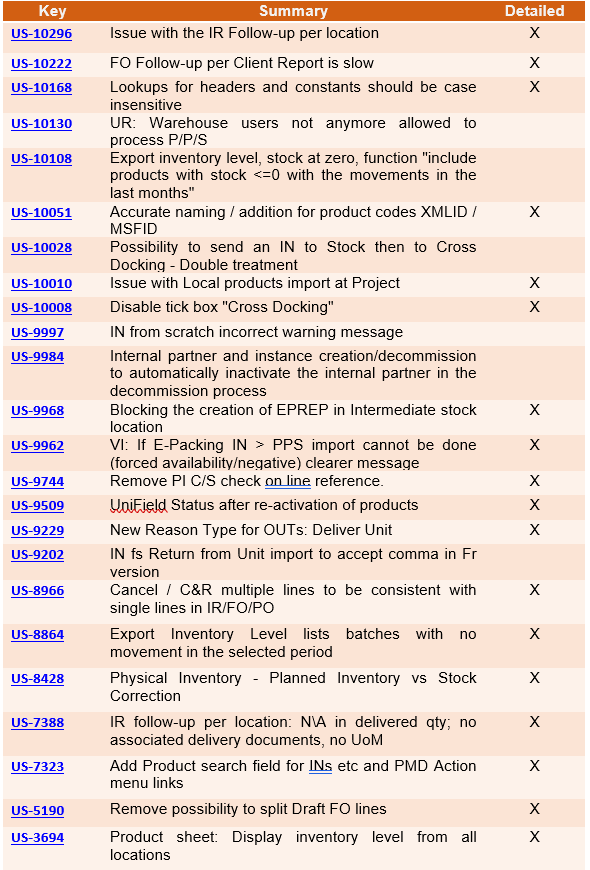
Finance
3.1 (US-10241) Get an additional column with the register codes in the list of the Register creation wizard
In the register creation wizard (the path is Registers/Register Creation), we have added a new column named “JOURNAL” that will contain the register code:
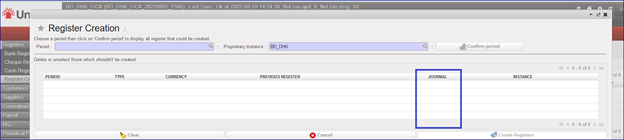
3.2 (US-10205) OCA: To sync up the HQ Entry if the CC is not targeted
There is a new behaviour for the cost centers: if the instance at HQ level is targeted with the cost center XX02, but the parent instance is not targeted with the XX02 cost center, now it is possible to synchronize the HQ entry down with the cost center XX02 to the parent instance.
3.3 (US-10115) Code fix for Journal entries: use case with AD KO to avoid: to prevent the edition/change of the AD on a “system” JE
In this dev we have unable the edition/change of an AD on a “system” JE. The “Save” button in the wizard is in grey, so it is not possible to use it. So now it is not possible to update the AD through the “Form” view.
To check this you can:
- Go to Accounting > Registers > Cash register.
- Click in “New” and create a direct entry as expense and temp post.
- Go to “Journal Entries” > “Journal Entries”
- Click on “check box” of the temp posted entry.
- Click on “Form” view:
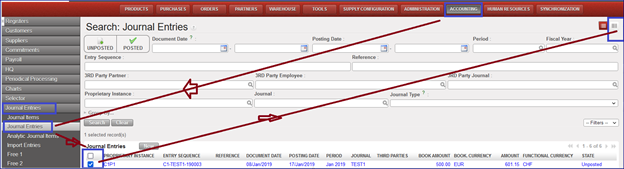
- Click on the “Analytical Distribution” line. It will open a new window named “Analytic distribution”.
- Click on “Save” and you will see that it is in grey so the command is not active.
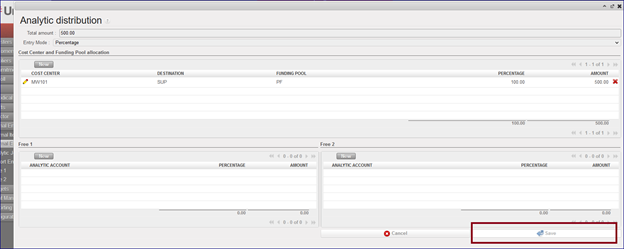
3.4 (US-10090) OCB proposal: quick update in Recurring Entries module for management of Fixed Assets
A new Analytic journal DEP has been created in order to use the recurring entries module for the management of the fixed assets.
This is optional per OCs. OCA will not use that for the moment.
- Go to Accounting > Configuration > Analytic Accounting > Analytic Journals
- The Journal code is named DEP, the Journal Name is Depreciation, and the type is also named Depreciation:
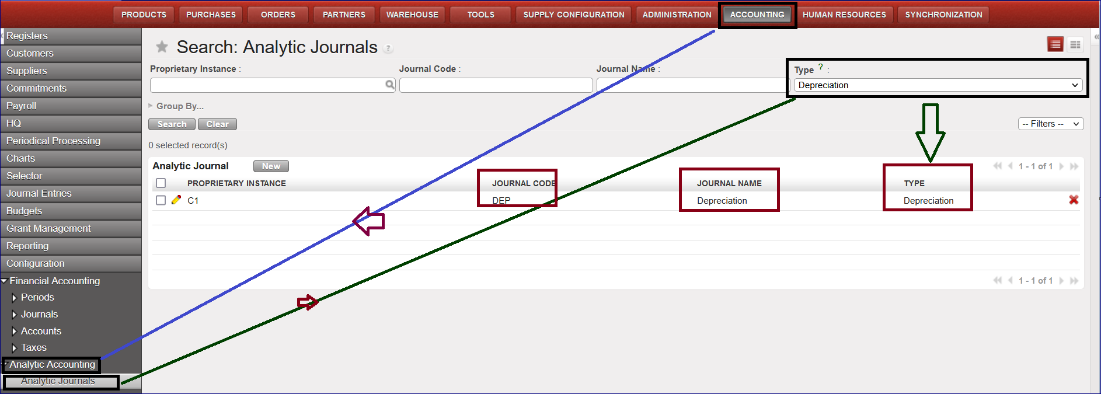
The process to create a depreciation entry follows these steps:
- Go to Accounting >Configuration > Financial Accounting > Accounts> Accounts, activate the GL codes for the accumulated depreciation (example code 21200 for the Non-Medical Equipment).
- Go to Accounting > Periodic processing > Recurring entries > Recurring models.
- Click on the button “New” to create a “Recurring Model”
- Go to Recurring Plan and create a “New” Recurring Plan by selecting the Recurring model previously created in the Recurring Model screen.
- Go to “Generate entries” and click on “Generating entries”: it will create entries with the “Journal code” DEP.
3.5 (US-9730) PAYE_UNIFIELD and PAYE_SAGA Import: request to have all the import error messages at once
When we import the payroll file in Unifield, the file import can be unsuccessful because of errors in the import file. Before this dev, we had the first error message, then when it was corrected, we had the second message and so on.
In this request we have requested to have all the wrong messages at once. Here is an example:
- go to accounting/Payroll/employee update: import permois file
- go to accounting/payroll/Import payroll: proceed to the import of the Payroll File.
==> the import is not possible because many errors have been detected. As requested in this dev ticket we have all the error messages at once, and not one by one.
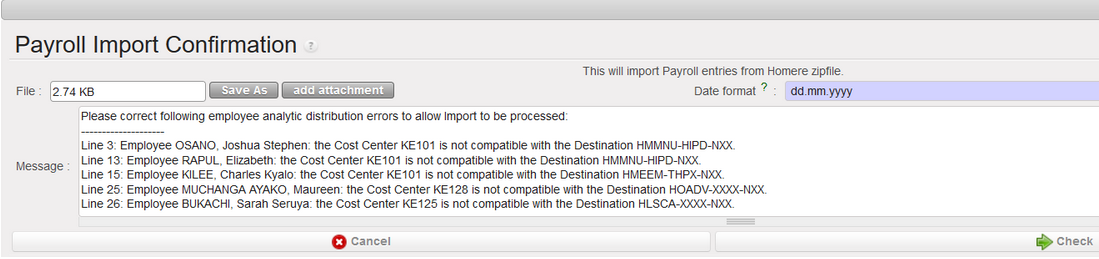
3.6 (US-8954) Entries data integrity report – report header to improve: to add additional fields.
We have improved the Data Integrity report by adding additional fields to the report header in order to have a better visibility of the filter done.
The path to see this report is this: Go to Accounting > Reporting > Generic Reporting > Entries Data Integrity.
Now after improvement the header columns are these:
Name of the field | Content | Example of content |
|---|---|---|
|
Report Date |
Hard coded |
01-09-2022 |
|
Prop. Instance export |
From where the selection is done |
BD-HQ |
|
Prop. Instances selected |
Selected proprietary instances |
BD_KAM, BD_BKL |
|
Entry status |
empty by default, Posted or Unposted |
Posted |
|
Fiscal year |
Selected fiscal year |
FY2022 |
|
from |
Beginning date |
01-09-2022 |
|
to |
End date |
30-09-2022 |
|
Filter used |
Document date, posting date |
Posting date |
Some examples of the new header after dev:
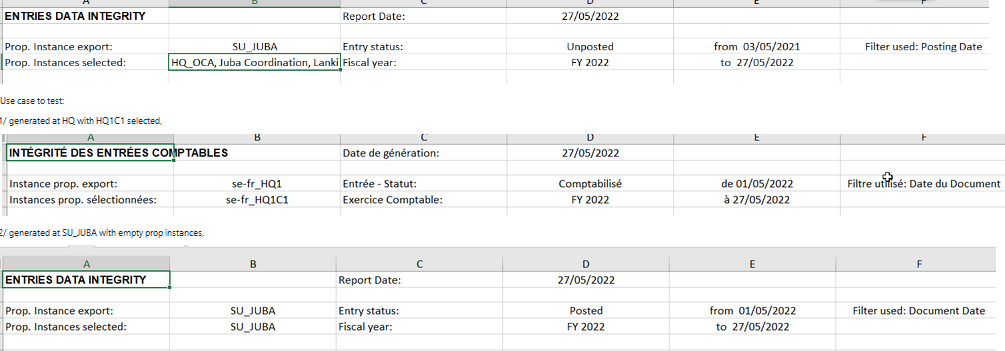
3.7 (US-8169) Partners and selectors: issues with inactive partners
In this development we have fixed these issues:
- In the GL selector => The search filter works now also for partners that are inactive. This is to enable the search at HQs, where all partners are inactive.
- For the Journal Items and for the journal entries => The filter active/inactive have the option active by default but give the possibility to select inactive partners too. This will be useful at HQs, where all partners are inactive.
3.8 (US-8088) The “Funding Pools” finance report from Tools needs to be reviewed following the dev of US-7243.
The release UF19 changed the behaviour in the Funding Pools by adding two new fields in the parameters: “Allow all Cost Centers” and “Select Accounts Only”.
According to this, the new Tools Finance report “Funding Pools” has to take into account these new two fields, so we added the columns J and K in the report corresponding to Allow all Cost Centers and Select Accounts Only.
To see the Funding Pool finance report, please follow this path: go to Tools/Import/Export/Finance and choose Object to import/Export: Funding Pools

3.9 (US-8003) UR: Write access to [Responsible] tab of project register in Coordination.
In this dev we have added a window action menu in the right panel of registers called “Modify register responsible”: we have given the rights to this window action only to Fin_coordo group. A wizard is displayed to add or to remove users from the responsible field. The results update the responsible tab in the register.
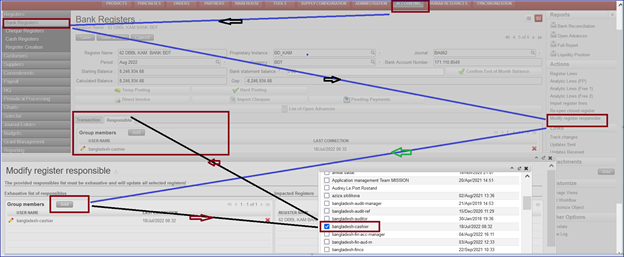
3.10 (US-7819) Advance return wizard: show the third-party liquidity journal if account code type is “internal transfer”.
We have corrected a behavior in the system and now:
- for “Internal Transfer (same currency)”, we are able to select all the liquidity journals in the same currency except the current journal itself (it is not possible to do a transfer to yourself).
- for “Internal Transfer”, we are able to select all the liquidity journals in another currency.
- Now we have the third party to allow the booking of the entry. It corresponds to the Journal code.
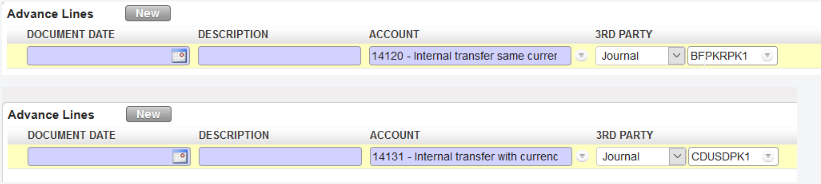
3.11 (US-7790) Data Integrity report VI: add not runs on register lines, account.move,account.move.line, AJI objects
“Not runs” help us to spot problems so we have added the “not runs” on reg.lines, account.move,account.move.line, analytic.account.move objects in the data integrity report as per below:

3.12 (US-7209) Improvement in the “local expenses” report.
This report had performance problems in the past that made it unusable. In order to avoid this, we will not be able to select all the instances at once.
To see this:
- Log into HQ instance
- Go to Accounting > Reports > Generic Reporting > Local Expenses
- It will open a new window “Local Expenses”. Now the default “Cost Centre” is empty. You can not choose the cost center OC (all instances at once).
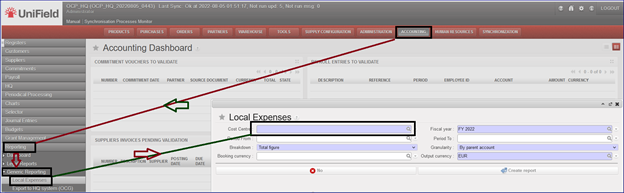
3.13 (US-6392) OCP Employee Ledger and Employee Balance.
Two new reports have been created for employees following the partner ledger and balance model.
We can see the reports here: go to Accounting > Reporting > Legal Reports > Accounting Reports. We have a new menu called “Employees” with two sub-menus “Employee Ledger” & “Employee Balance”:
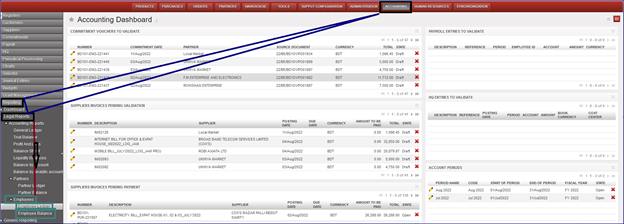
Employee Ledger:
This report is an analysis done by employee. It is a report containing one line per employee representing the cumulative credit balance.
Go to Accounting > Reporting > Legal Reports > Accounting Reports > Employees > Employee Ledger:
We will have several possibilities to do our selections using the filters.
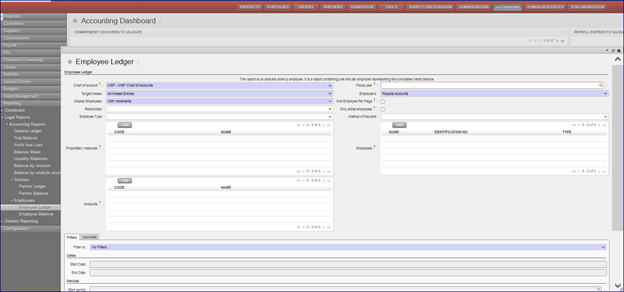
Employee Balance:
To see this new report, we go to Accounting > Reporting > Legal Reports > Accounting Reports > Employees > Employee Balance:
We will have several possibilities to do our selections using the filters.
It’s optional to tick on “Only active employees”.
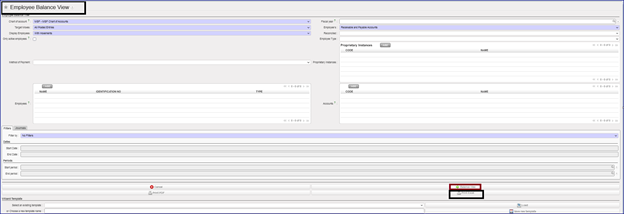
All Finance tickets integrated in UF26.0
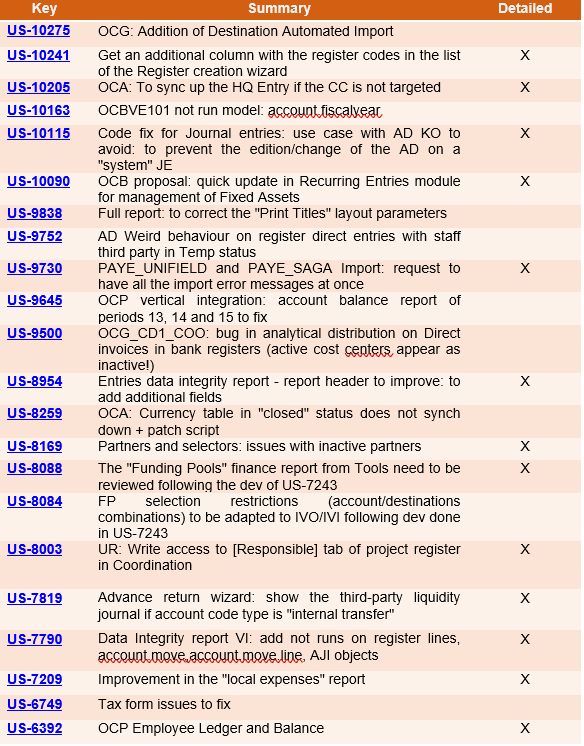
Non- functional
(US-10141) Check that database dump is fully loaded during restore.
As seen in US-10140 and US-10117 pg_restore can be stopped before the end of the process. This results in a psql schema with missing data: indexes, foreign keys…. etc which on the web application displays the server as stuck on updating modules with no end.
This release adds a check at login to ensure that indexes and foreign keys are OK, and if not, prevent login and sync. This means that restore will be executed as a single transaction wrapping the emitted commands in BEGIN/COMMIT. This ensures that either all the commands complete successfully or exit-on-error.
Below is the error displayed in the case of a failed db dump restore
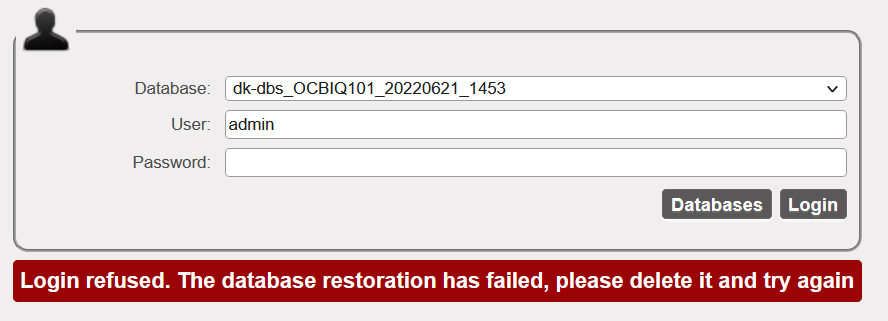
We have also added a warning message on the restore window to inform the IT user to wait to be automatically redirected to the login screen once restore process is completed.

(US-9984) Internal partner and instance creation/decommission to automatically inactivate the internal partner in the decommission process
Prior to this release: When an instance is inactivated, the internal partner stays active in the partner instances. This behaviour is corrected in this release to ensure consistency. The inactivation of a proprietary instance at HQ also triggers the inactivation of the internal partner via sync.
This improvement also ensures that:
- If there are open/ongoing supply documents on the partner (no proper cleaning before inactivation), NotRun message msf.instance is generated when the inactive status from HQ is synced down to the instance. This means the inactive status will not be received by the “decommissioned” instance as well as the linked internal partner.
All open documents linked to the target instance for decommission must be closed and synched to clear the NR message msf.instance. Once NR is cleared, the inactive status of the prop instance and internal partner is received by all the mission instances.
All Non-functional tickets integrated in UF26.0
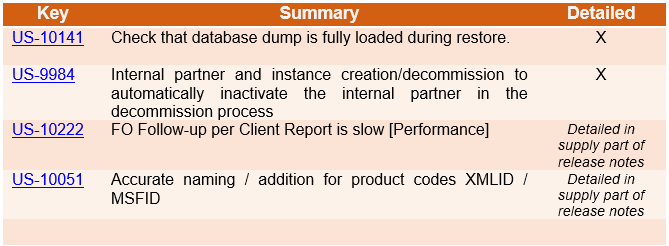
Procedure To Decommission an Instance
PROCESS – Production instance decommission
This document will guide you on the process to follow when decommissioning a production instance (e.g. end of project / mission).
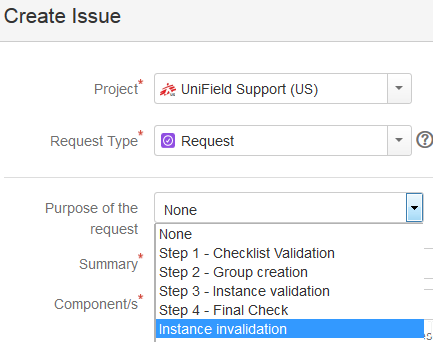
This step needs to be performed in Jira.
A ‘Request’ type ticket will be created for this step.
Please select the corresponding step
under the “Purpose of the request” field.
- Prerequisite before requesting an instance validation:
- Finance:
- Last registers are closed and have 0 balance
- All periods are closed (last production period included)
- No more unreconciled entries (In OCA we can let unreconciled entries. In this case, it is compulsory to write the agreement of this by the finance referent in the JIRA ticket)
- No drafts or open invoices/refunds/stock transfer vouchers, etc.
- All entries are hardposted
- No draft HQ entries
- Last Vertical Integration has been proceeded
- No more Commitment Vouchers in validated status
- No more Cost Center is target to this prop instance
- No data fixes to do after decommissioning
- For coordo instance, never do a FY Mission closure in a coordo instance that you will deactivate without waiting to do the HQ FY closure. When deactivating a coordo instance in the middle of the year, you need to check that the previous fiscal year is “HQ closed” and the current fiscal year is still “Open” and not “FY mission close”
- Supply:
- All order and stock transactions are closed or cancelled (IR, PO, FO, IN, Pick, Pack, Ship, Out, Internal move, Consumption Report.)
- Stock in all locations has 0 in quantity (export stock levels to check this). It may be necessary to do FO Donation> OUT to send products out, or otherwise Physical inventory to set to 0 (check with OC procedures for recommended process)
- Double synch to and between regular internal partners (I.e. Coordo if project, or other projects/coordo etc) to check no order is in synch pipeline.
- N.B.: It is assumed that when the instance is decommissioned, this is communicated to all relevant missions, and that these missions will undertake the cleaning of the partner records (I.e. deactivation of intermission/intersection/internal partners) as part of their regular Supplier maintenance process.
- Finance:
- OCs to create a request in Jira for the instance invalidation:
- Support team to ask confirmation from the OCs functional Finance and Supply
- Steps to perform:
Step 1 (OC): In HQ instance, reallocate the CC target of the instance to invalidate to another instance
Step 2 (OC): In HQ instance, launch a sync
Step 3 (Support Team Finance): In HQ instance, deactivate the prop instance and launch a sync
Step 4 (Support Team): In instance to decommission, launch a sync and ensure it receives in prop instance deactivation
Step 5 (Support team): In server’s instance to decommission:
- Disconnect connection manager and untick silent upgrade
- Untick Auto Sync
- Untick Auto Back up
- Do a last back up and put it in OneDrive folder “Decommissioned Instances”.
- Assign back to the IT ref to do a last back up on their side, drop the instance and dispose of the server
Step 6 (Support Team): In the sync server, invalidate the instance + close the request
END
Disaster Recovery Procedure for UniField Servers
Disaster Recovery Procedure for UniField Servers
This document provides a framework of planning for the risks of server outages. It outlines the steps and systems for preventing server disruptions, as well as protocols for responding to outages and recovering lost data. Below are the main objectives of the document.
1) Objectives
-
- To help OCs develop or integrate this procedure to their Disaster Recovery Plan in order to adequately prepare for an unforeseen disaster
- Help ensure rapid recovery after a disaster that has impacted Unifield servers, thus minimising impact on field operational activities.
- Provide instructions, procedures, and emergency contact information to use in a disaster situation
- Identify processes to follow to ensure server restoration after a critical event.
- Identify current risks and recommend action steps for prevention
2) Points of Communication
Fire, theft, floods, botched system upgrades or simply human error: any of these could take down your unifield server. If this happens, do not attempt to restore the instance on your own but immediately create a jira ticket or send an email to the following points of contact in the unifield coreteam.
|
Name |
Title |
|
Specific Roles and Responsibility in Disaster Recovery |
| Raffaelle HAGEN |
Head of Support and Development | raffaelle.hagen@geneva.msf.org |
Initiates, validates, and oversees the disaster recovery process |
| Awfa AbdulGhany | ERP Support Officer | awfa.abdulghany@sits.msf.org |
Implements server recovery procedure by: -Determining the appropriate recovery point from backups. -Liaises with dev to check backups for integrity and initiates data recovery processes for lost data. |
| Rafkat Iskakov |
ERP Supply Support Manager | rafkat.iskakov@brussels.msf.org |
-Ensures that all supply users are notified of the incident through their respective supply referents. -Validates supply recovery points for cases where supply data is lost and helps define next steps for business continuity |
|
Estibaliz Montaru |
ERP Finance Support Manager |
-Ensures that all finance users are notified of the incident through their respective finance referents. -Validates finance recovery points for cases where data is lost and helps define next steps for business continuity |
3) Response
Do not restore the instance from the last backup you have. Instead, create a jira ticket or send an email to raffaelle.hagen@geneva.msf.org and awfa.abdulghany@sits.msf.org . Please include the following information:
-
- Description of what happened to the server
- Share the date of the last updated local backup you have.
Actions/Steps we will take after we receive your ticket or message.
Please note that the following actions are in chronological order:
a) Disable sync for the instance on the sync server.
b) Determine the appropriate recovery point from backups by:
-
- Comparing the latest copy of the instance backup we have on our continuous backup server to the last local backup you have. If the backup dump on our continuous backup server is more updated than the local dump you have, we will provide you with the dump and give you the green light to restore the instance. Do not let users use the server until we give the greenlight.
- If the local backup dump you have is more updated than the one on our continuous backup server, we will request for a copy of the local backup dump you have. Wait for the greenlight from us as we check the dump for integrity.
c) Check backups for integrity and initiate data recovery processes for lost data.
-
- Users will not be allowed to access or use the instance until the data recovery processes are completed.
- The Finance and Supply ERP Managers will communicate to the respective OC referents the non-synched data that has been lost (cannot be recovered as it was not pushed to the sync server). Together with the OC referents, they will determine next steps for business continuity.
- A data fix will then be prepared for the lost data that was synched to the sync server (data re-created from the sync server).
- We will then apply the data fix to the restored dump, the coordination instance and HQ instance plus any other impacted project instance. Wait for the official green light from us before allowing users to access and resume working on the instance.
4) Preventative & Recommended Guidance
Disasters happen, some unexpected like fires, theft, floods but others we can anticipate. The only preventative and recommended guidance we advise is backup! Data backup is the foundation of disaster recovery planning.
Backup Strategy
As good practice do not keep the local backup of your instance on the server. The continuous backup feature ensures UniField pushes backups each time an instance synchronises. These are, however, dependent on internet connection. Please DO NOT CONSIDER this feature as an agreed offsite backup solution. Backups are still under the responsibility of each OC. Therefore, each OC ought to be vigilant with proper backup strategy and solutions to their servers.
We also recommend that you:
-
- Backup your instance before any system upgrades.
- Backup the instance before upgrading or making changes to any third-party applications on the server.
- Backup before and after migration of an instance.
- If in doubt, just back up the instance
Procedure To Migrate a UniField Instance
Procedure To Migrate a UniField Instance
Requirements:
- Latest AIO (All in One)
- Latest database dump
- Pgadmin3 or 4 Installer
- Notepad++
- SSH Key (Find it in C:/Program Files (x86)/msf/ of the old server)
Please note:
The AIO installation requires administrative rights as it is going to install:
- OpenERP Server
- OpenERP Web
- The database PostgreSQL and all the dependencies, such as Windows C++ 2005 Redistributable.
Other Important Considerations:
- Once UniField is installed, the web port (default: 8061, but possibly 80 or 443) needs to be open on the firewall to accept inbound connections.
- Some outgoing ports (port 8069 or 22) must be opened on the firewall to be able to synchronize and push backups via rsync; refer to user manual this section
- It is not necessary to migrate the WAL or Postgresql folders from the old server to the new one because:
i) You will be required to generate fresh base backup after migration to ensure continuous backup config is working in the newly migrated server.
ii) For PostgreSQL folder, AIO installation will take care of that.
Migrating the Instance
Step1: Perform a sync on the soon to be old server just before the migration.
Step2: After sync is complete, disable synchronization by:
- Disconnecting the instance in the connection manager and remove auto connect config from the openerp-server file. Change sync user to False and sync password line to False as below:
sync_user_login = False
sync_user_password = False
Step 3: Extract the latest dump by manually clicking backup as below.
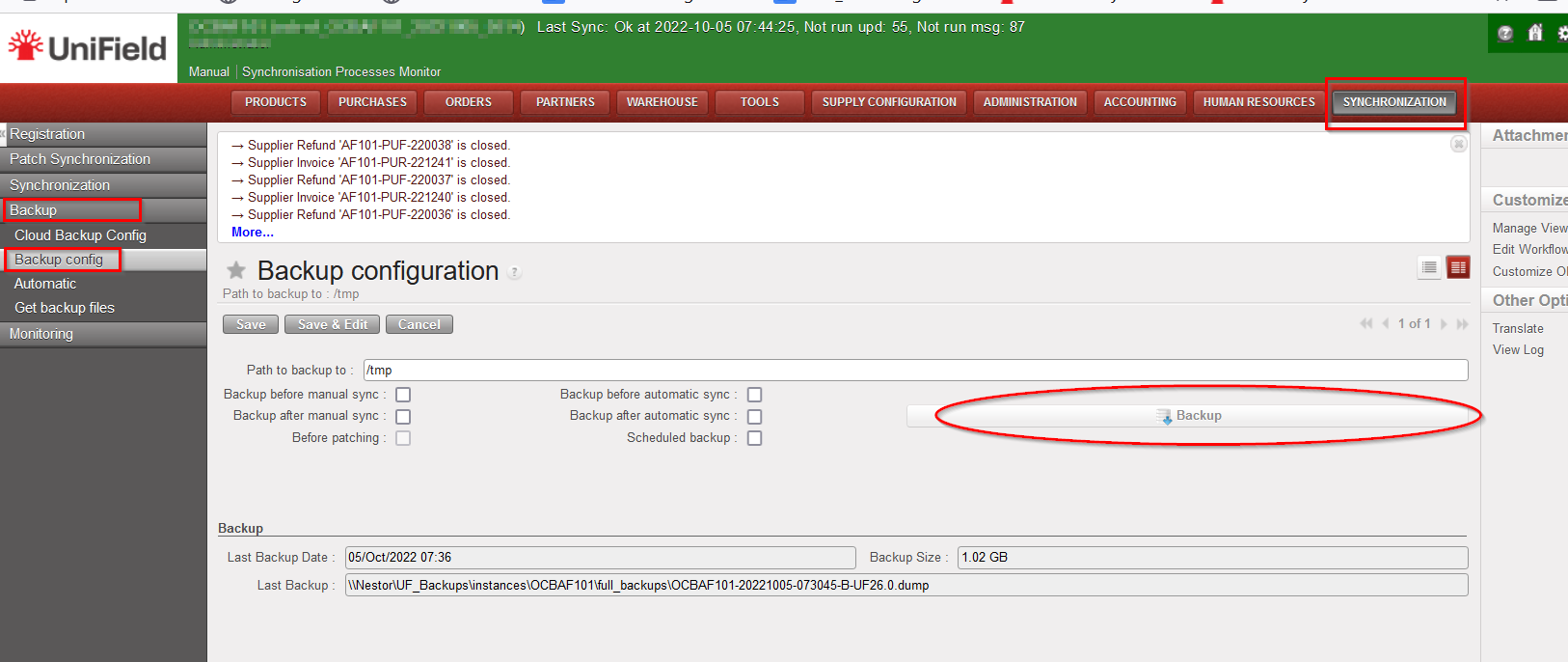
The dump will be downloaded to the backups folder defined in the “path to backup to:”
Step 4:
Transfer the dump and SSH_CONF folder to the new server. Place the SSH_CONF file in C:/Program Files (x86)/msf/
Step 5:
Install pgadmin, notepad++ and run the latest AIO set up. During the AIO installation, do not forget to update the following passwords from the defaults, they differ per OC
After AIO installation is complete, UF application will open on your chosen default browser.
Step 6: Restore the dump.
Step 7: Hardware id update
Login to the restored dump, extract the new hardware id and last update sequence. To do this, go to Synchronization menu ->Maintenance -> Click entity Id as below.
Create a jira ticket to request the hardware id update for the newly migrated instance. Do not forget to copy-paste the hardware id and last update in the description when creating the ticket.
Last checks and conclusions:
- After hardware id update, sync the instance to make sure the update was done correctly.
- Update the continuous backup on the newly migrated server by editing the pg_hba and postgres.conf files and generating a fresh base backup. Please refer to how to do continuous backup config in the IT user manual here.