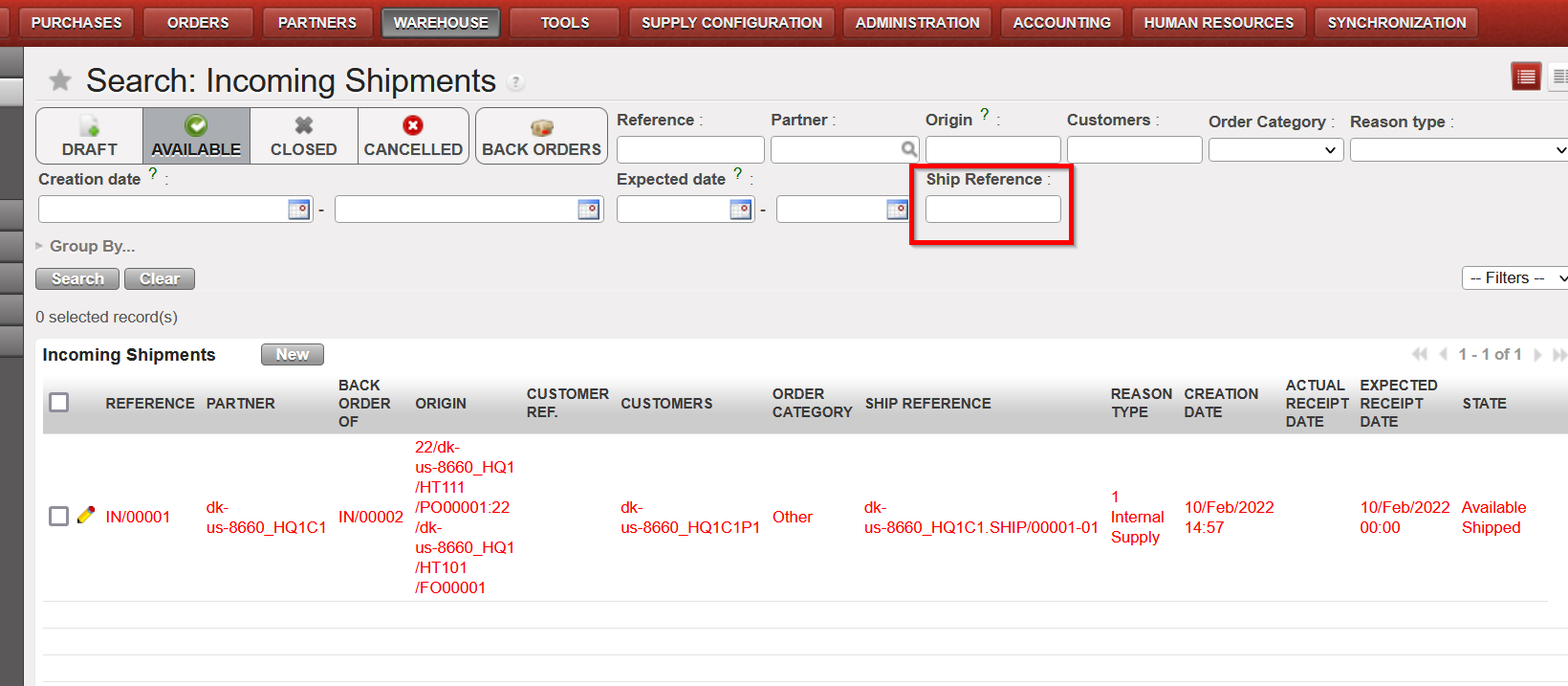
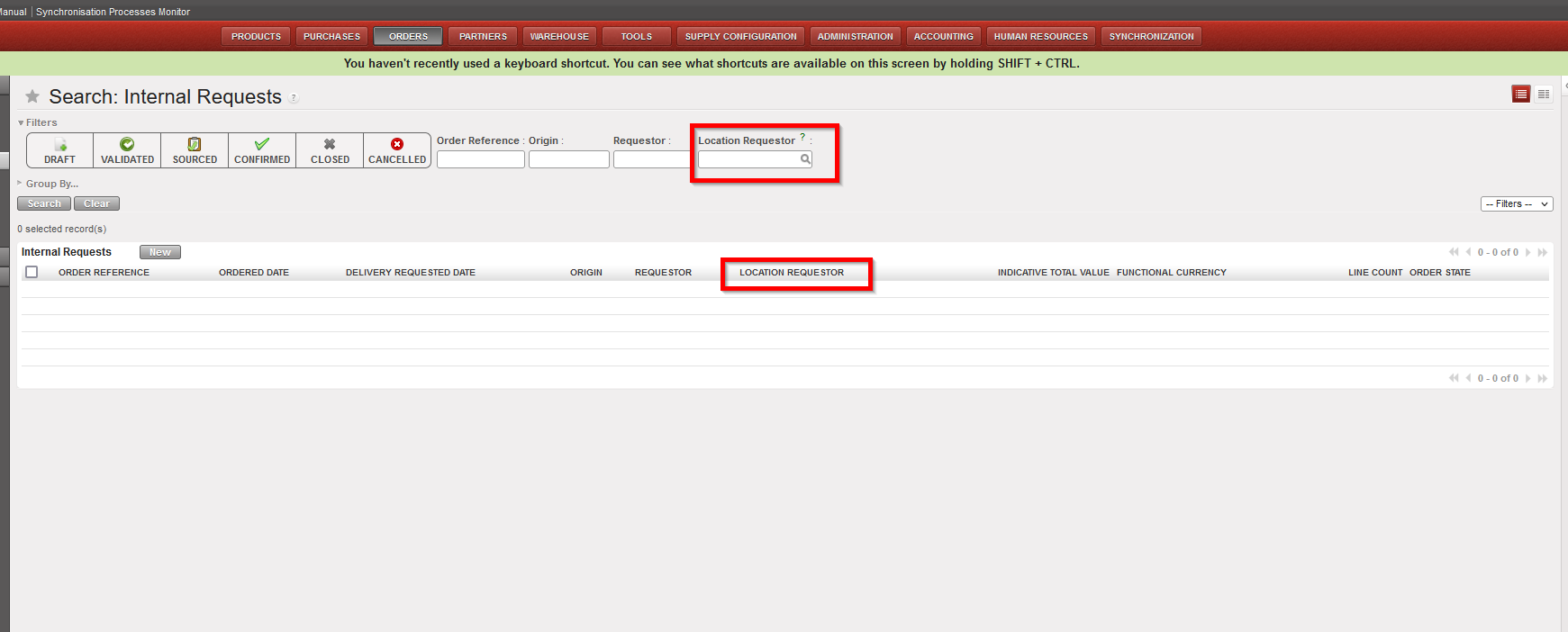
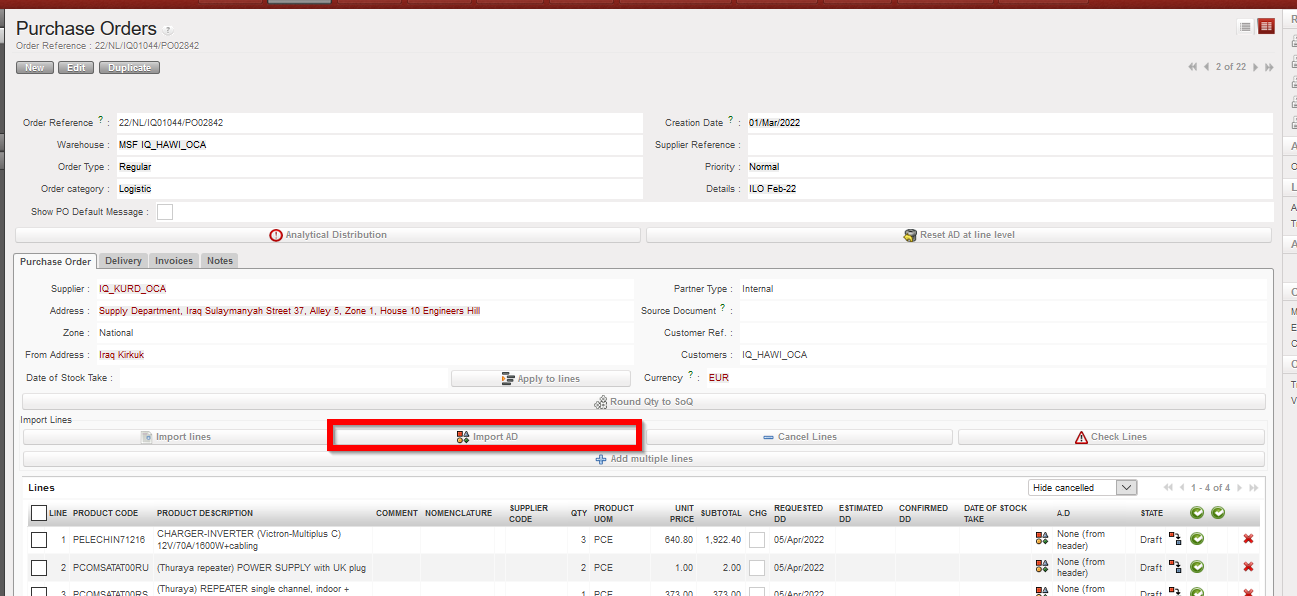
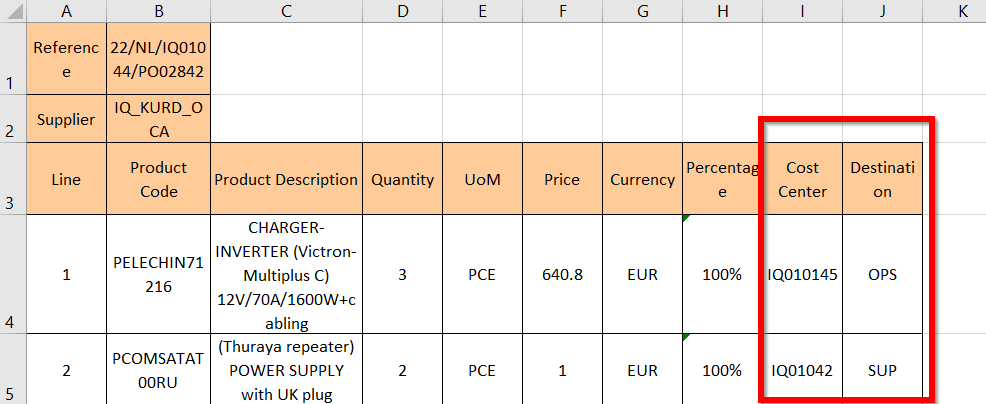
Date of production synchronization server patch: 27th September 2023 / 18:00 Geneva time
Latest user rights files updated: UF30.1 can be found here
Note that no user rights need to be loaded at each HQ. This will be done at the Sync Server by the Core team and will update the user rights via Sync for all HQs and missions.
(US-11974) MML – PO Confirmation with “process anyway” not allowed – UF request Fin_Budget group profile & (US-12011) Issue with MML PO Confirmation if Supplier internal
This issue, linked to the new functionality of MML meant that users could not confirm certain POs. POs affected were those containing products (MED) which did not conform to MML. Issue was due to the extra popup which was added to check if user wanted to confirm PO despite the MML non-conforming product(s). This has now been corrected and the user rights were adjusted for this to work correctly. Other issues found also linked to MML / Confirmation with POs to ESC and Auto VI import were also corrected.
(US-11956) Patch script to correct to POs with traceback issue due to prod by nomenclature
This issue was a side effect of US-11563 in UF30. This meant that certain POs displayed a traceback meaning they could not be viewed or processed due to their containing products by nomenclature and having source document of FO or IR for External CU. These POs have been fixed via a patch script.
(US-11920) To ignore Returned shipments from the list of open shipments when deactivating partners
With this ticket, the inconsistency of Returned type Shipments has been corrected so that all levels at line level share the Returned status too. This issue was blocking the de-activation of Partners and causing issues with decommissioning of instances so this has been resolved.
All Supply tickets integrated in UF30.1
Key
Summary
Detailed
US-11974
MML – PO Confirmation with “process anyway” not allowed – UF request Fin_Budget group profil
X
US-12011
(US-11974) Issue with MML PO Confirmation if Supplier internal
X
US-11956
Patch script to correct to POs with traceback issue due to prod by nomenclature
X
US-11920
To ignore the Returned shipments from the list of open shipments when deactivating partners
X
Finance
All Finance tickets integrated in UF30.1
Key
Summary
Detailed
US-11977
IL: import of IIL lines failed because OCBHT127 not yet linked to a UF instance
Date of production synchronization server patch: 13th September 2023 / 18:00 Geneva time
Latest user rights files updated: UF30.0 can be found here
Note that no user rights need to be loaded at each HQ. This will be done at the Sync Server by the Core team and will update the user rights via Sync for all HQs and missions.
JIRA filter for all integrated tickets:
Supply
(US-10748) MSL & MML in UniField
Medical Standard Lists (MSL) and Medical Master List (MML) are now integrated into UniField. The data from the lists are managed in a UniData Medical Standard List tool at HQ level outside of UniField. Data added to this tool will automatically synchronize into UniField. Although there are some cases of LOG products in MSL/MML, these lists are intended for Medical products.
An MML submenu was added to the Products tab in UniField version 29.0 to synchronize data from UniData to UniField. This submenu is now visible in
MML Products: The Medical Master List (MML) is a list of products which are OC Validated. Some MML Products are restricted to a specific mission or project. These products are included in the MML but Restrictions and Use Comments are noted.
MSL Projects: This list will show a list of MSL projects linked to that mission. It is possible to activate and deactivate MSLs on this page. Once activated, the MSL is automatically updated by any change made to it in the MSL tool.
MSL Products: All products in any active MSL Project are listed in this submenu.
The product details for individual products have also been updated. OC Validation has been added to the “Information” tab to show that the product is Validated on OC level. There is also a new “UD OC Validation” tab in each product datasheet.
Use Comments are shown in this tab along with information about Mission or Project Restrictions. Additional information about whether the item is included in the MML or MSL is also shown in this new tab.
An MSL Non Conform report has been added to the Action Menu of MML Products to show the medical products in stock that are not included on the MML/MSL. Sometimes a project or coordination will order on behalf of another instance, even if the products don’t exist on the shipping instance’s MSL. These items which will be shipped to another partner are only shown on the report if the “Include in-pipe quantity” box is ticked.
A column showing whether items are included on the MML/MSL list has been added to supply documents (IR, FO, PO, IN, OUT, etc). The lines with products that are not included in the MML/MSL will be red. There will also be a notification at the header of the document. Last, a pop up warning will appear when validating or confirming a purchase for any items that are not included in the MML or MSL. None of these types of alert levels is blocking: it is possible to continue to process document/line, even if the product isn’t on the MML.
(US-11369) Import AD Multiple Lines on draft PO and FO
It is now possible to import multiple Analytical Distributions on the same PO or FO line. The process to import multiple ADs is the same as the process to import one AD (by exporting, modifying then importing the template found on the page).
If only one Cost Center and Destination are used on a PO or FO line, the format of the template looks the same as it has in past versions of UniField. In this release, multiple Cost Centers, Destinations and Percentages can be added to the template by separating the values with a semicolon (;).
To be able to import the document, the numbers in the Percentage column must add up to 100 and the total number of semicolons in the Percentage, Cost Center and Destination columns must be the same.
(US-11534) Auto save line quantities when adding multiple lines
Previously, if a user entered a quantity in the Add Multiple Products popup, the quantity would only save if the user clicked on . If they clicked on the next line without saving, the quantity entered changed back to zero.
Now, quantities entered in any ‘Add Multiple Lines’ screen (FOs, IRs, POs, RfQs, Tenders, Catalogues, INs, INTs, OUTs, Real Consumption, TKC, KCL, and Initial stock inventories), will be automatically saved when clicking on another line.
(US-11563 & US-10783) Allow PO to have Multiple Destination Locations
Destinations in a Purchase Order indicate where the products should be received (Input for items to be stocked, Cross Docking for items to be delivered out and Service/Not Stockable for specific products).
It is now possible to have multiple destination locations in the same PO. Previously, the Destination Location was managed at header level so it had to be the same for all lines in a PO. This could cause problems when a merged PO had IRs/FOs with different destinations. A new “Destination Location” field has been added at line level so that items can be received in the correct Destination Location in the IN, even if some items will be delivered (Destination = Cross Docking) and others will be stocked (Destination = Input). This field can be viewed in the Purchase Order Line’s pop up view. It is only possible to have one Destination per line.
The same PO can have different Line Destinations on different lines. The Destination field in the PO’s Delivery tab will show all of the destination locations included in the PO, based on the different Line Destinations.
(US-2411) Add status column to OUT document
In this release, a “State” column has been added to the PDF of the Delivery Order to make it easier to distinguish between Available and Not Available lines in an OUT.
(US-11181 & US-11787) E-VALIDATION for FO/OUT/Pick
It is now possible to electronically validate/sign three new supply documents: Field Orders, Delivery Orders and Picks. If E-validation is activated, these modules will each have an additional Signature tab where users can manage signatures and / or sign documents. The process to sign electronically is the same as the signature process for other supply documents (Internal Requests, Purchase Order, Reception,…)
The total quantities at the time of signing are shown in the e-validation line. To make it easier to compare the quantities when validated to the printed document, Total Quantities have been added to the OUT, IN and Pick PDF documents.
To allow e-validation of Picks, there is now a signature box at the bottom of the Pre-Packing List. The quantities shown in this document will be the Total Quantity if nothing has been picked or the Picked Quantities for closed Pre-Packing Lists.
Signatures can be added at any time. In case a signature was added to a document that was only partially processed (creating a new document), a warning message will appear, indicating that the signature needs to be added to the new document. The signature will remain in the original document.
(US-11636 & US-11433) Added filters/ fields in Export PO Follow-Up
Several improvements have been made to the PO Follow Up Report. New columns have been added to the Excel document to show the Order Category, Priority and “Source Creation Date” (the creation date of the IR or FO that is linked to that PO line). It is now possible to filter the report based on these new columns.
Additional filters have been added to the Report configuration page making it possible to view only certain Order Types or Categories. If no box is ticked, all lines will be shown.
All Supply tickets integrated in UF30.0
Key
Summary
Detailed
US-11369
Import AD Multiple Lines on draft PO and FO
X
US-11534
Auto save line quantities when adding multiple lines
X
US-11563
PO Destination field’s value to be changed when it includes product lines with different requester destinations
X
US-10783
IN Dest Location incoherent with goods actual destination
X
US-10748
MSL & MML in UniField
X
US-2411
Add status column to OUT document
X
US-11181
E-VALIDATION for additional Supply Documents (FO/OUT/Pick)
X
US-11787
[EValidation] Add a warning message when partial quantities are processed in IN, OUT, PICK
X
US-11636
Export PO Follow-up – Add Priority and order creation date
X
US-11433
Add filters + change extract for PO FOLLOW-UP report
X
US-11607
Add “Reference” search box for the Destruction Report
US-11749
Use Prop Instance Name instead of Code in Loan Certificate
US-11650
Take supplier code from the same supplier catalog from which price is taken
US-10329
Avoid creation of “Pick” in PPL Menu
US-11670
UF total cargo weight
US-11590
Require Update of Actual Ship Date when Validating SHIP from Dashboard
US-11543
To fix the issue of having empty shipment in draft state
US-11448
[RfQ] Improve Viewing of Lines to Align with Other Purchase Documents
US-11466
CDD in RFQ and Tender cannot be edited
US-11566
Allow de-activation of cancelled products in Tender before Tender is closed
US-11519
OCBML101: Consolidated mission stock has a mixed fr/eng description for products in FR version of UF
US-11459
Improve French Translation of Demand and Request
US-11473
[RR] Update names in Order Calc Export Files
Finance
(US-10874) Improvement Internal transfer: auto booking of counterpart (in the same instance)
We have improved the internal transfers within the same instance.
1 – A counterpart is created at temp/or direct hard posting of the initial entry. The creation is at first posting of initial entry only. We have an icon for visual purposes, to advise about the link between the initial entry and the counterpart.
2 – When we edit/delete the initial entry (in temp status) and the counterpart entry (in draft or in temp status) : there will not be updates:
Initial entry in temp status: allow edit/delete. No update to counterpart entry.
Counterpart entry in draft or temp status: allow edit/delete. No update to initial entry.
3 – It is not allowed to manually reconcile entries if there is a counterpart at project level or coordination. There will be an error message.
4 – When the counterpart or initial is deleted, the link will be break. At that time, manual reconciliation is possible.
5 – When the reconciliation is undone, the link is broken and it is allowed to manual reconcile back with various lines without link.
6 – To keep a coherence, automatic reconciliation will be for both same or different currency.
7 – Only do Full reconciliation. Don’t proceed to partial reconciliation when amounts don’t match:
Reconciliation same currency: Full reconcile when amounts debit/credit match.
Reconciliation same currency: When amounts debit and credit do not match, do not allow reconciliation and as consequence, break the link. Allow lines to be reconciled with entries without link. This covers also the use case when there is no debit or no credit (both lines in the same sides of the booking).
Reconciliation different currency: always reconcile as the amounts will never match due to UF rate vs local rate difference. Any difference will be FXA as per current behaviour.
8 – Reconciliations are manually un-reconcilable = that means they are tagged as “manual” even if system does it automatically
BEHAVIOUR TABLE BETWEEN INITIAL AND COUNTERPART BOOKING
FIELDS
INITIAL BOOKING
COUNTERPART BOOKING
Create the initial booking
Draft status
Not existing yet
Doc date
Allow edit
N/A
Posting date
Allow edit
N/A
Description, reference
Allow edit
N/A
TP, account code
Allow edit
N/A
Amount
Allow edit
N/A
Entry line
Allow delete the line.
N/A
After temp post initial booking
Temp posted
Created in draft or temp posted
Doc date
Allow edit. Do not send update.
Allow edit. Do not send update.
Posting date
Allow edit. Do not send update.
Allow edit. Do not send update.
Description, reference
Allow edit. Do not send update.
Allow edit. Do not send update.
TP, account code
Allow edit. Do not send update.
Allow edit. Do not send update.
Amount
Allow edit. Do not send update.
Allow edit. Do not send update.
Entry line
Allow delete the line. Break the link (counterpart could be manually reconciled)
Allow delete the line. Break the link (initial could be manually reconciled)
(US-11130) OCBHQ to have in the Combined report and JI and AJI exports the accounts mapped: “HQ system accounts” at project level
For the instances that will import accountancy entries from UF in their local accountancy application, OCB has a mapping of the accounts.
They requested to have the option to select accounts mapped in the reports Selector, Combined Journals Report, and in JI and JE.
In the Selector and in the Combined Journal Reports we have now the possibility to add accounts that are mapped in: Accounting>Config>Accounts>Account mapping:
Accounts mapping is now synchronized down.
There is new tick box “Display HQ system accounts mapping” in the company for, “Configuration” tab, when ticked.
HQ mapping is displayed on JI, AJI list views.
HQ mapping is exported in Selectors and “Export Search result”.
HQ mapping is displayed on Selectors in accounts field.
New extended filter “HQ System Account” on JI and AJI.
(US-11289) Search: Supplier and customers screens: to remove the field “Journal” and to replace it with “booking currency” field filter
In the menus Customers and Suppliers we have added the Booking Currency field.
Some examples here for suppliers:
(US-11303) Accruals: to add a filter by number in the “Search: Accruals Management” screen
In the accruals search view, we have added a filter by number.
(US-11311) Bank and Cash registers created in a special period: to prevent!
We have done several changes in order to ensure that:
Only regular periods are shown in the [period] field of the registers. This is the case if we navigate this field.
When changing the date of opening to a December date, in case December period is not open => an error message is shown like when the period is not open:
When changing date of opening to December date, the extra accounting periods are not displayed as option, even one of them is in open status.
(US-11548) For IVO and for IVI: to put in the list all accounts with type regular, expenses, payables and receivables (as in the Supplier Invoices)
For IVO and IVI, we have allowed the accounts that are now in the SI header and we have removed the regular equity accounts and the accounts with the type for specific treatment “Down Payment” /”Operational Advance” (in OCA account number 13610 and in OCB, OCP, OCG account number 13100).
(US-11601) IIL auto import configuration in UF HQ_OCA
OCA have requested support for the configuration of automatic import of IIL (International invoice lines) from SharePoint to UF HQ_OCA.
(US-11715) OCG: Automated import setup and testing for destination (daily import) 2
OCG has requested support to setup the automated import for destination in our HQ OCG sandbox.
All Finance tickets integrated in UF30.0
Key
Summary
Detailed
US-10874
Improvement Internal transfer: auto booking of counterpart (in the same instance)
X
Us-11007
To add a line with the “Total” when selecting invoice object/CV from list (same as in the Journal Entries)
US-11090
YE_COOR_OCA Fin VI vertical integration: Remove special character
US-11118
Proprietary instance, filter active CC on the list + red color lines with inactive cost centers
US-11130
OCBHQ to have in the Combined report and JI and AJI exports the accounts mapped: “HQ system accounts” at project level
X
US-11142
Remove empty space beginning and end of analytic account code
US-11212
“Balance by account” report: field periods selection to fix
US-11289
Search: Supplier and customers screens: to remove the field “Journal” and to replace it with “booking currency” field filter
X
US-11303
Accruals: to add a filter by number in the “Search: Accruals Management” screen
X
US-11311
Bank and Cash registers created in a special period: to prevent!
X
US-11451
Currency tables duplication is not working
US-11512
To prevent duplications when importing the HQ entries: double click in import button
US-11548
For IVO and for IVI: to put in the list all accounts with type regular, expenses, payables and receivables (as in the SI)
X
US-11565
Export to HQ system (OCBA) to remove from the menu Accountancy/Reporting/Generic Reporting
US-11601
IIL auto import configuration in UF HQ_OCA
X
US-11644
HQ_OCA prod does not import IIL international invoice lines (Traceback (- most recent call last -) CODE FIX
US-11655
French Translation: to translate Finance queries to Requêtes finances in the Rapports menu
US-11679
Patch script: set all OCA instances with IIL functionality
US-11680
French Translation: Is reconciled? into C’est lettré? and others
US-11715
OCG: Automated import setup and testing for destination (daily import) 2
X
US-11763
To add a configuration checkbox field on the “Automated imports” form view, to disable the checksum check for a specific import
Non- functional
(US-11484) Prevent Modifying Proprietary Instance Fields as Soon as It Is Used
Proprietary instances have always been created with all fields editable but once the instance is used in journal entries the code, level and Parent should not be changed. This release disables the ability to edit these 3 fields completely. As seen in the screenshot below, these fields will be read only for all users including administrator.
(US-11602) To Have a Pop-Up Asking for The E-Mail Address.
The UF30.0 release will include a pop-up prompting users to input their email address. This will not be a mandatory field so users can proceed to login without inputting their email address. However, the pop-up will continue to be displayed up to a maximum of 3times until 4th December 2023. After this, the user can still provide the email address in the following ways:
In the preferences menu at the top right corner of the UniField application window as seen below.
Upon password expiry, the change password dialog box will have the email address field displayed. The email field will not be mandatory so one can proceed to change password without it.
With user_manager rights directly in the user objects
Please note: For synchronized users, the email field can only be filled in at HQ using admin user or other user with access to managing synchronization whitelist.
(US-11616) Remove Block on Patch Application If CC For FO/PO Ref Is Not Set.
Instances with no cost centre for FO/PO reference set could not upgrade to new version of UF as seen with the release of UF29.0 in US-11613, US-11627 and US-11635. Instances were stuck at upgrading modules until the FO/PO cc was data fixed. The UF30.0 release removes the block on patch application for such instances. Instances without the cost centre for FO/PO reference set can now upgrade to newer versions of UniField.
(US-11668) Prevent Deletion of Synchronized Users and Allow Recreation by Sync If Deleted.
All users with user_manager access group were able to delete synchronized users on the coordination and project levels. This improvement now ensures that a deleted synchronized user is recreated by sync after deletion. In addition to this, in the linked user rights ticket US-11691 we have removed deletion rights from user_manager access group. Only activation and deactivation will be possible. Any attempt to delete a synchronized user will return error message: Cannot remove a synchronized user.
(US-11734) To Auto Activate International Invoice Lines (IIL) On New Instances For OCA
The current process of activating IIL for existing instances is manual through the Reconfigure menu in Administration tab. This improvement ticket ensures that IIL is automatically activated for all new instances in OCs that desire it. In this specific case for OCA, their auto install config file template is now set to:
Activate International Invoices Lines = Yes
If another OC desires to have IIL already activated for new instances, we shall update their auto install template after formal request via Jira.
All Non-functional tickets integrated in UF30.0
Key
Summary
Detailed
US-11484
Prevent Modifying Prop Instance Fields as Soon as It Is Used
X
US-11602
To have a pop-up asking for the e-mail address
X
US-11616
Remove block on patch application if CC for FO/PO ref is not set.
X
US-11668
Prevent Deletion of Synchronized Users and Allow recreation by sync if deleted
X
US-11734
To Auto Activate International Invoice Lines (IIL) On New Instances For OCA
Date of production synchronization server patch: 14TH June 2023 / 18:00 Geneva time
Latest user rights files updated: UF29.0 can be found here
Note that no user rights need to be loaded at each HQ. This will be done at the Sync Server by the Core team and will update the user rights via Sync for all HQs and missions.
(US-8455) Request to introduce a “Loan Certificate” in PPS and OUT
With this release, a Loan Certificate will be available in the Action Menu for all INs and OUTs (Pick/Pack/Ship and Delivery Orders). The certificate will only show the lines in the document that pertain to the Loan or Loan return.
If there is a Loan and a Loan Return in the same SHIP, it will be possible to select the document you want to view. When selecting the document that you wish to view, it is possible to choose to see the Total Value of the Loan. By default, no value will be shown.
The project’s name in the documents will be based on the name submitted by HQ. Any changes required to the name shown cannot be modified at project or coordination level.
(US-8361) Free gift certificate text alignment with donation certificate
A Certificate of Donation has always been available in UniField, but it has been added to the action menu for all SHIP and OUT for better accessibility. This certificate will be available for all Reason Types, not just ‘Donation.’
Previously it was possible to view Gift Certificates and Free Gift Certificates. This change harmonizes the names and shows the Free Gift Certificate in any place where the Gift Certificate was shown in the past. This document is now also available in the action menu for all SHIPs and OUTs.
(US-11141, 11462) Prevent new lines from being added on Validated POs that sync to a supplier
Lines from Cusomer Purchase Orders that have been validated have never synchronized to the Supplier instance, since the second instance may have already started to process the order. Despite this limitation, it was possible for the requesting instance to add lines to the PO even though the added lines would never be visible in the FO in the supplying instance.
In this release, it is no longer possible to add lines in the requesting instance once a synchronized PO is validated. The add line button is no longer visible once the PO is validated if the PO is sent to the supplier by synchronization (Internal, Intersection, or Intermission orders). All new lines must be added in the Field Order or Purchase Order of the Supplying instance and will synchronize to the Requesting Instance.
(US-10580) Alignment of IN pdf “Line Number” and “Qty Confirmed” to the PO
In past versions of UniField, the line numbers shown in the PDF version of an Incoming Shipment always started from 1, where the line numbers in the form view were linked to the PO’s line numbers. With this release, the line number shown in the Reception PDF will match what is shown when processing the IN.
The quantities shown in Incoming Shipments are also being updated to provide more insight on backorders and quantities in the original orders.
The Qty Confirmed column in the IN will now show the quantity that was confirmed in the PO, even if some of the original quantity has already been processed, same for qty in the IN from scratch, confirmed qty will show the quantity that was confirmed in the IN from scratch.
The Qty backorder column will now reflect the open backorder (the qty confirmed minus qty received from all IN lines linked to that line of the PO/IN from scratch).
(US-10563) Add fields in PO lines allocation report
The “Allocation Report” has been updated to show two new pieces of information:
Requestor: The allocation report will now show who requested the line, whether the request came from an FO or an IR. Previously this column was called ‘Partner’ and only showed the requestor when the request was an FO.
Comments: Any comments included in the Purchase Order for the line will now be shown on the PO allocation report.
(US-11218) VI PO import job stops due to checksum
During Automated Vertical Integration, UniField checks to make sure that a file isn’t a duplicate. If it is, the import is stopped, even if there are new non-duplicate import files to process. With this release, UniField will continue to process remaining VI files, even if another file processed was a duplicate file.
(US-10126) Split IN lines VIA manual VI, Duplicate ordered QTY and update QTY to process
When processing an IN via manual vertical integration, the quantities to process are taken from the import file. To prevent replacing the correct import data with order information from the PO, the top 3 buttons (Copy All, Clear All, Import IN) in the IN process screen have been removed.
(US-8968) To introduce a “Returned” status for completely returned SHIPs
Until this release, the statuses available for processed Shipments were ‘Dispatched’ and ‘Received,’ even if all lines in the order were returned. With this release, a new status ‘Returned’ will be available for shipments Replaced “Cancelled” State:
If all lines in a SHIP have been returned, the document status will be Returned. The status of shipments where all lines were returned before this release have been changed from Dispatched to Returned.
The status of all lines that have been returned in a SHIP will be changed from Closed to Returned.
A dropdown menu has been added to SHIPs to make it easier to only view relevant line statuses:
(US-9022) Allow modification of Estimated and Actual Ship Dates on Ships
Previously the Actual Ship Date in a SHIP could not be manually modified and the shipment’s Expected Ship Date could only be modified when the state is Draft.
With this release, it will be possible to modify the Expected and Actual Ship Date fields until the shipment is dispatched (Validated). Sometimes shipments are sent before or after they are validated, so now there will be a pop up allowing the shipper to select the date the shipment was actually dispatched. Once a shipment is dispatched, the Ship Date fields cannot be modified.
(US-10752) Products: Prevent change of Product Type (Stockable > Service etc)
Users at HQ can change the Product Type for UniData products and these changes will synchronize down to all coordination and project instances. At coordination level, changes in Product Type will synchronize down to projects for local codes. If an item is in stock and then the Product Type is changed to Non-Stockable, the product could be stuck in stock without being able to be delivered.
Now, a check will be done using data from latest MSR. If an item is in stock/Pipelines in any linked instance, the Product Type cannot be changed.
(US-10923) Prevent resubscription of NSL that have been unsubscribed in Unidata
OCs can choose to unsubscribe to Non Standard Local (NSL) codes in UniData and this change in subscription will be reflected in UniField. Previously, it was possible to reactivate these NSL codes in coordination, even if it was unsubscribed by HQ.
Now, when an NSL product has been unsubscribed by the OC, it cannot be activated at mission level unless the product code is resubscribed.
(US-11000) Magnifying glass to search for orders in the OST does not show lines from IRs
In the Order Sourcing Tool, the magnifying glass in the Order field previously only showed references from Field Orders. With this change, it will also be possible to search for sIR references using the magnifying glass.
(US-11177) Add ability to search for batch numbers with magnifying glass for KCL
Previously batch numbers for kit components managed by batch number/expiry dates had to be entered manually when creating a Kit Composition List (KCL).
Now, the magnifying glass functionality has been added when selecting batches for Kits so that users can view all available batches for a given kit’s Component .
(US-9157) RR: Better differentiate OC exports
The names for the Replenishment Rules export files have been updated to be more clear. The new document names are:
Previous Name
New Name
Order Calc
Order Calc Excel Export
Order Calc (only lines with warning)
Order Calc Excel Export (only lines with warning)
Export Draft Consolidated OC Lines
Draft Consolidated OC Lines
Export Consolidated OC all status
Consolidated OC Lines – All Statuses
A warning Message will be displayed in case of trying to import an incorrect file type:
“Error: Wrong format: Order Calc Excel Export template must be used”.
All Supply tickets integrated in UF29.0
Key
Summary
Detailed
US-8455
Request to introduce a “Loan Certificate” in PPS and OUT
x
US-8361
Free gift certificate text alignment with donation certificate
x
US-11141
Prevent new lines from being added on Validated POs that sync to a supplier
x
US-11462
(US-11141) Prevent new lines from being added on Validated POs to Internal Intermission Intersection Partners
x
US-10580
Alignment of IN pdf “Line Number” and “Qty Confirmed” to the PO
x
US-10563
Add fields in PO lines allocation report
x
US-11218
VI PO import job stops due to checksum
x
US-10126
Split IN lines VIA manual VI, Duplicate ordered QTY and update QTY to process
x
US-8968
To introduce a “Returned” status for completely returned SHIPs
x
US-9022
Allow modification of Estimated and Actual Ship Dates on Ships
x
US-10752
Products: Prevent change of Product Type (Stockable > Service etc)
x
US-10923
Prevent resubscription of NSL that have been unsubscribed in Unidata
x
US-11000
Magnifying glass to search for orders in the OST does not show lines from IRs
x
US-11177
Add ability to search for batch numbers with magnifying glass for KCL
x
US-9157
RR: Better differentiate OC exports
x
US-11340
[Physical Inventory] Include accurate decimal values instead of rounding down in discrepancy reports
US-11015
No statuses for some items lines in Export IR/FO Follow-up
US-11140
Add Link to RfQ Reference when Sourcing to RfQ
US-11184
French translation improvement for IN print out – « contrôlé par »
US-10880
Claims: Claim from scratch from IR ext CU strange behaviour
US-11268
[RFQ] Update RFQ button once RFQ is sent
US-11450
Product track changes attached to the wrong product
US-11465
(US-8968) Main Shipment becoming Returned when it should not
US-11471
To fix the QTY confirmed and backordered qty calculation in the IN from scratch
US-8371
PO: UF refuses to change unit price
US-11524
[9022] Actual Ship Date should be Today’s Date in Pop Up, but it defaults to previous Actual Ship Date
US-11528
To fix the qty confirmed in the IN from scratch
Finance
(US-10858) Electronic Validation: Inactivate signature when user is inactivated
After this improvement, we will get automatically the signature inactivated, when the user will be inactivated.
The aim is to prevent that old signatures could be used when the profile is reactivated later.
(US-10991) Electronic Validation: Improve the error message when the user has a signature, but he is not allowed to sign a document
We have improved the error messages for this use case: the user has the signature, but the user is not allowed to sign the document. In this case, the user tries to apply his/her signature on the object and the old error message was “Operation denied”. We have adapted the message to put it clearer.
The error message has been changed as follows:
“You are not in the list of users allowed to sign this document – please contact the document creator”.
“Vous n’êtes pas dans la liste autorisée à signer ce document – merci de contacter le createur de document”.
(US-11199) Electronic Validation: signature follow screen up for “document creator”: to remove the default filters [my signature] and [to be signed]
In Unifield, go to: Administration/Users/Signature/Signature follow-up: we have removed the default filters [my signature] and [to be signed]. After user’s experience we have considered that it was not pertinent.
We have created two “Export” action menus from the Signature follow up screen:
Export to Excel
Export to PDF
Go to Administration, Users/ Signatures Follow up, go to the right menu Actions and select “export search results”.
The idea is to apply some filters using the existing filtering method above the screen and to be able to export the list in Excel/PDF.
The content will be the information of all the columns that we have on the current “signature follow-up” screen.
The use of this: when we need to quick check which documents/objects have been signed in UF, we can export the report and provide to auditors/control etc.
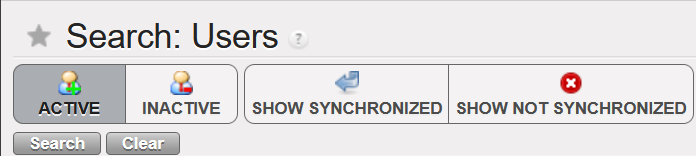
(US-10807) Users: filter based on the “department code”- drop down list
In Administration, Users: “Search: Users” there was an inactive filter named “Company“. It has been now renamed as “Department” and it will be used to have the Department information.
Remember that to populate the department field, you need to go to the menu Human Resources => Configuration => Human Resources => Departments.
(US-10820) OCB: Sub-cost center validity date greater than parent cost center validity date, no import in CODA: to add an error message
We have added an additional check for cost centers parametrization:
In the case that the Sub cost center validity date is greater than the parent cost center validity date ==> we have added a warning error message. “the sub-costcenter validity date is greater than the parent cost center validity date”.
(US-10835) International Invoice Lines – ESC ERP (European Supply Center ERP)
To develop the Finance Cost price *, we have created the International Invoice Lines module to synchronize down the International Invoices Lines extracted from ESC ERP to the requestor instances. This is to get the real paid prices from the ESCs for International orders.
* Finance Cost price: the product finance cost price will be calculated based on invoices and no more on POs.
This module intends to:
Allow a downstream flow from UniField HQ instance to missions’ instances, called International Invoices Lines.
With information extracted from the ESCs’ ERPs and imported in UniField HQ instance.
International Invoices Lines are a more detailed information of HQ Entries/Invoices placed by ESCs to OCs related to International orders placed by missions to ESCs, where information of a product line level / Purchase Order Line level are available, especially invoiced prices.
Match International Invoices Lines with reception of International Orders in UniField so prices of International Invoices Lines can be used to value the average Finance Cost price of a product.
Principles :
The Module is not compulsory to use and will be in the reconfigure (Manage International Invoices Lines) and access managed via user rights.
IIL imported at HQ will sync to the instance where the CC is ticked as PO/FO Reference to ensure IIL are available either at Coordo or project that placed the International Orders.
In case of DPO to ESCs, the CC of the receiving instances will have to be entered in the IIL instead of the CC of the instance that placed the order.
If ESC entries are not found at time of reception triggering the creation/validation of the ESC invoices, invoices prices will be populated by the Purchase Order prices.
ESC entries can be monitored at HQ regarding their status (status will sync up from mission to HQ).
(US-10904) Final status of in kind donation: from OPEN status to new status DONE/TERMINE (it is not a renaming)
We have done some improvements on the in kind donation functionality:
– We have created the button called: “Set as done” (“Terminer” in French version).
– we have also created the Status Done (Terminé in French). The status OPEN will not exist anymore.
(US-10921) IVI / IVO / STV / ISI: to add the Counterpart Invoice Number search field
We have added the “Counterpart Invoice Number” field on the IVI / IVO / STV / ISI search views and to display it in the list views.
(US-11005) To prevent FO / PO creation if “Cost center picked for PO/FO reference” is empty
We have prevented the FO / PO creation if the “Cost center picked for PO/FO reference” is empty:
We have also put an error message:
English message: “add the cost center picked for PO/FO reference”
French message : “rajouter le centre de coût utilisé pour la reference PO/FO”
(US-11046) Costing methods: standard price to remove + Patch script to correct products with the wrong costing method
We have removed the option Standard price, as MSF used just the option Average price.
We have done a patch script to correct the products with the standard price.
(US-11103) Manual journal entry: available journals: to remove the not used journal with code REV
The REV journal is no more available for manual journal entries.
All Finance tickets integrated in UF28.1
Key
Summary
Detailed
US-10799
ELECTRONIC VALIDATION: To create a submenu in the Users with the Signatures (List, Follow-up and My Signature)
US-10858
Electronic Validation: Inactivate signature when user is inactivated
x
US-10991
E-validation: Improve the error message when the user has a signature, but he is not allowed to sign a document
x
US-11199
E-validation: signature follow screen up for “document creator”: to remove the default filters [my signature] and [to be signed]
x
US-11349
E-validation: “signature follow up” exporting option (excel and pdf)
x
US-6976
Remove the translation option from the analytic accounts
US-8443
OCA_VE_COOR Unbalanced entry after synch – causing failure of test auto Finance VI in from HQ.
US-9702
Code fix for Journal entries: use case with AD KO to avoid
US-10629
Partners form: purchase default currency and field order default currency
US-10755
Selector saved queries/templates: to be able to delete them at once (to do with the user right ticket US-11328)
US-10807
Users: filter based on the “department code”- drop down list
x
US-10820
OCB: Sub-cost center validity date greater than parent cost center validity date, no import in CODA: to add an error message
x
US-10835
International Invoice Lines – IIL module – ESC ERP
x
US-10904
Final status of in kind donation: from OPEN status to new status DONE/TERMINE (it is not a renaming)
x
US-10915
OCB VI – vertical integration – Changes to the interface file (to add additional columns) to adapt to the new HQ system
US-10921
IVI / IVO / STV / ISI: to add the Counterpart Invoice Number search field
x
US-10996
Entries Data Integrity at project: remove coordo Unbalanced reconciliations
US-11005
To prevent FO / PO creation if “Cost center picked for PO/FO reference” is empty
x
US-11022
Accrual – Edition of the third party on draft ACC to empty is not reflected in the list view + patch script
US-11046
Costing methods: standard price to remove + Patch script to correct products with the wrong costing method
x
US-11103
Manual journal entry: available journals: to remove the not used journal with code REV
x
US-11348
Allow editing entry line with if the line contains character (° )
US-11399
OCA_MM_MYAM: DF: Target instance of CC did not synched to the field
US-11410
OCB VI vertical integration: to add the db-id for journals (account_journal.id)
US-11444
French Translation: Cash request into Demande de fonds
Non- functional
(US-11254) Python3: patch file too large to store in database
This improvement is in preparation for the python3 migration. In the UF28.1 and all earlier versions of UF, the patch file retrieved from the sync server by the instances is stored in the database. However, when we tested this procedure to migrate from python2 to python3, it returned an error when allocating memory to output buffer. To fix this, we changed the patch file to be stored in the filesystem under a new folder: “C:\Program Files (x86)\msf\Unifield\Patches”
Please note that the new patches folder will not be visible with this 29.0 release. It will be created with the next patch/release when the new patch is applied. The patch file to migrate py2 to py3 will be approximately 100MB and should not heavily impact the disk space on the C drive.
(US-9958) Time out for inactivity
Currently, there is no automatic log out when users are not using UniField. This poses some IT security risks. This release implements a 1hour timeout activity which was agreed upon by both Supply and Finance as acceptable for the business. The user will be notified 15mins before automatic logout.
(US-11232) Unidata API: Display Mission/Project Restriction and OC validation
We have extended the integration with UniData and UniField. As a result, some of the fields from UniData are now visible in UniField as well.
On the Product level, in the ”Information” = > “Status” section, the following fields are newly visible:
“OC Validation” checkbox
“Devalidation Date” or “Validation Date“ (depending in whether the product is OC validated or not)
A new tab on the ”UD OC Validation” has been created. You will find there all ”Mission Restrictions”, ”Project Restrictions” and ”MSL” in which the specific product is listed. The ”Code” field is the instance code that has been mapped to the specific mission/project/MSL restrictions. Please note that if the Mission/Project restriction has not been mapped yet, the field will remain empty.
(US-10885) MSL: prepare prototype call to MSL API
We have integrated the MSL data into UniField. This enabled us to show all the published MSL projects in UniField as well as all the products listed in these projects which are also present and active in UniField.
You will find new submenus in the ”Products” menu:
MML Products – The submenu lists all the products, that are active in UniField and are also OC Validated for the given OC in UniData. You can also see, whether the product is MML or MSL Valid. MML Valid means that for the given product, there are either no restrictions for the products in UniData or these restrictions apply to the proprietary instance, or coordination instance. MSL Valid means that MSL project applies to the proprietary instance. The ”MML Valid” filter serves as a quick filter to see only MML Valid products. Please note that on the HQL level, ”MML Valid”/”MSL Valid” fields are always empty as MML restrictions and MSL projects only apply to Coordination/Project level instances.
MSL Projects – The submenu lists only relevant MSL Projects for the proprietary instance. Which project is relevant depends on the instance level. For the HQ instances, all published projects within OC are displayed. On the coordination level, only published projects mapped to the proprietary instance or its children are displayed. On the project level, published projects mapped to the proprietary instance + projects of its coordination + all children of its coordination are displayed.
You can click on each project to see the specific products that are listed under this project.
To see the specific products in the ”MSL Products”, you need to activate the specific project first. You can do so by clicking on the green button positioned on the right side. The project can also be deactivated at any time. By default, all projects are deactivated.
MSL products – all products listed in the relevant MSL projects are listed in this submenu. Each MSL project must be activated first in the “MSL Projects“ object. By default, only products listed in the MSL Project mapped to the proprietary instance are displayed. If you wish to see the products listed under another MSL project, you need to choose them in the “MSL Valid for instance” filter. Again, you can only choose from projects, which are already activated in UniField.
In the ”Tools” -> ”Unidata” => ”MSL Projects with no link to UF” you will find all unmapped MSL projects. Also, these unmapped projects will appear in red font in the “MSL Projects” submenu.
All Non-functional tickets integrated in UF29.0
Key
Summary
Detailed
US-11254
Python3: patch file too large to store in database
x
US-9958
Time out for inactivity
x
US-11232
Unidata API: Display Mission/Project Restriction and OC validation
Date of production synchronization server patch: 5th April 2023 / 18:00 Geneva time
Latest user rights files updated: UF28.0 can be found here
Note that no user rights need to be loaded at each HQ. This will be done at the Sync Server by the Core team and will update the user rights via Sync for all HQs and missions.
The changes made in US-10180 made it mandatory to fill the Order in Sync Instance field in FOs in order to validate added lines.
It was not mandatory to fill this field for FOs created before release 28.0, so this field is empty for field orders created before the last release. If any lines in the FO have this field filled, it must be filled for any added lines, including lines which have been cancelled and resourced.
This change ensures that it is possible to Cancel & Resource PO, IN and Pick lines with FOs that have at least Order in Sync Instance filled when the resourced line was not.
(US-11176 & 11146) Allow KCL for perishable items to be added to INs and OUTs
Ticket US-7603 made it possible to enter a KCL reference in INs, Picks and OUTs. Of these documents, only the Pick could add a KCL reference for items that were managed by batch number or expiry dates. This change ensures that the KCL reference items managed by BN/ED can be added to OUTs and INs.
All Supply tickets integrated in UF28.1
Key
Summary
Detailed
US-11297
Order in Sync Instance Missing
x
US-11291
Opening KCL sometimes shows create view instead of list view
US-11176
Allow KCL for perishable items to be added to INs
x
US-11146
Allow KCL for perishable items to be added to OUTs
x
Finance
(US-11252) ADVANCE MANAGEMENT: Correction of US-10279 – show all advances button”
After this development, we are able to settle advances from one register in another register. This is very important for settling bank or cheque advances which are 99.99% of the case settled via cash register.
We have a default checked button to display ONLY entries from that specific register. When the button “ONLY THIS JOURNAL” is activated, it shows advances from the register we are in. If it is not selected, we show all advances from all registers as follows:
when we are at COORDO level, we can see the open advances of all registers, all periods, of all instances, in the same currency, which are not yet settled, and which are in Temp or Hard posted status.
when we are in a PROJECT level, we can see the open advances of all registers, all periods, in the same currency, which are not yet settled, and which are in Temp or Hard posted status.
All Finance tickets integrated in UF28.1
Key
Summary
Detailed
US-11252
ADVANCE MANAGEMENT: Correction of US-10279 – show all advances button”
Date of production synchronization server patch: 15th March 2023 / 18:00 Geneva time
Latest user rights files updated: UF28.0 can be found here
Note that no user rights need to be loaded at each HQ. This will be done at the Sync Server by the Core team and will update the user rights via Sync for all HQs and missions.
(US-7598, US-7603, US-10562) Changes to Kit Composition Lists
With this release there are several changes to Kit Component Lists (KCL) and how their components and expiry dates are tracked and managed.
A ‘Kit’ column has been added when processing KCL, Kitting Orders, PICK, Pack, Ship, Delivery Orders and Real Consumption to make it possible to identify which kit is being processed. It is not mandatory to identify a KCL in the ‘Kit’ column, but when one is chosen, the kit being processed will be linked to the document that’s being processed. This information will be shown on the related documents.
When a Kit is processed in an OUT, the KCL will be automatically set to Status “Closed” when it is sent out of the instance. If a KCL has kit as a component, the component KCLs will also automatically be set to Closed status when the top KCL is closed.
If the kit has components that need to be managed by Batch Number/Expiry Date, these fields will be mandatory in the KCL for the kit and its components.
(US-7957) Improved usability in the OST
Several changes have been made to make the Order Sourcing Tool more user friendly. It is now possible to click on column header to sort by Requested Delivery Date.
A new link has been added to the Action Menu when a line is selected in OST which displays all POs that contain this Product.
Last, in the Supplier pop-up that opens after clicking the magnifying glass, suppliers that have an active catalog which contain selected item are displayed in green at the top of the list.
(US-8454) Upgrade of FO, RFQ, Tender for consistency
In this release, the functionality of Field Orders, Requests for Quotation and Tenders has been updated to make them more easily editable and to make line level information more easily viewable.
Previously, Field Orders and RFQs could only be modified in the pop up screen. In the current release, there will be 2 icons to the left of each line to allow the 2 different modes of edit: a “Pencil” icon to edit directly in the line, and a “doc” icon to open line in pop-up. Clicking anywhere on the line will allow the line to be edited in line-mode. In addition to being editable at line level, it will now be possible to add lines by Nomenclature in FOs and RFQs. The process for adding products by nomenclature in these documents will follow the same steps as the current functionality for POs.
Header information for FOs, RFQs and Tenders have been updated to make the naming more consistent, and to ensure that pertinent information is shown in each document.
(US-9495) Re-sync between internal partners
The Re-sync functionality that allows orders to be synchronized to a third (external) UniField instance has been expanded to allow synchronization to a third internal instance. This means an order can be created at a project, synched to Coordination and the Coordination could then send the order (by sourcing the FO to a PO) to another project in the same Mission. Transport documents will work in the same way as previously: each order document will have a corresponding transport document for the goods flow. The “Re-synch” mechanism is limited to 3 UniField instance partners and not more.
The functionality for DPOs remains the same; this Order Type can only be issued to External suppliers. This means that DPOs can only be created in the final instance with the second instance as the Consignee/Delivery partner. This is where the IN for these goods must be received. For the original requestor to receive the goods, the second instance must use the Pick/Pack/Ship mechanism to send goods.
Diagram 1: 2 possible DPO flows
The order is initiated at project1.1, and order sent to Coordo1, who sources to project1.2 in the same Mission. Project1.2 can source the order onto a DPO to an external/ESC partner. The delivery flow (red arrow) starts with External/ESC partner and goes directly to the middle internal partner Coordo1.
The order is initiated at project1.3, and order sent to project1.2, who then source to their project1.1 in the same Mission. Project1.1 can source the order onto a DPO to an external/ESC partner. The delivery flow (red arrow) starts with External/ESC partner and goes directly to the middle internal partner proj1.2
*Only some possible flows are displayed, however bother internal and DPO flows are equally valid for any combination of flows between 3 internal partners of same mission.
(US-9874) Improvement on the LOAN flow documents’ naming
An additional Order Type has been created for processing Loans. When processing INs, POs and FOs for loans, “Loan Return” has been added as a reason type. When the “reminder” document is automatically generated by the system, the system will automatically add the reason type “Loan Return” to this document and all transport documents which follow.
(US-10180) Adding new lines in synced FO – Order in Sync Instance
Each FO line created by synchronization is linked to the original request in the field “Order in synced instance”. If a line is added to a synchronized Field Order, the line will be red and it will not be possible to validate the FO until the line is linked to an original request from the requesting instance.
It is now possible to link an added line to the original request by opening the FO pop up and selecting the order in the mandatory Order in Sync instance field:
With this change, the added lines will be able to enter the stock or be included in the OUT for delivery following the reception the goods.
(US-10585) Merge 2 UniData products functionality
In previous versions of UniField, if two products that are active in the HQ instance are merged in UniData, the items had to be manually deactivated and merged. This could only be done when there were zero stocks in all instances and no open transactions for this product.
With this release, two UniData products can be merged at HQ, even if they are in stock or have open transactions. Once the merge action has been performed for the 2 UniData products, the selected product will be de-activated in HQ. After synch, this product will be de-activated in all Coordination and Project instances, and any quantities in stock or open or closed transactions will be updated so that the active “kept” product will appear in its place.
There are 2 new reports which display products which have been merged; one accessible at HQ and one at instance level (Coordination and Project) displaying Products which have been merged.
User rights for merging products at HQ have been added to the group Sup_Config_HQ.
All Supply tickets integrated in UF28.0
Key
Summary
Detailed
US-7598
KIT: If KCL contains KCL as component, automatic closure of component KCL(s) if delivered out
x
US-7603
KIT: dispatched KIT to have KCL closed automatically
x
US-7957
Improved usability in the OST
x
US-8417
Report and on-screen reason type mismatched for orders with Service Products
US-8454
Upgrade of FO, RFQ, Tender for consistency
x
US-9495
Re-sync between internal partners
x
US-9874
Improvement on the LOAN flow documents’ naming
x
US-10180
Adding new lines in synced FO – Order in Sync Instance
x
US-10185
FO Follow per Client: Qty to deliver > 0 despite PICK was cancelled
US-10562
Kitting: KCL component products which are BN/ED : info (BN/ED) to be mandatory in KCL
x
US-10566
Customer get changed after merging two PO’s
US-10585
Merge 2 UniData products functionality
x
US-10591
EPREP as External Consumption Unit
US-10706
Physical Inventory: Minor user friendly changes
US-10913
Synch Messages: Set to “Run” without execution for NR IN processed before C&R and SHIP sent
US-10918
FOs in Draft status unable to edit
US-11062
Prevent changing of partner when PO Type is DPO
US-11139
Issues with KCL References in PICK-OUT conversion (US-7603)
US-11143
[US-9495] Re-sync: starting from ext FO1, line added to last PO do not sync to FO1
Finance
(US-6710) New Cost center (CC) import behaviour in Tools/Import-Export/Finance:
We have done an improvement in the export/import file be able to import the cost centers for their creation. This is import is just for the creation and not to update the cost centers that exist already un the system. If we import a cost center already in the system, the hole file will be rejected and we will get an error message:
CCs with a “Top prop instance” to be tied with but with no target instance will reject the whole file as target is mandatory for each CC.
All file is accepted or nothing.
The new import file will have 4 new fields :
Top Proprietary Instance
Only one Top prop instance can be filled in.
It has to be a coordo level instance type as if added to the coordo, it will be added to all children instances.
Top prop instance shall exist and match.
Instance having the CC as Target CC
Top Prop instance: only one Top prop instance can be filled in.
It has to be a coordo level instance type as if added to the coordo, it will be added to all children instance.
Top prop instance shall exist and match.
Instance having the CC as Top CC
Top cost centre for budget consolidation: either empty or shall be the prop instance code
Instance having the CC as CC picked for PO/FO ref
Cost centre picked for PO/FO reference: either empty or shall be the prop instance code
How to do the extract of the new improved file:
Go to Tools > Tools > Import/Export > Finance.
Filter “Object to Import/Export” by “Cost Center”.
Under “File export” click on “Export empty template”, you will get extract with the following headers:
Code
Name
Parent Analytic Account / Code
Type
Active from
Inactive from
Top Proprietary Instance
Instance having the CC as Target CC
Instance having the CC as Top CC
Instance having the CC as CC picked for PO/FO ref
Example:
Code
Name
Parent Analytic Account / Code
Type
Active from
Inactive from
Top Proprietary Instance
Instance having the CC as Target CC
Instance having the CC as Top CC
Instance having the CC as CC picked for PO/FO ref
CD511-SUPZZZ
Prise en Charge de Blesses Buna Support Cost
CD51
Normal
2022-04-01
CD1_COO
CD1_COO
CD510
RDCongo Urgence Rougeole
CD5
Normal
2022-04-01
CD1_COO
CD1_EM1
CD1_EM1
CD1_EM1
(US-7624) Remove the possibility of partial import for automatic import of international staff (employees) (let possible ONLY the TOTAL import)
In the menu Human Resources, Import Expats: We have removed the possibility of partial import for automatic import of international staff (employees).
The import must be total or rejected if the file contains errors.
CASE 1: If there is no error at all:
If the file is “processed” ==> it will have all the employees displayed.
If the file is “rejected” ==> nothing will be displayed.
CASE 2: If there is one or several errors:
the file is “rejected” ==> it will have all the employees displayed – because all of them has been rejected!).
There will be an ERROR column. If the column is not empty, it means that the employee contains an error to correct.
The error message that will be on the rejected file: “THE EMPLOYEE DOES NOT HAVE AN ID NUMBER AT LINE X”.
CASE 1: If there is no error at all:
If the file is “processed” ==> it will have all the employees displayed.
If the file is “rejected” ==> nothing will be displayed.
CASE 2: If there is one or several errors:
the file is “rejected” ==> it will have all the employees displayed – because all of them has been rejected!).
There will be an ERROR column. If the column is not empty it means that the employee contains an error to correct.
The error message that will be on the rejected file: “THE EMPLOYEE DOES NOT HAVE AN ID NUMBER AT LINE X”.
(US-9215) Intermission/intersection: IVO/IVI Change the fields name from “reference” to “description”
IVO (Intermission voucher out):
Go to Accounting > Customers > Intermission Voucher OUT> Invoice
No more “Reference” field, now renamed as “Description”
IVI (intermission voucher in):
Go to Accounting > Customers > Intermission Voucher IN > Invoice
No more “Reference” field, now renamed as “Description”
(US-10279) Open advances: When clicking on “Open advance” button from a given register: filter of the list of open advance per journal code of the register where we are
Go to: Accounting/Registers/Bank registers
Select a bank register.
Go to “List of Open Advances” in this bank register.
You arrive to this screen: Search: Open Advances – BA010 – BDT
(before this development, we had not the journal name)
When clicking on [open advance] button from a given register – filter the list of open advances per the journal code of the register where we were:
(US-10353) Selector (GL and combined): to add a new checkbox “Exclude inactive journals” with also the filter journal inactive date.
We have created a new checkbox “Excluded inactive journals” and also a date on the G/L Selector and Combined Selector:
(US-10410) Combined journals reports: allow multiple sequence numbers on the selection
In the Accounting/Selector/Combined Journal Report we are now allowed to add multiple sequence numbers to search “Combined journal reports”:
(US-10652) Improvement of the Supplier list (Search: Suppliers): to add 3 additional filters
Go to partners, Suppliers/Suppliers and add after Partner type and zone 3 additional filters:
purch default cur: purchase default currency
cur acc rec: currency accounts receivable
and acc pay currency accounts payable
(US-10653) To improve the Liquidity Balances report: to be able to select from the HQ all the liquidity balances (Coordo and project)
At HQ level, go to Accounting/reporting/legal reports/liquidity balances:
==> Now we have the possibility to select all missions at once in the liquidity balance report: coordinations and projects.
==> The result is sorted by instance code and journal code.
(before this development we could select all coordinations -so we had the liquidity balances of the coordinations at once – but we could not select the projects, so we didn’t have the liquidity balances of the projects).
(US-10838) To add additional error messages in the Export/Import invoices in case of import of wrong or empty destination or funding pool
In the Export/import invoices, we have added additional error messages in case that we import a wrong or an empty destination or funding pool:
Example:
(US-10850) OCG Vertical integration: modification of the formatted data file: department column (exception to the CD1 mission)
We have done a change in the formatted data file exported from UF (to be imported in D365) as follows:
for any accounting line that does have a cost center, the department field should be the first three characters of the cost center (ie: in the instance MX1, if cost center is MX101, department is MX1, if cost center is MX301, dpt is MX3).
for any accounting line that does not have a cost center (ie: balance sheet accounts), department should be the name of the instance (in the instance MX1, dpt is MX1.
This change has been applied to all OCG missions, with the exception of CD1 where a specific development was made and should not be updated.
(US-10897) In Tools: To add the field “Phone” in the excel file of “Suppliers”
In Tools (XML File)
Go to Tools > Tools > Import/Export > Supply
From “Object to Import/Export” select the object “Suppliers”
==> we have added an additional column with the field “Phone”:
All Finance tickets integrated in UF28.0
Key
Summary
Detailed
US-6710
New CC import behavior in Tools/Import-Export/Finance:
X
US-7624
Remove the possibility of partial import for automatic import of international staff (employees) (let possible ONLY the TOTAL import)
X
US-7955
Remove spaces in the description of the invoice lines
US-8557
To prevent the duplication of AJI – users in the same instance – by creating an sql log in the journal entries
US-9215
Intermission/intersection: IVO/IVI Change the fields name from “reference” to “description”
X
US-9281
Change the data type of field “piece” in account_cashbox_line: to maximum 10 digits
US-9724
To improve the error message when the reconciliation should be done and the cost center for FXA is inactive
US-9995
Bug in the default free analytic account in Intermission Vouchers In IVI an Out IVO
US-9996
Total Amount computation in AD wizards: mix balance sheet accounts and profit and loss accounts
US-10279
Open Advances: When clicking on [open advance] button from a given register – filter the list of open advances per the journal code of the register where we were
X
US-10290
JOB name imported from PER_MOIS file not always correct: to import the job name from the last contract
US-10353
Selector (GL and combined): to add a new checkbox “Exclude inactive journals” with also the filter journal inactive date
X
US-10363
Default display: Commitment lines: to add ENGI
US-10409
Not runs with model res_partners_address and reason: /XX partner not found
US-10410
Combined journal reports: allow multiple sequence numbers on the selection
X
US-10637
To avoid that the description of the register line ends with a non-breaking space
US-10652
Improvement of the Supplier list (Search: Suppliers): to add 3 additional filters
X
US-10653
To improve the Liquidity Balances report: to be able to select from the HQ all the liquidity balances (Coordo and project)
X
US-10725
Advance return wizard: third party must be required for “internal transfer” or “internal trasnfer same currency”
US-10736
CD_GOMA OCA Solution to inactive (local) product used in IVO/IVI/STV/ISI with HQ settlement account
US-10784
Electronic Validation: Ability to de-activate E-validation in Reconfigure
US-10838
To add additional error messages in the Export/Import invoices in case of import of wrong or empty destination or funding pool
X
US-10850
OCG Vertical integration: modification of the formatted data file: department column (exception to the CD1 mission)
X
US-10894
Donations: to translate the field “Fiscal Year” in the French version to “Exercice Comptable”
US-10897
In Tools: To add the field “Phone” in the excel file of “Suppliers”
X
US-10933
To improve the Import of suppliers: partners CSV file.
Date of production synchronization server patch: 7th December 2022 / 18:00 Geneva time
Latest user rights files updated: UF27.0 can be found here
Note that no user rights need to be loaded at each HQ. This will be done at the Sync Server by the Core team and will update the user rights via Sync for all HQs and missions.
A new functionality which has been developed in this release is that of Electronic Validation. This has been developed for both Finance and Supply with requirements raised by OCA (Finance) and OCB (Supply), with the aim of providing users with the ability to sign key documents online which will reduce the need for signatures on printouts and give improved traceability of the signature process for each document.
This functionality will only be available if it has been configured to be active at instance level (in the instance which wishes to use E-validation), via the Reconfigure menu.
If there is no change to the Reconfigure settings, it will not be possible to access or use the E-validation functionality (users will see no change).
Once E-validation has been activated in the Reconfigure, each user who should have access to the functionality (e.g. because they will need to sign documents or should manage part of the online signature process) will need their User Profile to be configured to allow for this (to be managed in the same way as user rights are currently).
In the User profile, the checkbox “Enable Signature” should be ticked, Start date and End date can be filled (or can be left as default settings as from today without an End Date) and the relevant Signature user groups must be added to the profile:
Sign_user = for user who needs to sign documents (either Finance or Supply)
Sign_document_creator_supply = user who decides who should sign each Supply document, can decide to Close signature part of Supply documents and has visibility of documents for follow up.
Sign_document_creator_finance = user who decides who should sign each Finance document, can decide to Close signature part of Finance documents and has visibility of documents for follow up.
For users who need to manage the signature process and be able to sign they will need more than one of the groups added.
Once a user has had the Signature enabled on their User profile, they need to add their signature. This can be done either by filling in the pop-up which they will see when they next log in to Unifield:
Or by going to the submenu which will now appear to help manage their signature in Administration>Users>My Signature.
(This submenu screen can also be used later for if user wishes to replace or delete their signature)
Once the E-validation functionality has been activated, users will be able to manage signatures and / or sign for the following documents: Supply: Internal Request, Purchase Order, Incoming Shipment, and Finance: Supplier Invoice, Donation Invoice, Bank reconciliation, Cash reconciliation, Full report.
Each of the above documents will now have an additional tab for signatures.
A user can only sign a document on which they have added as “allowed to sign”.
The button “Manage Users allowed to sign” can only be used by a user who has specific document_creator user right.
The default and optional Signatures (right panel) are based on the signatures already displayed in the relevant PDF of that object.
When a user that has been added as allowed to sign then signs the document (using the tick box icon ), their signature will be displayed on the object Signature tab, and also in any relevant PDF of that document. Track changes of document will also record any signatures added, removed or changed.
For users who have specific rights, they will be able to see the “List of Signatures” (Administration>Users>List of Signatures) which also has a PDF in the Action menu
And a “Signatures Follow up” screen (Administration>Users>Signatures Follow up) is available, in a limited capacity, depending on rights, to allow users to follow up which documents are assigned to them for their own signature, or for those with further rights, which documents are assigned to other users for signature.
New request from OCBA-HQ Medical data steward, due to new value which has been created for field “Controlled Substance” attribute in PMD of UniData: P2 – Psychotrop 2. This value should now be available in UniField Products to allow for UD linkage to work. When it is selected for a product, it will behave in same way as for any another value selected in Controlled Substance field – ie in all transport docs (PICK, OUT, IN etc) and reports which have the “CS” checkbox or column.
(US-8749) (US-10777), (US-8749) LOAN report displays new status Cancelled & (US-10403) correction of Loan report for External Partner flow
Improvement requested by OCB for Loans report, to show consistent statuses for PO/FO lines in loans report (column R) with documents, means the following:
Where original loan has been dispatched but for return of loaned goods, PO/FO documents lines are cancelled (no returns) – line status in report is Cancelled (new status).
Where PO/FO document lines are closed (complete flows – complete or partial goods quantities returned) – line status in report is Closed.
PO/FO documents lines are open (pending returns) – line status in report is Open.
PO/FO documents to external partner, goods received and returned, lines status in report is Closed.
Where no stock movement (IN / Out) has been done and PO/FO document lines to external/internal partner are cancelled (no ships nor returns) – no line displayed in report.
There has also been a correction to the report for a specific flow to External Partner.
(US-8386), (US-10766), Renaming of reports “PO Follow-up per supplier” and “FO Follow-up per client” & report location changes
Improvement requested by OCA to rename IR/FO/PO follow-up reports and to change their locations so that they are all under the “Reporting” submenu as per below:
Original “IR follow up per location” is now named “Export IR Follow-up”
Original “FO follow up per customer” is now named “Export FO Follow-up”
Original “PO follow up per supplier” is now named “Export PO Follow-up”
US-9394, US-10721 Modification of Physical Inventory Adjustment Types and new field Sub Reason Type
Improvement requested by OCG, in Physical Inventory – Discrepancy report, now for the “Adjustment type”, only 2 options are available, “Discrepancy” and “Other”, it is no longer possible to add or import other options. There is an additional (new) field, also at line level “Sub Reason Type” which is optional to fill in. This field can only be used if “Adjustment Type” is “Discrepancy”. “Sub Reason Type” allows the following options to be selected from the dropdown list or they can be imported. This new field can be changed until the PI is Closed and will appear in all reports:
i)Encoding Error
ii)Process error
iii)Picking error
iv)Reception error
v)Batch Number related error
vi)Unjustified/Unexplained error
(US-10600) RR: Real Stock in Inventory review + Order Calc takes into account all projects & (US-10554) RR: Coordo cannot access project Expiry date info
Corrections raised by OCB for the Replenishment Rules (RR) functionality: When RRs are configured in Coordo and include synced locations in projects, after computing data on all levels , in the Inventory Review report and Order Calculation, the system will now consider the expiry dates of the stocks in Coordo along with those in the configured project locations, and will no longer consider stocks from projects which were not included in the Location Config of that RR.
(US-10598) Addition of Service product to Regular PO from FO no longer possible.
Improvement to avoid having service products in crossdocking location: User will now be blocked from adding a service product to a regular PO created from a synced FO, a blocking message will be displayed in this case. It is still possible for user to add Service type product to a DPO (Direct Purchase Order).
(US-10596) Automated VI E-PL of IN message & check on forced availability in stock correction
Improvement to solve the issue of failed automated import of E-PL in IN due to negative/forced inventory of relevant product in crossdocking location. In the case where there is an import of IN via VI which includes direction to P/P/S goods directly, if those goods are already forced “Available” on an unrelated Out/Pick document (meaning they will be “Unavailable” for the Out/Pick doc linked to E-PL IN) there will be a blocking message “There is not enough stock in Cross Docking which can be allocated to process XXXX with a quantity of XXX” . This message / block of process will only be displayed for the case of POs from FOs for which the IN to PPS option has been selected, and no longer for cases of INs of POs which are from scratch or which come from IRs.
The same checks are done for manual VI IN import.
(US-10587) Reason Types in PPS & OUTs for Loans & Donations correction.
Correction raised by OCB, to fix the reason type in P/P/S & OUTs for Loans & Donations, now all picking documents (Picking, PPL, Packing, SHIP and Out) Reason Types will correspond to RT of preceding order document and adhere to the following rules:
FOs:
– where FO has Order Type “Regular”, Pickings now have RT “Deliver Partner”
– where FO has Order Type “Donation before Expiry”, Picking docs now have RT “Donation before Expiry”
– where FO has Order Type “Standard Donation”, Picking docs now have RT “Standard Donation”
– where FO has Order Type “Loan”, Picking docs now have RT “Loan”
IRs
– for IR to External CU, picking docs now have RT “Deliver Unit”
(US-8684) KIT: Partial qty removal of one component/line & (US-10579) Addition of “Completed” Status Filter in TKC and KCL
Improvement to ease the management of KITs. In the Kit Composition List (KCL), the option to substitute (remove lines and add others in their place), products is now more flexible meaning it is possible to remove a partial quantity of an existing line (previously it could only be the full quantity). This means that in the KCL Substitution pop-up, the field “Qty” will be modifiable for products being removed.
Also another improvement to be more user-friendly, a new filter “Completed” has been added to both Theoretical Kit Composition (TKC) and Kit Composition List (KCL).
(US-10491) Synch Messages: Automatically set to “Run without execution” for Not Runs from INs processed before SHIP sent
As per agreement with OCs, this improvement ticket means specific types of Synch Messages which were “Not Run” will now be Run automatically without execution. The aim of automatically running them is to reduce the amount of Not Runs in the system which need to be manually run (the flows themselves cannot be treated as already closed/processed). The type of Not Runs which will be treated in this way are for the Use Case:
Project (or other requesting instance) process an Incoming Shipment (ignoring warning message) for which the Coordo (sending instance) has not yet processed/sent the SHIP. Then when Coordo do send the SHIP, this creates a Not Run message since it cannot update a Closed / already treated IN.
This type of Synch message (Run without Execution) can be identified by searching for the following in the Synch Messages screen:
Method to Call. “stock.picking.partial_shipped_fo_updates_in_po”
Execution Messages starts with “Exception: Unable to receive Shipment Details into an Incoming Shipment in this instance as IN” .
(US-10369) IR follow up perf improvement
Improvement to decrease the time needed to export IR f/up per location report, time required to export this report has been reduced by around 3 times less than before.
(US-10193) SYS filter in Internal Move label made more accurate
Improvement requested by OCB, to be more logical for users, in list view of Internal Movements “INTs”, the filter button named “SYSTEM INT” has been renamed to “NON-SYSTEM INT”, no other change has been made to this functionality.
(US-10067) (US-10068) Change to how taxes can be added to POs
There has been a change to the way the taxes can be added to POs, please see Finance section for more details
(US-7434) Track changes added to OUT & PICK
Improvement to add Track changes in the Action Menu > under links, to Delivery Orders (OUTs) and Picking Tickets (Parent & Child pickings) to make more user friendly and to get the information easily for analysis.
The track changes will show same information as was already displayed in Track Changes of INs.
N.B.: See below in IT section for explanation on new Supply User group with possibility to add to white list (for synched users)
All Supply tickets integrated in UF27.00
Key
Summary
Detailed
US-10812
[US-10475] Extra space in Sup_Config_HQ group name
US-10802
UR: E-Validation change to User Rights for view of Signatures Follow up screen
US-10798
UD: PMD controlled_substance: extra value: P2 – Psychotrop 2
The files exported from the 2 reports “Export IR Follow-up” excel and pdf export. & “Export FO Follow-up” excel export. do not have the same titles like the name of the reports
X
US-10721
Impossible to import a Sub Reason Type on the Physical Inventory’s discrepancy lines
US-10600
RR: Real Stock in Inventory review + Order Calc takes into account all projects
X
US-10598
Addition of Service to Regular PO from FO should not be possible.
X
US-10596
Automated E-PL of IN was failed with error (There is not enough stock in Cross Docking which can be allocated)
X
US-10587
RT in P-P-S & OUTs for Loans & Donations needs correction
X
US-10579
Kit Management – Add “COMPLETED” Status Filter in TKC and KCL
X
US-10567
OCBCD100: RR-AMC do not show consumption
US-10554
RR: Coordo cannot access project Expiry date info
X
US-10522
To improve error message when importing CS which includes not existing products in PI
US-10491
Synch Messages: Set to “Run” without execution for NR IN processed before SHIP sent
X
US-10480
UR: Prevent Local finance user to create intermission / intersection partners at mission level
US-10475
Synchronize user from HQ is not possible for supref HQ user
US-10403
Loans report: remains Open PO to External Partner
X
US-10369
IR follow up perf improvement
X
US-10193
SYS filter in Internal move works in opposite logic than in other applications
X
US-10068
To prevent to add taxes on line nor on header on External PO with Order Type In Kind Donation
US-10067
To avoid the possibility to add taxes at line level in the PO for internal suppliers (internal flows)
US-9406
Electronic Validation
X
US-9394
Modification of Physical Inventory Adjustment Types and Comments
X
US-8749
LOAN report to show status Cancelled for cancelled lines
X
US-8684
KIT: Partial qty removal of one component/line
X
US-8386
Rename reports “PO Follow-up per supplier” and “FO Follow-up per client” & report location changes
X
US-7434
Add track changes to OUT & PICK
X
Finance.
3.1 (US-6844) Intermission / intersection flow: Counterpart invoice status filter on IVO/IVI/STV/ISI.
We have added new filters to show the states of the counterparts for the following transactions:
Stock Transfer Vouchers
Intermission Voucher OUT
Intersection Supplier Invoices
Intermission Voucher IN
3.2 (US-9142) Add in Interface the total of Output Amount/Output Credit and Debit when Output Currency is selected in Selector.
The improvement has been done in both search results: “Analytic Journal Items” & “Journal Items” interfaces that are created from the selector search screen.
Please to see this, go to Accounting / Selector/ G/L / Selector and then select in the Selector the field “Display in output currency “with a currency.
Both “Analytic Journal Items” & “Journal Items” interfaces will appear with two columns and their totals “Output amount” & “Output curr.”:
Total output amount at the end in the entries interface when using the Analytic selector
Total Output Credit and Output Debit at the end in the entries interface when using the G/L Selector
3.3 (US-9271) Full report: add the correction lines when using Wizard of correction on return of advance expenses.
The improvement is in the extract of the “Full Report” from the registers. When the correction of the analytic distribution belongs to an advance line (expenses) through the “Analytic Distribution Items” interface, the extract of the “Full Report” will show both lines “Corrected” and “Reversal”:
3.4 (US-9301) Possibility to get the product code and quantity of the expense in the JI (Journal Items) and AJI (Analytic Journal Items) export.
The improvement is done in the Export data excel file through both interfaces “Journal Items” and “Analytic Journal Items”.
Now we can get the Product code and the quantity available in the Export of JI and AJI of each entry, line by line.
There have been additional improvements for the donation’s functionality:
Go to Accounting > Suppliers > Donation:
The default search of the donations is the “Draft” state:
Below the 3 states of donation filters, we have added a new filter named “Fiscal year”, to allow to filter by year:
The only journal available is now the IKD journal -In kind donations- (it is not possible to select the ODX journal in manual. This ODX journal will be used just for automatic entries):
3.6 (US-9389) Commitment Voucher CV: to set up “export CV lines “and “import CV lines” like for the supplier invoices (to do with US-9732).
We have done an “export cv lines” report and an “import cv lines report” (as the ones that we have developed for the supplier invoices in the ticket US-9732).
We have created two new buttons in the “Commitment voucher lines” tab named: “Import CV Lines” and “Export CV Lines”.
The “Export CV Lines” includes 10 columns: 4 columns are editable which are “Account” plus the analytic distribution columns.
Each line has its own ID defined in the column “Internal ID”.
In the case that a line of the commitment voucher has been split in several lines, the AD will be empty. We will have the word “SPLIT” in the column “Analytic distribution”. The 3 last columns Cost Center, Destination and Funding Pool will be empty.
We can export the information, change the data and import the file with the data in Unifield. The import fails in case one of the main components do not match: “CV Number, Currency, Supplier, Source Document and CV Type“: an error message will be shown:
3.7 (US-9588) The filtering for the periods 13, 14, 15 and 16 (extra accounting) is not correct in AJI on ENGI (international commitments).
The display of “ENGI” lines in the “Analytic Journal Items” interface has been corrected.
The ENGI will be seen in the filter of the ordinary periods (Jan-Dec).
3.8 (US-9732) Extend to AD the Export/Import invoice lines (to do with US-9389).
We have improved the excel file by adding the analytic distribution:
The exported file “Export Invoice line” has been improved by adding 4 additional columns: Analytic Distribution, Cost Center, Destination and Funding Pool).
If the invoice line has been split, we will have the word SPLIT in the excel file and the analytical distribution will be empty.
If we try to import incorrect values (cost center that does not exist, mandatory values not reported…), the import will fail, and we will have error messages that will help us to correct the errors and to import again the file.
3.9 (US-9770() and (US-10780) OCA: Closing of Period 15 and end of year REV: to add checks and warning messages.
UF has the functionality to revaluate a/liquidity every month, b/liquidity end of year (using a currency table) and c/regular balance end of year (using a currency table).
OCA is using this option.
REV is happening at Coordination instance only – it can be applied once and not correctable.
REV is optional. If an account code for REV is set at company configuration, an instance type coordination could not be closed without REV being processed for a defined list of periods: Jan – dec. We did not include extra accounting periods.
This improvement request is to add P15 in the list of months where we do a revaluation and to add warning messages in case of not respect of the procedure.
The current list of periods to be revaluated is January to December. Those periods have only a/ liquidity every month revaluation.
In Period 15 we have to do the revaluation in 2 steps:
B/ liquidity end of year and c/ regular balance end of year (in both cases it is compulsory to use a currency table).
This improvement has added to P15 2 revaluation checks and additional warning messages:
(EoY: End of Year revaluation)
1. No EoY revaluation run = no warning message.
2. Liquidity EoY has been done => “EoY Revaluation of liquidity has been done”.
3. B/S EoY has been done => “EoY Revaluation of B/S has been done”.
4. Both has been done ==> “Both EoY Revaluation have been done”.
3.10 (US-9869) To be able to identify where the LOCAL staff has been originally created “instance creator”.
We have added a new field in the Employees tab indicating the instance where the employee has been created. The field is named “instance creator of the employee”.
We have added in the export report (in the right action menu), the field “Instance creator of the employee” and the field “Company”.
3.11 (US-9941) To add a filter button named “ACTIVE INSTANCES” in the “Search: Period States” interface
Go to accounting / configuration / financial accounting / periods / periods
1. We have added a new button called “Active Instances” to filter only the Active Instances.
2. This button “Active Instances” will be selected by default.
3.12 (US-10067) To avoid the possibility to add taxes at line level in the PO for internal suppliers (internal flows).
We have disabled the possibility to add taxes at line level in the PO for internal suppliers (internal flows).
3.13 (US-10068) To prevent to add taxes online nor on header on External PO with Order Type In Kind Donation.
We have disabled the possibility to add taxes at line level nor on header on External PO with Order Type In Kind Donation.
3.14 (US-10073) How to inactivate liquidity journals from decommissioned instances in an easy way.
At coordination level, it is now possible to inactivate the journals of a decommissioned/deactivated project.
3.15 (US-10124) To allow the import PAYE_UNIFIELD even if Destination and Cost centers in the file are not compatible.
UniField will allow the import of the Paye Unifield file even if the combination of cost center and destination is not active. But in this case, a warning message will appear:
The incorrect payroll lines will be reported as invalid and there will be no update of the analytics on staff with error.
The correct payroll lines will be reported as valid and there will be the update of the analytics on staff without error.
3.16 (US-10181) Improve the booking of Entries linked to down payments function: use the PUR journal.
The improvement in the column “Journal Code” in the “Journal Items” interface.
When an account code is configured “type for specific treatment = down payment”, the down payment entry in the register needs to be linked to a confirmed PO. The entries related will appear in “Journal Items” interface as below (example):
“13100 – Advances Done To Third Parties with PO” recorded in the liquidity journal will appear under the journal code of the liquidity journal.
All other lines related created automatically from the reconciliation will be booked in the “PUR” journal.
Below you have an example:
3.17 (US-10237) Selector saved query list view: add creation and last edit date/editor fields.
This is an improvement in the “Selector” at saved queries for “GL Selector”, “Analytic Selector” and “Combined Journals Report “.
We have created three additional columns:
CREATION DATE
LAST EDIT DATE
LAST EDITOR
3.18 (US-10262) To block the possibility to create a Journal if the currency parametrized is not active.
The improvement blocked the possibility to select an inactive currency during the creation of a new journal.
Now with the creation of a new journal, if an inactive currency is selected, you will receive a popup message with “WARNING Currency is inactive” and you will not be able to save.
3.19 (US-10480) UR: Prevent Local finance user to create intermission / intersection partners at mission level.
The possibility to create intermission / intersection partners at mission level has been blocked for the groups of users below:
To add product_id and quanity in account_move_line sync rule 412
Non- functional
(US-10662) Error: No valid Time zone detected: Disable time zone field on user preference and user form.
The timezone field on user preference and user form has been removed for all users. This fixes the bug that was causing application error when timezone is set on a user profile. The standard openERP behaviour when timezone is set on a user profile is to:
Detect the system Timezone
Change time displayed on the User Interface to apply the rule: database time – system timezone + user timezone
Most of the time OpenERP is unable to detect the system timezone on Windows so the default UTC timezone is set.
This release removes the timezone drop down menu from Users and Settings to prevent this behaviour. Only the database time and system timezone will be taken into account.
(US-10475) Synchronize user from HQ is not possible for supply referent HQ users
Prior to this release, only the group Fin_Config_Full had access to the synchronization whitelist. We have created a new group Sup_Config_HQ only at HQ level for supply to independently manage the Supply synchronized users.
(US-10604) To improve the performance of the HQ entries import
The performance of the HQ entries import has been improved. A progress bar and state of the import has been added. The state will show status: In progress, Done or Error if import fails with the reason for the failure displayed. See finance part of the release notes for the functional details
Date of production synchronization server patch: 14th September 2022 / 18:00 Geneva time
Latest user rights files updated: UF26.0 can be found here
Note that no user rights need to be loaded at each HQ. This will be done at the Sync Server by the Core team and will update the user rights via Sync for all HQs and missions.
(US-10168) Lookups for headers and constants should be case insensitive
This improvement ticket is to ease the importing job in UF, it is now acceptable for all Supply imports in UniField to have inconsistent cases, e.g., UoM “pce” instead of “PCE”, or “Pce” instead of “PCE”, file will be recognised and imported.
(US-10051) Accurate naming / addition for product codes XMLID / MSFID
This ticket is to improve the accuracy / visibility of background product id codes:
In Tools>Object Query > Products
Possible search field has been updated so that it is now named “MSFID” (previously it was named “hidden field for UniData). It is also now possible to search for additional field “SDref”.
In Product PMD>Action menu>View Log:
i) existing label “Internal module data ID” is now renamed to “SDref” ii) existing label “UniData xmlid_code” is now renamed to “xmlid_code”
In Product PMD>Action menu> Export
User can search for field MSFID, and MSFID is not possible to be changed by users via import or update products menus (should not be possible to update MSFID of product via import (MSFID should ONLY be added/changed by by UniData)
Log to show if the MSFID of a Product has been changed has been added to track changes In Product PMD>Action menu> Track Changes
(US-10010) Avoiding Local products import at Project
This improvement ticket is to avoid the issue of users accidentally creating or updating products in project-level instances. In this release below sub-menus are no longer accessible in projects:
via menu Products > Import products> import products
via menu Products > Import products> update products
via menu Tools > import / export > Supply
via menu Tools > automated imports > Products
(US-10008) Disable tick box “Cross Docking”
This improvement ticket raised by OCA, to prevent user from changing the destination location on the PO level. Users can still do the change in the IN level. In the PO, the tick box “Cross Docking” in the tab “Delivery” is not visible anymore for users.
(US-9968) Blocking the creation of EPREP in Intermediate stock location
Improvement ticket raised by OCB, to stop the creation of “EPREP” location under the “Stock” category, system prevents such a location being created if name includes word “eprep” and a message is displayed to stop this action:
(US-9962) VI: If E-Packing IN > PPS import cannot be done (forced availability/negative stock) clearer message
Improvement ticket raised to avoid previous issues found by OCB. In the flow of ordering, sourcing, and importing E-packing VI import into IN with the option to pick & pack after, if one of the products is already “forced” as “Available” in an unrelated OUT from the same location (Crossdocking), the import could not be processed. With this dev, system will now check at IN import (if IN>P/P/S) that products do not have a negative available stock in CD location, and if so, the import will be blocked and product code / qty displayed in warning message. Same check done for all types of VI IN import.
(US-9744) Remove PI C/S check on line reference.
Improvement ticket raised by OCB, to avoid any duplication in Physical Inventory. At import of Counting Sheet, system will no longer check the line reference in file at import of counting sheet.
System will keep the check of Product / BN / ED, duplicate lines, and match imported Prod/BN/ED, add new lines, etc.
(US-9509) Product UniField Status after re-activation of product.
Improvement ticket raised by OCG, to ensure the consistency for UF Product Statuses when a product is manually re-activated. At manual re-activation, the product’s “UniField Status” should change accordingly. In the case of UniData products, the UF Status should be updated based on its “UniData Status” and “OC Subscription”.
For HQ, ITC and ESC products at HQ: If product re-activated, then UF Status automatically set to “Valid”
For Local products at Coordo: If product re-activated, then UF Status automatically set to Valid
For UniData products at HQ: If product re-activated, then the following is the result:
If Product is OC Subscribed = FALSE, then UF status > No change (remains Archived or Phase out)
If Product is OC Subscribed = TRUE, and:
UD Status = Forbidden then UF status > No change (remains Forbidden)
UD status = Archived then UF status > No change (remains Archived)
UD Status = Valid / Outdated/Discontinued then UF status > set to Valid
(US-9229) New Reason Type for OUTs: Deliver Unit
Improvement ticket raised by OCA, to improve the analysis of stock movements and to ensure greater consistency. With this ticket a new Reason Type (RT) is introduced for stock movements towards External Consumption Units. The default RT on any OUT or (converted) Pick to an External CU is now “Deliver Unit”. This new RT can also be selected in an OUT from scratch (although Default RT remains “Deliver Partner” for this). For both Picks and Outs, the RTs at line level will now be consistent with header level RT. The RT “Other” can no longer be selected.
Previous documents (Picks and Outs) have been migrated to conform to the RT logic as follows:
“Deliver Unit” for all OUTs created for IR with Ext CU.
“Deliver Unit” for all Picks created (via converting OUT) for IR with Ext CU.
“Deliver Partner” for all OUTs and Picks created for FO to customer.
“Consumption Report” for all OUTs created via a Consumption Report.
These documents have had their RTs at line level adjusted to be consistent with header level RT
(US-8966) Cancel / C&R multiple lines to be consistent with single lines in IR/FO/PO
This improvement requested by OCB, ensures Cancel and C&R of lines is consistent in IR/FO/POs. It is possible now to cancel / C&R multiple (Draft/validated) lines, in Draft-p / Validated/ Validated-P IR/FO, and also in POs with supplier type ESC or external, (It is not possible to Cancel / C&R validated lines in PO with Internal/Intermission/Intersection type suppliers if they are beyond “Draft” status).
(US-8864) Export Inventory Level lists batches with no movement in the selected period
Improvement ticket raised by OCA, to improve the Export Inventory Level report, in case the checkbox “Include products with stock <= 0 with movements in the last months” is ticked, and X months is selected, report generated will include Products and their EDs/Batches which are in stock or have had movements in the last X months, and exclude the ED/batches which have not moved in the defined value X months and are not in stock.
(US-8428) Physical Inventory – Planned Inventory vs Stock Correction
Improvement ticket raised by OCB, to improve options for inventory management, in the Physical Inventory, the checkbox for “Full inventory” is replaced by a mandatory drop-down list with below options:
Full inventory count (planned),
Partial inventory count (planned)
Stock correction (unplanned).
If 3rd option is selected “Stock correction (unplanned)”, only the “Add” button displays to allow products to be added. The button “Products selection” is not displayed.
Drop-down list values of (Inventory Type) options can be changed as long as no products have been added yet.
The rest of the functionality stays as per before.
(US-7323) Add Product search field for INs etc and PMD Action menu links
This Improvement ticket was raised by OCG. For more consistency and to extend the searching possibilities, an additional search field for “Products” has been added at header level in the List View for each of these documents: IR, FO, Tender, RFQ, INs, INTs, Outs, Picking, PPL, so as to behave like that existing in POs list view.
Also, in the Products/PMD Action menu, links to see the relevant documents for selected (ticked) product have been added. Links displayed are: Field Orders – Internal Requests – Purchases- RfQ’s – Tenders – Incoming Shipments – Internal Moves – Delivery Orders – Picking – Packing.
(US-5190) Remove possibility to split Draft FO lines
This improvement ticket is to avoid several issues caused in the past leading to NRs and wrong data, and means it is now not possible to split FO lines directly in FO in Draft status. Other functionalities allowing split in FO lines at a later stage (OST, PO, IN etc) remain as before.
(US-3694) Product sheet: Display inventory level from all locations
Improvement ticket raised by OCA, to update the calculation of Real stock and Virtual stock displayed for products so that more locations are taken into account. The calculation of Real/Virtual stock now includes the product Qty in the following locations: LOG/MED in main stock AND all configured Internal locations (Intermediate stock and Internal consumption units). AND E-Prep internal locations. It (still) does not include any transition locations (such as Input, Packing, Cross-Docking etc). The revised stock calculation is displayed in the below menus:
Product Data sheet – a) list view and b) form view
Search screen for products – ie pop up when selecting products from other transactions (e.g. IR, PO, FO, Tender, RFQ, OUT) having the calculation of the value for Qty “Real Stock” and “Virtual stock”.
Improvement corrections on reports (US-10296, US-10222 & US-7388)
The last 3 improvement tickets to increase the efficiency of UF reporting and for more consistency,
Bug solved to correct the CDD/EDD in “IR Follow-up per location” report.
Performance improved for the times’ needed to export “FO follow-up per client” report, selecting IR in order ref no longer possible in this report to decrease the time since there is another dedicated report for IRs doing the same checks.
“IR follow-up per location”: For more consistency, in the “IR follow up per location” in case of cancelled lines in Delivery out, report is now more accurate and consistent in display of “Qty to deliver” and in displaying “INT Ref.” where relevant. please refer to ticket “US-7388” for more details.
All Supply tickets integrated in UF26.0
Finance
3.1 (US-10241) Get an additional column with the register codes in the list of the Register creation wizard
In the register creation wizard (the path is Registers/Register Creation), we have added a new column named “JOURNAL” that will contain the register code:
3.2 (US-10205) OCA: To sync up the HQ Entry if the CC is not targeted
There is a new behaviour for the cost centers: if the instance at HQ level is targeted with the cost center XX02, but the parent instance is not targeted with the XX02 cost center, now it is possible to synchronize the HQ entry down with the cost center XX02 to the parent instance.
3.3 (US-10115) Code fix for Journal entries: use case with AD KO to avoid: to prevent the edition/change of the AD on a “system” JE
In this dev we have unable the edition/change of an AD on a “system” JE. The “Save” button in the wizard is in grey, so it is not possible to use it. So now it is not possible to update the AD through the “Form” view.
To check this you can:
Go to Accounting > Registers > Cash register.
Click in “New” and create a direct entry as expense and temp post.
Go to “Journal Entries” > “Journal Entries”
Click on “check box” of the temp posted entry.
Click on “Form” view:
Click on the “Analytical Distribution” line. It will open a new window named “Analytic distribution”.
Click on “Save” and you will see that it is in grey so the command is not active.
3.4 (US-10090) OCB proposal: quick update in Recurring Entries module for management of Fixed Assets
A new Analytic journal DEP has been created in order to use the recurring entries module for the management of the fixed assets.
This is optional per OCs. OCA will not use that for the moment.
Go to Accounting > Configuration > Analytic Accounting > Analytic Journals
The Journal code is named DEP, the Journal Name is Depreciation, and the type is also named Depreciation:
The process to create a depreciation entry follows these steps:
Go to Accounting >Configuration > Financial Accounting > Accounts> Accounts, activate the GL codes for the accumulated depreciation (example code 21200 for the Non-Medical Equipment).
Go to Accounting > Periodic processing > Recurring entries > Recurring models.
Click on the button “New” to create a “Recurring Model”
Go to Recurring Plan and create a “New” Recurring Plan by selecting the Recurring model previously created in the Recurring Model screen.
Go to “Generate entries” and click on “Generating entries”: it will create entries with the “Journal code” DEP.
3.5 (US-9730) PAYE_UNIFIELD and PAYE_SAGA Import: request to have all the import error messages at once
When we import the payroll file in Unifield, the file import can be unsuccessful because of errors in the import file. Before this dev, we had the first error message, then when it was corrected, we had the second message and so on.
In this request we have requested to have all the wrong messages at once. Here is an example:
go to accounting/Payroll/employee update: import permois file
go to accounting/payroll/Import payroll: proceed to the import of the Payroll File.
==> the import is not possible because many errors have been detected. As requested in this dev ticket we have all the error messages at once, and not one by one.
3.6 (US-8954) Entries data integrity report – report header to improve: to add additional fields.
We have improved the Data Integrity report by adding additional fields to the report header in order to have a better visibility of the filter done.
The path to see this report is this: Go to Accounting > Reporting > Generic Reporting > Entries Data Integrity.
Now after improvement the header columns are these:
Name of the field
Content
Example of content
Report Date
Hard coded
01-09-2022
Prop. Instance export
From where the selection is done
BD-HQ
Prop. Instances selected
Selected proprietary instances
BD_KAM, BD_BKL
Entry status
empty by default, Posted or Unposted
Posted
Fiscal year
Selected fiscal year
FY2022
from
Beginning date
01-09-2022
to
End date
30-09-2022
Filter used
Document date, posting date
Posting date
Some examples of the new header after dev:
3.7 (US-8169) Partners and selectors: issues with inactive partners
In this development we have fixed these issues:
In the GL selector => The search filter works now also for partners that are inactive. This is to enable the search at HQs, where all partners are inactive.
For the Journal Items and for the journal entries => The filter active/inactive have the option active by default but give the possibility to select inactive partners too. This will be useful at HQs, where all partners are inactive.
3.8 (US-8088) The “Funding Pools” finance report from Tools needs to be reviewed following the dev of US-7243.
The release UF19 changed the behaviour in the Funding Pools by adding two new fields in the parameters: “Allow all Cost Centers” and “Select Accounts Only”.
According to this, the new Tools Finance report “Funding Pools” has to take into account these new two fields, so we added the columns J and K in the report corresponding to Allow all Cost Centers and Select Accounts Only.
To see the Funding Pool finance report, please follow this path: go to Tools/Import/Export/Finance and choose Object to import/Export: Funding Pools
3.9 (US-8003) UR: Write access to [Responsible] tab of project register in Coordination.
In this dev we have added a window action menu in the right panel of registers called “Modify register responsible”: we have given the rights to this window action only to Fin_coordo group. A wizard is displayed to add or to remove users from the responsible field. The results update the responsible tab in the register.
3.10 (US-7819) Advance return wizard: show the third-party liquidity journal if account code type is “internal transfer”.
We have corrected a behavior in the system and now:
for “Internal Transfer (same currency)”, we are able to select all the liquidity journals in the same currency except the current journal itself (it is not possible to do a transfer to yourself).
for “Internal Transfer”, we are able to select all the liquidity journals in another currency.
Now we have the third party to allow the booking of the entry. It corresponds to the Journal code.
3.11 (US-7790) Data Integrity report VI: add not runs on register lines, account.move,account.move.line, AJI objects
“Not runs” help us to spot problems so we have added the “not runs” on reg.lines, account.move,account.move.line, analytic.account.move objects in the data integrity report as per below:
3.12 (US-7209) Improvement in the “local expenses” report.
This report had performance problems in the past that made it unusable. In order to avoid this, we will not be able to select all the instances at once.
To see this:
Log into HQ instance
Go to Accounting > Reports > Generic Reporting > Local Expenses
It will open a new window “Local Expenses”. Now the default “Cost Centre” is empty. You can not choose the cost center OC (all instances at once).
3.13 (US-6392) OCP Employee Ledger and Employee Balance.
Two new reports have been created for employees following the partner ledger and balance model.
We can see the reports here: go to Accounting > Reporting > Legal Reports > Accounting Reports. We have a new menu called “Employees” with two sub-menus “Employee Ledger” & “Employee Balance”:
Employee Ledger:
This report is an analysis done by employee. It is a report containing one line per employee representing the cumulative credit balance.
Go to Accounting > Reporting > Legal Reports > Accounting Reports > Employees > Employee Ledger:
We will have several possibilities to do our selections using the filters.
Employee Balance:
To see this new report, we go to Accounting > Reporting > Legal Reports > Accounting Reports > Employees > Employee Balance:
We will have several possibilities to do our selections using the filters.
It’s optional to tick on “Only active employees”.
All Finance tickets integrated in UF26.0
Non- functional
(US-10141) Check that database dump is fully loaded during restore.
As seen in US-10140 and US-10117 pg_restore can be stopped before the end of the process. This results in a psql schema with missing data: indexes, foreign keys…. etc which on the web application displays the server as stuck on updating modules with no end.
This release adds a check at login to ensure that indexes and foreign keys are OK, and if not, prevent login and sync. This means that restore will be executed as a single transaction wrapping the emitted commands in BEGIN/COMMIT. This ensures that either all the commands complete successfully or exit-on-error.
Below is the error displayed in the case of a failed db dump restore
We have also added a warning message on the restore window to inform the IT user to wait to be automatically redirected to the login screen once restore process is completed.
(US-9984) Internal partner and instance creation/decommission to automatically inactivate the internal partner in the decommission process
Prior to this release: When an instance is inactivated, the internal partner stays active in the partner instances. This behaviour is corrected in this release to ensure consistency. The inactivation of a proprietary instance at HQ also triggers the inactivation of the internal partner via sync.
This improvement also ensures that:
If there are open/ongoing supply documents on the partner (no proper cleaning before inactivation), NotRun message msf.instance is generated when the inactive status from HQ is synced down to the instance. This means the inactive status will not be received by the “decommissioned” instance as well as the linked internal partner.
All open documents linked to the target instance for decommission must be closed and synched to clear the NR message msf.instance. Once NR is cleared, the inactive status of the prop instance and internal partner is received by all the mission instances.
Date of production synchronization server patch: 15-June-2022 / 18:00 Geneva time
Latest user rights files updated: UF24.1 can be found here
Note that no user rights need to be loaded at each HQ. This will be done at the Sync Server by the Core team and will update the user rights via Sync for all HQs and missions.
(US-9766) IR aligned to PO in warnings / IR, PO & FO blocks on high qtys
This ticket aligned the warning messages in the IR to the ones in the PO/FO, and also added some extra checks to avoid excessive digits for Qty / amounts which previously had caused issues. Now for IRs, FOs and POs, adding a line with Qty more than 10 digits is not allowed and warning message is displayed. For IRs, line-level check is made on result of the Quantity x Unit Price that it does not exceed 10 digits, and also for IRs at document level there is a check if total amount/value has more than 15 characters. Warning messages are displayed for all of these cases.
(US-9727) Export inventory level: Do not include batches with qty <> 0 with product list as filter
This ticket raised by OCA, for the inventory level export, when a location and a specific product list have been chosen, and in case there is a product with many batches and zero stocks, reports will exclude the batches with 0 stocks and include one line for the product with zero qty.
(US-9656) Phase Out product should be possible in FO
This ticket raised by OCA to assure that FO with external and internal customer could have “Phase out” products added/validated, and the check for sourcing external or internal will be in OST.
This improvement requested by OCG, will enable the processing of KCL De-kitting or Substitution for products with BN/ED attributes which have changed. Now there is an extra button “Update products whose BN/ED attributes have changed” which appears in KCL processing window. When button is used, any affected products will have their BN/ED info removed, or have default BN/ED info added (as per original ticket ). Action only updates products in this KCL window.
(US-9604) Performance improvement: PO / FO Validation / Confirmation
This ticket raised by OCB, to improve the system performance and decrease the time needed in PO validation/confirmation, and for applying the CDD on all lines, especially for the POs which consists of many lines.
(US-9467) RR: export empty template in the Replenishment Segment
This request raised by OCB, is to enable users to export improved template from an empty RR Replenishment Segment. Now if user exports excel (via Action menu) from an empty Replenishment Segment, the export template has 5 empty lines. These can be filled in the normal way to import lines onto the Segment.
This improvement raised by OCB, to decrease the digits of the months of supply and projected months in the Replenishment Rules Inventory Review excel export: The values in the following columns are now rounded to 2 decimal places:
months of supply (RR-AMC)
months of supply (RR-FMC)
Projected MX (month)
(US-9373) Do not allow Output locations as Destination
OCA requested this improvement to remove the output locations (Output, Packing, Shipment, Distribution) from the destination location in the INT from scratch, to avoid any inconsistent data in these locations, and to be consistent with the IR’s destination locations as well as including Quarantine and Destruction.
(US-9190) Backorder filename tab issue after the e-PL importation Vertical integration
This improvement requested by OCB, means that in the Incoming shipment from ESC, which is updated through the e-PL importation, in the Notes tab, any “filename” relates only to files imported on the specific IN which was updated by import. Back order INs without direct VI import should have this field blank.
(US-9173) Inconsistencies in location name MSF Customer
This ticket raised by support team after noticing that some instances in different sections contain created / configured locations with the same name “MSF Customer” as the default location. With this ticket, all those manually configured locations which have the same name or some variation of name of MSF Customer location have their location(s) changed to “Other_MSF_Customer”, and then users can de-activate the locations which are not in use.
(US-9070) IN line at project cancelled due to Coordo split & partial cancel
This important ticket was raised by OCA, and had previously led to many issues with incomplete/incorrect flows as the splitting of a line and then cancellation of one part of a split line led to all of the line in other document or instance being cancelled. This has now been resolved for all of the Test cases outlined in ticket.
(US-8451) RR: Allowing same product in multiple segments
This ticket, raised by OCA introduces more flexibility into Replenishment Rules Replenishment Segments, and means that one product may be present across several segments belonging to the same Location Configuration as long as the product does not have an active value (FMC/Min Max or Auto Supply) in overlapping periods. When a product is active in one period of an RS, any other RS in which it is present must have the value “0” for this period. A product can be present in up to 3 active Replenishment Segments belonging to the same Location Config, and these Segments can have different types of RR applied. Having the same product in multiple RSs implies that all of the RSs involved must have the “Specific Periods only” checkbox ticked if the RR types are either Auto Supply or Min/Max, as was developed in US-8449 and implemented in release UF24.0
N.B. Please see Finance section of Release Notes to see further details of US-6475 ticket of addition of VAT corner to POs. and US-8567 also treatment of intermission partners.
All Supply tickets integrated in UF25.0
Finance
(US-9800) To add an additional count LINE column on the supplier and customer Commitment Voucher screens.
In the Supplier Commitment Voucher screen and in the Customer Commitment Voucher screen, we added the “Line count” column between “source document” and “currency”.
Go to Accounting >Commitments > Customer Commitment Vouchers /Supplier Commitment Vouchers
(US-9355) Changes in the “Open Invoices” Report (suppliers right action menu) – to add draft invoices and other
In the accounting/Suppliers/and submenus Supplier Invoices, Supplier Direct Invoices, Supplier Refunds, Intersection Supplier Invoices, Intersection Supplier Refunds, Donation, Intermission Voucher In), we have amended the content of the report named “Open Invoices”. The main issue is the addition of the drafts.
The new name is “Pending Invoices “. In French; “Rapport de factures en attente”.
It is placed in the right menu of the screen, with the other reports.
For the Supplier invoices: we will have the open invoices before and the draft invoices after (drafts in light grey in order to distinguish Draft from Open).
For the Donations: we will have the open and draft donations of the Open fiscal year + the donations in draft.
For the Intermission Vouchers IN: we will have the Intermission Vouchers IN of the Open fiscal year + the IVI in draft.
For the Stock Transfer Vouchers: we will have the Stock Transfer Vouchers of the Open fiscal year + the STV in draft.
Example:
(US-9213) Intermission/intersection: remove the step “missing information” IVI/ISI/ISR
When validating an IVI, ISI or ISR (Intermission Voucher IN, Intersection Supplier Invoices or an Intersection Supplier Refund), the user was asked to retype the total amount of the invoice. In the case it was not done, there was an error message, and the process was blocked.
This step did not have any added value and create an unnecessary step in a long and lasting process flow, so this step has been removed.
(US-8890) Intermission / Intersection: black color of the STV lines instead of blue
In order to align the behavior of STV invoice lines to the IVO or SI lines, we decided to put the lines in black (and not in blue).
(US-8607) Set the first day of the current month at [active from field] when creating a new analytic account or a new GL/account
Now, when you create a new GL Account or a new Analytic Accounts the field “Active from” will have by default the first day of the current month.
(US-8567) Do not allow to activate the intermission partner when an internal partner already exists with the same name
When activating a partner type intermission, the system will check if the same name exists in the internal partners; if yes, the system will not allow to activate the partner (regardless of the status of the internal partner and whatever the letter case) and we will have an error message as follows:
(US-8023) In the analytic journal items please add the journal ACC (accruals) in the “Journal type” filter
In Accounting/configuration/analytic accounting/analytic journals : the accrual journal was tagged to the journal type named “GENERAL”. Now the journal type “GENERAL” has been renamed to journal type “ACCRUAL”.
When opening a new Analytic Journals form, the type selected by default was “General”. Now it will be “Purchase”:
(US-7961) To allow to settle one advance in cash or bank register, even it has been originally booked in a cheque register.
Before, if an operational advance was created through a cheque register, it was not possible to close it through a cash nor bank register and we received a warning message “The register journal is not compatible with an advance return.”
Now after this improvement, it is possible to settle an advance created in a cheque register through a cash or a bank register.
(US-7857) Button filters on AJI: Engagements and ENGI journals
Some improvements have been done in the filter buttons naming and in the searching options regarding AJI.
We go to Accounting/Journal Entries/Search: Analytic Journal Items:
If we toggle on search button “ENGAGEMENTS”, the result of the search will be the journal code column with “ENG” only.
If we toggle on search button “ENGI”, the result of the search will be the journal code column with “ENGI” only
If we toggle on both search buttons “ENGAGEMENTS” and “ENGI”, the result of the search will be the journal code column with both “ENG” and “ENGI”
We have also changed the order of the filters and the name of one filter:
BEFORE
AFTER: The filter ORDERS has been renamed to SALES and replaced at the end of the filters
(US-7791) To update the HR information needed by UF to run payroll and third party: to remove values:
This improvement was done in order to assess the GDPR compliance of UF, given the facts below: we synchronized databases between continents in and out of EU and everyone having the Fin_HR group could access to the info.
In this improvement:
we deleted from the database the “not used” personal information from the staff list.
and we changed the import of the permois by not taking a list of fields anymore. This is the list of the fields that will not be retrieve anymore from the permois to Unifield:
Field
Name
Homere file
Column in Homere file
birthday
Date of Birth
staff.csv
datenaissance
gender
Gender
staff.csv
sexe
marital
Marital Status
staff.csv
Statut familial
mobile_phone
Mobile
staff.csv
portable
notes
Notes
staff.csv
commentaire
private_phone
Private Phone
staff.csv
tel_prive
work_email
Work E-mail
staff.csv
email
work_phone
Work Phone
staff.csv
tel_bureau
country_id
Nationality
staff.csv
nation
ssnid
SSN No
staff.csv
num_soc
3.12 (US-6475)VAT corner for the PO – like VAT corner for SI
In this improvement we created a tax part in the PO (the same part as we have already in the Supplier invoice).
Go to PURCHASES > Purchase Management > Purchase Orders:
Click Edit “yellow pen” any PO
Click on tab “invoices”
The new part has been added at the bottom, after the Down Payments and it is named “Taxes”:
To consider below points:
The new box “Taxes” is available for External PO only.
If relevant, there is a new button on PO footer to remove the taxes at line level.
Adding a tax line or removing it, will affect in the total amount of PO.
We have done new improvements in the accrual functionality in terms of display and we have also added a new option: we can use more than one expense account in the accrual lines.
These changes have made the functionality user friendly.
Here you can visually see some of the improvements:
Go to Accounting > Periodical Processing > Accruals management > It will display “Search: Accruals Management”
We renamed the status from: draft, posted, partially posted and cancelled
to: Draft, running, done and cancelled.
The new search options: 2 new buttons have been created “ONE TIME ACCRUALS” and “REVERSING ACCRUALS” as below, to search by toggle on/ toggle off:
We can also search by filters as below:
Here we have the new display of the screen “Search: Accruals Management” linked with the columns related.
Note that name of the column “Status” changed to “State”.
The display of the Accruals Management screen has also changed as follows:
Go to Accounting > Periodical Processing > Accruals management > Click on “New”
Screen for the Accrual type One Time Accrual
Screen for the Accrual type Reversing Accrual
Example with data:
We have now two tabs (instead of one before): Accruals and Journal Items:
Tab named Accruals: which include the below columns:
The pencil (to edit only at draft status).
Line number.
Description of the line: it will be reported in the AJI and JE
Reference
Expense account.
Analytic distribution at line level.
Accrual amount.
Functional amount
And the X button to delete in draft status
The state (draft, running, done or cancelled)
Tab named Journal Items: Including all accruals lines of the transaction (Expenses, Payables and receivables) as below:
In the right action menu, we have renamed the actions to “Post Accruals” and “Post Accrual Reversals” and we have also added the track changes:
All Finance tickets integrated in UF25.0
Non- functional
(US-9815) Create a link button to the User Manual Online.
Following the release of UniField documentation online, we have created a link inside UniField to the user manual. The icon has been added to the top right corner next to the Home button. Clicking on this icon will open the documentation site https://doc.unifield.org/, in a new tab.
A banner has been added to alert the users of this new feature. The banner will disappear once the user clicks on any menu.
(US-9736) Users Filter: Show not Synchronized
A new filter [SHOW NOT SYNCHRONIZED] has been added to the Users search menu to allow one to search for only non-synchronized users. Previously, it was only the Active, Inactive and Show synchronized filters.
Date of production synchronization server patch: 27-April-2022 / 18:00 Geneva time
Latest user rights files updated: UF24.1 can be found here
Note that no user rights need to be loaded at each HQ. This will be done at the Sync Server by the Core team and will update the user rights via Sync for all HQs and missions.
In this intermediate release, the following tickets are included:
(US-9849) UD: Correction of product synch if Standardization level changed
This ticket corrects the issue found whereby products changed from NSL (Non Standard Local) to NST (Non Standard) / STD (Standard) were keeping their old behaviour and remaining inactive at Mission level. With this change, when UniData send any combination of updates including this change to standardisation level, any product which is STD or NST should now be active at Coordo & Project. This ticket also corrects products which already had this issue due to past UD updates.
(US-9833) Prevent addition of new lines on pick
This ticket corrects issue found so that it is no longer possible to add new lines onto a Picking Ticket. In the past this issue implied need for Data Fixes but this will no longer be the case.
(US-9826) prevent removal of Partner address due to IN maniplulation
This issue which caused multiple issues with sourcing and shipping was a regression introduced with changes of US-9021/US-9219. It meant that if a user created an IN from scratch, added a partner, changed the Reason Type to “Return from Unit” and then added the the Ext Cu, then the address of the original partner added (same as that of creator’s instance) was automatically removed, which prevent actions such as those listed above from being completed. This has now been corrected.
(US-9637) Export Inventory Level change to format to allow generation
This issue was flagged by OCG as they were unable to access the generated Export Inventory Level due to the generated file being too large to store on the database. With this ticket, the format of the report has been changed to native xlsx, meaning it should be possible to access this report.
All Supply tickets integrated in UF24.1
Finance
(US-9818) UR: User with User_Manager is not able to export the list of staff + department field
Users with the User_Manager profile are now able to export the list of staff and department field.
(US-9813) Possibility to inactivate journals (UF24): last fix to do in the new functionality
We discovered after the release UF24 a bug to be fixed for some use cases of inactivation of journals. The part of the code used to “get the last register” doesn’t work properly, so the register checked is not always the right one (that means that in the instances that could inactivate journals, the balances must be checked manually because for now we can’t rely on this automatic check). With this ticket this bug has been fixed.
Remember that to use the functionality you go here:
Go to >Accounting/configuration/financial accounting/journals/journals:
We have created the 2 filters Active and Inactive to do filters.
And then when you enter into the journal, there is a new field box to tick (Active Journal) or unticked (Unactive Journal)
Date of production synchronization server patch: 16th March 2022 / 18:00 Geneva time
Latest user rights files updated: UF24.0 can be found here
Note that no user rights need to be loaded at each HQ. This will be done at the Sync Server by the Core team and will update the user rights via Sync for all HQs and missions.
(US-9219) IN from scratch, field Ext. Unit mandatory if RT is Return from unit
An improvement implemented for the IN from scratch: when user wants to choose “Return from Unit” as a Reason type, Ext. C.U becomes mandatory to be filled, this is to be consistent with check already done if products are added via import.
As raised by Pharma, the following changes to the Historical Consumption report have been developed:
It’s possible now to select a new Consumption Type “RR-AMC”. This will be the 3rd option and the other 2 options remain. When this 3rd option is selected, it is possible to select one or multiple Source Locations and one / multiple Destination locations. This means it will be possible to see consumption for a specific location or group of locations or see consumption to a specific destination location or set of destinations. Source location(s) must be internal but destination location(s) can be internal or external.
When 3rd option (RR-AMC) is selected, there is a checkbox named “Display Adjusted RR-AMC”. When selected, the report will take into account and show the adjusted AMC based on any stock outs / substitution for products recorded via a recorded “Stock Out” with selected period. When the 3rd option RR-AMC is selected, it is still possible to see and use the “Remove negative AMCs” as before meaning no negative AMC figures (due to returns) will be displayed.
(US-9359) Physical Inventory new export
As per request from Pharma, a new excel export named “Closed Inventory” is available from Physical Inventory when in Closed Status via the Action menu.
Similar to the Discrepancy report but with additional information: any counted qty which does not result in a discrepancy will also appear in this report.
(US- 9354) No validate reception button for DPO to ESC
Improvement for consistency requested by OCP, for the DPO Flow, when DPO (coming from FO sourced to external partner) is done to an ESC, it’s possible now to confirm the reception at line level (and so close the line).
(US-9266) New Reason Type for INTs: Internal Return
Improvement requested by Pharma and necessary for the RR-AMC report modification described above: a new Reason Type now exists for Internal Movements (INTs). This can be selected manually in the INT, and there is no change to the default RTs proposed by system.The INTs with “Internal Return” will be treated in the same way as INs with RT “Return from Unit” when there is calculation on the RR-AMC of a specific location.
(US-9129) IN: PDF displays cancelled lines
Improvement requested by OCA, a change to the PDF of Incoming Shipments has been implemented: PDF will no longer show any lines which have been cancelled. Closed and Available lines will still be displayed.
(US-8955) BN/ED added to the Receptions & Deliveries Reports
Improvement requested by OCA, to extend the Receptions/Deliveries Reports by the two following columns: Batch Number / Expiry Date
(US-8867) (E-Validation) IR PDF signatory changes
Improvement in preparation for E-Validation development to update the signatories displayed for the IR PDF in Eng and in Fr: They now contain “Technical Responsible” FR: Responsable Technique and “Supply Responsible” FR: Responsable Approvisionnement
iii)Remove “Storekeeper” (the space for the other 2 above can be increased)
(US-8862) Page number and Document references are missing
Improvement requested by OCB, for the PDFs of IR, INT, & OUTs, all pages now contain the page number and the document reference as for the first page of each document.
(US-8843) Claim: Message to clarify that product/batch/ED not on doc
Improvement requested by OCA, in processing the Claims, when batches/Expiry Dates of products being returned are different to those received. Warning message displayed will be more accurate: (Prod/BN/ED not available in the IN/OUT)
(US-8699) Estimated DD on PO, reports to update
Improvement raised to ensure reports aligned with dev already made in US-8076 where an additional date field “Estimated Delivery Date” or EDD was added to the PO.
(US-8660) (Automated) VI: Display freight name in “Ship Reference”
Improvement requested by OCA , affecting Incoming shipments, meaning the “Ship Reference Field” will now be updated when this value is filled in IN/EPacking Vertical Integration (VI) file. This will not impact how this field displays for INs which are updated by synch. An additional filter on “Ship Reference” at header level for the IN list view has been added.
.
(US-8608) IR additional search/view on Location Requestor
Improvement requested by OCB, search field “Location Requester” has been added to the Internal Requests (IR) List view and is also reflected in same via by additional column there.
(US- 9603, US-9517) Import of AD into Draft PO/FO
Two requests from OCB, with these it is now possible to import Analytical Distribution directly into a Draft PO/FO at line level. Only 1 AD (1 Cost Centre and 1 Destination) can be added onto each line. The action to export / import templates are both via the “Import AD” button.
In the import file, only the AD values will be imported. No other information can be modified or added via the import file. Percentage must be “100%” and system will check that Line number and Product Code match those of onscreen PO.
If there is already an AD added in onscreen PO, exported template will show this. If at header level there are multiple ADs added, the exported template will show percentage value as “Mix” and ADs will be blank. In the case that there are already ADs in the onscreen PO, it is possible to remove (delete) them by importing the file with blank AD values. However if there are multiple ADs at header level and export and import have “Mix” as percentage value, then the values will remain if AD fields are blank. At import, there is a check that AD values exist, but the main/secondary check will remain after import, when line/PO/FO is validated.
(US-8449) RR: Min/Max and AutoSupply validity dates added
Improvement to Replenishment Rules (RR) functionality requested by OCA, affecting the RR Product Segment and Inventory Review. In this RR product segment:
>The RR types Min / Max & AutoSupply can now be applied with specific validity dates, in the same way as was already the case for RR type Order Cycle.
>The default is that validity periods are not applied for Min/Max & AutoSupply but they can be applied by ticking onscreen checkbox “Specific periods only” or changing value in import/export of Segment. If unselected, values other than 1st column cannot be filled / are not accepted at import.
>Import/export of Segment now has multiple columns to allow for these values: “Min / Max 1” “From” “To”, Min / Max 2″, “To” etc.
For the Inventory Review: 3 columns which display Min / Max and Auto Supply values, are replaced by just one column “RR Type” which will display the RR of that Segment: “”Order Cycle” “Min/Max” “Auto Supply”. The columns at end of the report which previously showed FMC values for each month “RR-FMC M0 Aug” have been renamed to “RR value M0 Aug” to reflect relevant value for any of the 3 RR types.
(US-8122) Consolidated MSR : improvement
Improvement raised by OCP for the Consolidated MSR Dates: Last Update value to be added at header of export.
(US-4642) Creation of and conversion to EPREP locations
Improvement requested by OCG and raised and supported also by Pharma for EPREP Locations:
i)All newly-created configurable locations which have “Eprep” type selected will be flagged automatically as of “EPrep” type, a check will be made at creation that the name contains the word “Eprep” in Eng / Fr.
Pre-existing intermediate locations, can be converted into being “Eprep” according to user rights via the menu:
Supply Configuration>Warehouse configuration>Regular Warehouse Management>Convert Intermediate Stock to Eprep
Once a location has been created as Eprep type or converted to it, this cannot be reversed. The EPrep type of location now is reflected as a sub type of location under Configurable Locations in the warehouse structure, and appears in pink as per previous dev (US-9044) to apply colour coding to location types. MSReport has an additional column which shows EPrep stocks qties.
(US-9143) OCA : Patch script to automatically set AD destination to OPS
As per OCA’s request, exceptionally there will be a Patch script included in this release to change AD Destination to OPS for all Validated POs to ESC type suppliers across all OCA instances.
(US-9391) Patch script to rename incorrect references in INs and INT
A second patch script is to be included to rename INT and IN documents which have incorrect prefixes ( ”PICK/XXX”). They will have the correct document prefix added in front of their existing reference (so IN/PICK/XXXXX ) to allow for traceability. The issue causing this problem has been solved via US-9312.
All Supply tickets integrated in UF24.0
Finance
(US-7563) Possibility to inactivate GL journals
In the [Accounting/configuration/financial accounting/journals/journals] screen, we have created a filter with [active] or [inactive] status on the header of the journal list for activation and inactivation of the GL journal.
The standard display is [active]: Only active journals are displayed in the standard display screen. Registers related to inactive journals are not listed anymore on the register creation screen on [accounting/registers/register creation].
In the Journals we have the field Active:
The [inactive] journals cannot be used anymore in the interface:
as third party of an entry
to book a manual journal entry
We cannot import a file to the journal from manual journal entry, or into a register for register lines should check the active status of the journal code seen in the import.
The creation of a journal with the same code as an inactive journal it is not allowed.
We have added in the exportable fields the [Active] status in the export of the list of journals.
The conditions to allow the inactivation will be:
For liquidity journals, before allowing the inactivation check:
all registers have been closed
all manual journal entries have been posted
the balance of the last register is zero
We will receive error messages as the following one:
For non-liquidity journals: all entries have been posted on the journals.
The activation-deactivation will synchronize to the other instances. We will prevent the deactivation if there are draft, or temp posted entries / documents. For the GL journals that have been deactivated, we will show the correction wizard in AJI and JI.
We have added the field “Active” in the Journal Track Changes.
We will not allow:
The selection of inactive journals in the invoices
The duplication of JE and invoices on inactive journals
The re-opening of a register on an inactive journal
The selection of inactive journals in the Recurring Models
The inactivation of a journal if a Recurring Plan which isn’t “Done” uses it
The selection of a Recurring Model on an inactive journal, in the Recurring Plans
The duplication of a Recurring Model on an inactive journal / of a Recurring Plan using a Recurring Model on an inactive journal
The selection of an inactive Bank Journal in the Cheque Journal form
The selection of inactive journals as Refund Journal in the Refund Wizard
The Refund Type “Modify” for the invoices booked on an inactive journal
Reporting
We will not show the registers related to inactive liquidity journal in the [liquidity position report]
We will show the inactive journals in the [liquidity balances] report as far as there have been movements within the period considered in the report. So, the related line won’t be displayed on the condition that the journal is inactive, and the “Starting Balance”, the “Movements”, and the “Closing Balance” are all 0.00.
We have added a new column in the [liquidity balances] report: [Journal Status].
(US-9708) In the reports “Trial Balance”, “Partner Balance”, “General Ledger”, and “Partner Ledger” the inactive journals will be displayed in red.
(US-9698) In the Search views of the invoices, we have done a standard search view, with a filter hiding the inactive journals by default.
(US-8896) Intermission/Intersection: synch rule when the account code on STV/IVO is not available/active at client level
We have changed the synchronisation rule of balance sheets at STV lines between 2 sections using different sets of balance sheets (B/S) accounts. Before this change, UF synchronized the lines booked in B/S, as far as the account codes used were the same. OCA balance sheet numbers are completely different than other OCs.
When an ISI or IVI is created at synch time, the account on each line is taken from (by order of priority) the related CV line if any, else on the product or product category, else directly from the account used on the line in the other instance. In case the account is not found or is inactive, the related line is created without account and is displayed in red (until the account is set). The lines concerned are listed in the related “Synch Message Received” which appears as “Partially Not Run”.
It is not possible to validate the invoice if the accounts are still missing.
This should be the only use case (UC) where invoices can be created with “empty” accounts. Therefore, it is not possible to create an invoice by duplicating another invoice with missing accounts: all the accounts must be filled in first.
(US-9241) To remove the “merge lines by account” functionality from invoice objects where it is available (SI and ISI)
We have removed the “merge lines by account” functionality.
(US-9214) manual STV/IVO synch check box and (US-9331) Synch check box of manual STV/IVO when created from duplicate
if the partner chosen is intermission/intersection, the check box is ticked.
if the partner chosen is not intermission/intersection, the check box is Unticked:
when the user creates a partner, the user clicks on [validate] button, we will always make a check to ensure the consistency between type of partner at [partner] field and [synch] check box.
if the partner is not intermission/intersection and the synch check box is active, we will not allow to validate. Error message: ” You are not allowed to synch an invoice to this partner. Please remove the tick from the check box “sychronization” from the tab Counterpart invoice”.
(US-9325) Add a filter button named “OPEN FY” on STV/IVO/ISI/IVI
We have added a filter button named “OPEN FY” on STV/IVO/IVI/ISI screens.
The Fiscal year to consider is the FY of the posting date.
The following statuses are considered as NOT open: draft, mission closed and HQ closed.
This filter button “OPEN FY” is ticked by default.
When the filter button “OPEN FY” is unticked ==> all objects are displayed.
When the filter button “OPEN FY” is activated:
we can see all draft invoices (whenever their posting date).
we can see all invoices if their posting date is in the FY Open.
we can see just the cancelled posting date in the FY Open and the invoices with NO posting date.
(US-8985) Intersection: To add the legal entity names in the STV PDF print out form
In accounting/customers/STV and then in the first tab “invoice”, we are talking about the report pdf named “print invoice” only related to the STV (intersection flow).
We have added the legal name of the supplier (in the pdf is in the first line on the left) and of the customer (in the pdf it is in the first line on the right).
The legal name was not currently in the system, so we have added a field containing this information in the “Partners form”.
The field legal name is placed below the field “Name”:
(Note: when we create an instance, the instance must also be created as an internal partner).
It has been decided that the legal name will appear in the pdf document for all partner types (because there are still intersection instances that are not using Unifield)
If the legal entity name is not available in the system, it will be empty.
The second line is the Name and this remains the same.
(US-8870) Intersection: To be able to identify where the partner has been originally created “instance creator”
In the Suppliers form we have created a new field “Instance Creator” in the tab “General”.
We have added this field in all partners type synchronisation rules.
We have also added this field in the export action menu.
All Finance tickets integrated in UF.24.0
Non- functional
US-9570 Automate Interval Number to 12 in all OCB instances
This change is only for OCB instances as they requested to set the automatic sync to only run 2 times before office hours. As the auto sync interval must always match the auto patch interval, we included a patch script in the UF24.0 release to implement this change for only OCB instances.
US-9456 Change sync rule 413 and improve display of JI/JE/AJI
Failed datapush at OCBHQ, (Data Push create: OperationalError: out of memory). The memory error was raised when the instance tried to compute the sync rule #413 to sync JI (account.move.line).
The rule was created in 2012 for the pilot 0.4 used to flag a JI as corrected but currently only posted JI can be corrected so the domain is not needed anymore. We therefore changed the rule to ensure that with this release:
Performance during sync is improved
Display of JI/AJI/JE has been largely improved. This will largely benefit all OCs (HQ) users
US-9423 Checks on sync instance configuration
Checks on sync instance configuration will ensure register actions in the instances leading to wrong sync groups as seen in US-9412 are prevented. The checks in question have been implemented in the sync server at instance validation to ensure:
A coordination must have exactly 4 groups of each type (Mission, HQ + Mission, Coordinations and OC), all in the same OC,
A project must have 3 groups: Mission, HQ + Mission, OC. All in the same OC.
The HQ + Mission group used on an instance must contain the parent instance
The Mission group used on a project must contain the parent instance
Otherwise, the instance validation is denied.
US-9256 Include Continuous backup info in the Sync Version Instance Monitor
For all versions of UF23.0 and below, the report Administration/HQ Monitor/Version Instance monitor available at HQ only includes info regarding cloud back up. With the UF24.0 release, new columns as below have been added to accommodate continuous backup info too:
Backup type
basebackup_date
rsync_date
US-9160 Add new account (Donation) to Product Synch rule
The Donation account has been added to the product sync rule. Users in the past have not been able to add this account at field level. Even if, they attempted to add it at HQ, it was not synched so there was no way for it to be filled at mission level as seen in US-9106. This release fixes this. Donation expense account once filled at HQ will be synced down.
US-9693 Version Instances Monitor: add OS and Architecture
Following this release, The Windows version information and the architecture (32-bit vs 64-bit) of UniField servers will be added to the Version Instances Monitor.
All Non-functional tickets integrated in UF24.0
We use cookies to ensure that we give you the best experience on our website. If you continue to use this site we will assume that you are happy with it.

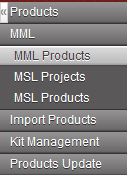 MML Products: The Medical Master List (MML) is a list of products which are OC Validated. Some MML Products are restricted to a specific mission or project. These products are included in the MML but Restrictions and Use Comments are noted.
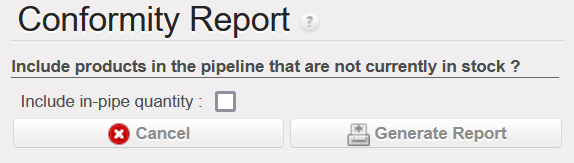 An MSL Non Conform report has been added to the Action Menu of MML Products to show the medical products in stock that are not included on the MML/MSL. Sometimes a project or coordination will order on behalf of another instance, even if the products don’t exist on the shipping instance’s MSL. These items which will be shipped to another partner are only shown on the report if the “Include in-pipe quantity” box is ticked.
 page).
 If only one Cost Center and Destination are used on a PO or FO line, the format of the template looks the same as it has in past versions of UniField. In this release, multiple Cost Centers, Destinations and Percentages can be added to the template by separating the values with a semicolon (;).
 . If they clicked on the next line without saving, the quantity entered changed back to zero.
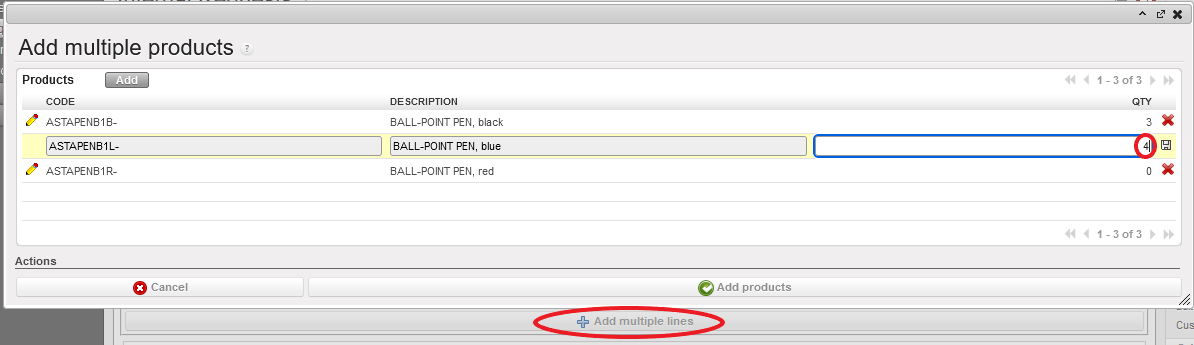 Now, quantities entered in any ‘Add Multiple Lines’ screen (FOs, IRs, POs, RfQs, Tenders, Catalogues, INs, INTs, OUTs, Real Consumption, TKC, KCL, and Initial stock inventories), will be automatically saved when clicking on another line.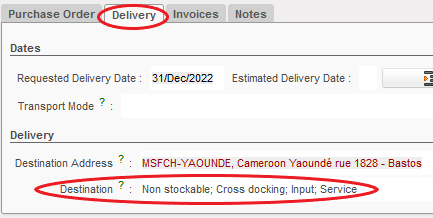
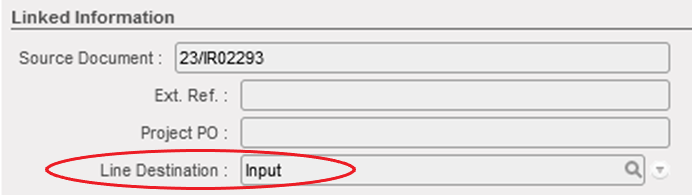 The same PO can have different Line Destinations on different lines. The Destination field in the PO’s Delivery tab will show all of the destination locations included in the PO, based on the different Line Destinations.
 In this release, a “State” column has been added to the PDF of the Delivery Order to make it easier to distinguish between Available and Not Available lines in an OUT.


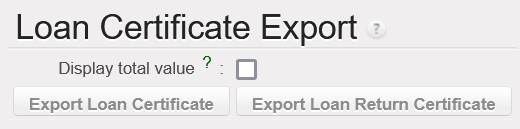



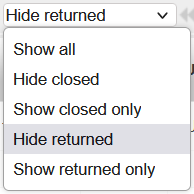
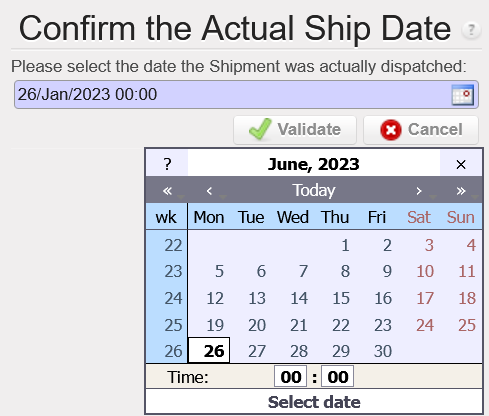
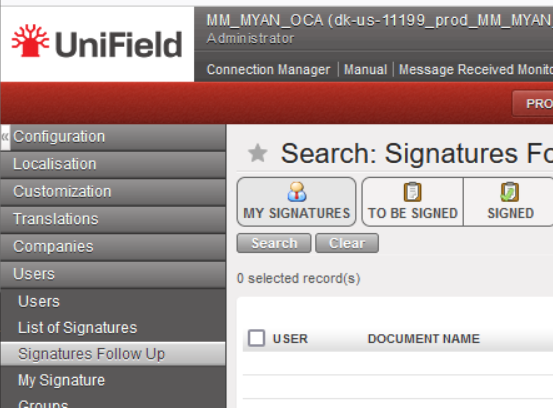
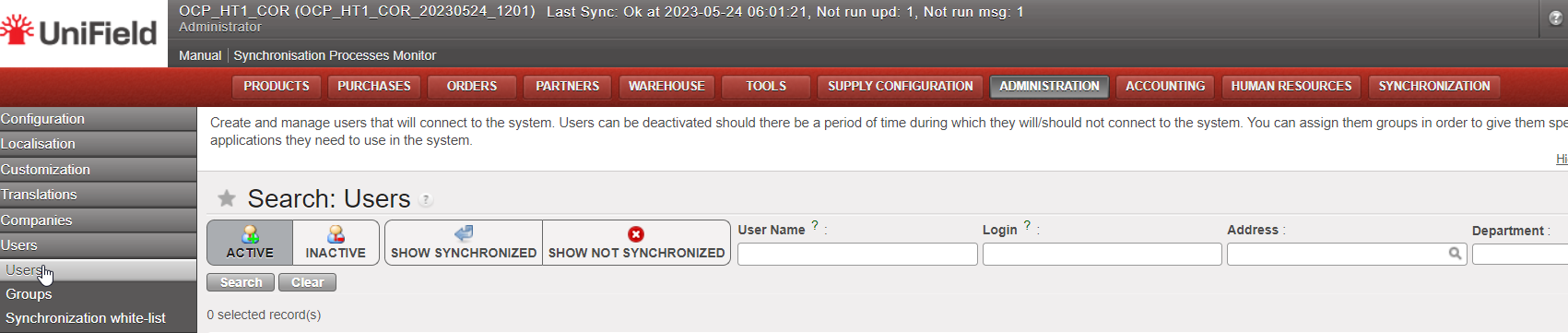
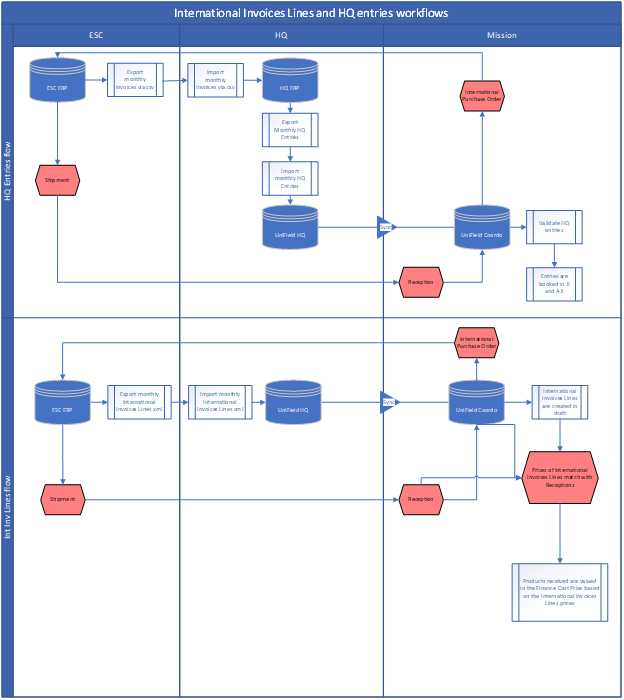
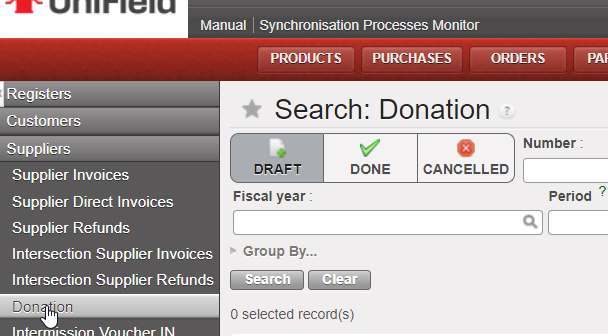
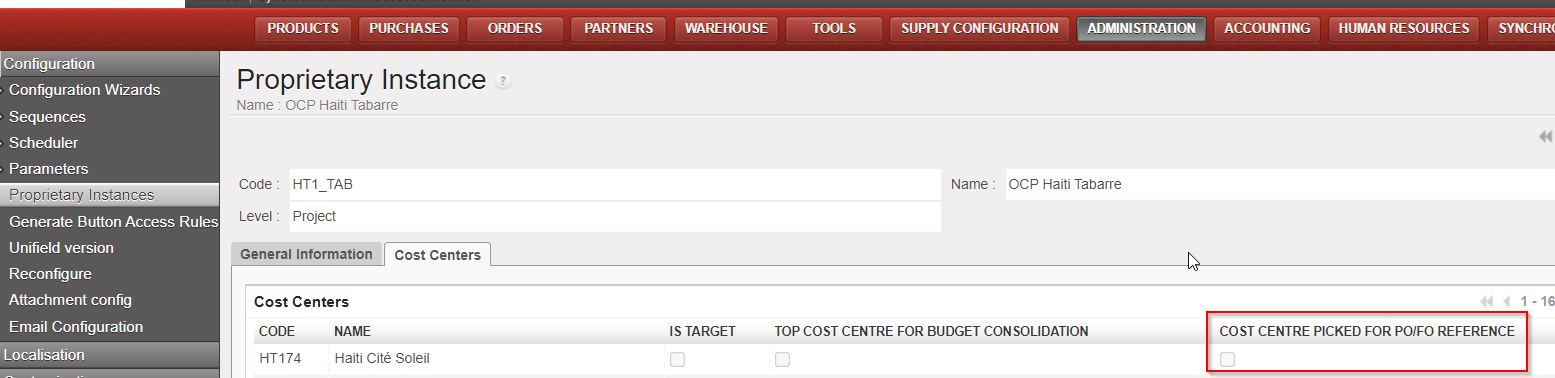
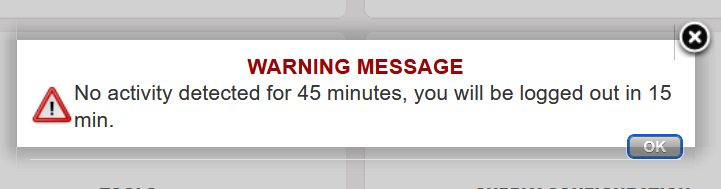
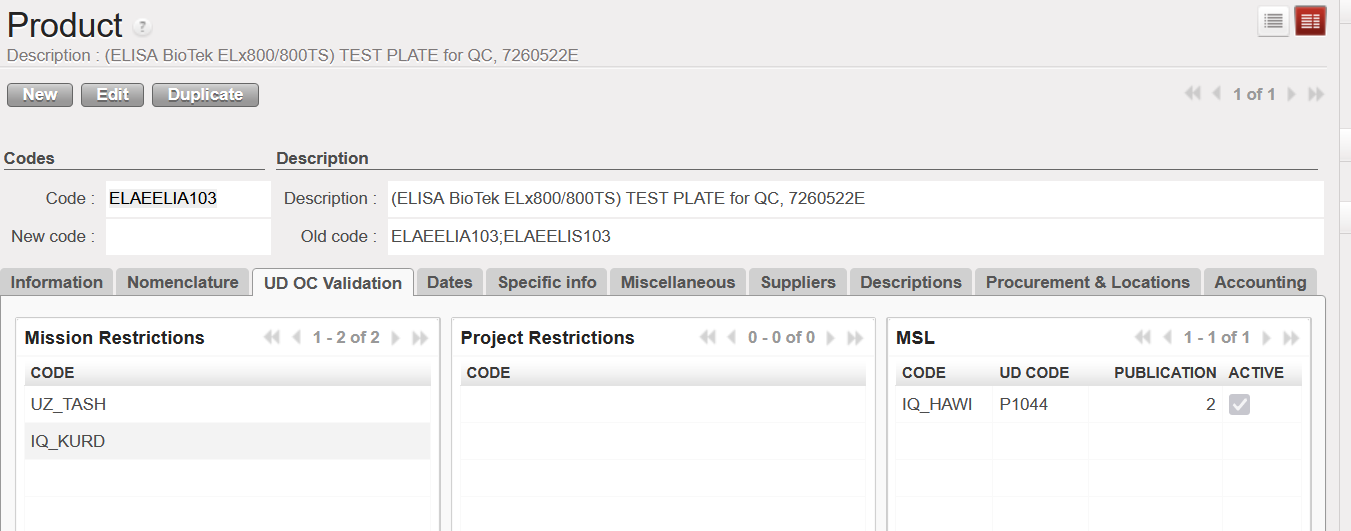
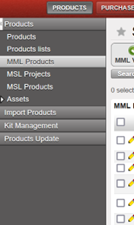
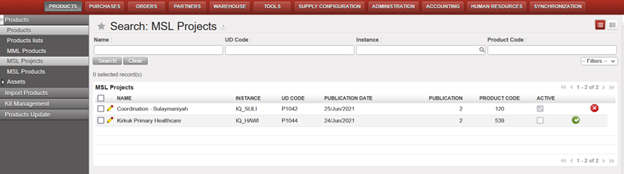
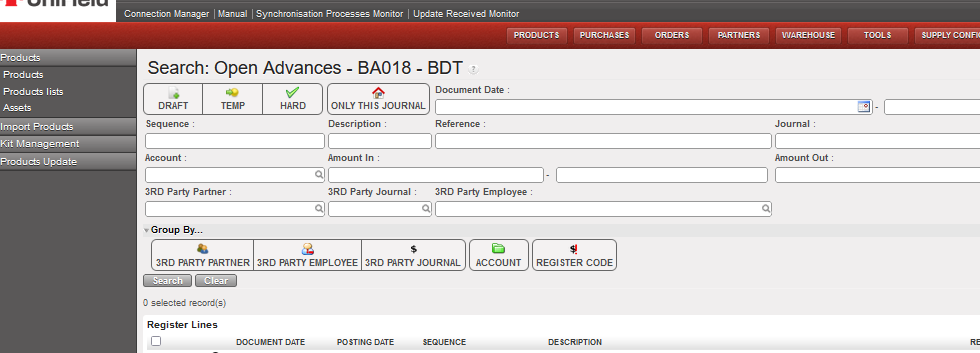

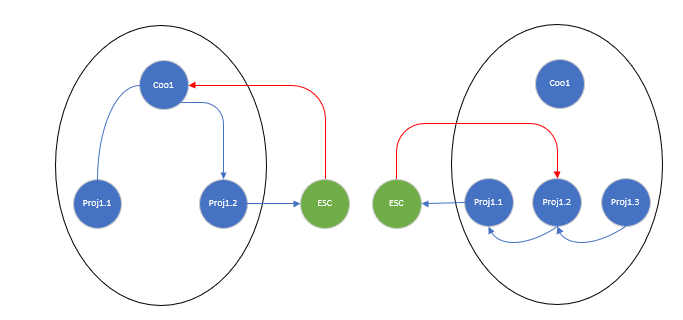
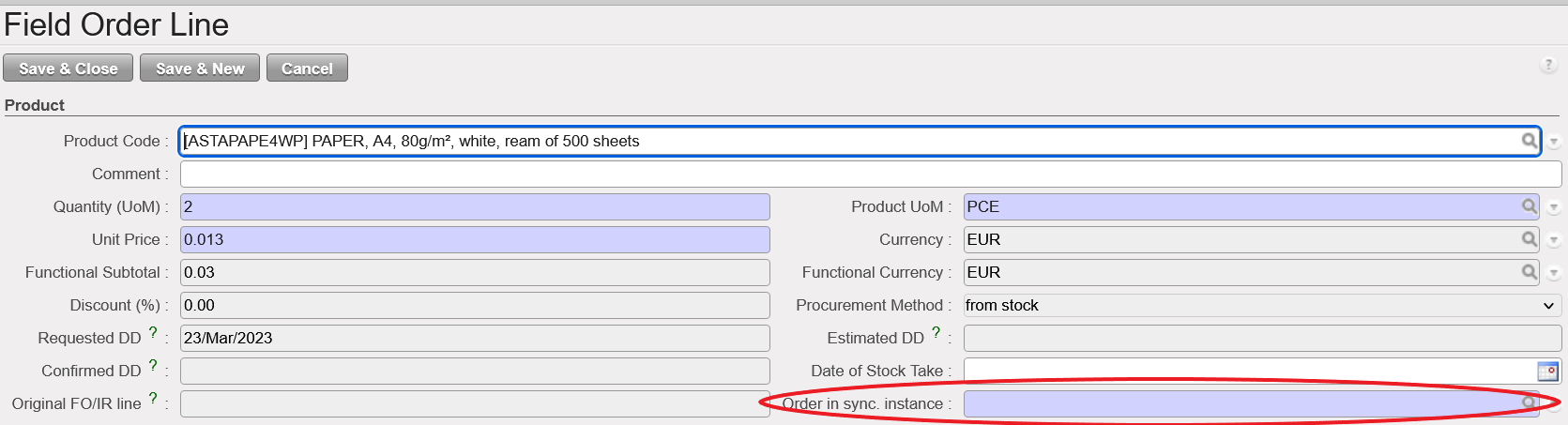
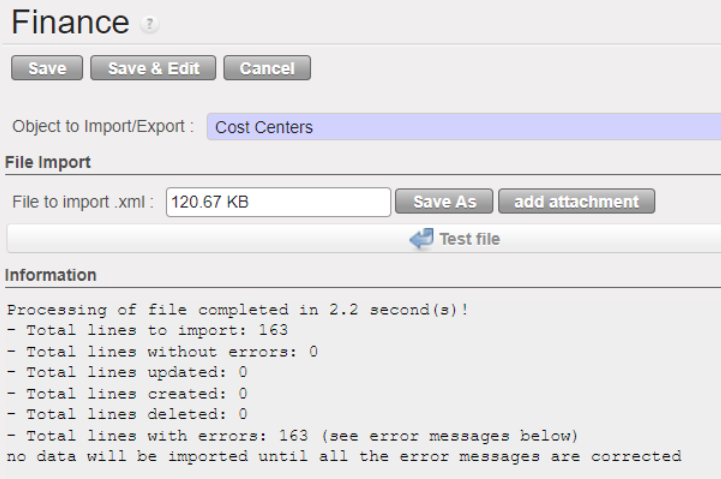


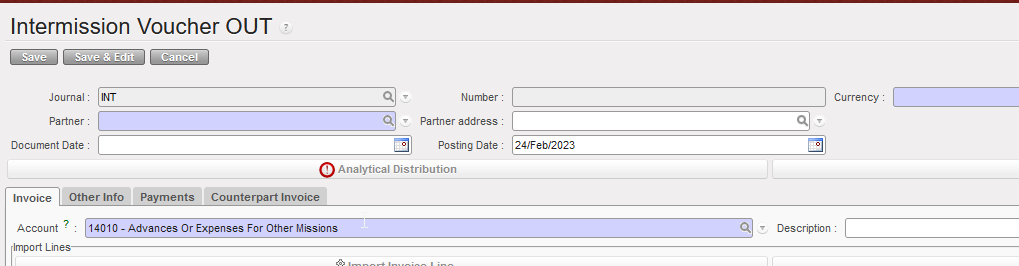
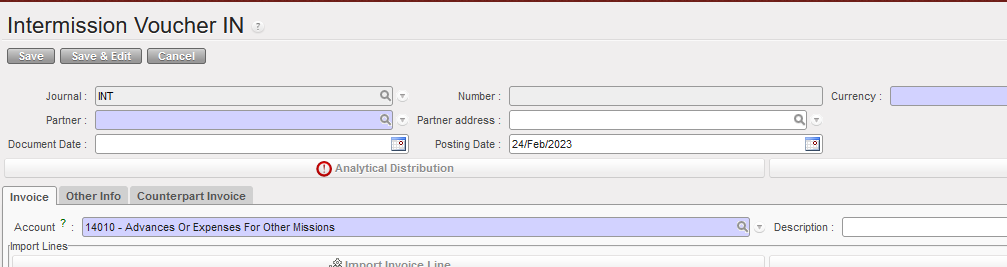
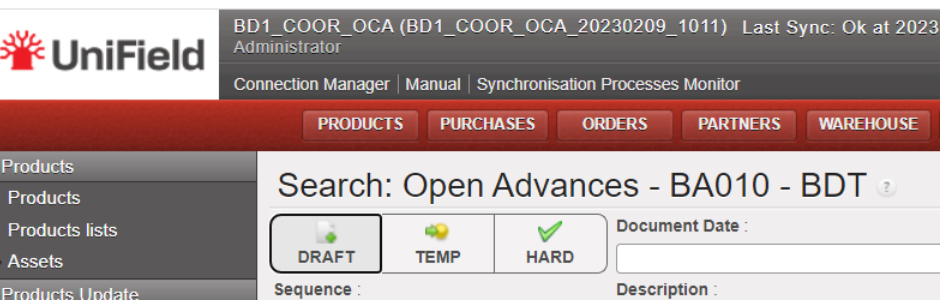
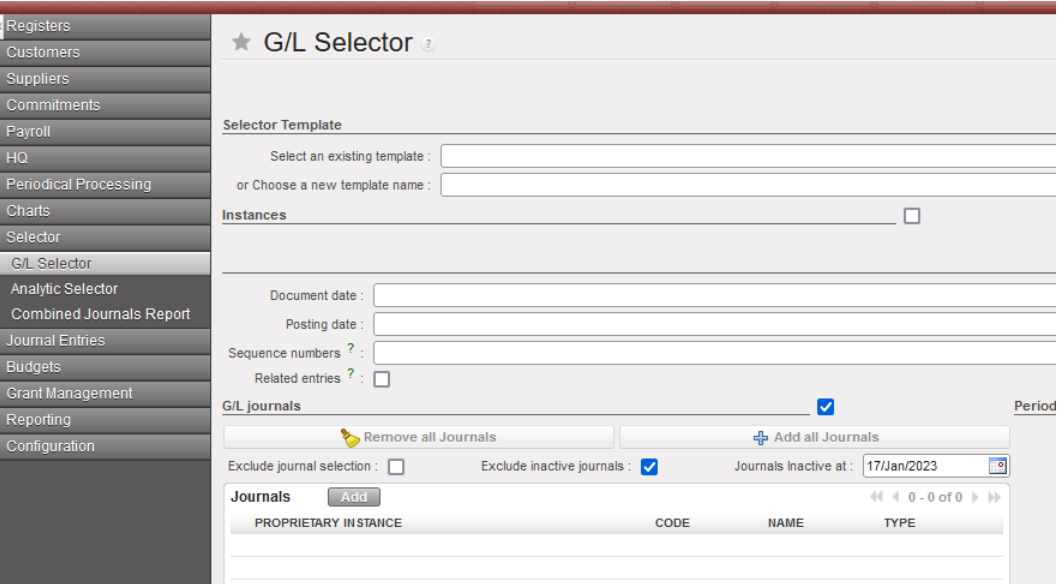
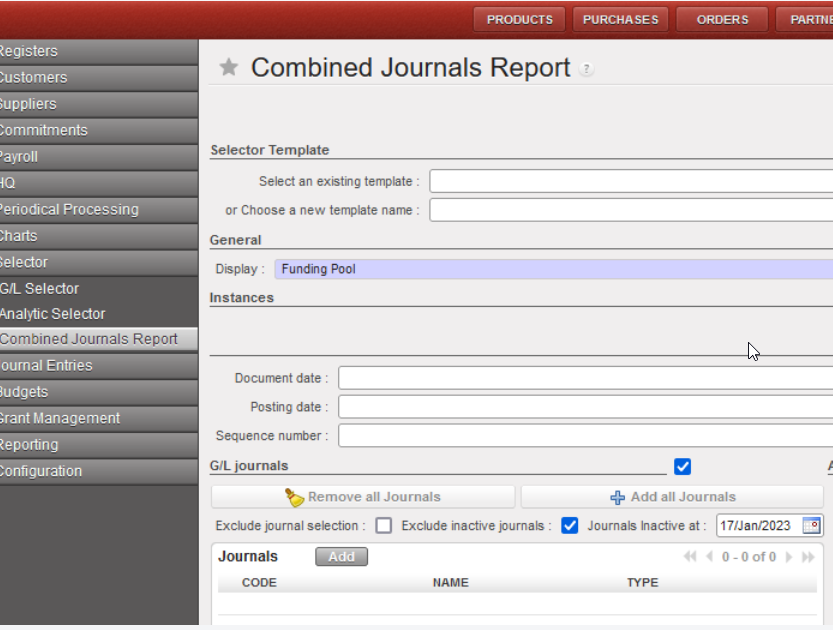
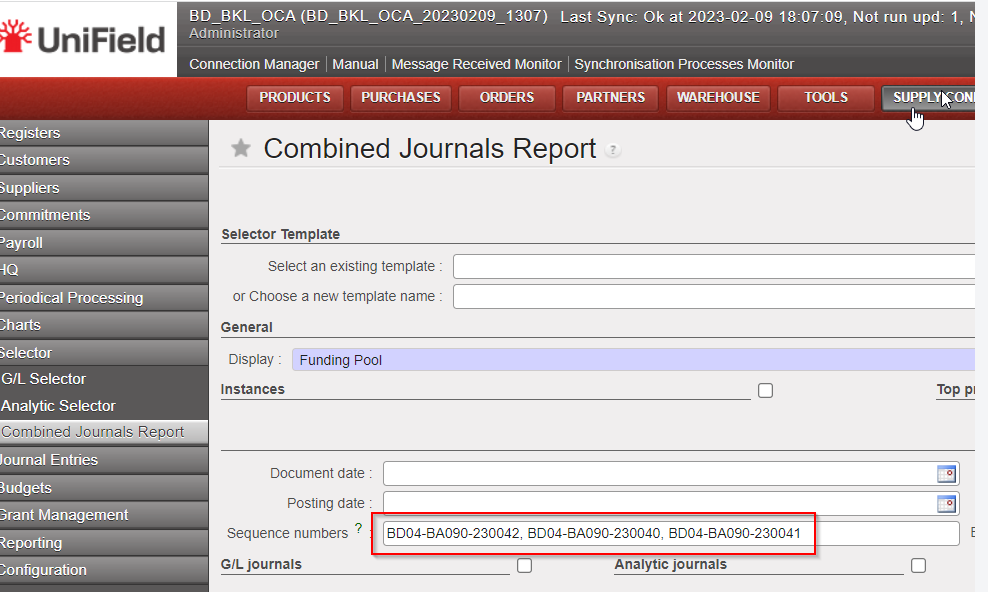
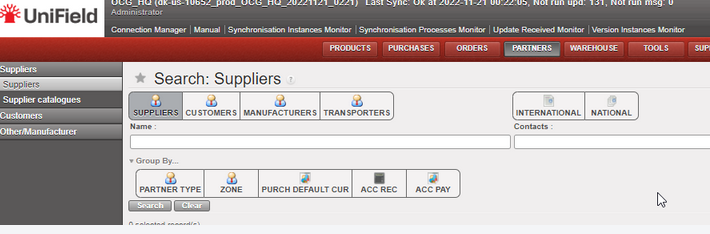

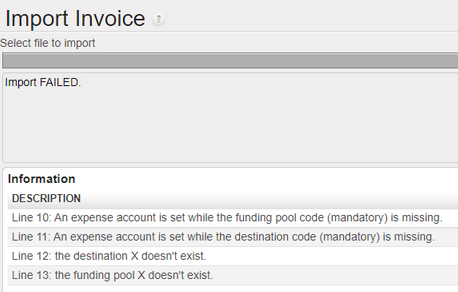

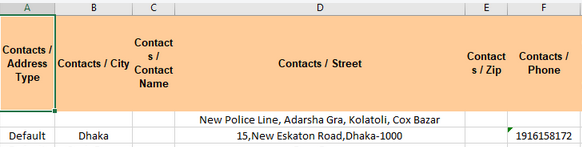
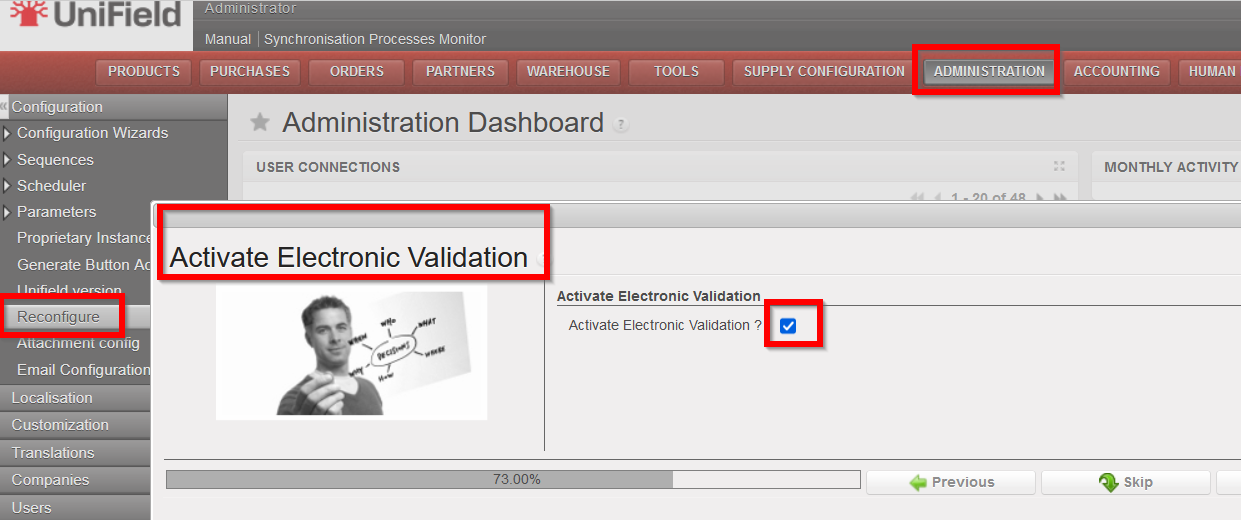
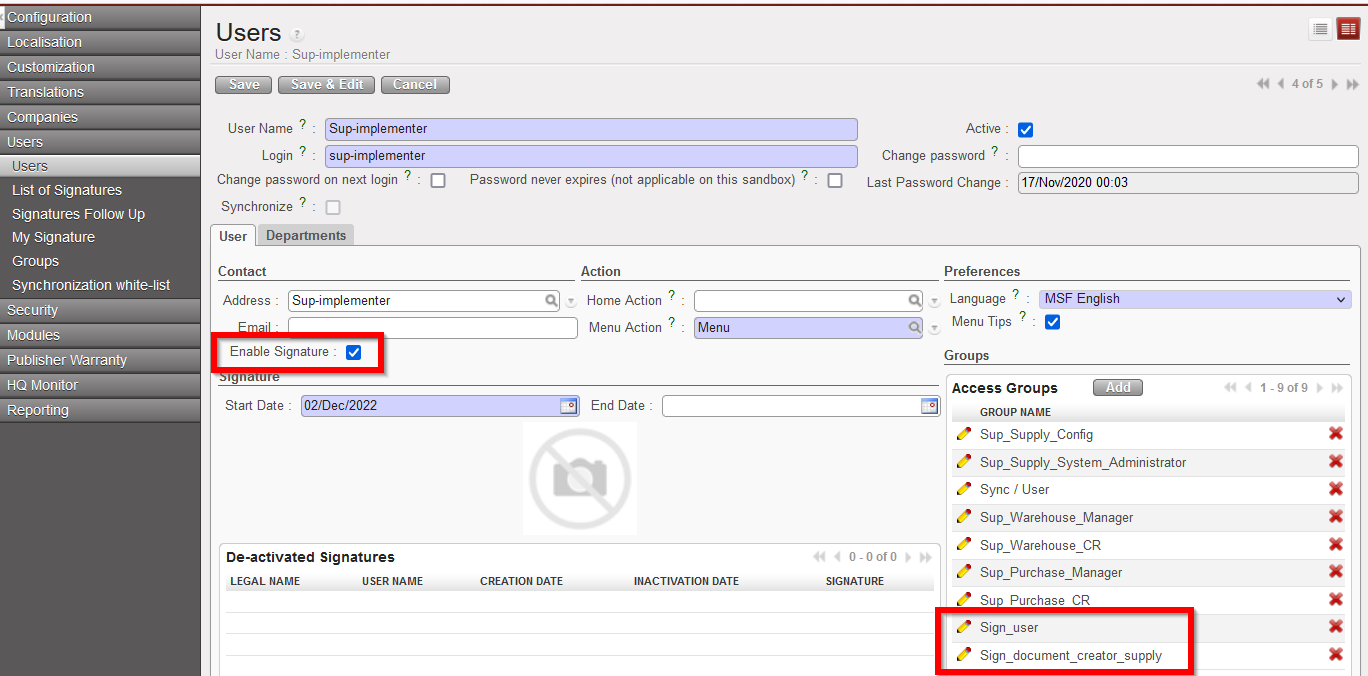
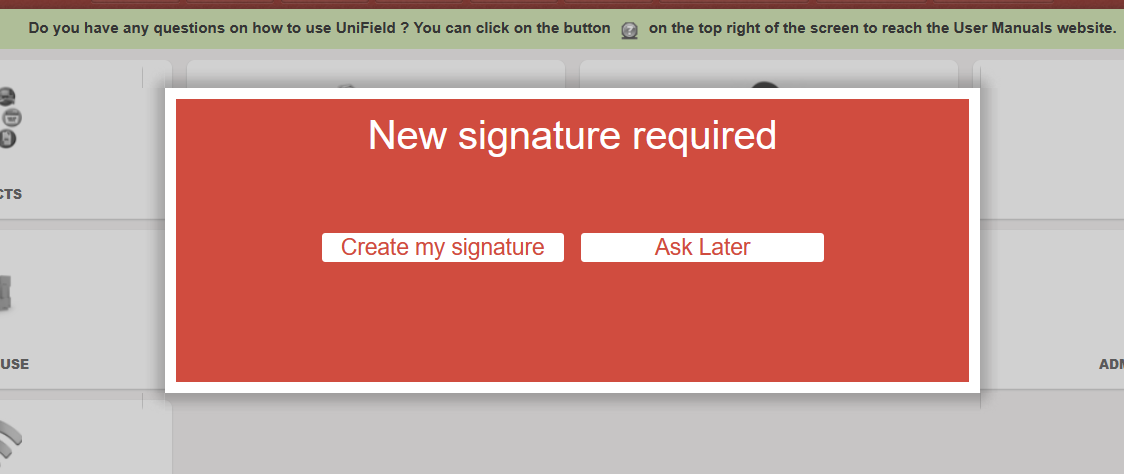
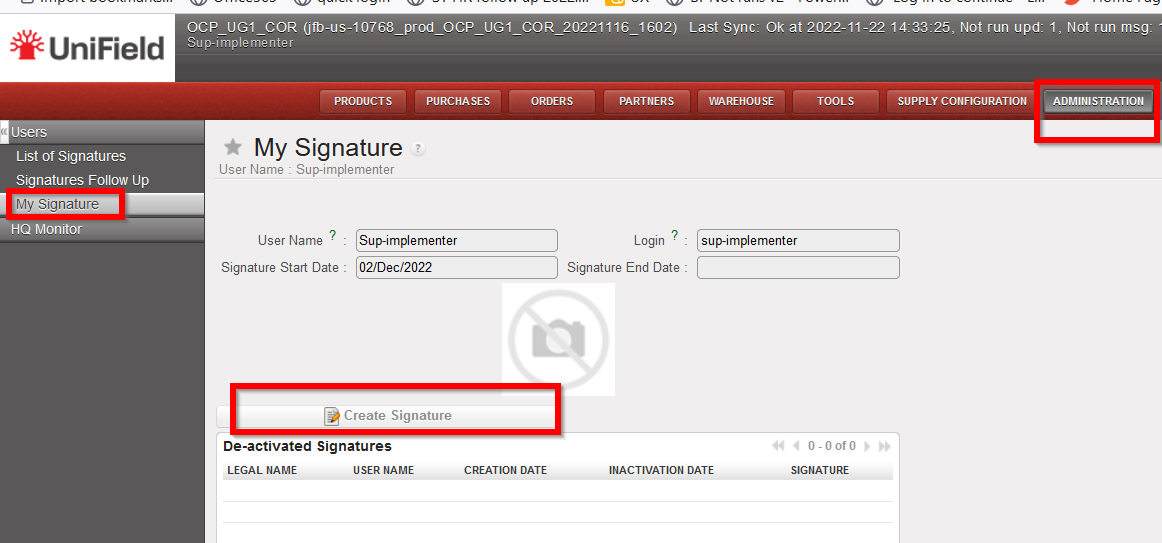
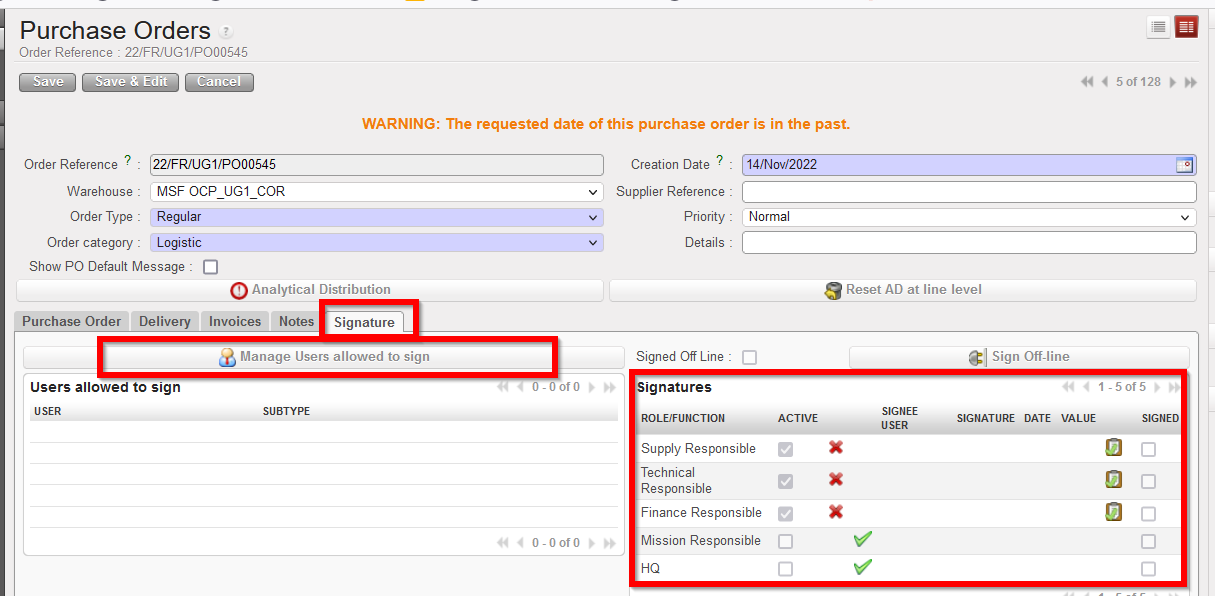
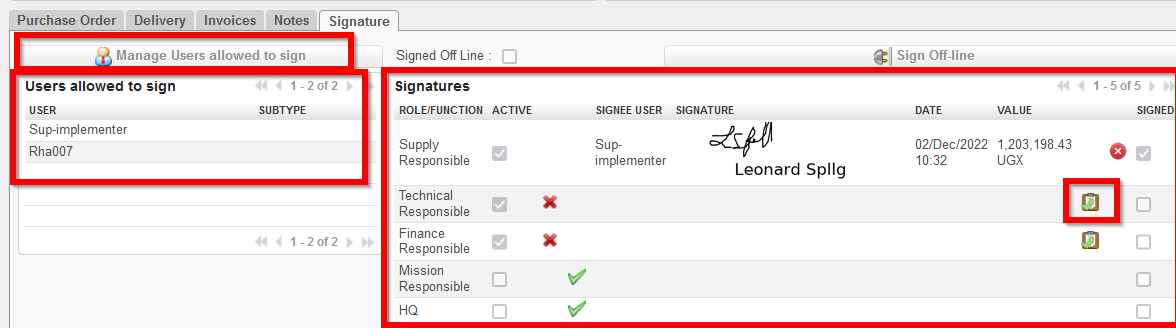
 ), their signature will be displayed on the object Signature tab, and also in any relevant PDF of that document. Track changes of document will also record any signatures added, removed or changed.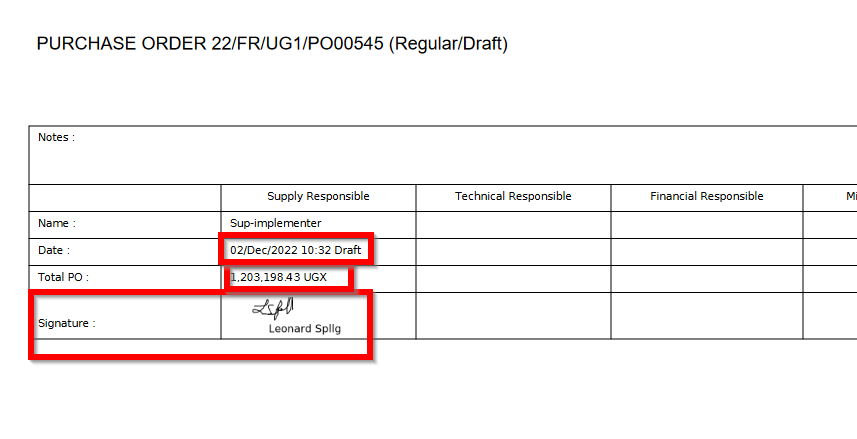
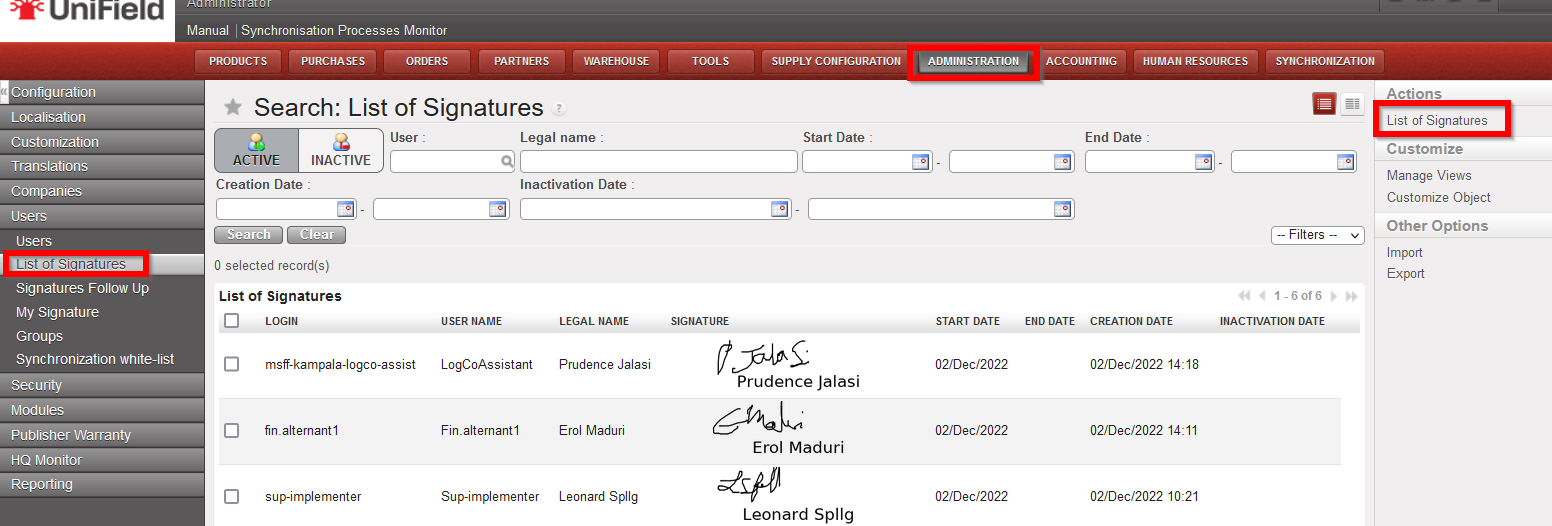
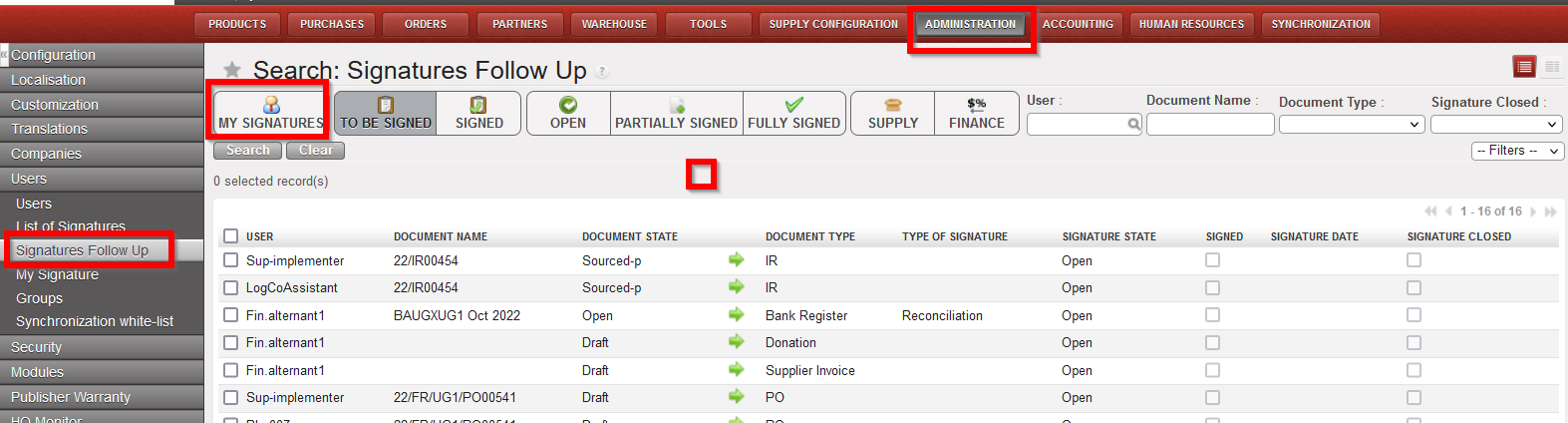
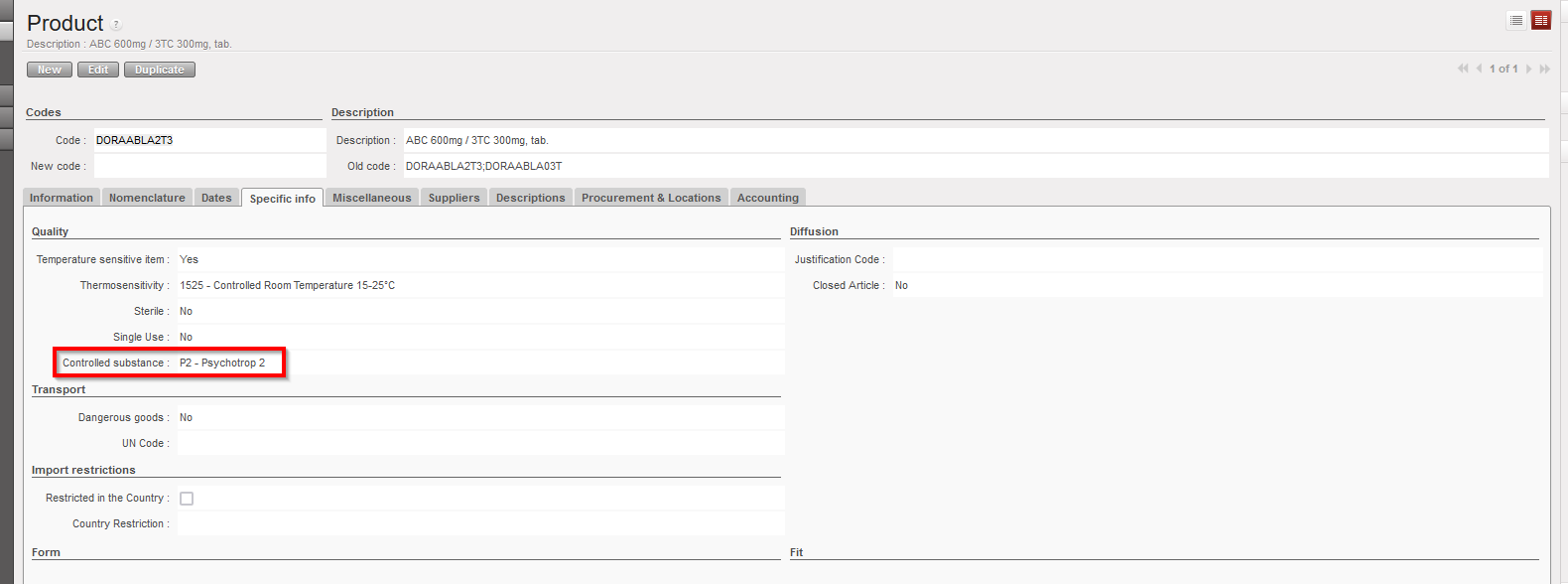
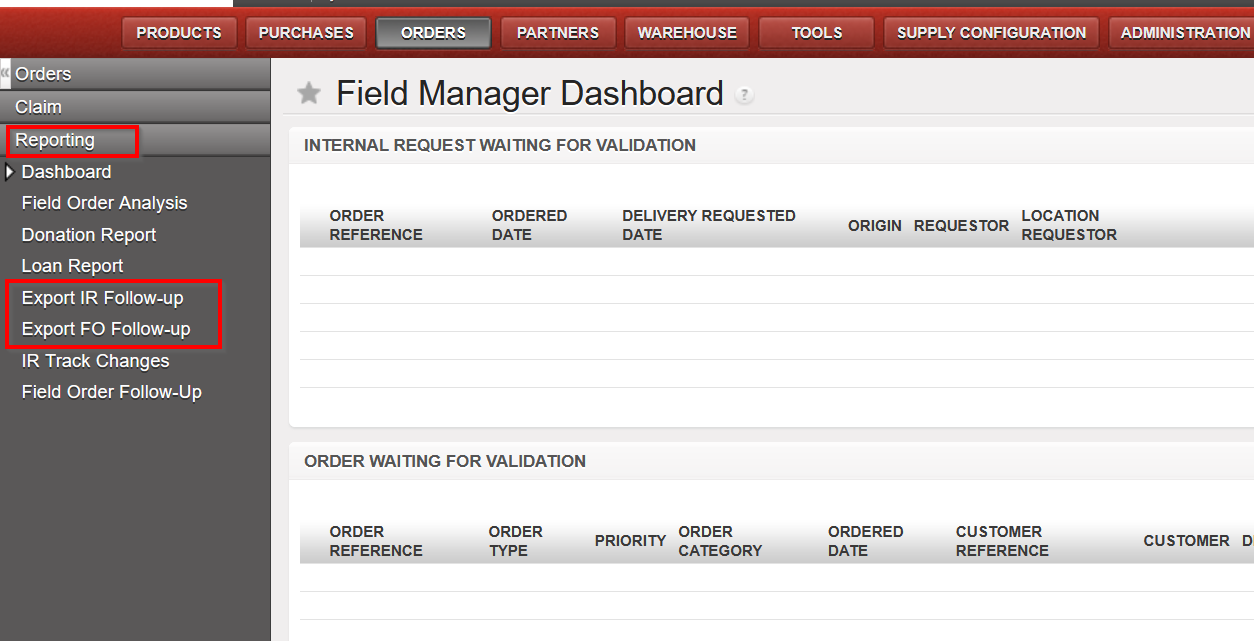
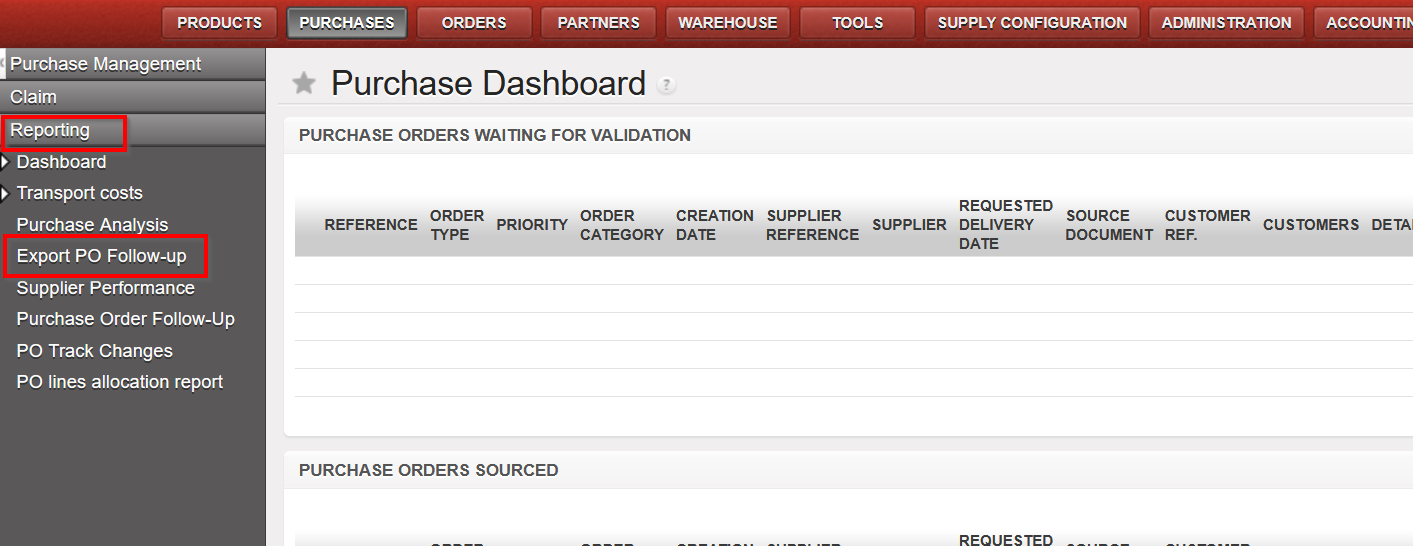
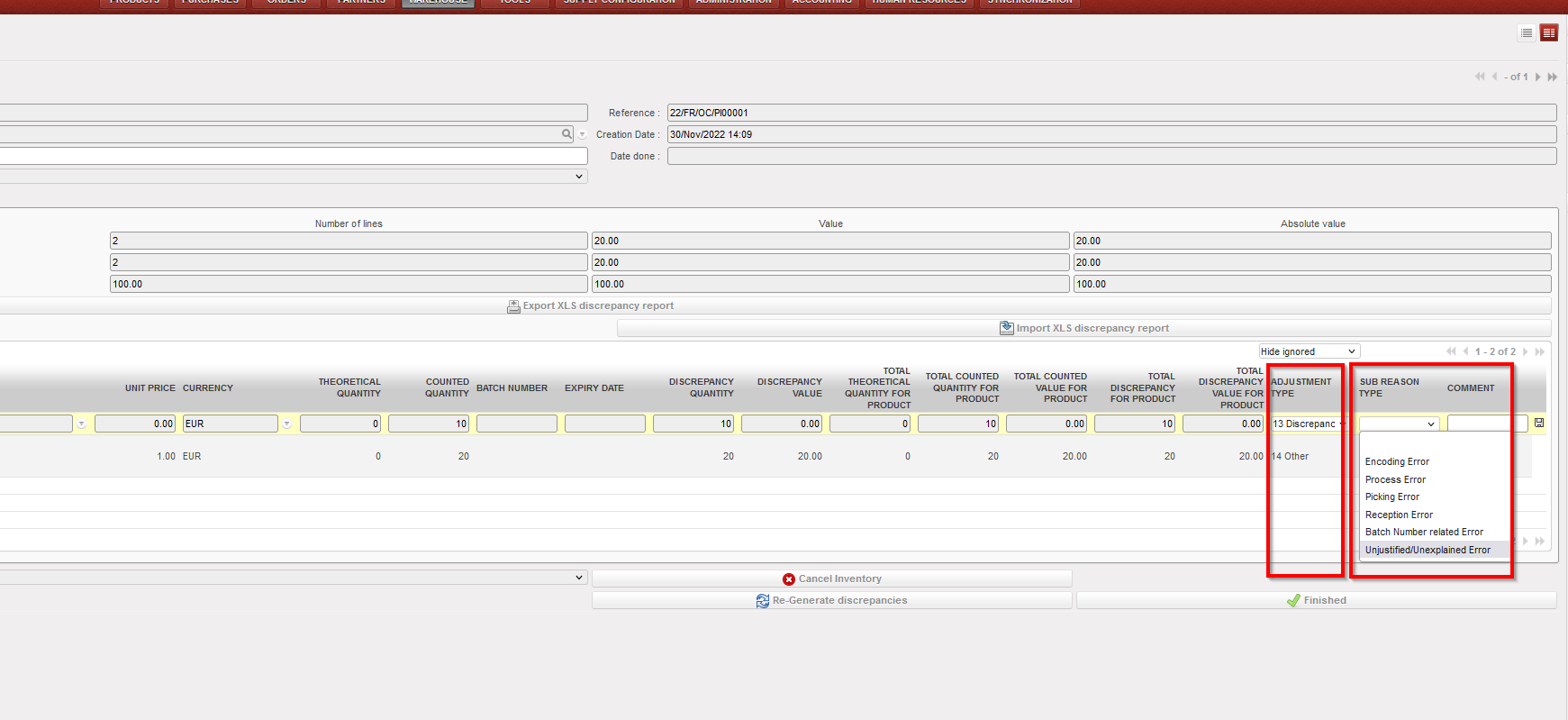
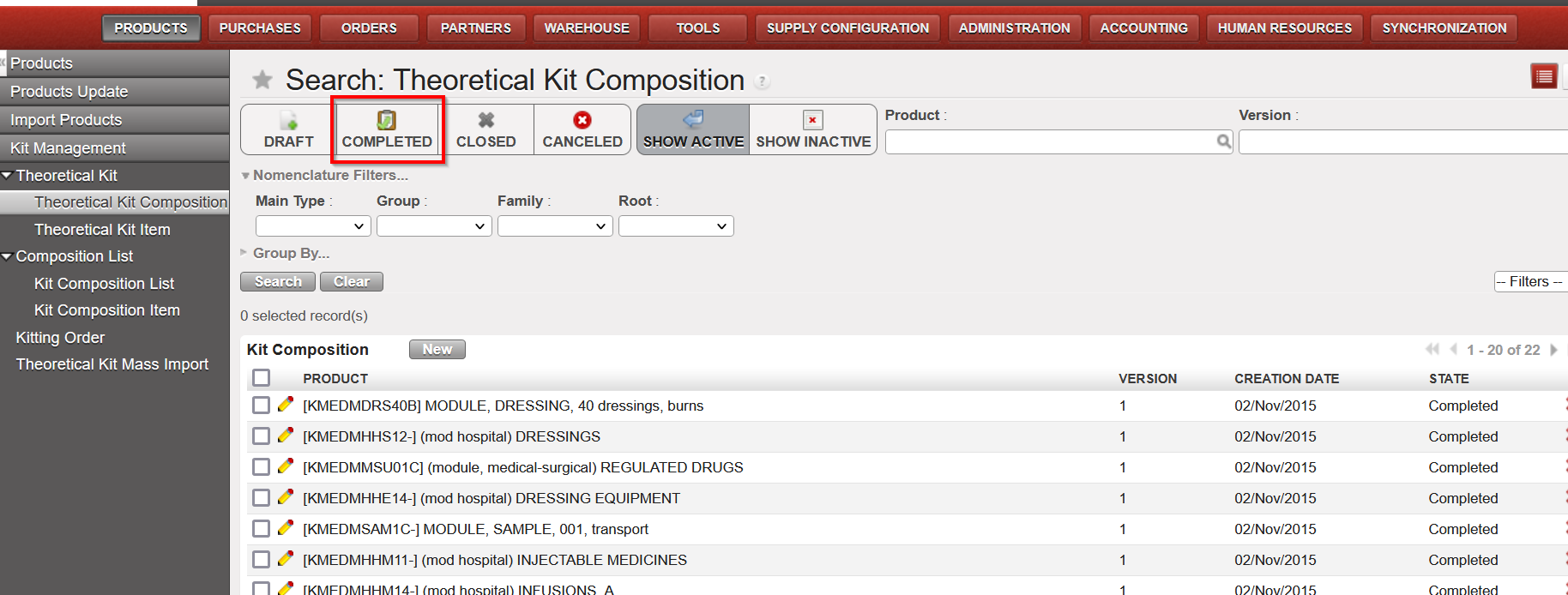
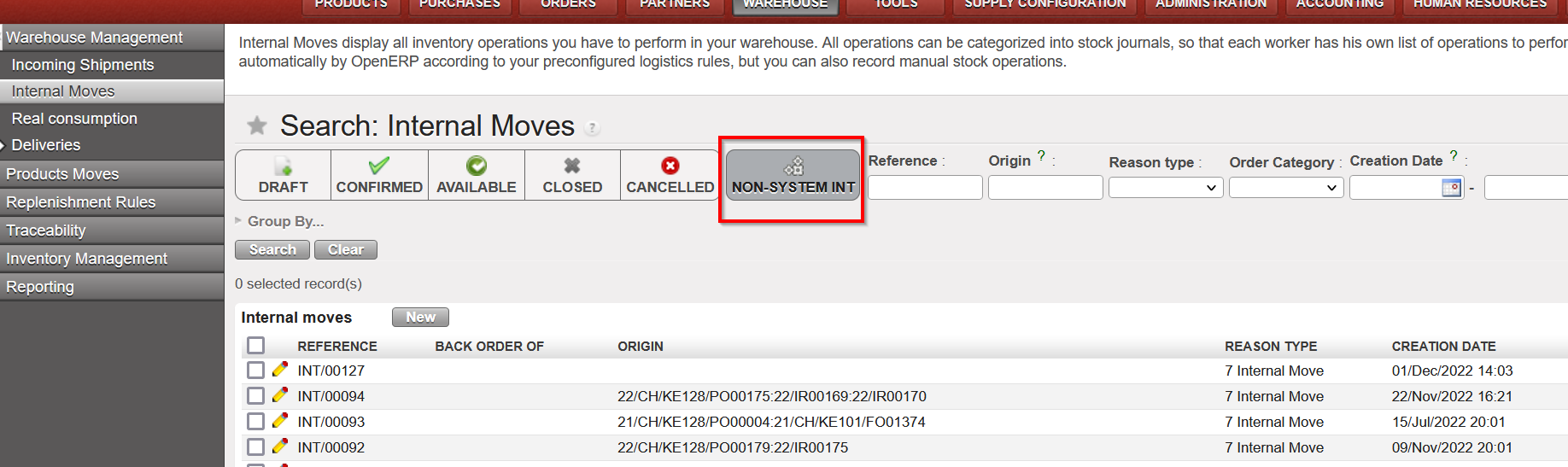
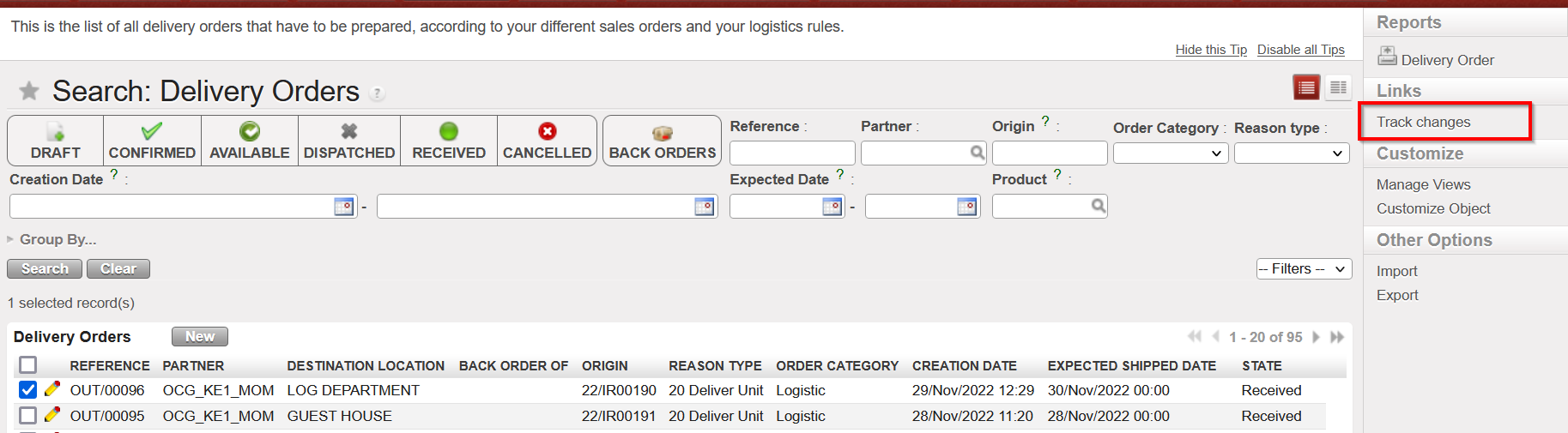



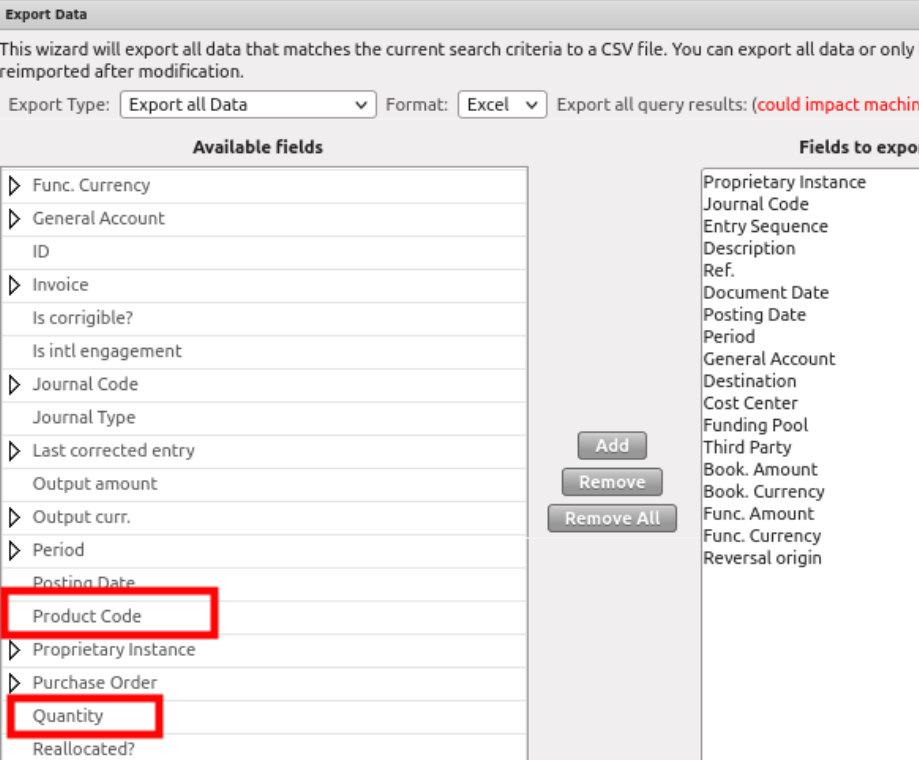
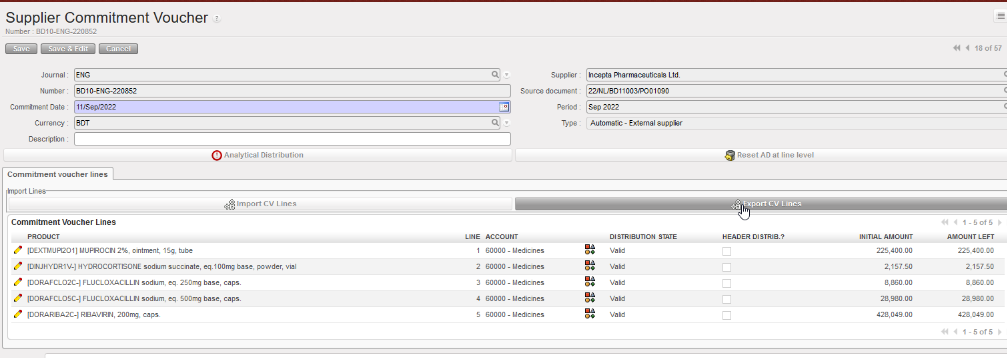


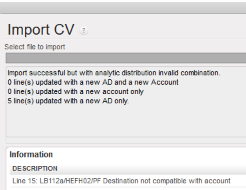

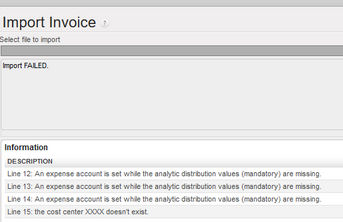

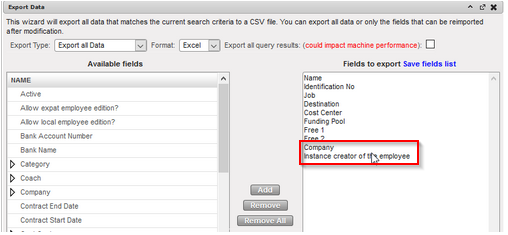
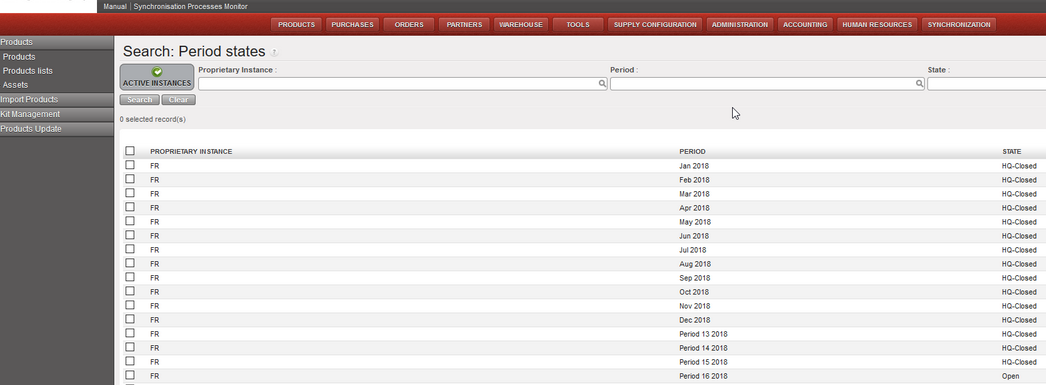
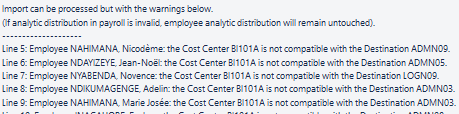
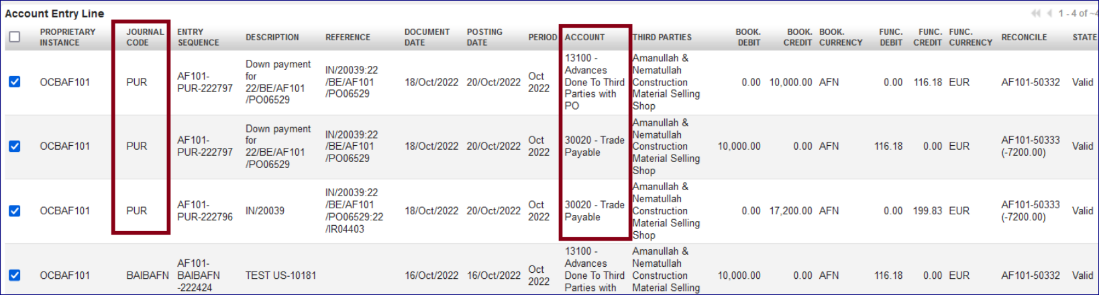
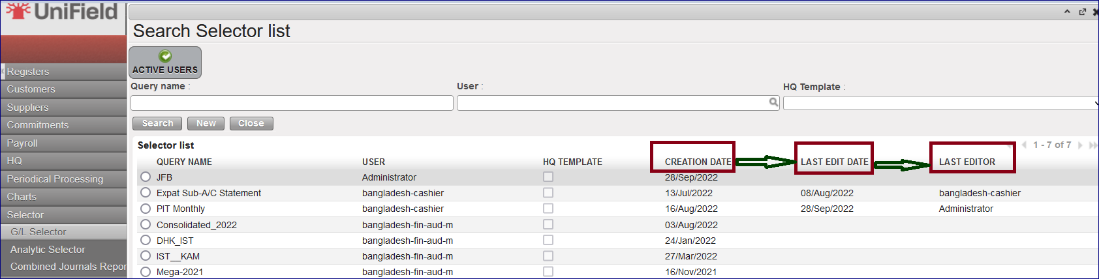
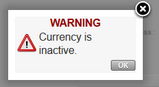
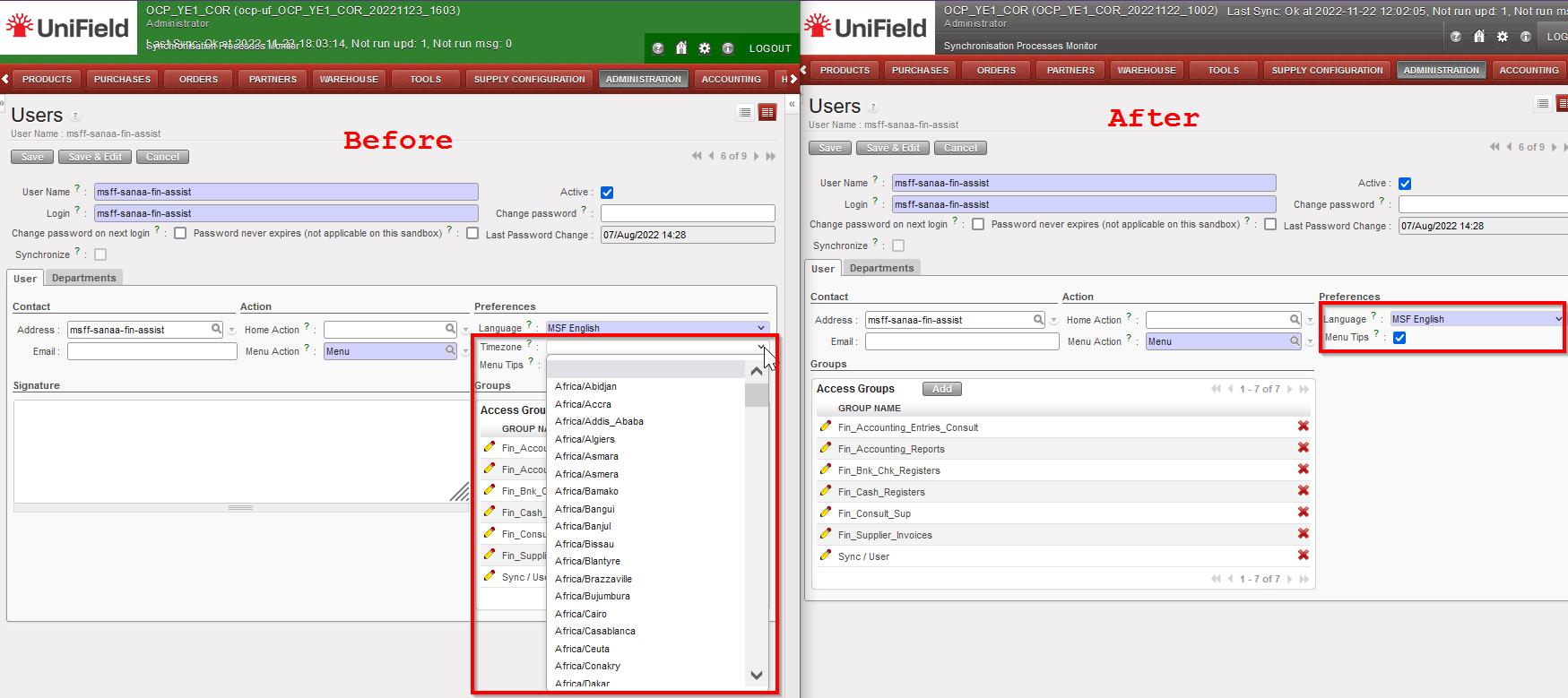

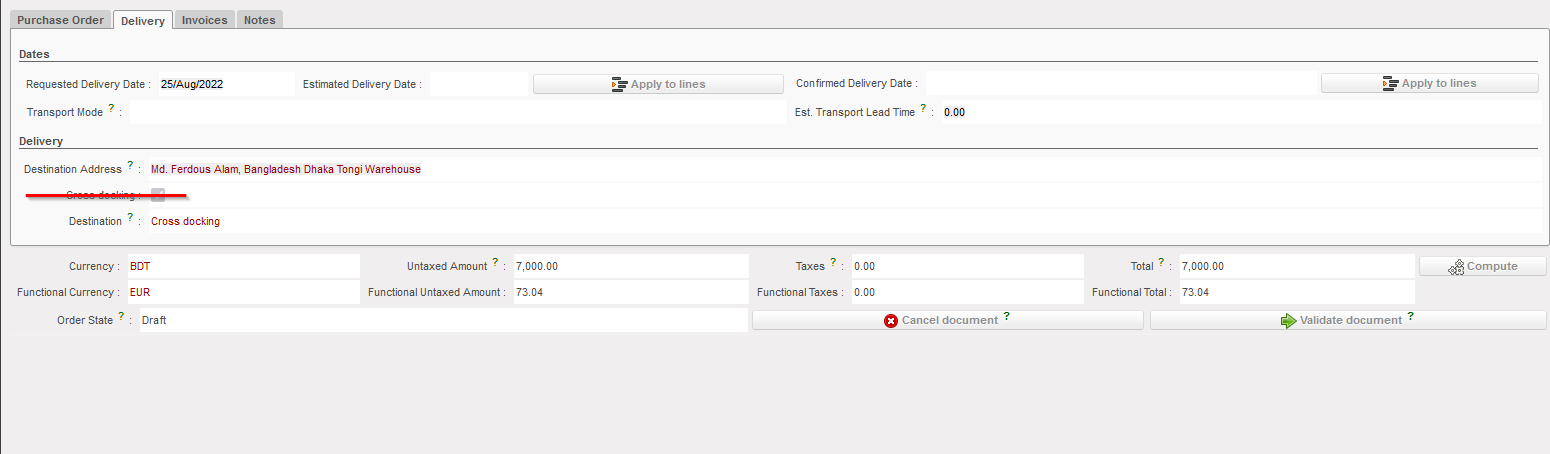
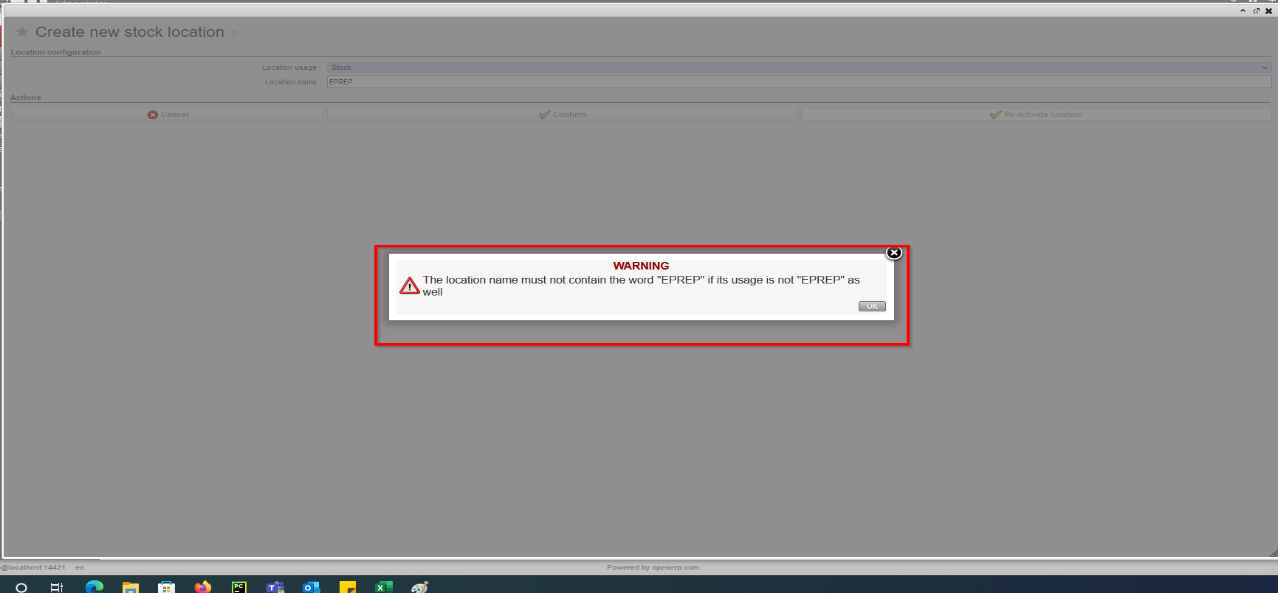
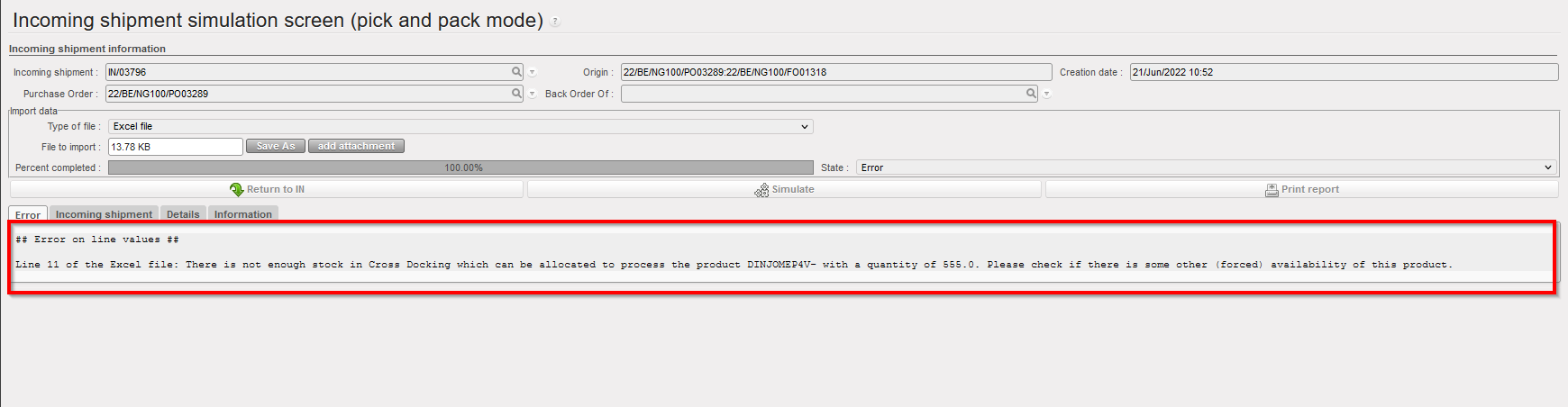
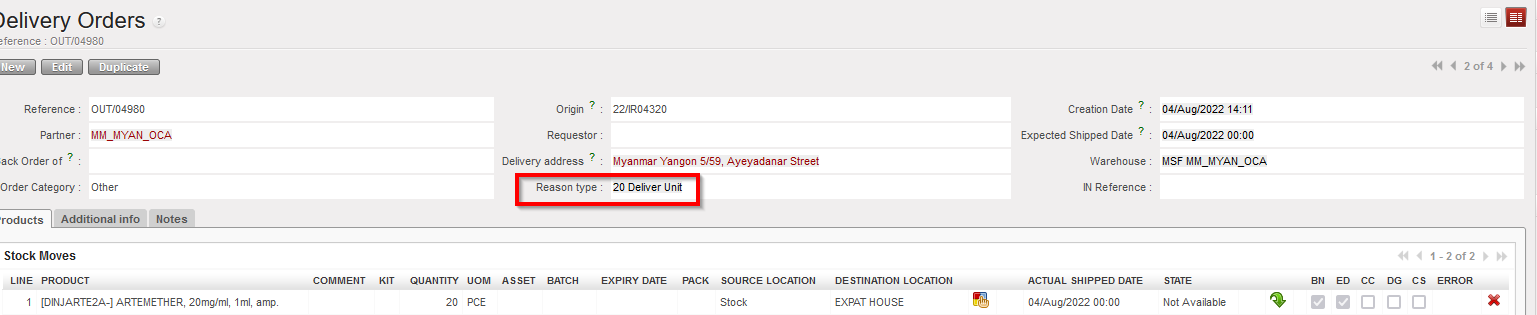
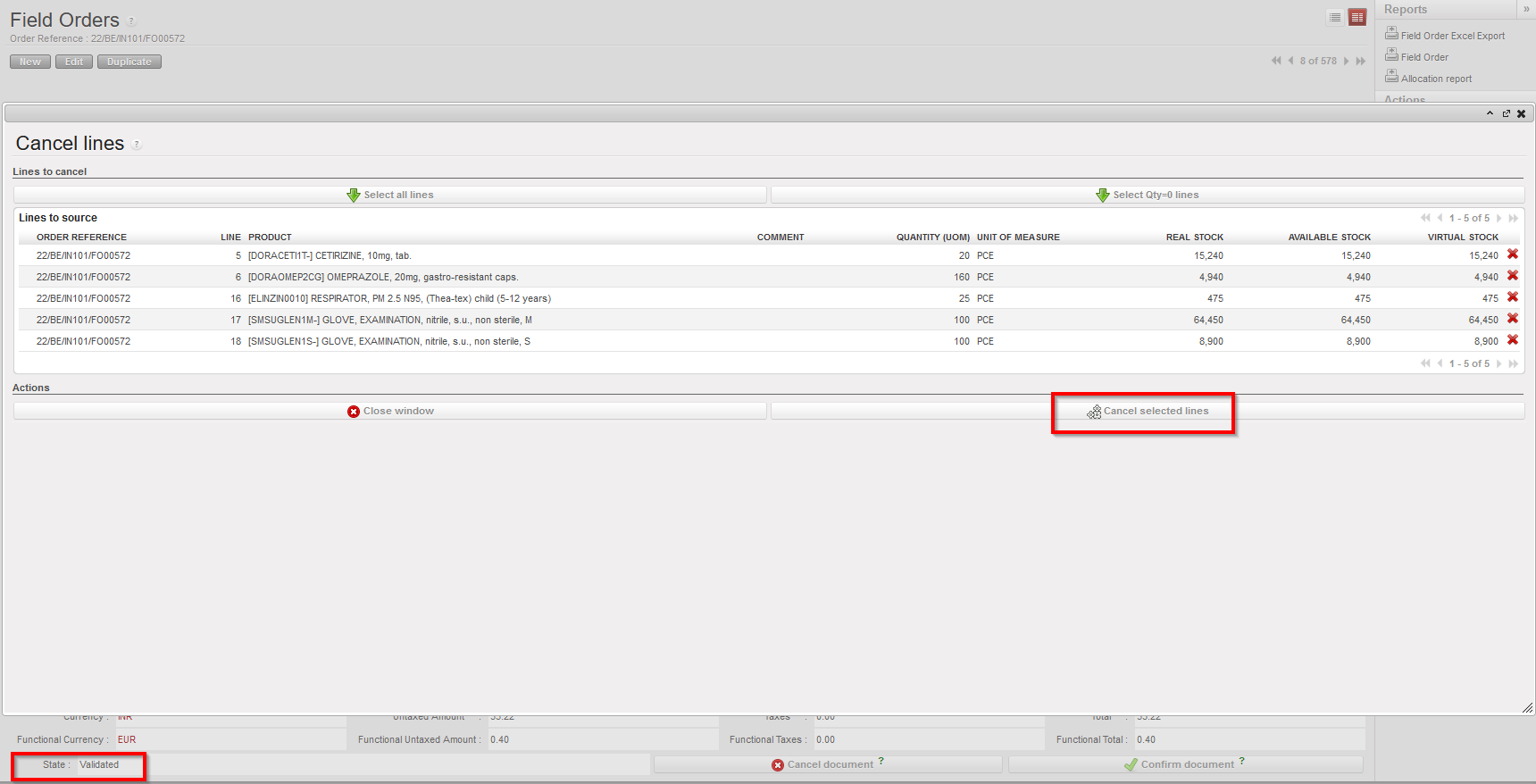
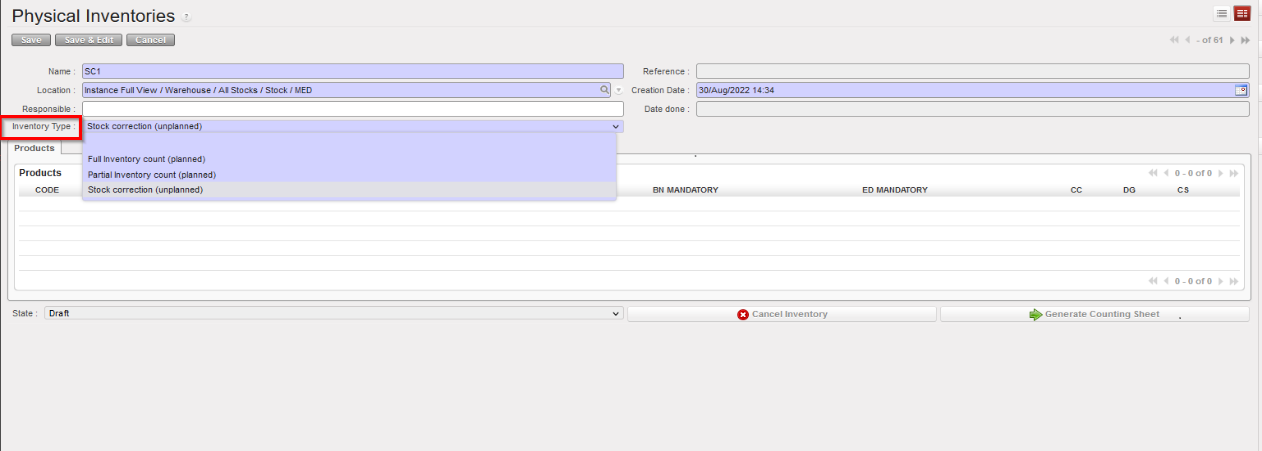
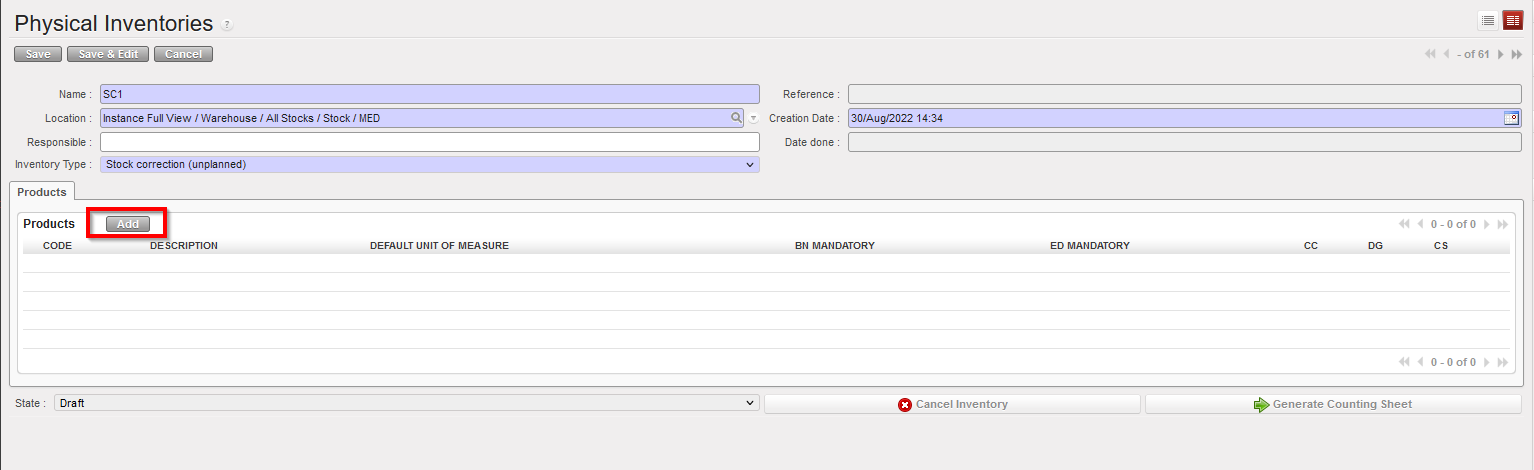
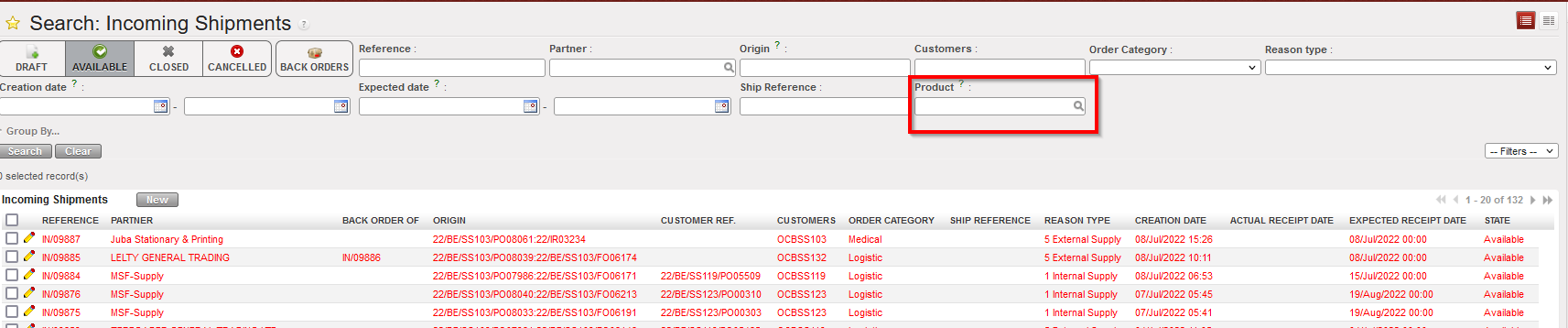
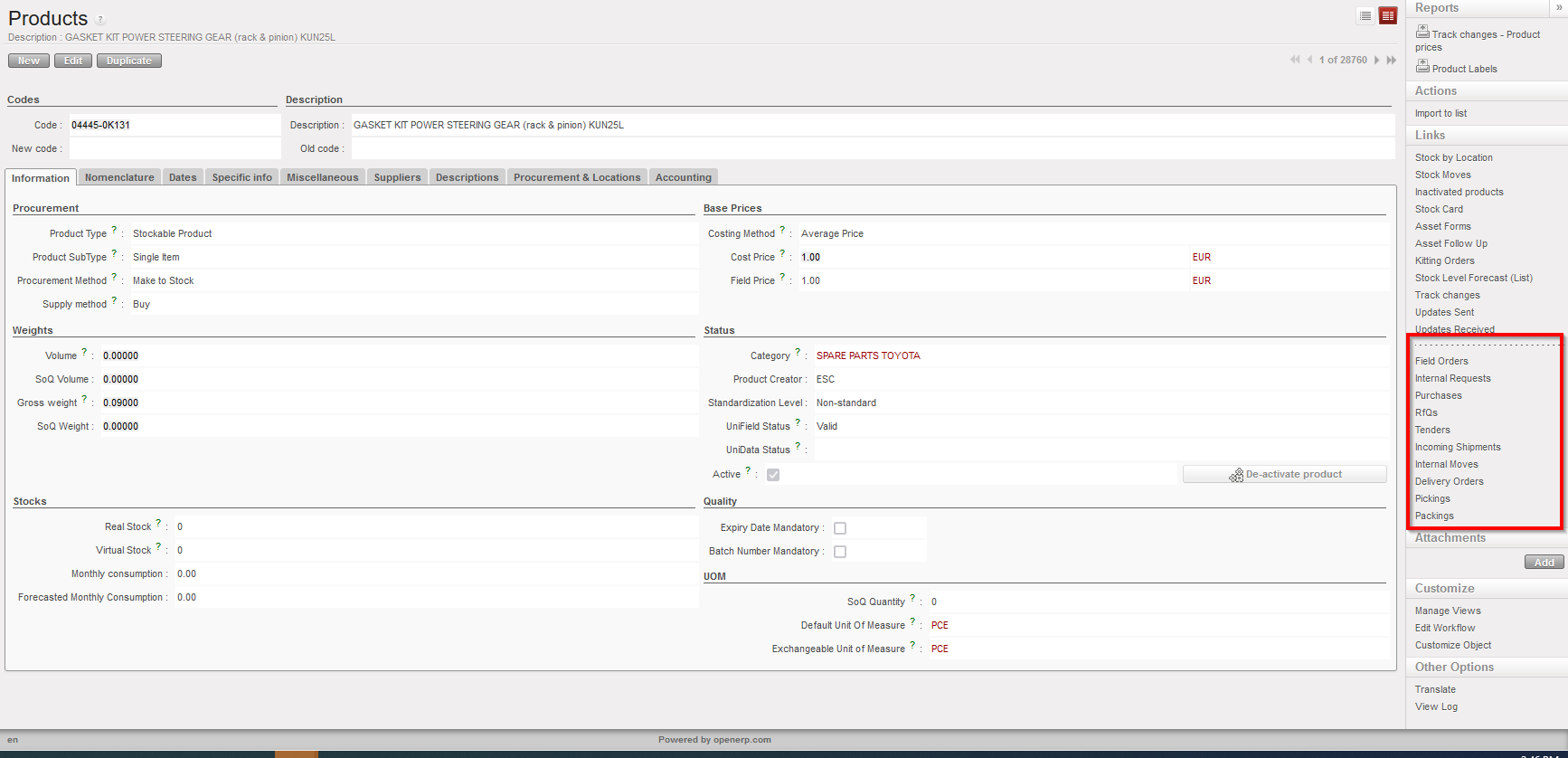

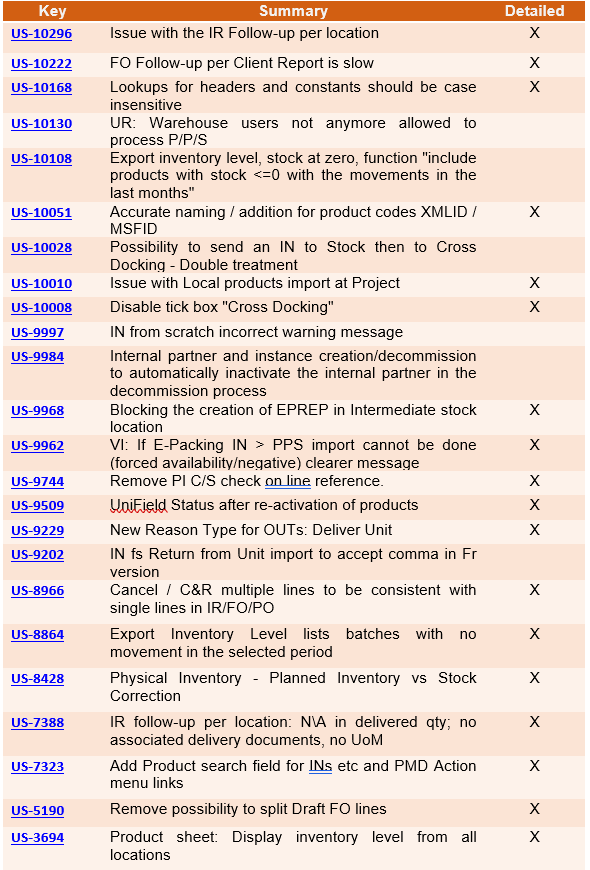
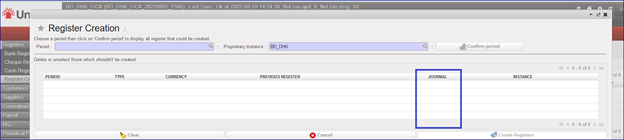
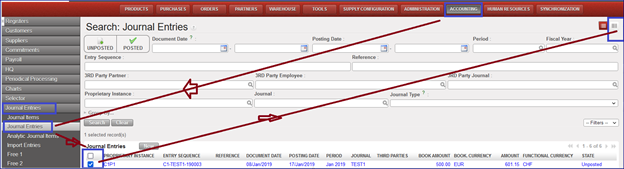
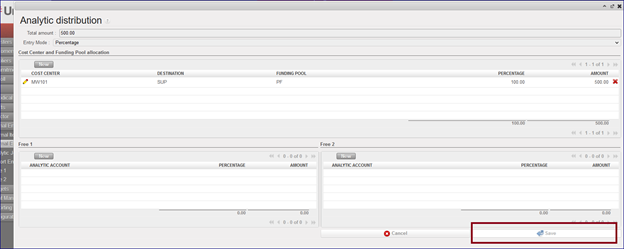
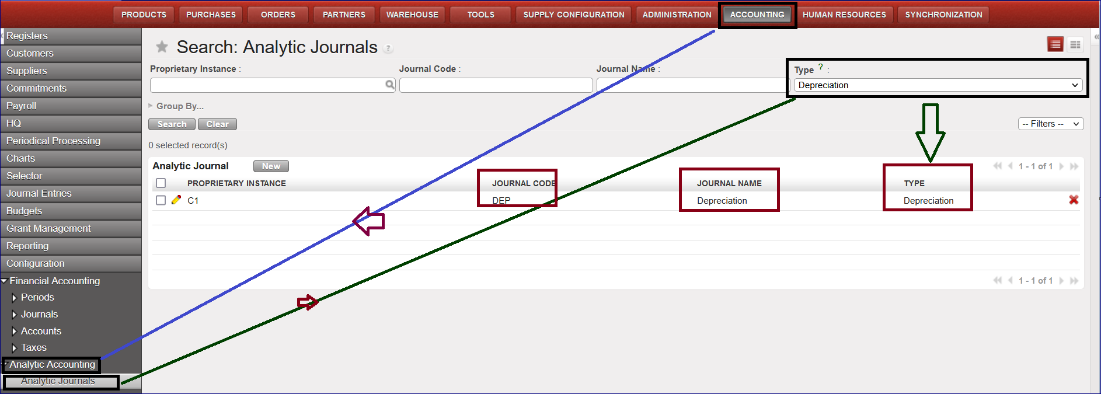
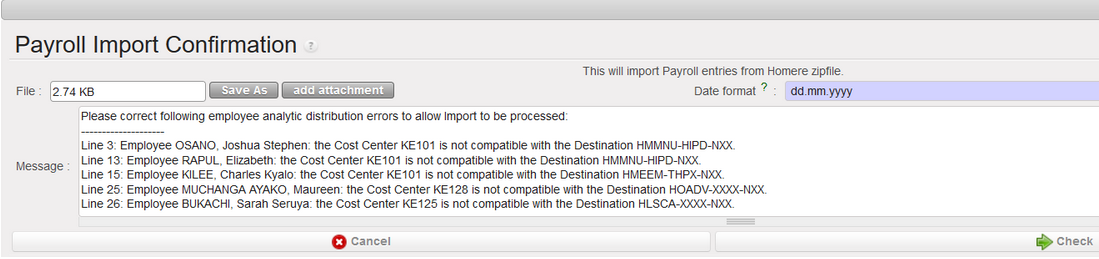
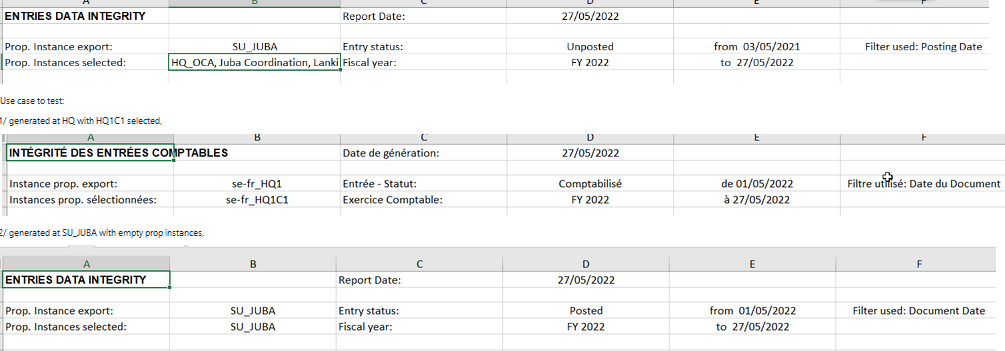

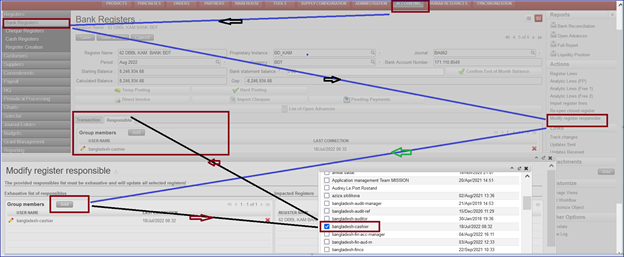
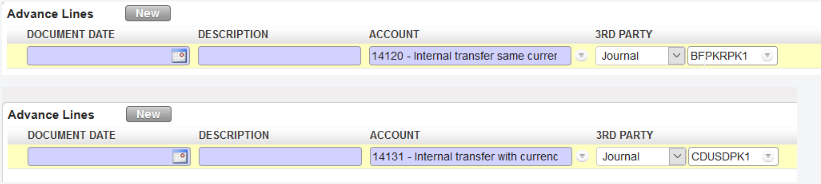

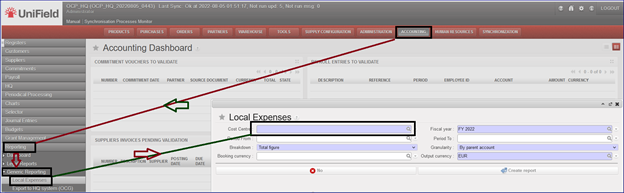
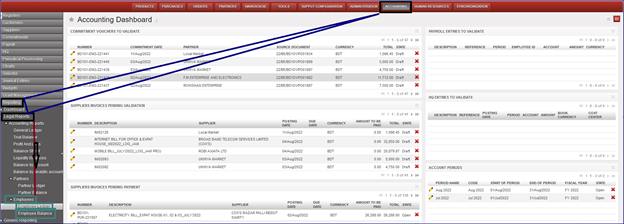
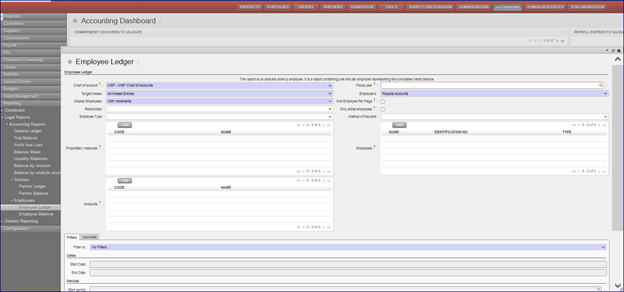
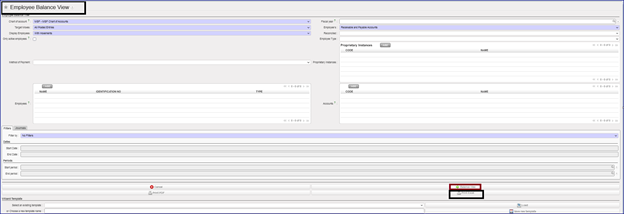
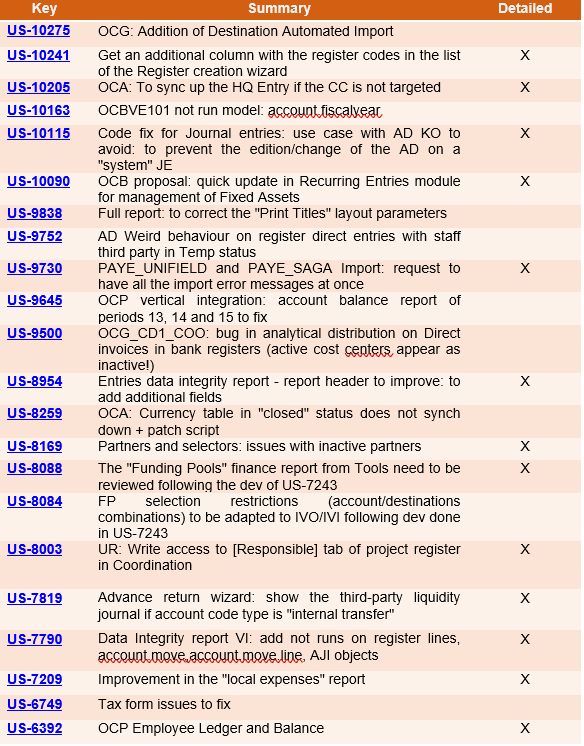
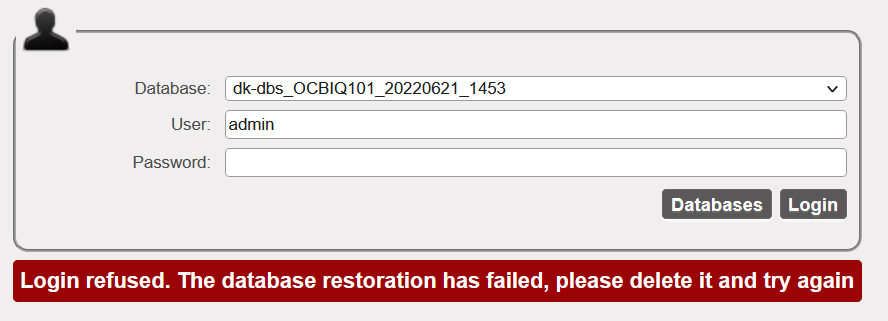

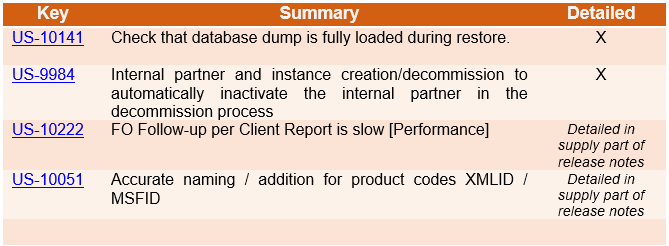
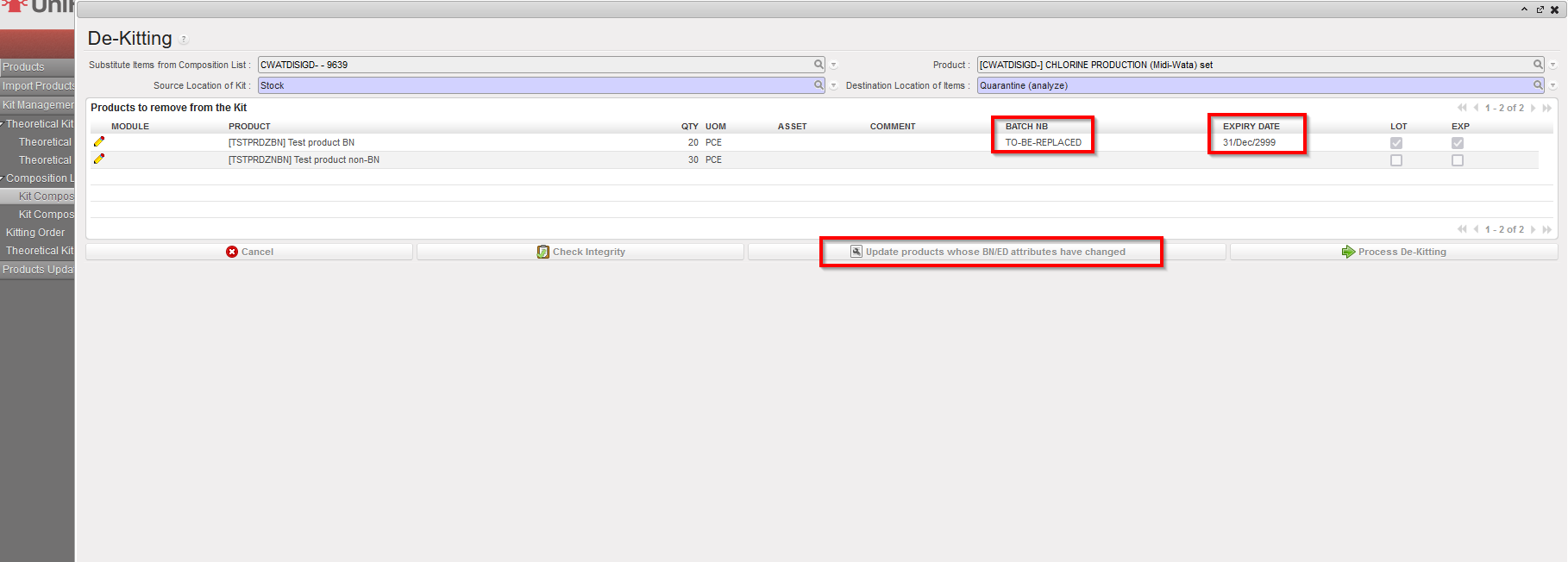
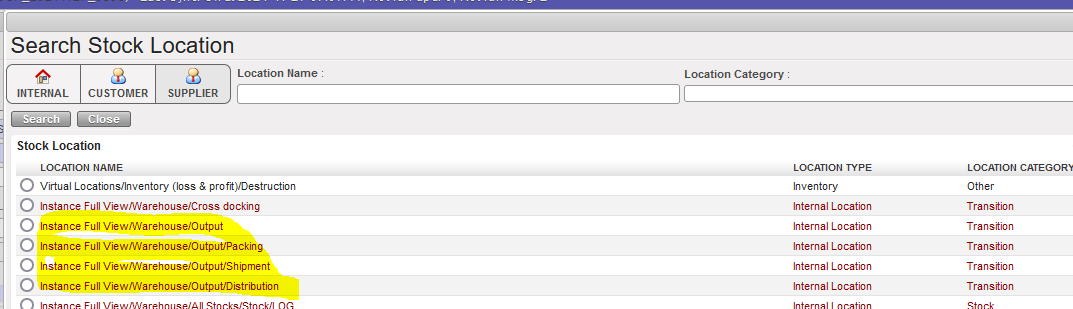
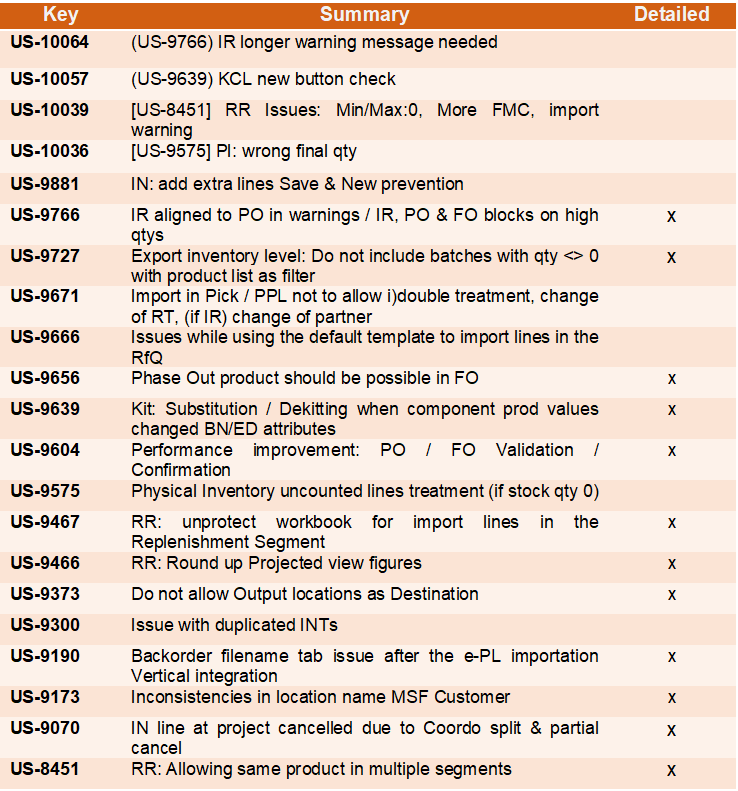
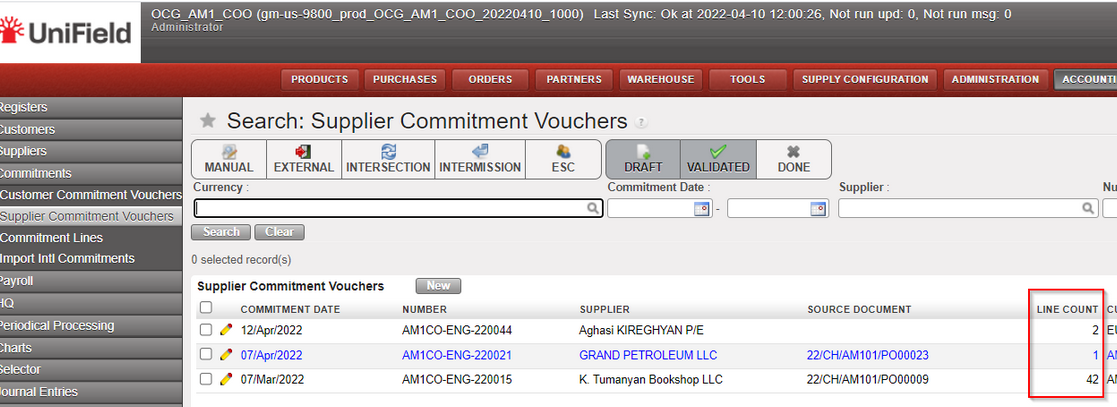
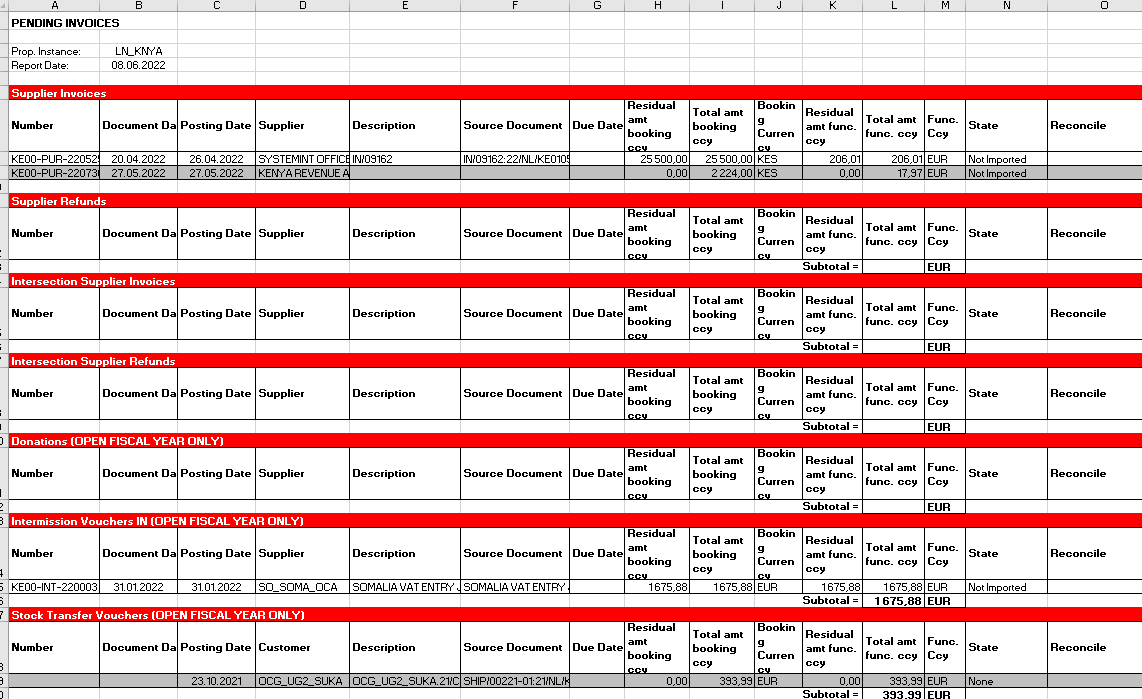
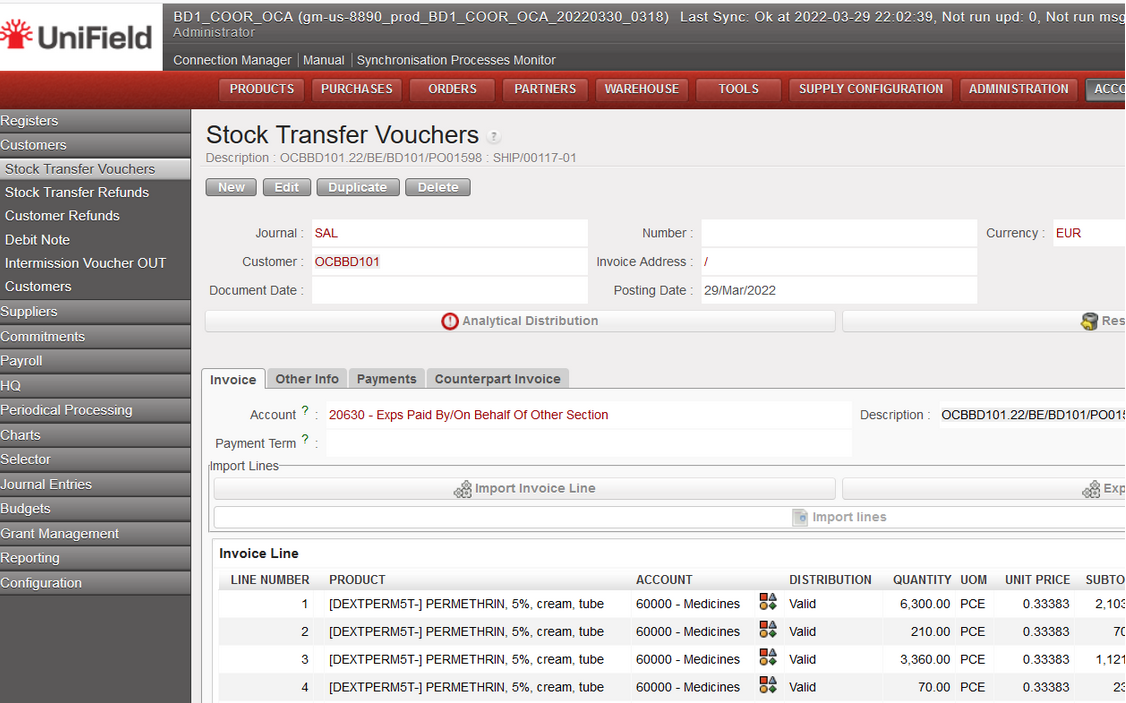
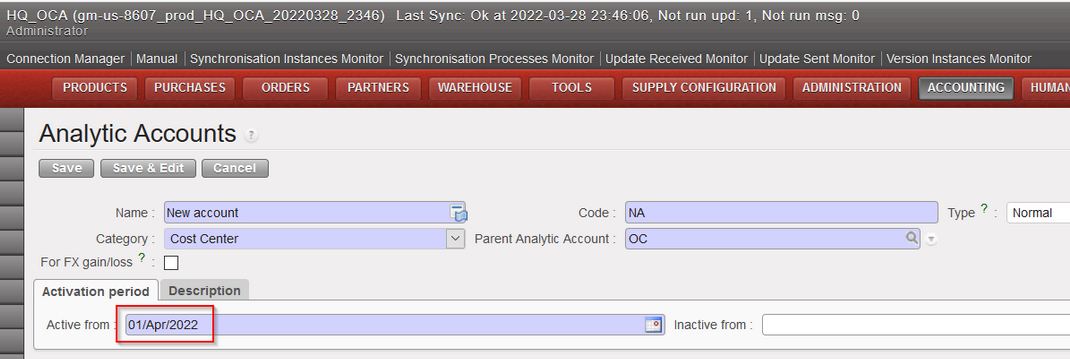
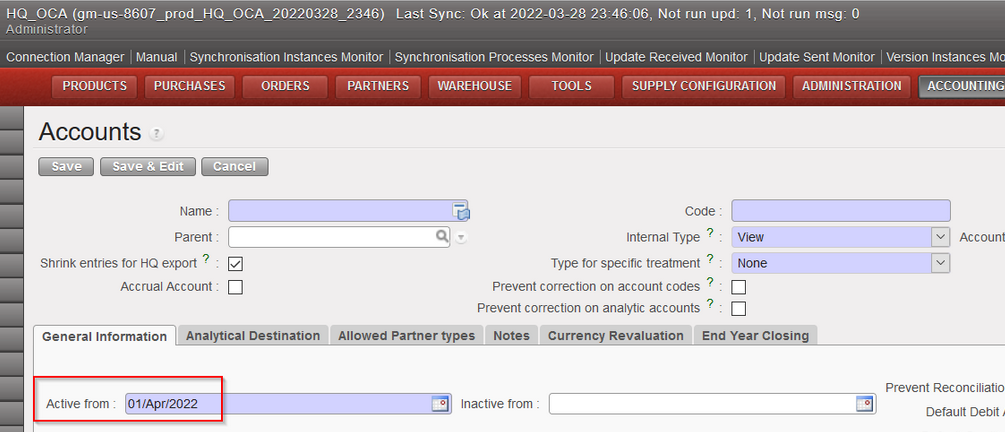

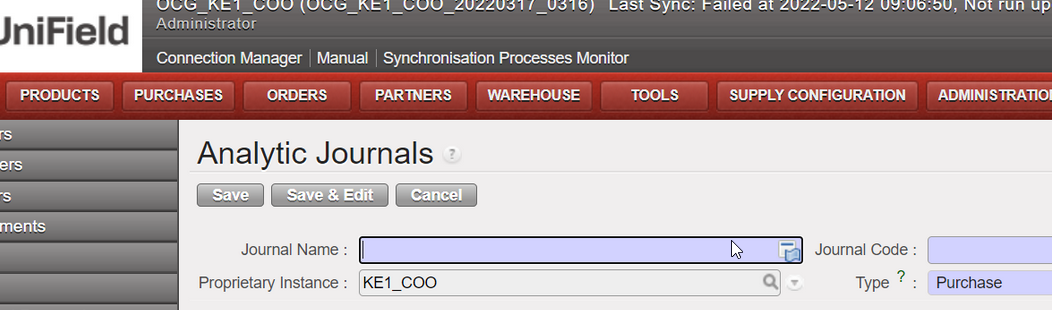

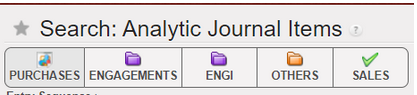
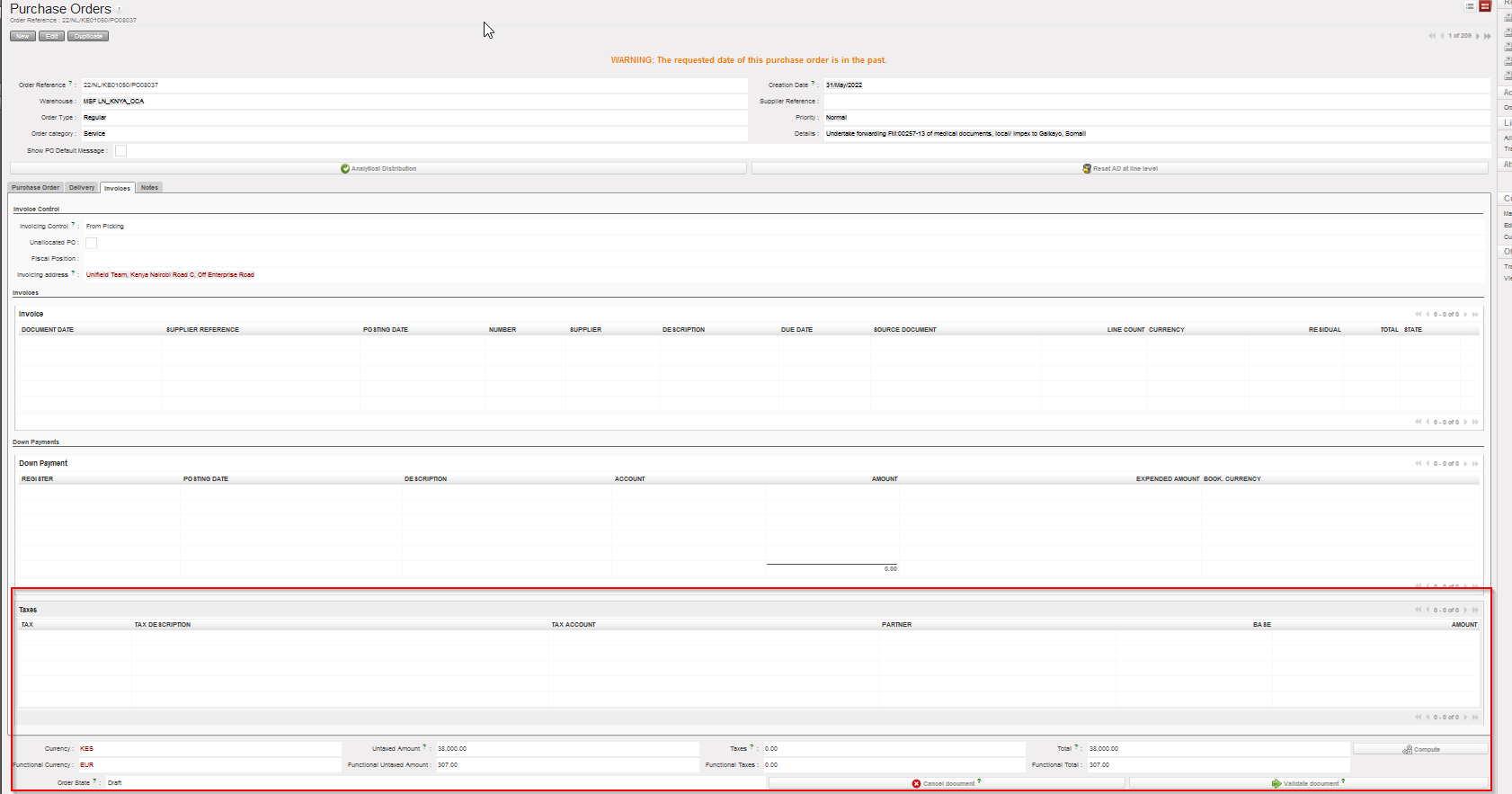
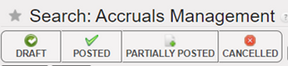


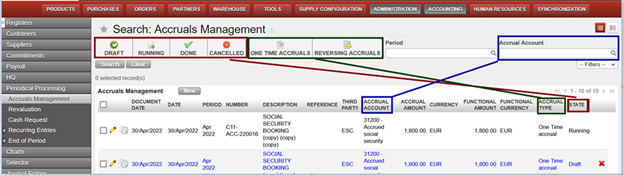


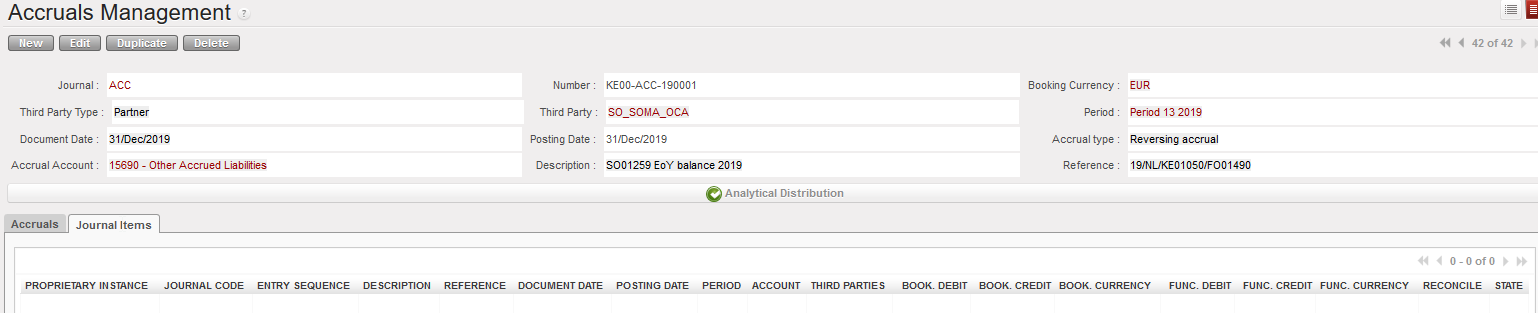
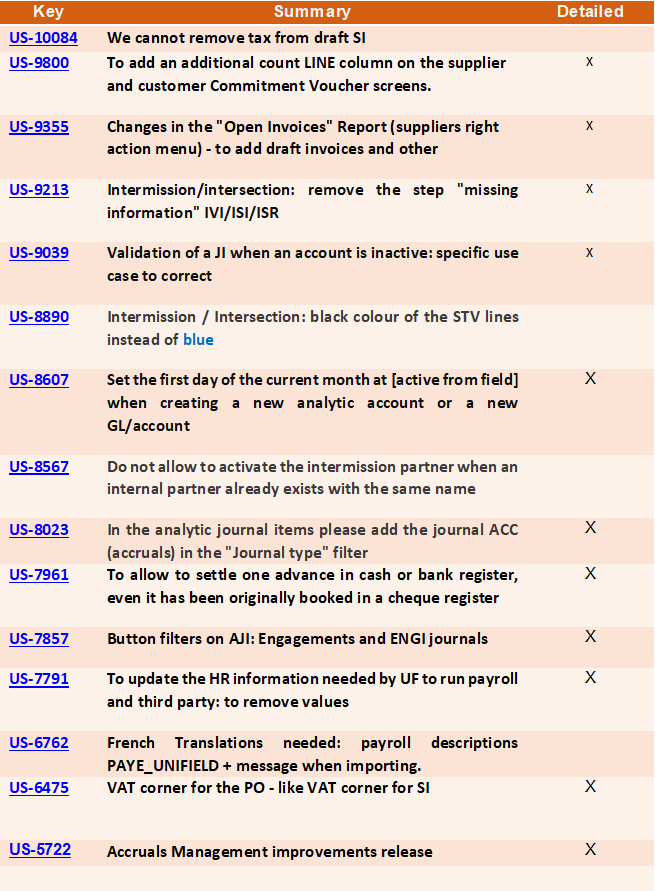
 has been added to the top right corner next to the Home button. Clicking on this icon will open the documentation site