
Supply User Manual ENG -> 5. Warehouse -> 5.6 LU-SU4105: Delivery Orders -> E. HOW TO EXPORT AN EXCEL DELIVERY ORDER FILE
E. HOW TO EXPORT AN EXCEL DELIVERY ORDER FILE
Delivery Document (OUT) can be exported to an Excel file.
Go to: Warehouse / Warehouse Management / Deliveries / Delivery orders
- Select Delivery Order you want to export
- Click on the button “Export OUT” on the form view of your Delivery Order
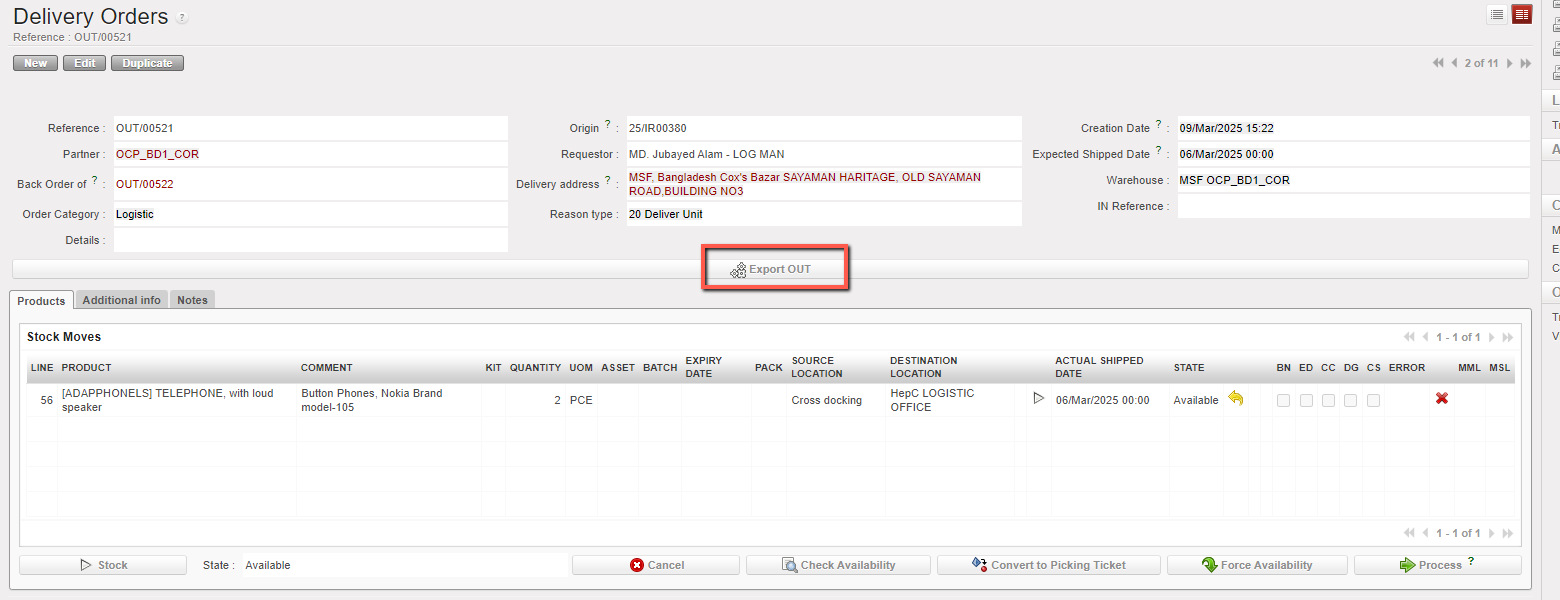
3. An Excel version of the OUT is open. You may save or update it as needed.

