
LUFI-20102 Accounting Period Opening
LU Introduction
After the Headquarters instance has synched the fiscal year downwards, coordinations and projects can change the periods from {Draft} to {Open}.
It is possible to open a period when the previous period is {Draft} or {Open}. This allows you to enter financial transactions for the new period while the closing of the previous period may still be in process.
However you will not be able to close a period if the previous one is {Open} or {Draft}. For instance, if you start using UniField in May, you will open the May period and leave the previous period {Draft}. When you will close May, you will have to open the previous periods and close them before closing May.
How to Open an Accounting Period
Go to Accounting/Configuration/Financial Accounting/Periods/Periods

Click on the green arrow to open the relevant accounting period. In the below example, we want to open January 2017.

Green Arrow to select to open January 2017
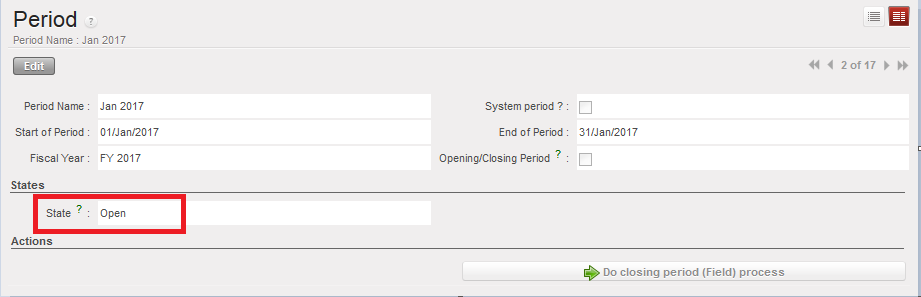
Form view of the period January 2017 display the state {Open}
