Finance User Manual ENG -> 2. Finance Configurations -> 2.3 Multi-Currency Management -> LUFI-20302 Currency Activation
LUFI-20302 Currency Activation
LU Introduction
Imported or manually created currencies need to be activated or the user will not be able to record entries in such currency. When a currency is not needed anymore (e.g. because it is not used locally anymore), it can be manually inactivated.
How to Activate a Currency
The Headquarter instance will synchronize downwards all currencies as inactive. In the mission instances, only the currencies used in the specific mission must be activated. The currencies to activate may be local currency for everyday bookings but also for example DKK if the mission employs a Danish expat whose salary is paid in DKK at HQ (the corresponding entry will be synchronized to the field using this currency).
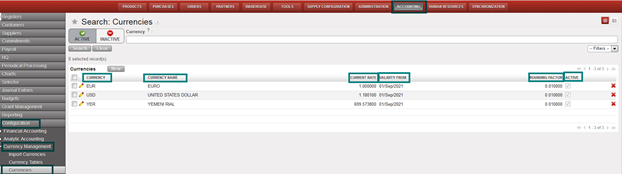
Go to: Accounting/Configuration /Currency Management/Currencies
- Clear the default current filter {Active} by clicking on the button {Clear}.
A list of standard currencies appears (active and inactive)In the currency field, type the code of the currency you want to activate.
2. Once the currency is retrieved click on the pencil of the currency line to edit the form.
3. In the Form view, check the {Active} box and Save. In the below example, we activate the USD
The currency (USD) is activated. Entries can be recorded using this currency.
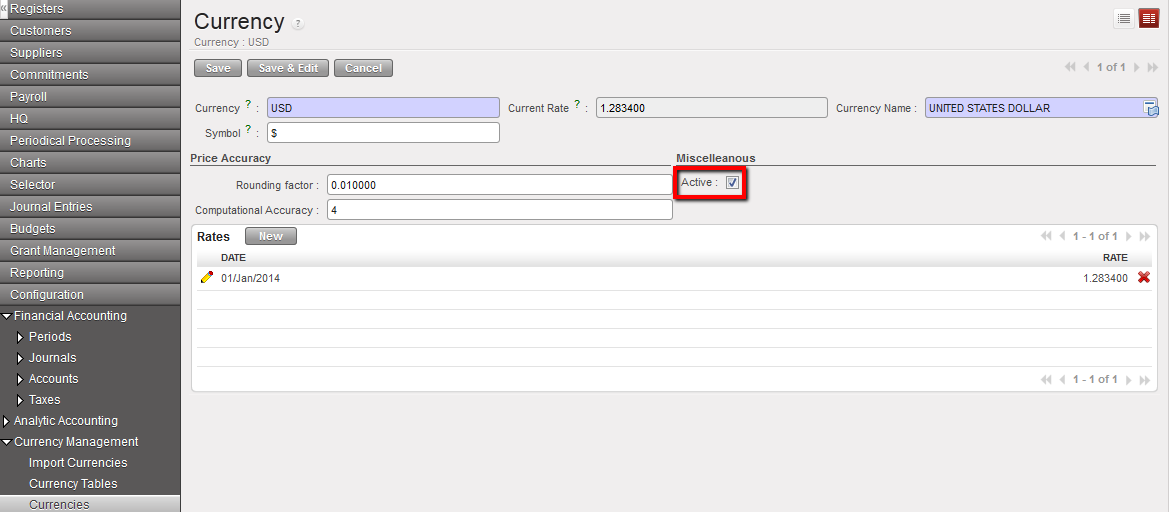
Checking the box “Active” to activate USD
How to Activate Multiple Currencies
You can activate multiple currencies by using the action Activate / Deactivate currencies by selecting currencies from the currencies list:
Go to: Accounting/Configuration /Currency Management/Currencies
- Clear the default current filter {Active} by clicking on the button {Clear}.
A list of standard currencies appears (active and inactive)
2. Select the currencies to activate. Here we want to activate DKK and COP.
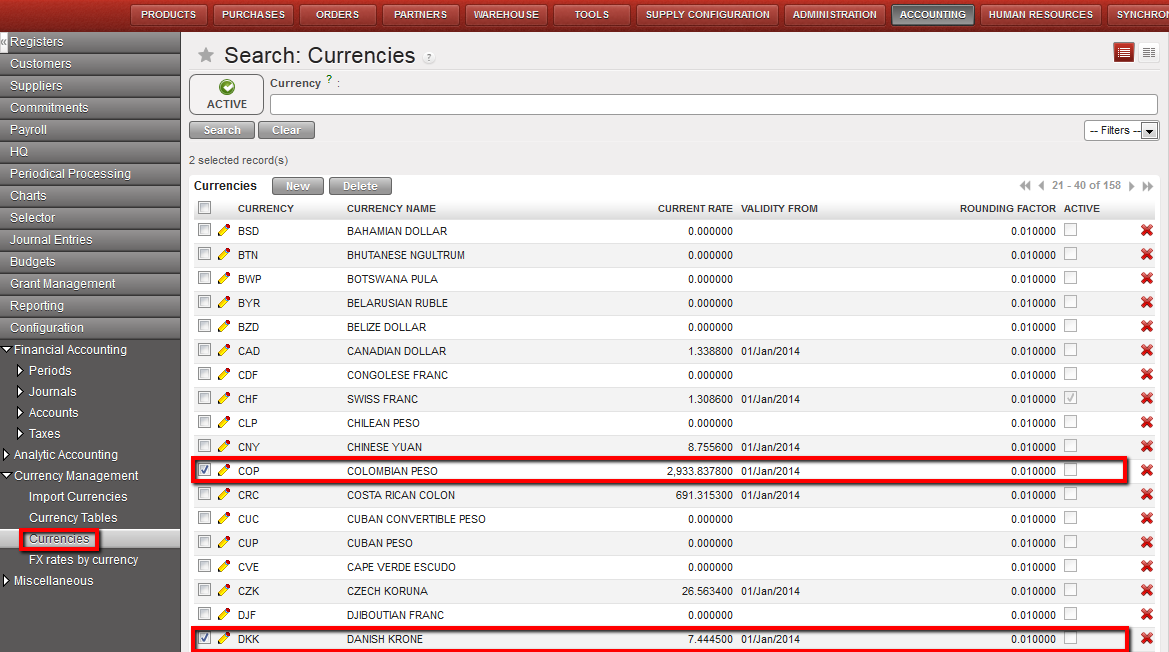
DKK and COP selected for activation
3. On the right side of the screen, select the action Activate / Deactivate multiple currencies
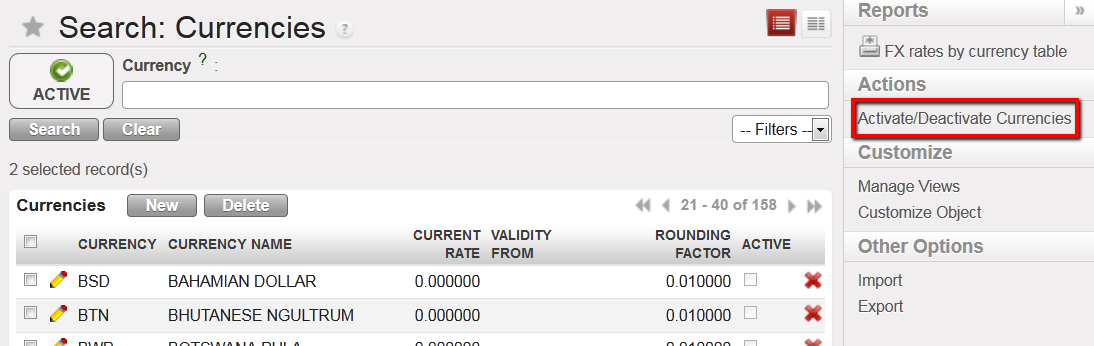
Action function to Activate / Deactivate multiple currencies
A windows pop-up to conform the action
 Active / Deactivate Currencies window
- Select {Approve}
- Check whether the currencies were activated in the currencies search view by selecting the Active filter
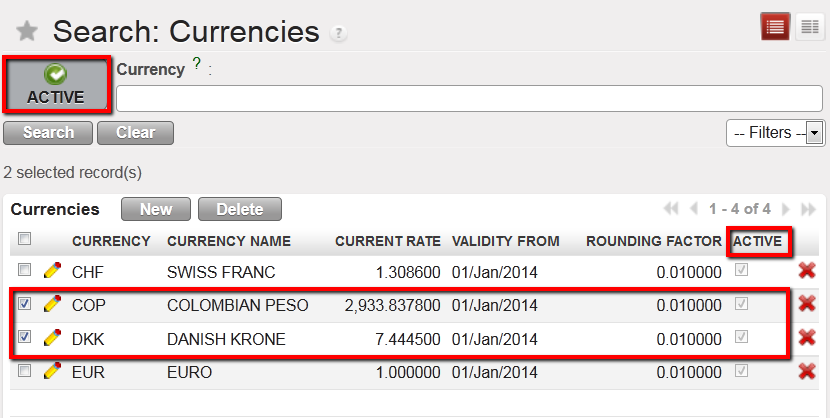 DKK and COP are active
To track changes on the currencies:
Go to > Accounting/configuration/currency management/currencies
You will be able to track below:
- the creation of the currency
- The editions of every field, including the changes on the rates.