
Finance User Manual ENG -> 2. Finance Configurations -> 2.3 Multi-Currency Management -> LUFI-20301 Currency Files Loading
LUFI-20301 Currency Files Loading
LU Introduction
When a new mission is opened, a list of standard currencies is loaded at HQ level with current FX rates and then synchronized as inactive to the field. For specific use in the field, a non-standard currency can be created manually by HQ and synchronized to the field as inactive, too.
See LUFI-20204 Manual currency creation for further information.
How to Load Standard Currencies in an Instance
As MSF expects the same exchange rates to be used across all missions, currency creation should only take place in the Headquarter instance as it is then synchronized downwards to all missions.
Go to the following website to download the file:
http://ec.europa.eu/budget/contracts_grants/info_contracts/inforeuro/inforeuro_en.cfm
This link is just an example; please refer to your section procedures to find out which website you should use or create your own CSV file
CSV Currency Exchange Rate File
- Select the rate period as the reference period to display the FX rate and select {OK}.
- Click on {Download in csv format} and save the file.
- Check if rates were properly downloaded.
- Copy/paste them into your currency import file
- In UniField go to Accounting/Configuration /Currency Management/Import Currencies.
- Browse the file to upload and click on {Import}.
- Click on {OK}.
- In UniField go to Accounting/Configuration /Currency Management/Currencies
A list of currencies displays with their corresponding FX rate
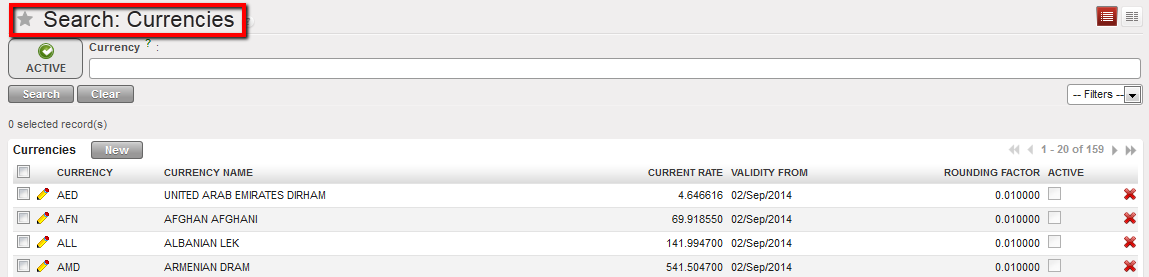
Currencies List displayed in the Currencies Search view
9. Synchronize
