Finance User Manual ENG -> 2. Finance Configurations -> 2.3 Multi-Currency Management -> LUFI-20304 Applied FX Rate over Multiple Periods
LUFI-20304 Applied FX Rate over Multiple Periods
LU Introduction
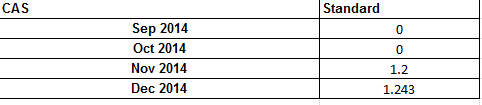
In some cases, you might want to use the same FX rate for a defined currency over several periods. The “FX rate by currency” function will produce a report in xls showing the rates used for given periods.
How to Apply an FX Rate on a Defined Currency over Multiple Periods
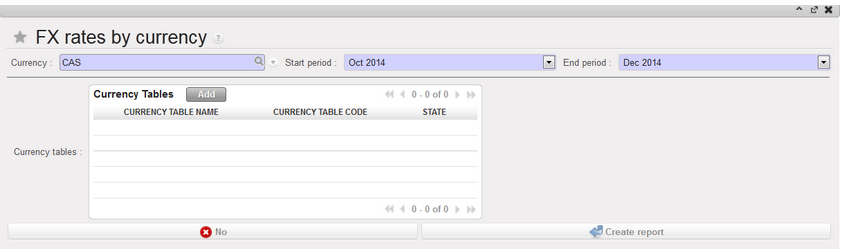
Go to: Accounting/Configuration /Currency Management/FX rate by currency
- In the FX rates by currency window, insert a Currency, Start and End period.
- Select a currency table if need be
- Press on Create report.
4.Confirm (OK)
>> An xls report is produced