
Finance User Manual ENG -> 2. Finance Configurations -> 2.3 Multi-Currency Management -> LUFI-20306 Manual Currency Update
LUFI-20306 Manual Currency Update
LU Introduction
Like creating currencies manually at the HQ instance, you can also change or add an FX rate manually. As MSF expects the same exchange rates to be used across all missions, the currency rate update should only take place in the HQ instance as it then synchronized downwards to all missions.
How to Update a Currency Rate for a Period Manually
Go to Accounting/Configuration /Currency Management/Currencies
A list of active currencies appears
- Remove the default current filter {Active} by clicking on the button {Clear}.
A list of standard currencies appears (active and inactive)
In the currency field, type the code of the currency you want to edit.
2. Once the currency is retrieved click on the pencil icon of the currency line to edit the form
The currency form you selected is displayed
3. In the rates field, click on {New} to add a new rate. Remember to save the form .

4. Synchronize
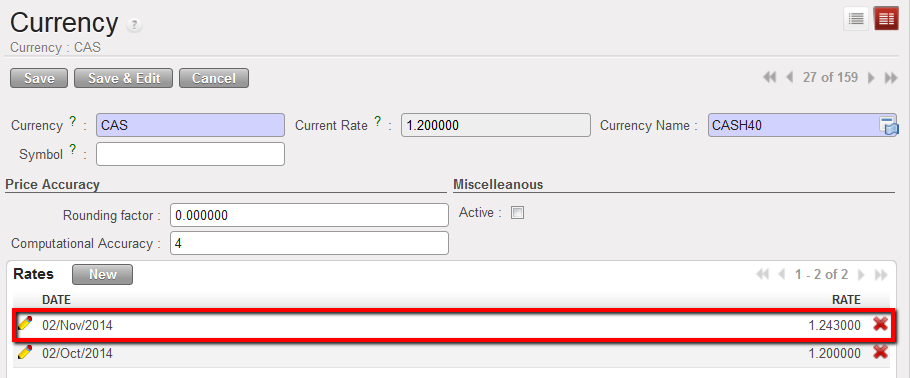
FX rate updated
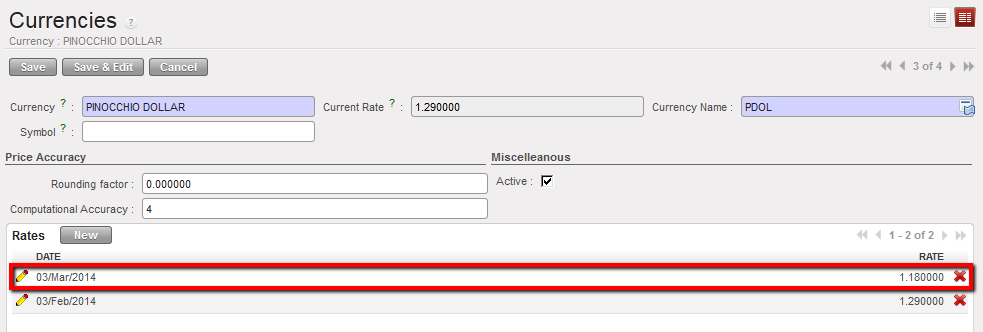
FX Rates list in the currency form
