Finance User Manual ENG -> 2. Finance Configurations -> 2.4 Financial Accounts -> LUFI-20402 Account Inactivation
LUFI-20403 Chart of Financial Accounts
LU Introduction
A Chart of Accounts (CoA) is a list of accounts divided into groups reflecting the nature of financial transactions. In UniField you can find a financial and analytical chart of accounts. Below we show how to display the chart of financial accounts.
How to View the Chart of Financial Accounts
Go to: Accounting/Charts/Chart of Accounts
The Chart of Accounts window appears.
- Select a Fiscal year and check the box of show inactive accounts if relevant.
 Chart of Accounts window
2. Select Open Charts.
The Chart of Accounts for the selected fiscal year displays the view accounts
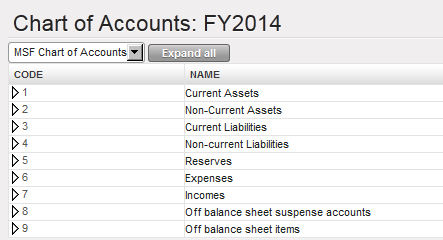
Chart of financial accounts, View account type
3. You can also have a complete tree view by clicking on the arrow located next to the account code.
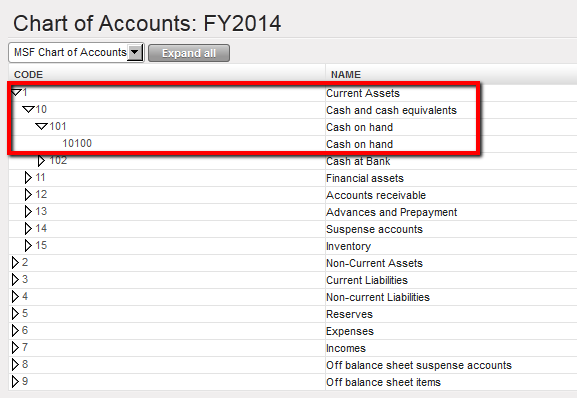
Chart of financial accounts, extended on Cash and Cash equivalents account
4. Finally, you can also click on button to open the chart of accounts tree down to the deepest level of detail for all account types.

How to block Inter-Currencies reconciliation on Balance Sheet accounts
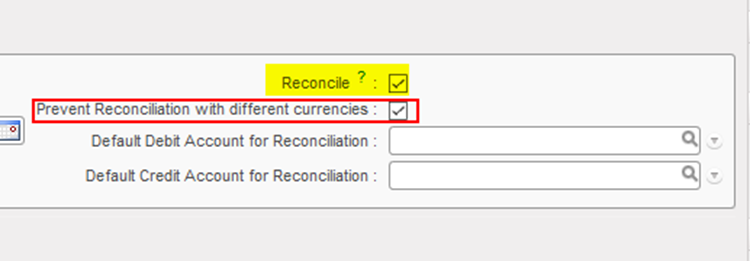
It is possible to block the possibility of reconciliation for account codes in case the related entries contained more than one currency. That can be done through the configuration of the account, as we have now a new field called “Prevent Reconciliation with different currencies” which should be ticked to prevent the reconciliation of this account in case of different currencies. However, it can be ticked only if the tick box “Reconcile” is ticked.