
Finance User Manual ENG -> 2. Finance Configurations -> 2.4 Financial Accounts -> LUFI-20404 Account Mapping
LUFI-20404 Account Mapping *
LU Introduction
This functionality is specific to OCG *.
At OCG, the function Account Mapping is used in the vertical integration framework.
In HQ system, the B/S accounts are different from UniField. A mapping is therefore needed between the field B/S accounts and HQ B/S accounts. You will therefore perform an account mapping using the Account Mapping function.
When this is done, UniField uses the mapping for the generation of the OCG vertical integration report so that the output can be directly integrated in Axapta.
Remember it is possible to link several field accounts to a single HQ account
How to Use the Function Account Mapping
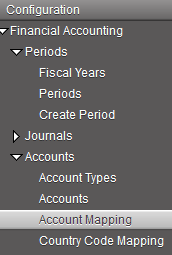
Go to: Accounting/Configuration/Financial Accounting/Accounts/Account Mapping
The Search Account Mapping view displays
 Search Account Mapping view
- In the Actions menu, select “Import Mappings”.
- In the import mapping window, add the table which defines the account mapping. Remember it should be a csv file.
- Select Import to close the window.
 Import Mappings window
4. Select Import to close the window.
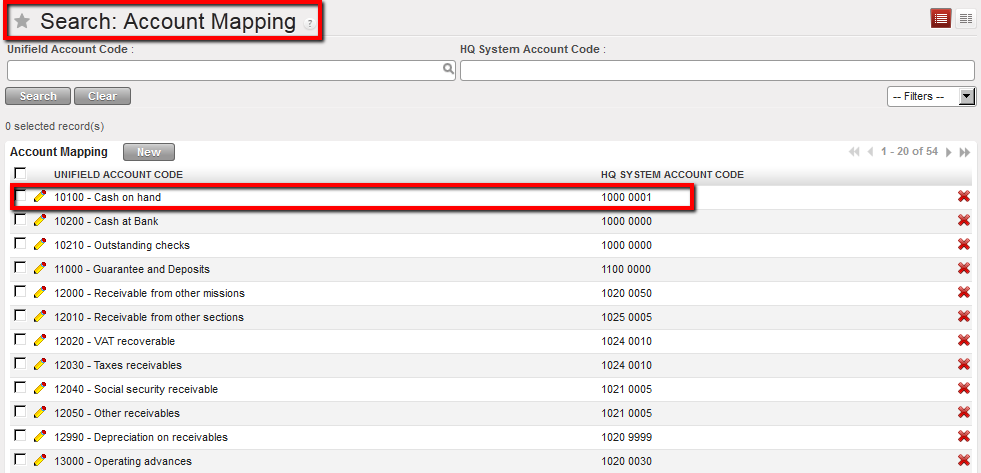 Account Mapping between HQ and Field on B/S accounts is set. For instance, entries booked on the account 10100 in UniField will be automatically recorded on the account 1000 0001 in Axapta.
