
Finance User Manual ENG -> 2. Finance Configurations -> 2.5 Analytic Accounts -> LUFI-20504 Chart of Analytic Accounts
LUFI-20504 Chart of Analytic Accounts
A. LU Introduction
A Chart of Analytic Accounts is a tree view of accounts of category cost center, destination, funding pool, Free1 and Free2. Below we show you where to find the chart of analytical accounts.
B. How to View the Chart of Analytic Accounts
Go to: Accounting/Charts/Charts of Analytic Accounts
The chart of analytic accounts window appears
- Select a fiscal year and decide if you want to display inactive account. Once done, click “Open chart”.
 Chart of Analytic Accounts window
The chart of accounts appears and defaults to the destination category.
 Account category Destination shows the chart of destination accounts
2. Change the category if necessary.
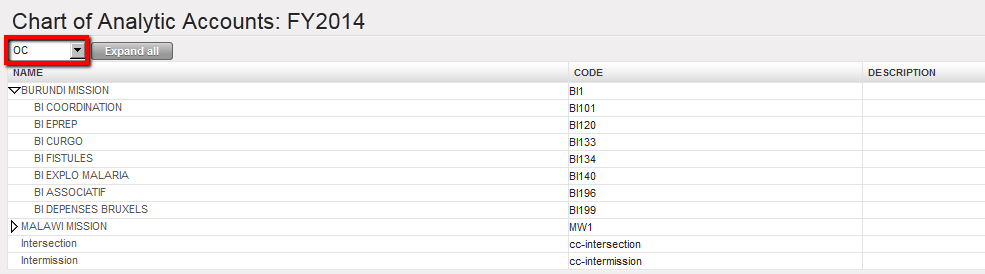 Account category Cost centers shows the chart of cost centers accounts
3. You can also have a complete tree view by clicking on the arrow located next to the account. Clicking on will open all the elements of the analytic tree selected.

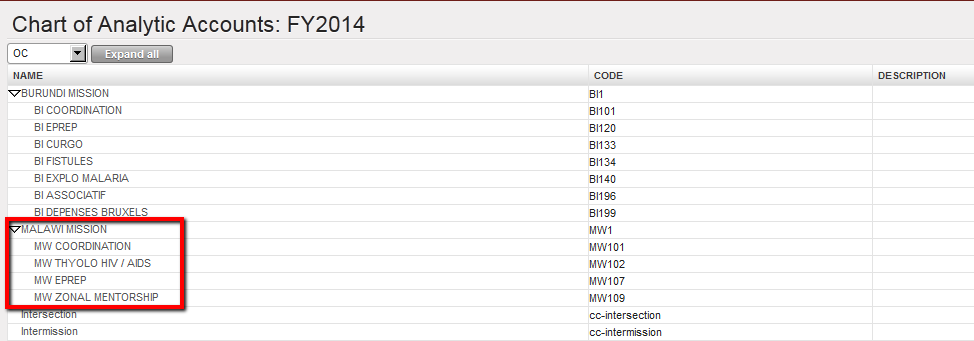 Malawi mission tree view cost centers
