Finance User Manual ENG -> 3. Payments -> 3.2 Purchase to Payment Process: Supply&Finance Links -> LUFI-30207 Supplier Invoice Payment: Step Five in the Purchase Process
LUFI-30207 Supplier Invoice Payment: Step Five in the Purchase Process
LU Introduction
A supplier invoice can be paid from the cash, bank or cheque registers via the {Pending Payments} function. In order to make the payment, the supplier invoice must be imported into the appropriate register. Importing the payment into the register automatically creates a temp posted register entry. In the liquidity journal, the payable account is debited to cancel the debt and the liquidity account (cash, cheque or bank depending on type of payment) is credited to recognize the money out.
Note that a supplier invoice can be paid before the invoice posting date provided the payment is done in the same (monthly) period or in a later period.
How to Import a Supplier Invoice into a Register
In the below example the payment is done in a cash register.
Go to: Accounting / Registers
- Open the relevant register to import the invoice
- Click on the Button {Pending Payments}
 Pending Payments invoice on a register form
An {Import invoice} window display

3. Click on {Add} and select the relevant invoice.
 Add button to select an invoice
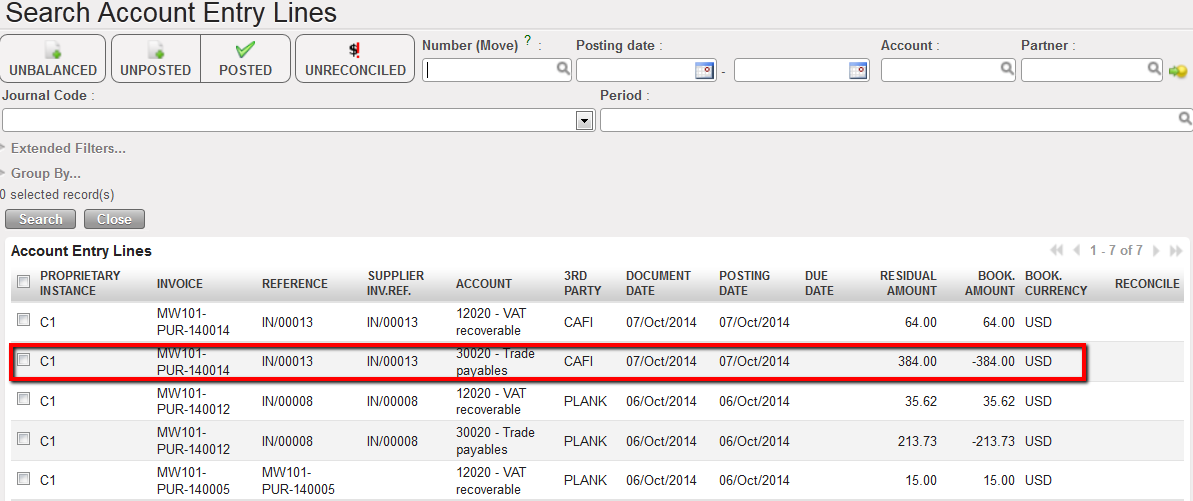 Search Account Entry Lines window opens to select the invoice to import in the register
4. Remember the PO/Supplier invoice process we saw before. Here, we will import only the supplier invoice booked on the Trade Payables account. The VAT will be paid later on.
5. Add a Payment posting date and click on {Single import} because in this illustration we only have to import one invoice from one supplier.
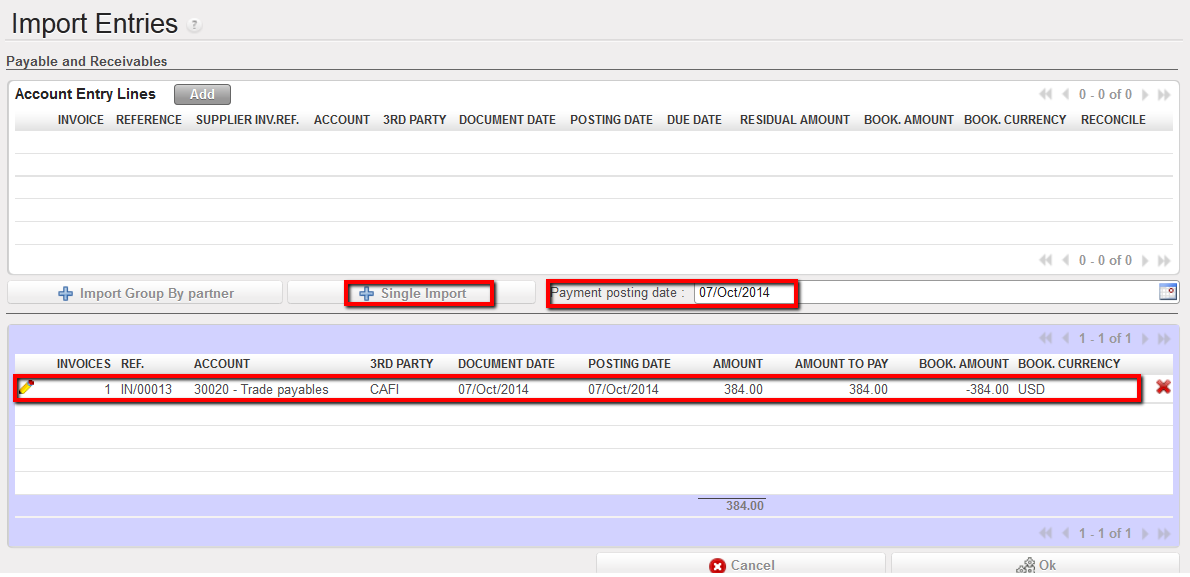 Invoice imported in the Import Entries window
6. The invoice moved down to the bottom half of the {Import Invoice} window. Changes can be made here as well. However, the document date must be changed on the top screen. If making a payment through the cheque register, the cheque number will need to be entered. Once verified, click {Ok}. The window closes.
An entry is created in the register and booked to {30020 – Trade Payables} to pay the amount owed to the Supplier. The description defaults to {Imported Invoice}. The reference is automatically retrieved from the reference of the supplier invoice. There is no automatic reconciliation on the A/P account until the register line is hard posted.
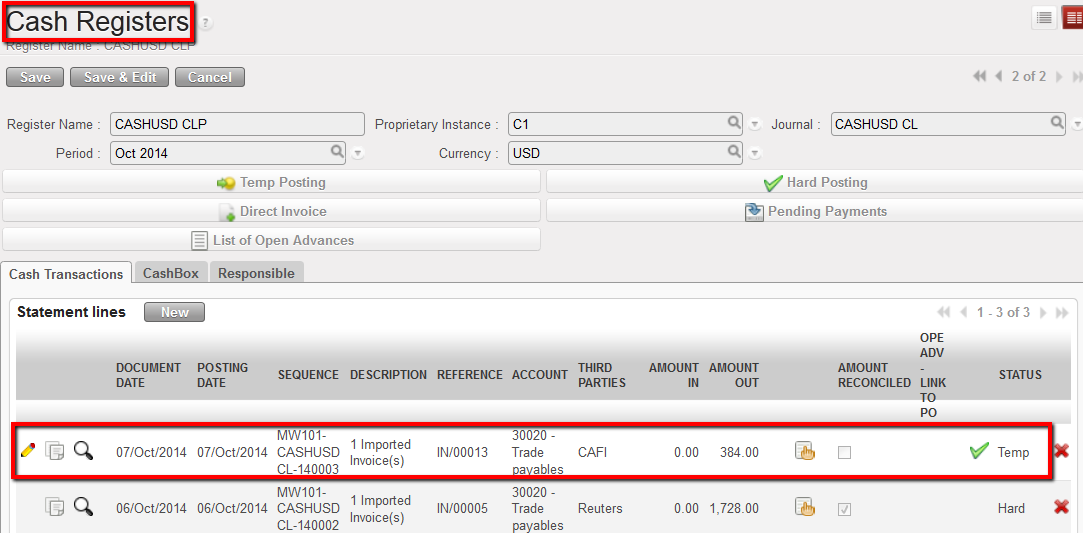 Payment entry displayed in the register in Temp state
7. The link will take you to the supplier invoice; if user clicks on this line, the Supplier Invoice list view will display.
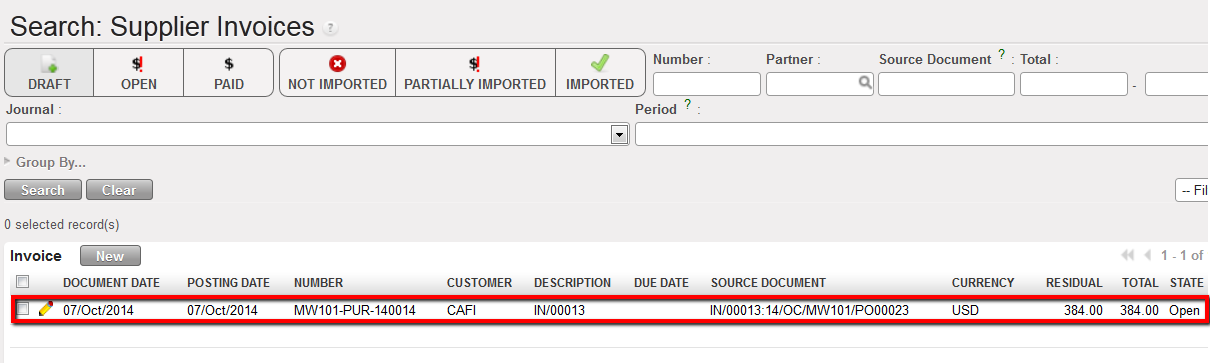 Invoice Lines displays when the link is clicked in Register. Click on line to open Supplier Invoice.
As soon as the supplier invoice is imported, the register line is Temp posted and the entries created in the liquidity journal items are:
- Credit to 10100 Cash on Hand (the invoice was imported into a cash register) to reduce the cash balance by the amount of the invoice.
- Debit to 30020 Trade Payables to reconcile the outstanding A/P entry created when the supplier invoice was validated
Once the register entry is hard posted, the payable entries are reconciled (M1-8). The supplier invoice status changes to {Paid}.
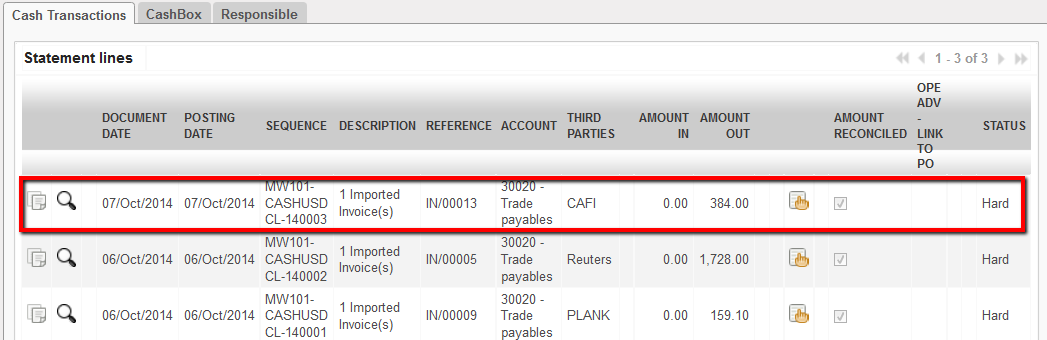 The entry corresponding to the imported invoice was hard posted.The entry state is Hard.
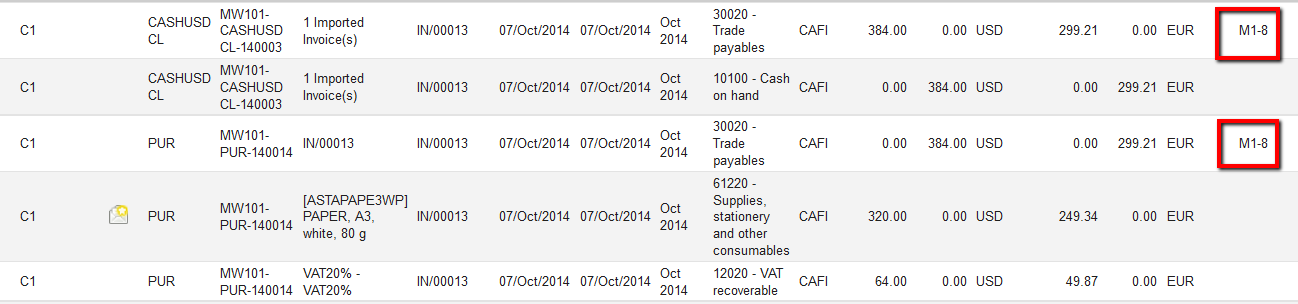 Created Journal Items of the paid supplier invoice when the register line became hard posted.
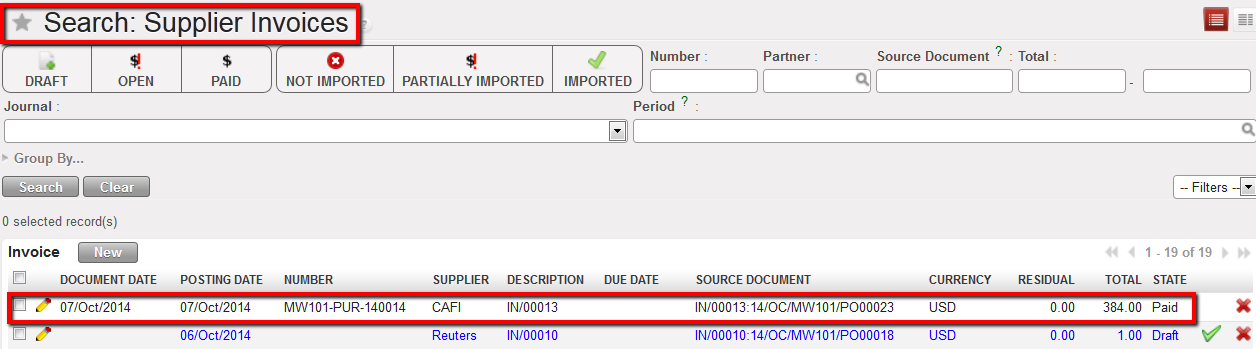 Supplier Invoice becomes paid when its corresponding register entry is hard-posted

In case you want to import several invoices from the same supplier in one entry, you can use the {Import Group by partner} function.
Selection of 2 invoices to pay to a same supplier before importing in a register
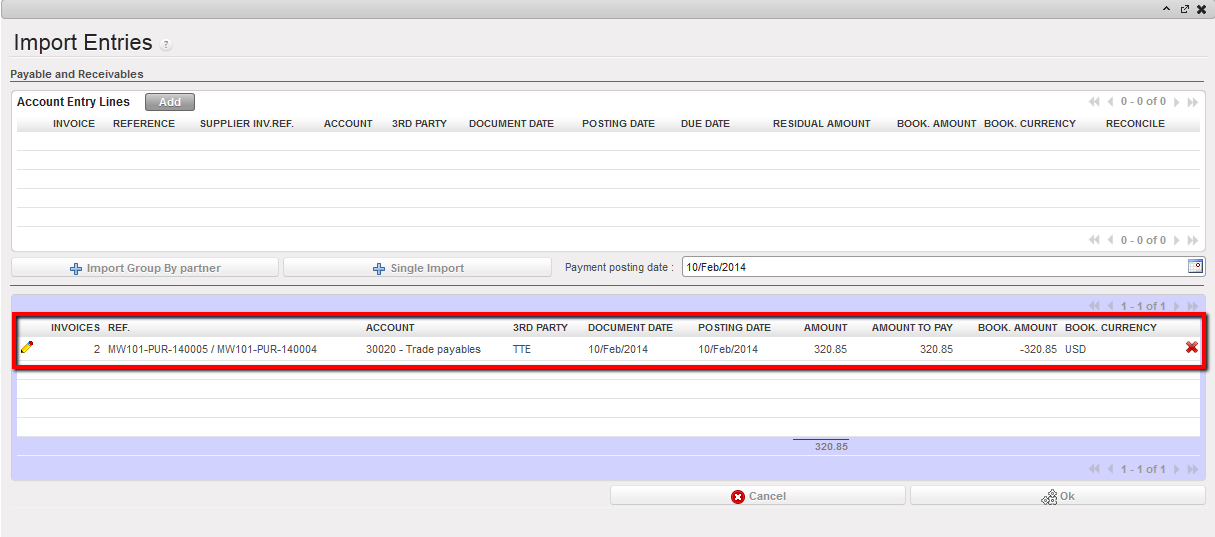 Invoices references are displayed in the Ref. field
 Register line reflecting the import of 2 supplier invoices.
In case there are more than 3 invoices embedded in the payment, all references may not be fully displayed in the payment reference field as the system will cut off the text string to bypass display issues. But the payment will be processed for all selected invoices.